Syspass: How to configure mail settings
sysPass Version
3.0
Describe the question
I wish to configure mail settings to send password notifications, but i don't know how to fill in the fields. Can I use data from a google account or I have to have a local mail server?
Platform (please complete the following information):
- OS: Linux
- OS Version: Debian 9
- Browser Chrome
 Cefanys
All 10 comments
Normaly you can use your google account. I`m sending from another Server which is located in a different data center
 andrucha97
on 4 Jun 2019
andrucha97
on 4 Jun 2019
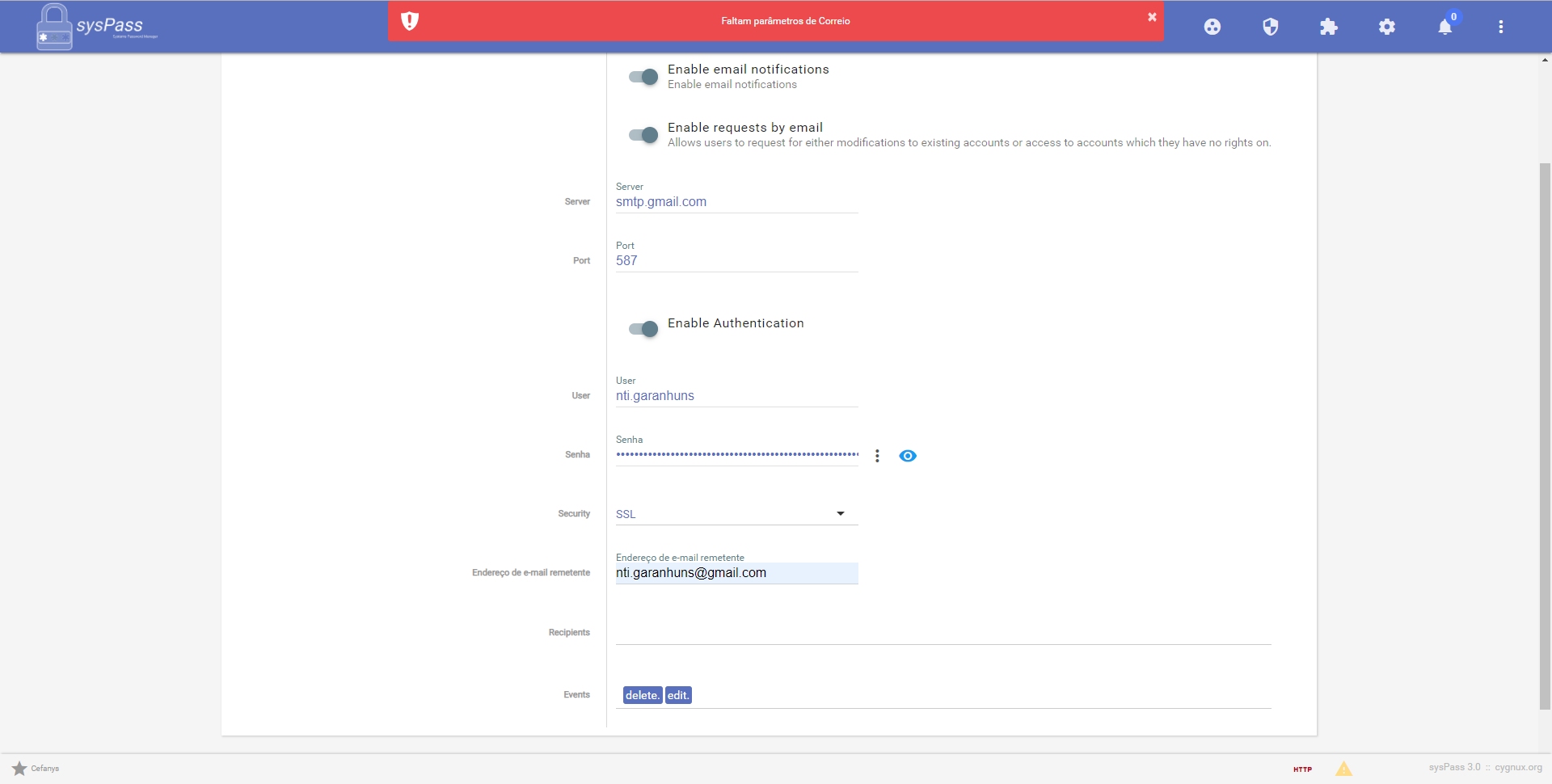
Could you help me fill in the fields using the Gmail data? Should i use the settings for smtp?
for example:
the filds are:
Server: smtp.gmail.com
Port: 587
Enable Authentication: ON
User: [email protected]
Password: mypassword
Security: SSL
it's right? Because after informe this fields i'm getting this error:
Cefanys
on 5 Jun 2019
Did you activate IMAP and POP3 for your account in gmail?
https://support.google.com/mail/answer/7126229?hl=en
I don’t understand the error because of the language xD
andrucha97
on 5 Jun 2019
Yes, the IMAP and POP3 are active ingmail configurations.
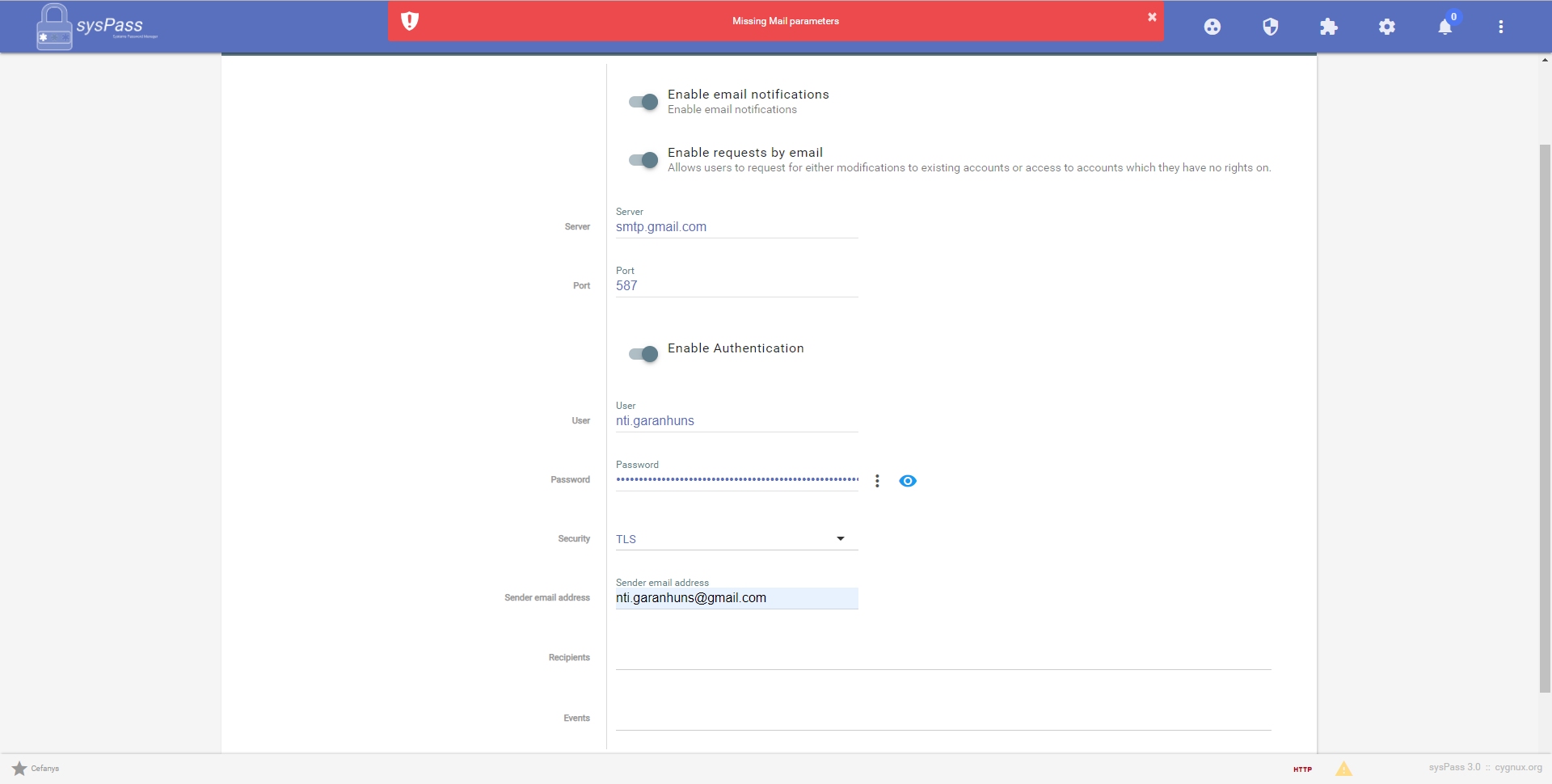
Sorry :/, i send the image bellow witch english language
Cefanys
on 5 Jun 2019
Obs: I try to insert the full email address in User field and also alter TLS to SSL and Port 587 to 465
The erro is the same :(
Cefanys
on 5 Jun 2019
Hmmm as user I would type in [email protected] and you I think you need to choose at least on recipient and event
I can look tomorrow at work what I configured.
andrucha97
on 5 Jun 2019
Yes, I tried everything you mentioned, and nothing worked for me, always the same mistake.
Another question, the Recipients field, I leave blank on previous tests? How to fill this field?
Thanks a lot for your attencion and dedication on solve my problem.
Cefanys
on 5 Jun 2019
@Cefanys hello, please run a mail checking before saving the mail settings.
Recipients should be set, since it would need to send emails to someone.
Regards.
 nuxsmin
on 5 Jun 2019
nuxsmin
on 5 Jun 2019
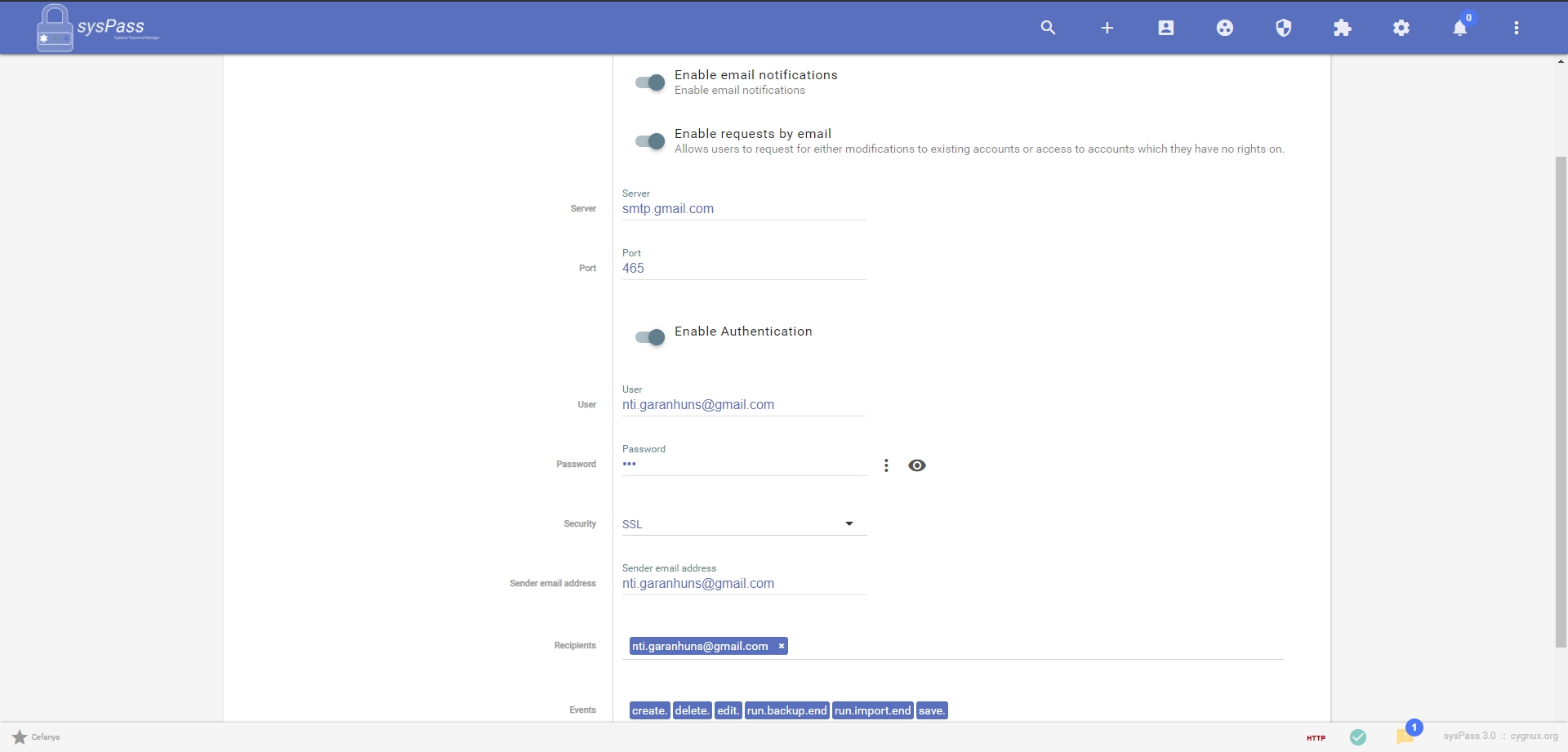
Thanks to all, I solved the problem, my server was having problems in dns resolve.
Anyway I leave the image below how the final configuration was done for others with the same problem in future.
Regards to all! 😃
Cefanys
on 5 Jun 2019
@Cefanys thanks for the feedback!
nuxsmin
on 5 Jun 2019
Related issues
 TheMengzor
·
3Comments
TheMengzor
·
3Comments
 11anthonym
·
4Comments
11anthonym
·
4Comments
 PedroMD
·
7Comments
PedroMD
·
7Comments
 LordSchnaps
·
4Comments
LordSchnaps
·
4Comments
 vmario89
·
5Comments
vmario89
·
5Comments
Most helpful comment
Thanks to all, I solved the problem, my server was having problems in dns resolve.
Anyway I leave the image below how the final configuration was done for others with the same problem in future.
Regards to all! 😃