Synergy-core: Visible mouse cursor left in center of screen
Operating Systems
Server: Windows 10 x64 Creator's Update (1703)
Client: Windows 10 x64 Creator's Update (1703)
READ ME, DELETE ME: On Windows, hold the Windows key and press 'r', type 'winver' and hit return to get your OS version. On Mac, hit the Apple menu (top left of the screen) and check 'About this Mac'. Linux users... you know what you're using ;)
Synergy Version
1.8.8
Steps to reproduce bug
- Move the cursor to a client running Creator's Update
- Move the cursor off the client
- A visible mouse cursor is left in the center of the screen. This is obviously very annoying for video playback (and VLC doesn't hide it after a few seconds like it would when the mouse was moved manually). This did not happen before upgrading the client machine to the Creator's Update. On older Windows 10 builds VLC does not leave a visible cursor behind.
 szeiger
All 8 comments
Confirmed
 nlyan
on 11 May 2017
nlyan
on 11 May 2017
I'm not a programmer with the proper skills to fix this problem on that level, however I have found a 3rd party solution that works for me until this bug is fixed.
It is a program called AutoHideMouseCursor, basically you set a timeout after which the mouse cursor hides from inactivity. Works for me on Windows 10 Creator synergy clients to hide the mouse when the synergy mouse is active on other clients.
I hope this is as useful for others as it is for me.
Here's the link to the CNET page:
http://download.cnet.com/AutoHideMouseCursor/3000-2084_4-75676781.html
 Moros1138
on 9 Jun 2017
Moros1138
on 9 Jun 2017
Yea, I have the same issue. Thanks @Moros1138 for a temp fix ;)
 DHoogland
on 20 Jun 2017
DHoogland
on 20 Jun 2017
Been suffering the same issue also. Thanks @Moros1138, this will do nicely until it's sorted by Synergy, it was driving me mad!
 nexx
on 23 Jul 2017
nexx
on 23 Jul 2017
I can confirm I am experiencing this. works on my windows 8 PC fine and my arch Linux system fine but ya windows 10 :P Glad @Moros1138 has a temp solution. Hope to see a fix for this soon.
 popcorn9499
on 17 Aug 2017
popcorn9499
on 17 Aug 2017
same here on windows 10 v1703 the 3rd party autohide app didn't work for me however
EDIT: I had to run as administrator works now
 eumoria
on 31 Aug 2017
eumoria
on 31 Aug 2017
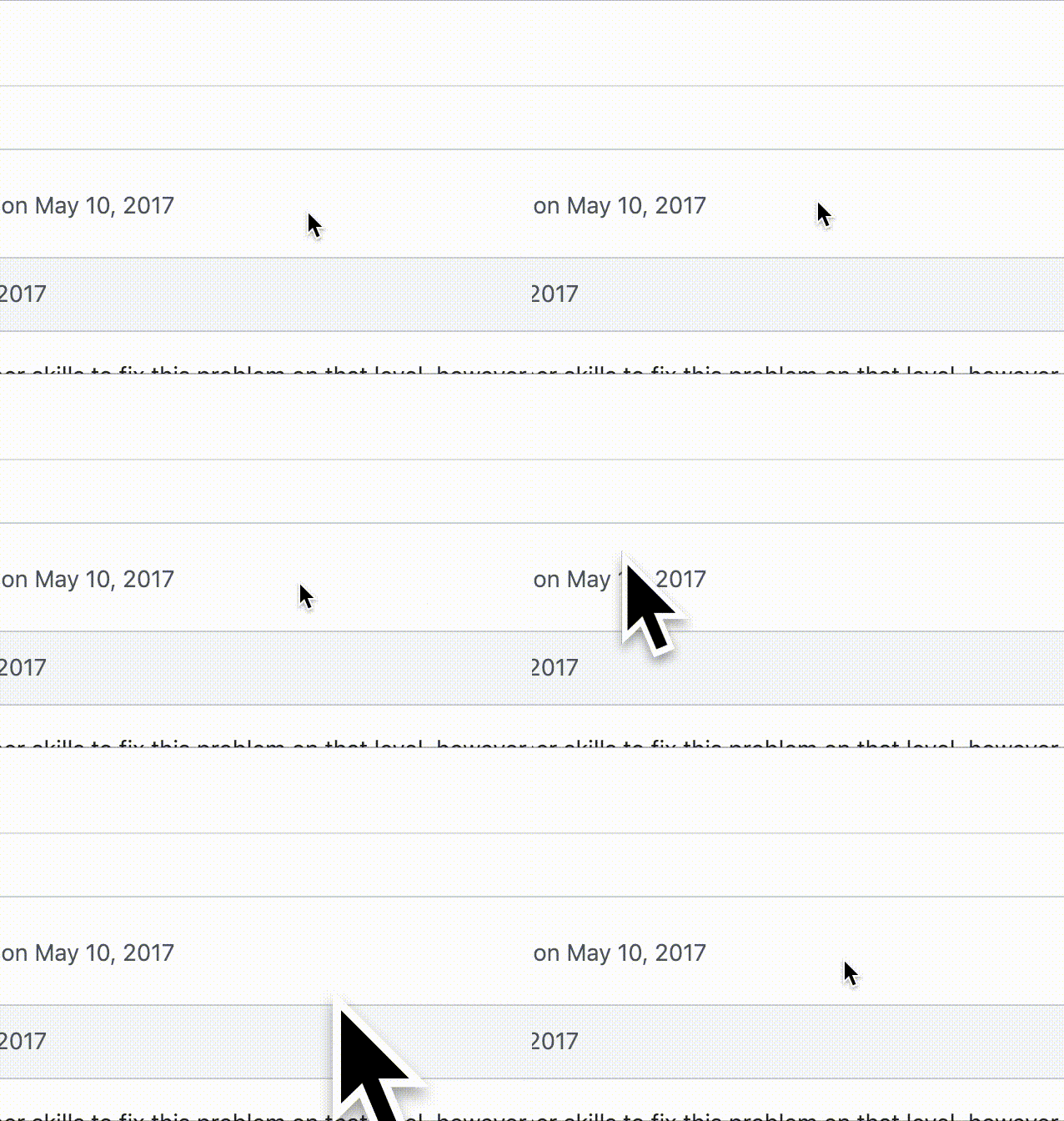
I have this same issue with a server on macOS 10.14.2
This is what it looks like on the server screen while the mouse is moving around on the client:
 kentcdodds
on 18 Jan 2019
kentcdodds
on 18 Jan 2019
I have this same issue with a server on macOS 10.14.2
I _only_ see this on macOS (it might be a thing of macOS to still show the cursor at times). It's never gone away for me.
 jalcine
on 26 May 2020
jalcine
on 26 May 2020
Related issues
 jasonosei
·
3Comments
jasonosei
·
3Comments
 jasonfisherjlf
·
4Comments
jasonfisherjlf
·
4Comments
 straris
·
5Comments
straris
·
5Comments
 laur89
·
5Comments
laur89
·
5Comments
 xmstspider
·
4Comments
xmstspider
·
4Comments
Most helpful comment
Confirmed