Synergy-core: Mouse cursor movement drifts over time
PR: https://github.com/symless/synergy-core/pull/5866
Operating Systems
Client: windows 10 version 1607 (build 14393.222)
Server: macOS 10.12 (16A323)
Synergy Version
1.8.3-stable-db9181b
Steps to reproduce bug
- Move cursor to client screen.
- Move cursor from left bottom corner to top right corner.
- Cursor moves unpredictable.
Other info
Here are images of cursor trail with SSL (black line), without SSL (red line) and with same mouse connected directly to client (yellow line).
Moving along line between top left and bottom right corners:

Moving along line between bottom left and top right corners:

Moving along circle:

- Problem start to occur after both (mac and win) updated to recent versions.
- There is no way to work around this (but mouse moving more predictable with SSL off).
- This bug does not prevent me from using Synergy entirely.
 dragomireckijj
All 100 comments
I have something similar, but i have very weird "predictable" movement for my mouse cursor too. (the third image I experience the black line all the time with or without SSL, doing more tests)
macos Sierra (10.12 server)
Windows (10 up2date)
my behavior is very "vertical" / "horizontal" (like a snap to grid cursor feeling).
It seems when I'm moving slowly the cursor, I can draw absolute PERFECT horizontal or vertical lines, like if the cursor was stuck on a grid. (latest 1.8.3 stable version)
It is very frustrating.
 tsugliani
on 10 Oct 2016
tsugliani
on 10 Oct 2016
Problem still actual for version 1.8.4-stable
dragomireckijj
on 18 Oct 2016
I am having this problem as well. Everything was working perfectly this morning, then I upgraded my mac to 10.12 and the problem started. Nothing changed on my windows PC and nothing change with the Synergy version (1.8.3). I then upgraded both computers to Synergy 1.8.4 to try to solve the problem with no improvement.
It's really irritating to try to develop on my PC now. When I try to move the curser to a specific location on the screen to select text the mouse always misses to the top-left by a few pixels (up to a half inch or so). It's always top left, like the black line in the "Circles" image provided above. Making the "Relative Mouse Motion" setting selected improves the mouse motion quite a bit, but it's still present.
 PutzWorks
on 18 Oct 2016
PutzWorks
on 18 Oct 2016
Slow scrolling is also an issue. Scrolling is very smooth on the mac, but doesn't work on the PC unless you scroll fast enough.
The severity of the problem seems to scale with slowness of mouse motion. The slower you move the mouse the worse the issue appears. The problem seems like it's integer rounding. Moves fine in the negative direction (or more than fine, too much), but won't move in the positive direction unless the value is greater than 1 (will not move positive 0.8, moves Int(0.8) instead).

The black line is moving the cursor fast, the brown is medium speed, and the pink is very slow. All of these lines were made following the exact same path on my mouse pad, so ideally they would all be the exact same angle (possibly different lengths due to mouse speed conversion in the OS). The pink line is very interesting and almost proves int rounding somewhere in the new OS (Sierra), since it was working perfectly with El Capitan (10.11).
EDIT: These lines I drew all started from the bottom right hand side. So left to right motion seems to be getting clipped and downward motion seems to be getting clipped. I would assume that's positive x and positive y, with the origin in the top left corner of the screen.
PutzWorks
on 18 Oct 2016
@XinyuHou still haven't been able to use synergy for past 3-4 weeks because of macOS bug. I tried latest 1.8.5-rc1 but still having same problems as described in this issue. Are you guys working on a fix soon for this?
 tabchas
on 23 Oct 2016
tabchas
on 23 Oct 2016
I confirm still having the problem @PutzWorks has with latest 1.8.4, it's pretty frustrating.
tsugliani
on 24 Oct 2016
@dragomireckijj @tsugliani @tabchas @PutzWorks
Could you test our latest 10.12 build on your sierra to see if the problem persists? Thanks.
http://symless.com/nightly?filter=synergy-v1.8.6-rc1-7ce6905
 XinyuHou
on 1 Nov 2016
XinyuHou
on 1 Nov 2016
@XinyuHou problem persists for me on 1.8.6rc1.
tabchas
on 1 Nov 2016
@XinyuHou, I've just tested 1.8.6rc1, problem persists.
Also tried to disable mouse acceleration (com.apple.mouse.scaling = -1) with no effect.
dragomireckijj
on 2 Nov 2016
@XinyuHou still have the pb too.
tsugliani
on 2 Nov 2016
The code causing this problem doesn't seem to have changed. This function (OSXScreen::onMouseMove(SInt32 mx, SInt32 my)) still takes int values. You would need to change that to take float or CGFloat in order for int rounding to be accounted for, much like you did in the Windows version (except there you are still taking int values, but scaling them to floats depending on DPI).
This bit of code on line 1936 of OSXScreen.mm
pos = CGEventGetLocation(event);
screen->onMouseMove(pos.x, pos.y);
Sends a CGPoint to the "screen" object, but that function takes ints so things get clipped. If you kept them as CGFloats and then did the int clipping while saving the decimal value to add to the next motion (like you do in the Windows screen class) I think it would solve the problem.
Edit: And if you could do the same thing with scrolling I would be grateful. Scrolling is suffering from the same clipping and won't scroll unless you scroll fast enough.
PutzWorks
on 2 Nov 2016
Just installed last version of Razer Synapse. After very long reboot this issue was fixed for me.

I don't have scroll issue, mentioned by @PutzWorks. Just small latency before scrolling happens.
dragomireckijj
on 2 Nov 2016
I use a Magic Mouse, so the scrolling might be a little different than a Razer mouse. I'm glad you got your motion fixed. That's awesome!
PutzWorks
on 2 Nov 2016
Still having the issue with 1.8.6rc1 I see no difference :( (with or without SSL)
It's really frustrating, I can't even use synergy anymore because of this.
tsugliani
on 9 Nov 2016
And I even gave them the relevant lines of code to change based exactly on what they did for the windows high DPI scaling issue.
I would build it for myself, but their build process does not work on OSX 12.
PutzWorks
on 9 Nov 2016
Is there any progress update on this issue? I don't get how this is not a priority since it affects all macOS Sierra server users.
tabchas
on 9 Nov 2016
if this can help, switching the server and client roles (basically having windows as the server and the mac as client) resolves the issue, but that's not what I want.
tsugliani
on 9 Nov 2016
On a macbook pro 2016 with touch bar
Mac server, Linux client
On the client, the left and top mouse speeds are double that of right and bottom. Moving diagonally down, right, the mouse moves as expected. Move up, left, the mouse flies!
Not sure if this is the same exact issue or if its something specific to the new macbooks
 kdaker
on 18 Nov 2016
kdaker
on 18 Nov 2016
@XinyuHou any news ?
tsugliani
on 5 Dec 2016
@dragomireckijj @tsugliani @tabchas
Are you guys using a 4k monitor for your Mac server. We are struggling to reproduce the bug here.
XinyuHou
on 6 Dec 2016
@XinyuHou Nope not using a 4k monitor. I have a 1080p monitor hooked up to my macOS Sierra server and another 1080p monitor hooked up to my Windows client.
tabchas
on 6 Dec 2016
Are you guys using a 4k monitor for your Mac server.
1920x1200 DELL here.
2015 Retina MacBook Pro (Intel/Nvidia)
Razer Mamba 2012 (corded)
I've never used Razer Synapse driver before this bug appeared, and it fixes this bug for me.
@XinyuHou, if you prepare some tests, I can run them with and without Synapse installed to help you find more information.
dragomireckijj
on 6 Dec 2016
I'm using an identical monitor set between the Mac and PC. 2 Dell u2412m (1920*1200) monitors on each PC. I'm also using an Apple Magic Mouse. Seeing that the Razer Driver fixes this problem, it could be a new driver for the Magic Mouse that is causing the problem?
In any case, changing everything to CGFloats with a fractional additive variable just like you did with the PC should help resolve the problem.
If it helps at all, my LG TV's magic remote has the same problem. It moves upwards and to the left much easier than downward right. I'm guessing they are falling victim to int rounding as well.
PutzWorks
on 6 Dec 2016
I'm also experiencing this, also using a Razer mouse, but the latest drivers don't seem to help me.
 glyph
on 13 Dec 2016
glyph
on 13 Dec 2016
I'm having this issue too after installing OS X Sierra. MacBook Pro 2012 13" with 1080p external display as server, windows 8.1 custom PC with 1080p client. Moving mouse left and down is slow, up and right is fast. Really irritating! Razer mouse, I'm trying installing synapse (even though i hate it!!!)
I'd be happy to run some tests to help.
Edit: Problem persists with the razer drivers.
 evelynmatson
on 17 Dec 2016
evelynmatson
on 17 Dec 2016
Right around the same time this started happening, I also noticed that my cursor gets stuck "between" screens now. Maybe this is a separate bug, but the cursor moves from one screen to the other, and then keystrokes don't go to either display for about 20 seconds. This is one out of every three moves between displays, and seems to happen with approximately equal frequency going client->server or server->client.
glyph
on 17 Dec 2016
Has there been any news on this issue? I stopped using synergy because of this issue, but would love to start using it again once this gets fixed.
evelynmatson
on 11 Jan 2017
Hi guys, sorry for taking so long to update this issue.
@PutzWorks
And I even gave them the relevant lines of code to change based exactly on what they did for the windows high DPI scaling issue.
Please remind me if there is a pull request about the lines that need to be changed. I can't seem to find it.
I remember some code suggestions related to high DPI code. But we totally removed all DPI codes in core in the latest release. So I don't think it's the cause.
We are still struggling to reproduce this issue.
If anyone has ideas about how to reproduce this, please let us know.
Appreciate your interests.
XinyuHou
on 19 Jan 2017
@XinyuHou
I did not do a pull request, I just noted what you did on the PC side for the DPI changes and figured that would work for the Mac side with this problem.
Looking at the PC code now it does look like the relevant changes I was referring to are now gone. But long story short you can change this function in OSXScreen.mm to take CGFloat's instead of SInt32's:
OSXScreen::onMouseMove(SInt32 mx, SInt32 my)
And then handle the fractional saving like you had on the PC side for the DPI problems. I would suggest also doing the same change for the scroll wheel, because it has the same problems (int rounding).
In the function:
OSXScreen::handleCGInputEvent
The point passed from the computer to your software is a CGPoint. That is a pair of CGFloat values for x and y. Then you pass that into your functions that take Ints as parameters. That is a major loss of resolution. But since everything worked swimmingly for me in OSX 10.11 I'm guess it was only sending int values at that time.
My guess is that the problem arose with OSX 10.12 because Apple changed their mouse motion commands to send them more often instead of internally doing the fractional saves and only sending int values.
My exact setup is Windows 10 PC client, Mac OSX 10.12 server (mac pro 2012) using a Magic Mouse (generation 1). Both PC's have dual 1920*1200 monitors set at native resolution. If you would like me to test anything with any logging features and send you the logs I would be glad to. I tried to build your code using the designated process (so that I could log the int rounding problem myself, or possibly try to resolve it), but it wouldn't build on OSX 10.12 (at the time I tried, things may be different now).
PutzWorks
on 19 Jan 2017
I would like to add that I am seeing this same issue, let me know if you want any other info.
Synergy 1.8.7
Sierra 10.12.2 Server
Win 7 Client
Tried 2 logitech wireless mice and trackpad, all are effected, for the record.
 bailout00
on 19 Jan 2017
bailout00
on 19 Jan 2017
@XinyuHou thank you for looking back into this issue. I don't have any suggestions for how to reproduce this issue, but I listed my setup above, and like I noted, this issue happens any time I try to use synergy. Hopefully @PutzWorks 's idea will work, and I would also love to help in any way I can to fix this issue. If you need more details about my setup, system logs, synergy logs, or help testing a new build and getting logs from that, please let me know.
evelynmatson
on 19 Jan 2017
I am also still seeing this issue on Windows 10 Server and macOS Sierra client. Currently Synergy is unusable for me so if there's any way I can help with this, please let me know. I really would like to see this fixed asap so I can use Synergy again!
tabchas
on 19 Jan 2017
Thanks guys for all the input.
Especially @PutzWorks
We will try your approach in next sprint which will be 2 weeks away. Please sit tight.
Btw now you should be able to compile it on mac 10.12. We added a new argument in configure step which is --mac-deploy. We use 10.9 as the minimal deploy target.
XinyuHou
on 20 Jan 2017
@PutzWorks please fork the code and try your idea. I have been waiting on this since the day Sierra installed. If you fork this, please let the watchers here know so we can test it out.
 w1nterl0ng
on 20 Jan 2017
w1nterl0ng
on 20 Jan 2017
Just tested version 1.8.7 (without synapse) - seems like bug fixed! Cursor moves smoothly, as well as scrolling with mouse wheel. Great work, thanks everybody.
dragomireckijj
on 22 Jan 2017
nope, i tried with both my devices on 1.8.7 and the problem persists. putzworks if you make a fork i'd love to try it out
evelynmatson
on 23 Jan 2017
@dragomireckijj Mine is not resolved with 1.8.7, but I'm glad yours is. That is great!
Another reason that I can't work on this fix is the only Mac I have is at work, and that mac still needs to support building apps for iOS 7, which means I can't use the latest Xcode that is required for building Synergy on OSX 10.12. I can try rewriting the code if someone else wants to try to build it.
PutzWorks
on 23 Jan 2017
@PutzWorks
I will try my best at building it if you make the fix in the source code.
I've never built that before, but I mostly know what I'm doing on a Mac and
I can figure it out. There's guides on the synergy GitHub for it, right?
On Mon, Jan 23, 2017 at 5:56 AM PutzWorks notifications@github.com wrote:
@dragomireckijj https://github.com/dragomireckijj Mine is not resolved
with 1.8.7, but I'm glad yours is. That is great!Another reason that I can't work on this fix is the only Mac I have is at
work, and that mac still needs to support building apps for iOS 7, which
means I can't use the latest Xcode that is required for building Synergy on
OSX 10.12. I can try rewriting the code if someone else wants to try to
build it.—
You are receiving this because you commented.
Reply to this email directly, view it on GitHub
https://github.com/symless/synergy/issues/5648#issuecomment-274493735,
or mute the thread
https://github.com/notifications/unsubscribe-auth/AM8HKll1SLvF4RlQgR7xHA7LrdYFUnDtks5rVLF_gaJpZM4KSZuT
.
evelynmatson
on 23 Jan 2017
I've made a couple changes to the way the mousemove function works. Odds are it will fail miserably, but if anyone is interested in trying to build it let me know, I would be very interested in getting a compiled version to test locally. I would like to see what it logs as well. Since I don't want to do a pull request or any other modification to github stuffs, here is the affected code and where they should be placed. Hopefully it at least compiles... This is very rough and could be cleaned up greatly, but it's just for a simple test.
OSXScreen.h: line 121
bool onMouseMove(CGFloat mx, CGFloat my);
OSXScreen.mm: line 1074
bool
OSXScreen::onMouseMove(CGFloat mx, CGFloat my)
{
    LOG((CLOG_DEBUG2 "mouse move %+f,%+f", mx, my));

    CGFloat x = mx - m_xCursor;
    CGFloat y = my - m_yCursor;

    if ((x == 0 && y == 0) || (mx == m_xCenter && mx == m_yCenter)) {
        return true;
    }

    // save position to compute delta of next motion
    m_xCursor = (SInt32)mx;
    m_yCursor = (SInt32)my;

    if (m_isOnScreen) {
        // motion on primary screen
        sendEvent(m_events->forIPrimaryScreen().motionOnPrimary(),
                            MotionInfo::alloc(m_xCursor, m_yCursor));
        if (m_buttonState.test(0)) {
            m_draggingStarted = true;
        }
    }
    else {
        // motion on secondary screen.  warp mouse back to
        // center.
        warpCursor(m_xCenter, m_yCenter);

        // examine the motion.  if it's about the distance
        // from the center of the screen to an edge then
        // it's probably a bogus motion that we want to
        // ignore (see warpCursorNoFlush() for a further
        // description).
        static SInt32 bogusZoneSize = 10;
        if (-x + bogusZoneSize > m_xCenter - m_x ||
             x + bogusZoneSize > m_x + m_w - m_xCenter ||
            -y + bogusZoneSize > m_yCenter - m_y ||
             y + bogusZoneSize > m_y + m_h - m_yCenter) {
            LOG((CLOG_DEBUG "dropped bogus motion %+d,%+d", x, y));
        }
        else {
            // send motion
            // Accumulate together the move into the running total
            static CGFloat m_xFractionalMove = 0;
            static CGFloat m_yFractionalMove = 0;

            m_xFractionalMove += x;
            m_yFractionalMove += y;

            // Return the integer part
            SInt32 intX = (SInt32)m_xFractionalMove;
            SInt32 intY = (SInt32)m_yFractionalMove;

            // And keep only the fractional part
            m_xFractionalMove -= intX;
            m_yFractionalMove -= intY;
            sendEvent(m_events->forIPrimaryScreen().motionOnSecondary(), MotionInfo::alloc(intX, intY));
        }
    }

    return true;
}
Thanks for working on this!! I'll try to compile it when I get home, stay
tuned
On Mon, Jan 23, 2017 at 9:32 AM PutzWorks notifications@github.com wrote:
I've made a couple changes to the way the mousemove function works. Odds
are it will fail miserably, but if anyone is interested in trying to build
it let me know, I would be very interested in getting a compiled version to
test locally. I would like to see what it logs as well. Since I don't want
to do a pull request or any other modification to github stuffs, here is
the affected code and where they should be placed. Hopefully it at least
compiles... This is very rough and could be cleaned up greatly, but it's
just for a simple test.OSXScreen.h: line 121
bool onMouseMove(CGFloat mx, CGFloat my);
OSXScreen.mm: line 1074
bool
OSXScreen::onMouseMove(CGFloat mx, CGFloat my)
{
LOG((CLOG_DEBUG2 "mouse move %+f,%+f", mx, my));
CGFloat x = mx - m_xCursor;
CGFloat y = my - m_yCursor;
if ((x == 0 && y == 0) || (mx == m_xCenter && mx == m_yCenter)) {
return true;
}
// save position to compute delta of next motion
m_xCursor = (SInt32)mx;
m_yCursor = (SInt32)my;
if (m_isOnScreen) {
// motion on primary screen
sendEvent(m_events->forIPrimaryScreen().motionOnPrimary(),
MotionInfo::alloc(m_xCursor, m_yCursor));if (m_buttonState.test(0)) {
m_draggingStarted = true;}
}
else {
// motion on secondary screen. warp mouse back to
// center.
warpCursor(m_xCenter, m_yCenter);
// examine the motion. if it's about the distance
// from the center of the screen to an edge then
// it's probably a bogus motion that we want to
// ignore (see warpCursorNoFlush() for a further
// description).
static SInt32 bogusZoneSize = 10;
if (-x + bogusZoneSize > m_xCenter - m_x ||
   x + bogusZoneSize > m_x + m_w - m_xCenter ||

  -y + bogusZoneSize > m_yCenter - m_y ||

   y + bogusZoneSize > m_y + m_h - m_yCenter) {

  LOG((CLOG_DEBUG "dropped bogus motion %+d,%+d", x, y));
}
else {
  // send motion

  // Accumulate together the move into the running total

  static CGFloat m_xFractionalMove = 0;

  static CGFloat m_yFractionalMove = 0;


  m_xFractionalMove += x;

  m_yFractionalMove += y;


  // Return the integer part

  SInt32 intX = (SInt32)m_xFractionalMove;

  SInt32 intY = (SInt32)m_yFractionalMove;


  // And keep only the fractional part

  m_xFractionalMove -= intX;

  m_yFractionalMove -= intY;

  sendEvent(m_events->forIPrimaryScreen().motionOnSecondary(), MotionInfo::alloc(intX, intY));
}
}
return true;
}
—
You are receiving this because you commented.
Reply to this email directly, view it on GitHub
https://github.com/symless/synergy/issues/5648#issuecomment-274558105,
or mute the thread
https://github.com/notifications/unsubscribe-auth/AM8HKjmQ-FnU-4PDlbL1f52xLKUX3mGQks5rVOQOgaJpZM4KSZuT
.
evelynmatson
on 23 Jan 2017
This problem has also been logged under another bug as well #5795
 MagnumPl
on 24 Jan 2017
MagnumPl
on 24 Jan 2017
@PutzWorks I can't get synergy to compile. I haven't included your changes yet, but even without them i keep getting errors. This doesn't surprise me though, i've seen a few threads about problems compiling that seem to go unresolved. This previous thread matches the problems i've been having the closest, but on arch linux not MacOS: https://github.com/symless/synergy/issues/5564. Unless you have any suggestions, I might make a ticket for these problems, but honestly at this point I'm not feeling optimistic about getting speedy help if i were to post something.
evelynmatson
on 24 Jan 2017
@koopatroopa120 I understand the compile errors. that's pretty much where I quit when I was trying to build it last October. Good job trying, though. At least the devs have my code in this thread if they wanted to give it a try. Not saying it would actually compile or fix the problem, but it would at least let me see the logs of the x and y mouse movements in floating point values instead of their cropped int values. then I could see if my theory if int rounding is even close to on point. I guess we're just waiting a few more months for this priority1-urgent bug fix.
PutzWorks
on 24 Jan 2017
Was anyone able to get a build with @PutzWorks code?
w1nterl0ng
on 3 Feb 2017
I started having this issue after update to Sierra. Basically the slow mouse movements don't work diagonally, only one dimension is chosen. It acts like it's locked by ruler to either horizontal or vertical movement. If I move the mouse fast enough, it works "normally"..., but not very steadily.
Server: macOS Sierra, Synergy 1.8.6 and 1.8.7, Magic Mouse 2 (Magic Mouse 1 has the same behavior), resolution 2560x1440
Client: Windows 10 anniversary, Synergy 1.8.6 and 1.8.7, "enhance pointer precision" off (this doesn't affect anything), DPI scaling 100%, resolution 2560x1440
Before the update I was on OS X El Capitan, which was the server. Both versions 1.8.6 and 1.8.7 were working fine.
P.S. it looks like the movement down is affected more than movement upwards, if that helps anything. And if you move the mouse up and down slowly, the cursor will steadily move upward. If you move it fast, the cursor will be where it should be.
And if you move the mouse from left to right, it will move upward as well.
 daliborfilus
on 4 Feb 2017
daliborfilus
on 4 Feb 2017
So, I was wrong about synapse, but what fixed this bug for me then? Hardware is same. App is same (I wasn't able to build Synergy with latest MacOSX10.12.sdk).
I've made dump of extensions and frameworks installed/updated on my MacOS (10.12.3 at this moment) since my smiley post.
Are your IOKit versions same as mine? (extension v16.4.0, framework v2.0.2) You can check this with Applications\Utilities\System Information.
dragomireckijj
on 4 Feb 2017
My IOKit is v2.0.2 and v16.0.0. I'll try to see if I can update the IOKit somehow.
PutzWorks
on 8 Feb 2017
This all sounds very much like Windows bug #5183
 nlyan
on 10 Feb 2017
nlyan
on 10 Feb 2017
Comment https://github.com/symless/synergy/issues/5183#issuecomment-248955414 by @apclapp perfectly describes my issue (https://github.com/symless/synergy/issues/5648#issuecomment-277398106) . I also don't have any DPI scaling set + I have macOS as a Synergy Server + it started after upgrading to Sierra. (But I have Synergy 1.8.7 and the issue is closed for 1.8.4. Can this be a regression? Should I try version 1.8.4 on both machines?)
EDIT: FYI tried 1.8.8 beta1 and it's behaving the same.
daliborfilus
on 10 Feb 2017
@nylan It is pretty much the same. There was a solution for the Windows side where floating point remainders were accumulated into a local variable on the server. That accounted for int rounding while maintaining floating point precision. That change has since been taken out (I haven't looked to see what it was replaced with). The same type of solution should work in our case. I copied and pasted the windows solution into the mac server code and posted that solution in this thread. It's nowhere near as elegant as it was in the PC side, I just hacked it together to get something to try, not something for production. Unfortunately no one has been able to build that code yet.
Ideally, changing the client and server to accept floating point values instead of integers would be the best solution.
PutzWorks
on 10 Feb 2017
@XinyuHou 26 days ago you said you were planning to work on this problem in a sprint planned for 2 weeks from then. Did anything happen with that?
PutzWorks
on 15 Feb 2017
Hitting this issue as well, as described by others (macOS Sierra server, "ruler" effect).
 maxbelanger
on 16 Feb 2017
maxbelanger
on 16 Feb 2017
I'm having this same problem (ruler effect and general lag) between 2 macs running Sierra. Server is a Macbook pro 13" 2011 and the client is an imac 21.5" late 2013. Tried swapping server and it doesn't make a difference. Magic mouse and wifi, problem gets worse to the point of total drop-outs if i'm uploading files to dropbox. Anyone have an idea of a release that will fix this? or even a temporary fix to reduced the problem?
 leepalevv
on 16 Feb 2017
leepalevv
on 16 Feb 2017
@dragomireckijj I changed the title to be more relevant to the OP. Would you say it's accurate?
 nbolton
on 28 Feb 2017
nbolton
on 28 Feb 2017
@nbolton To answer your question about accuracy, I would say not really accurate. The mouse doesn't move on it's own over time. It's a very calculated loss of precision. The old title would be wrong as well, as it's not unpredictable in the slightest. Motion to the right and down are clipped. Motion to the left and up are accelerated.
Now to the snarky part of my response. Stop reading now, trust me...
So this priority-1-urgent bug that was posted almost 5 months ago and was labeled as priority-1-urgent almost 4 months ago and was promised to be fixed in a sprint over 1 month ago is still here and the only thing that I can see that has been worked on it is a title change? We haven't gotten nightlies to try, any indication that anyone is working on this at all (apart from the month ago sprint and the 1.8.9 milestone note), no comment on whether the code I pasted into this thread has even been tried, and your build procedures for the code only works for your team (which I can understand, build processes need specific build machines set up properly). Is there any reason I should stick around?
PutzWorks
on 28 Feb 2017
@PutzWorks Thanks for saying this, I had the same thoughts as you. And like you, months ago I tried working on this myself but could never get the app to build.
It's such a hard thing to deal with, I loved this product so much that I even considered wiping my mac and installing the older OS.
On a side note, do any of you get a weird sensation in your arm when you try to use this and the mouse does not move the way you expect? Ultimately that is why I stoped using it, at first I thought I would be able to cope with it, but my arm started to hurt, like an RSI, so I stopped.
w1nterl0ng
on 28 Feb 2017
I bought synergy and immediately regretted it. I haven't used it since the day I bought it because it is UNUSABLE! Complete waste of money, it's a shame as the concept is great and it sounds like it worked really well for some time.
leepalevv
on 28 Feb 2017
I recently purchased a license, but due to this particular issue it's not usable for me, and it doesn't seem like a fix will be forthcoming soon. I'm going to request a refund.
 jsisson
on 28 Feb 2017
jsisson
on 28 Feb 2017
To Symless' credit, they offered me a refund several times, I finally accepted it. I am fairly certain they will grant you a refund with no hassle. I will gladly purchase the product again when the issue is fixed.
w1nterl0ng
on 28 Feb 2017
Using a Mac mini running latest macOS Sierra (10.12.3) as Synergy server (1.8.8-stable-c30301e) and a Windows 10 PC as Synergy client (same version as server) I encountered the problem described in this thread.
The issue was resolved after swapping client & server.
Since this was not my intended way of working I will have to check for a little while if this setup is sufficient.
I am using the PRO version.
 rjvromans
on 4 Mar 2017
rjvromans
on 4 Mar 2017
hi @nbolton, any update on when this issue will be addressed? As a diehard paying fan it's a very tough bug to deal with right now.
Surely this is a stop everything and fix type of bug no? The user base is only getting bigger and bigger as people move to Sierra.
A solid plan to fix and timeline would be GREATLY appreciated by your fans.
 LoungeFlyZ
on 7 Mar 2017
LoungeFlyZ
on 7 Mar 2017
@nlyan has dropped a temp build for this issue here: https://symless.com/nightly?filter=1c1067d
Thanks a lot @nlyan ... very much appreciated!!
LoungeFlyZ
on 7 Mar 2017
The 1c1077d nightly build seems to have fixed the problem for me! Thank you so much @nlyan!!!!
evelynmatson
on 7 Mar 2017
@nlyan Thanks so much! It's working!
leepalevv
on 7 Mar 2017
Also one other issue that's not a big problem, but it would be nice to address, is the scroll behaviour with an apple magic mouse. It's way too sensitive, a little flick down the page on the server is nice and smooth and goes as far as you expect it too (just a little scroll), whereas on the client it zooms down the page very fast and far.
leepalevv
on 7 Mar 2017
This build seems to resolve this issue for me. Please ensure this makes it into 2.0! :)
Thanks!
LoungeFlyZ
on 7 Mar 2017
Where could I download this nightly build? Links no longer work.
 martinek
on 19 Mar 2017
martinek
on 19 Mar 2017
Has this fix been integrated? If not, I'd love to test a nightly out. I had assumed the issue was my new machine but it seems other have experience this. Causes a few misclicks a day for me so no big deal if the change is making it's way into a release soon.
 durangodan
on 27 Mar 2017
durangodan
on 27 Mar 2017
I'm running a freshly installed macOS Sierra 10.12.3 and Synergy version 1.8.8-stable-25a8cb2. This bug makes Synergy practically unusable for anything but a quick pasteboard transfer.
 iaian7
on 28 Mar 2017
iaian7
on 28 Mar 2017
This bug remains in macOS Sierra 10.12.4, Synergy version 1.8.8-stable-25a8cb2.
iaian7
on 29 Mar 2017
Problem still actual, please solve it!
 marcovanetti
on 29 Mar 2017
marcovanetti
on 29 Mar 2017
Referencing the post above by @nlyan providing a link to a nightly build that has fixed this drift problem for some people (https://symless.com/nightly?filter=1c1067d). Please could someone point out where to get the nightlies now that the website has been "upgraded" (or "broken" depending on your view point).
The link above no longer works and the option to download a nightly build has been removed from the download page.
@LoungeFlyZ @koopatroopa120 @leepalevv Can you share the nightly that fixed the issue for you? I'd like to get the Mac and Windows versions of the software, if you have them still.
 aminor00
on 6 Apr 2017
aminor00
on 6 Apr 2017
I have the mac version that solved the problem for me. You shouldn't need a new Windows version since it was entirely a server problem.
synergy-v1.8.8-pr-5648-stable-1c1067d-MacOSX-x86_64.dmg.zip
PutzWorks
on 6 Apr 2017
Thanks @PutzWorks that has fixed it for me too :1st_place_medal: . Finally I can go back to using Synergy!
aminor00
on 6 Apr 2017
@PutzWorks thanks, that one works.
martinek
on 6 Apr 2017
@PutzWorks thank you! The way i would try to click on something and it would fly up sucked. Now its a bit jumpy visually but consistently stays at spot
 agrublev
on 13 Apr 2017
agrublev
on 13 Apr 2017
@PutzWorks Thank you, this build fixes it for me as well! (iMac to iMac, only updated the server)
iaian7
on 22 Apr 2017
@PutzWorks omg, thank you! This is so beautiful :-)
daliborfilus
on 2 May 2017
Thx @PutzWorks
This release works (as in not showing the bug), but constantly locks me out of the server (stuck in client untill i restart the actual binaries) after like a minute.

this is from debug which happens when it get stuck.
So on the train still.. just passed major bug fix station no.1 on to major bug fix station no2 before i can ditch my second keyboard and mouse..
Is it likely we will see this fixed in 1.9 branch (rc4?) ?
 guido-indg
on 30 May 2017
guido-indg
on 30 May 2017
Same here for the record
On Tue, May 30, 2017 at 17:45 guido-indg notifications@github.com wrote:
This release works, but constantly locks me out of the server (stuck in
client untill i restart the actual binaries)
[image: schermafbeelding 2017-05-30 om 23 43 51]
https://cloud.githubusercontent.com/assets/5699055/26606408/11c0ff68-4592-11e7-8eb4-44ac2a3c005c.png—
You are receiving this because you are subscribed to this thread.
Reply to this email directly, view it on GitHub
https://github.com/symless/synergy/issues/5648#issuecomment-305017851,
or mute the thread
https://github.com/notifications/unsubscribe-auth/AAvyOTtISP8hL2qWLLfE0Wdc5MivkUmWks5r_I4MgaJpZM4KSZuT
.
bailout00
on 30 May 2017
Linux version also not working exactly.
 jacknlliu
on 27 Jun 2017
jacknlliu
on 27 Jun 2017
thanks Putz!
Ill buy it now when its in fixed in a stable version but till then!
 macmanluke
on 28 Jun 2017
macmanluke
on 28 Jun 2017
I've been using the latest version from @PutzWorks (v1.8.8-stable-1c1067d) for a few months and it works very well for me between my imac and macbook pro. The only complaint I have is the scroll behaviour on the client. It's over-sensitive and choppy, to the point that I can really scroll and always revert to the client's (laptop's) built in trackpad or the classic up/down keyboard keys. An update that maintains this stability but improves the scroll behaviour would be very appreciated.
leepalevv
on 28 Jun 2017
@nylan Thank you very much for this fix. I've been dealing with this issue for months and it has been very frustrating to see it go unaddressed in each successive update.
 danielbrauer
on 6 Jul 2017
danielbrauer
on 6 Jul 2017
@danielbrauer I think you meant to thank @nlyan :-)
 nylan
on 6 Jul 2017
nylan
on 6 Jul 2017
the link is outdated and this fix NEED to be merged in stable release for all the people that have Sierra.
Stable release using sierra + ext. mouse in NOT usable atm and the fix is out since months.
it's a 10 minute job. pls, do something
New working link synergy-v1.8.8-pr-5648-stable-1c1067d-MacOSX-x86_64.dmg.zip
 kekkokk
on 25 Sep 2017
kekkokk
on 25 Sep 2017
Can confirm the above linked build works for me. I'm amazed this bug isn't fixed in an official build yet.
 tycho
on 10 Oct 2017
tycho
on 10 Oct 2017
It's really disappointing. every time I reinstall macOS I have to find this thread, search into broken links, to install an "unmerged" patch, which will be done in 5 min by devs and save a headache to us, but instead they're all in the 2 beta version (which doesn't actually work from my mac and win pc) because there are bugs that will need 3~5 weeks to fix.
@XinyuHou can you please do something about that? Can you please take this year old patch into master? It's that difficult? I mean, macOS support is broken. Since a year.
kekkokk
on 10 Oct 2017
+1
2017-10-10 9:40 GMT+02:00 Francesco Durighetto notifications@github.com:
It's really disappointing. every time I reinstall macOS I have to find
this thread, search into broken links, to install an "unmerged" patch,
which will be done in 5 min by devs and save a headache to us, but instead
they're all in the 2 beta version (which doesn't actually work from my mac
and win pc) because there are bugs that will need 3~5 weeks to fix.
@XinyuHou https://github.com/xinyuhou can you please do something about
that? Can you please take this year old patch into master? It's that
difficult? I mean, macOS support is broken. Since a year.—
You are receiving this because you are subscribed to this thread.
Reply to this email directly, view it on GitHub
https://github.com/symless/synergy-core/issues/5648#issuecomment-335388131,
or mute the thread
https://github.com/notifications/unsubscribe-auth/AEvcVJ2iDlVN-AxUvOtwdBzu-N68fgrkks5sqx98gaJpZM4KSZuT
.
marcovanetti
on 10 Oct 2017
+1000
Collin Lichtenberger
Lead Network Engineer
University of Alaska
Sent from my iPhone
On Oct 9, 2017, at 11:44 PM, Marco Vanetti notifications@github.com wrote:
+1
2017-10-10 9:40 GMT+02:00 Francesco Durighetto notifications@github.com:
It's really disappointing. every time I reinstall macOS I have to find
this thread, search into broken links, to install an "unmerged" patch,
which will be done in 5 min by devs and save a headache to us, but instead
they're all in the 2 beta version (which doesn't actually work from my mac
and win pc) because there are bugs that will need 3~5 weeks to fix.
@XinyuHou https://github.com/xinyuhou can you please do something about
that? Can you please take this year old patch into master? It's that
difficult? I mean, macOS support is broken. Since a year.—
You are receiving this because you are subscribed to this thread.
Reply to this email directly, view it on GitHub
https://github.com/symless/synergy-core/issues/5648#issuecomment-335388131,
or mute the thread
https://github.com/notifications/unsubscribe-auth/AEvcVJ2iDlVN-AxUvOtwdBzu-N68fgrkks5sqx98gaJpZM4KSZuT
.—
You are receiving this because you commented.
Reply to this email directly, view it on GitHub, or mute the thread.
MagnumPl
on 10 Oct 2017
I can't seem to figure out the compiling procedure (embarrassing), but the patched 1.8.8 above is just right between a hi-def macbook pro server and a lo-def mac pro client. I'd suggest merging for further testing.
 smurfless1
on 10 Oct 2017
smurfless1
on 10 Oct 2017
I can confirm the patched build fixes the mouse drifting upwards between a low-dpi (i.e. standard) PC-like Mac OS X server and a MacBook Pro 2017 Retina client.
Server system OS X: 10.12.6
Client system OS X: 10.12.6
Synergy freshly installed v1
Edit: Note that the mouse drifting upwards is really easy to notice.
Server is a hackintosh with two 1440p DisplayPort displays using NVIDIA drivers and a Razer DeathAdder 2013 mouse WITHOUT razer's drivers explicitly installed (afaict)
Client is a fresh 15" retina MBP 2017 upgraded to 10.12.6 via the app store
 leafi
on 12 Oct 2017
leafi
on 12 Oct 2017
Can confirm exactly the same thing. Running Mac OS X 10.12.5 as server, Windows 10 as client. Downloaded latest stable version for 1.8.8 on synergy's site, still got the erratic cursor movement on the client side (Windows 10) side.
I can also confirm that the application found in @kekkokk 's post above, installed on the server side, DOES fix the problem. Extremely frustrating that this hasn't been patched and offered by Synergy proper.
 iammoen
on 13 Oct 2017
iammoen
on 13 Oct 2017
I'm using Synergy 1.8.8, official download, with a server on an MBP Retina with Touch bar (MacBook Pro (15-inch, 2017)) with maxOS Sierra 10.12.6 (16G1036). The client is an older MBP Retina (MacBook Pro (Retina, 15-inch, Mid 2014)) with macOS High Sierra 10.13.1 (17B48). I'm having similar issues with small mouse movements not working correctly.
Using @kekkokk 's build on the server fixes the issue.
 reversefold
on 9 Nov 2017
nbolton
on 12 Nov 2017
reversefold
on 9 Nov 2017
nbolton
on 12 Nov 2017
@nbolton does this seem like fixed? It's horrid :( makes me so sad, it used to work so well.

agrublev
on 12 Nov 2017
The problem of mouse drift was certainly fixed for me with that release when I used a Mac as the server and Windows 10 as the client.
You may not have the same configuration or the problem you're experiencing may not be exactly the one fixed by this patch. Or there may be some other interference such as from a mouse driver software (I used Logitech Gaming Software on both Mac and Windows with my G500 mouse and that wasn't the cause, YMMV)
The gift you have uploaded doesn't tell anyone a whole lot about what your experiencing. All we can see is a mouse cursor moving erratically around the screen. What should it have looked like? Are you using the patched version on the server? What is your gif a screencap of, the client or the server? Which release do you have on both client and server? Have you tried disabling any Mac extensions or quitting any Windows services, system tray tools etc?
I completely agree with you about how frustrating it is when the mouse doesn't work well. But the PR5648 patch on Sierra with Windows 10 client definitely resolved the issue and made working with Synergy a much more pleasurable experience.
aminor00
on 12 Nov 2017
Yes, I am not having the same issue as I have two macs. I have an iMac and a MacBook next to it.
Honestly, it has just been deadly frustrating trying to do work with the mouse barely following where I want to go.
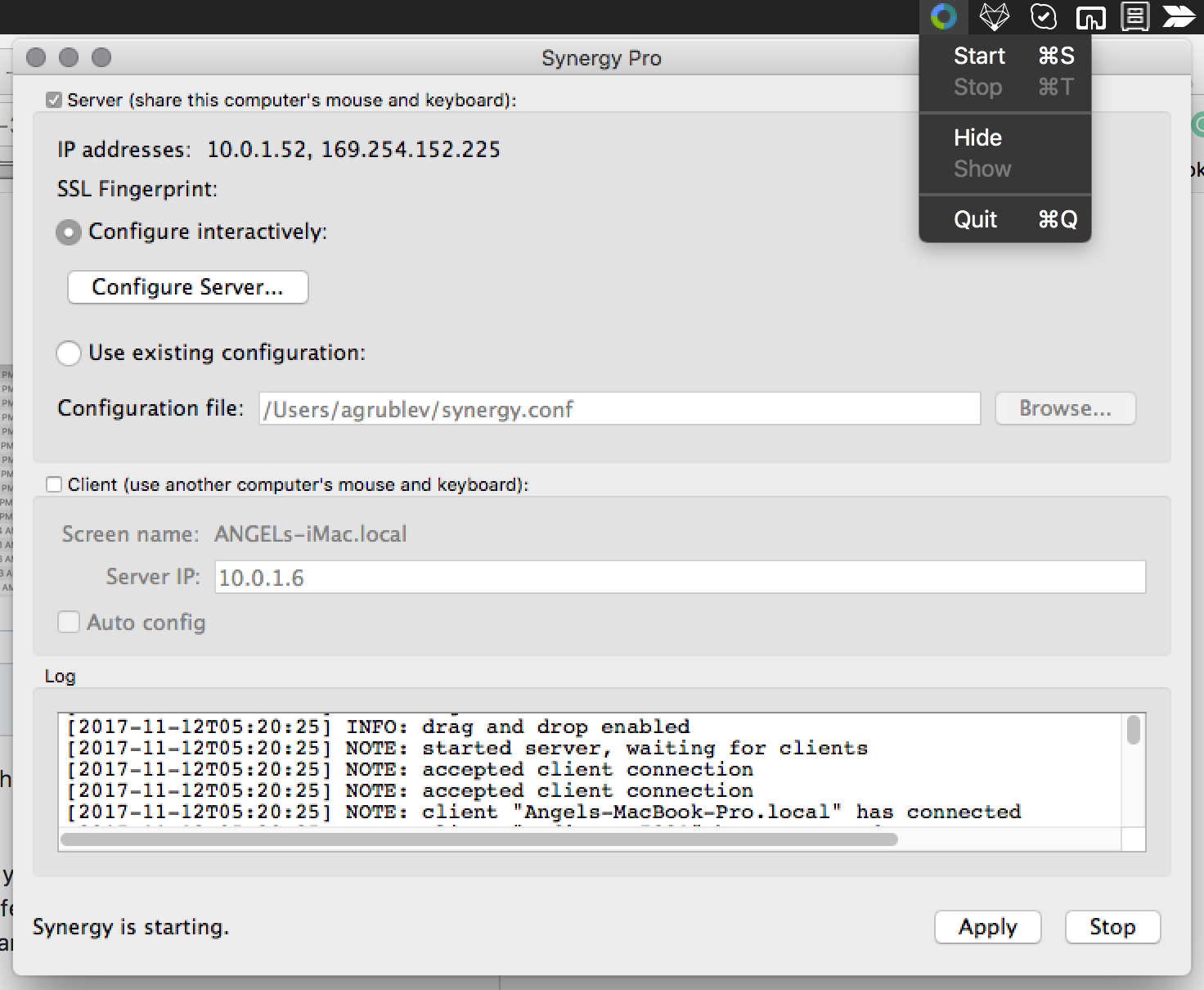
I was going to record a solid side by side video, but I changed to version 1.8.8-stable-25a8cb2 and it works a lot better.
Funny bug though:
agrublev
on 12 Nov 2017
nbolton
on 12 Nov 2017
Operating Systems
Server: microOS 10.13.1
Client: Microsoft Windows 7 EnterpriseSynergy Version
2.0.2Steps to reproduce bug
Similar to issue #5648. There is a fix for 1.8.8 but this bug has not been fixed in 2.0.2.Behavior: Moving mouse along circle, the cursor will slowly moving toward upper left direction. Slow movement causes more drifting, and fast movement shows almost no drifting. dragomireckijj provided pictures in issue #5648 showing the drifting.
Other info
Problem started to occur after upgrading to 2.0.1. 2.0.2 does not fix this problem.
Lowering the mouse report rate from 1000 to 125 alleviate the drifting, but it is still noticeable.
This bug does not prevent me from using Synergy entirely.
XinyuHou
on 14 Dec 2017
Related issues
 bigbear3001
·
4Comments
bigbear3001
·
4Comments
 Celant
·
4Comments
Celant
·
4Comments
 nbeazy
·
4Comments
nbeazy
·
4Comments
 xmstspider
·
4Comments
xmstspider
·
4Comments
 ColinCreamer
·
5Comments
ColinCreamer
·
5Comments
Most helpful comment
I have the mac version that solved the problem for me. You shouldn't need a new Windows version since it was entirely a server problem.
synergy-v1.8.8-pr-5648-stable-1c1067d-MacOSX-x86_64.dmg.zip