Syndesis: Improve error reporting in UI
This is a...
[ ] Feature request
[ ] Regression (a behavior that used to work and stopped working in a new release)
[x] Bug report
[ ] Documentation issue or request
Description
Several times now I've found myself unable to troubleshoot an issue in the UI here's what usually happens: I get the _Something is wrong An error occurred while talking with the server. Please check your internet connection._, there's no error that can be seen in the Network or in the Console tabs of the developer tools.
Obviously some error occurred, doubtfully it has anything to do with the the server, I'm left with nothing to troubleshoot this. I wonder what happens when we get users reaching error states and we can't offer any ways to help them provide us with enough information to troubleshoot issues.
To me this is a blocking issue.
 zregvart
All 8 comments
Was the error screen the one without the sidebar? That one has only one failure point, the app couldn't retrieve the config.json.
 riccardo-forina
on 28 Jun 2019
riccardo-forina
on 28 Jun 2019
Yeah, only error was shown without the sidebar. Though I had this happen before with the UI fully loaded, for instance in #5831 and the only way to troubleshoot that was to enable break-on-exception breakpoint and look through the obfuscated code/stack trace.
zregvart
on 28 Jun 2019
Oh I missed that issue. That error ui is another one tho, and it does support showing the stack trace; that’s it if the error is passed to it at least. We have not been consistent on that, I’ll amend in a new PR
riccardo-forina
on 28 Jun 2019
I just ran into this on 1.7.8:
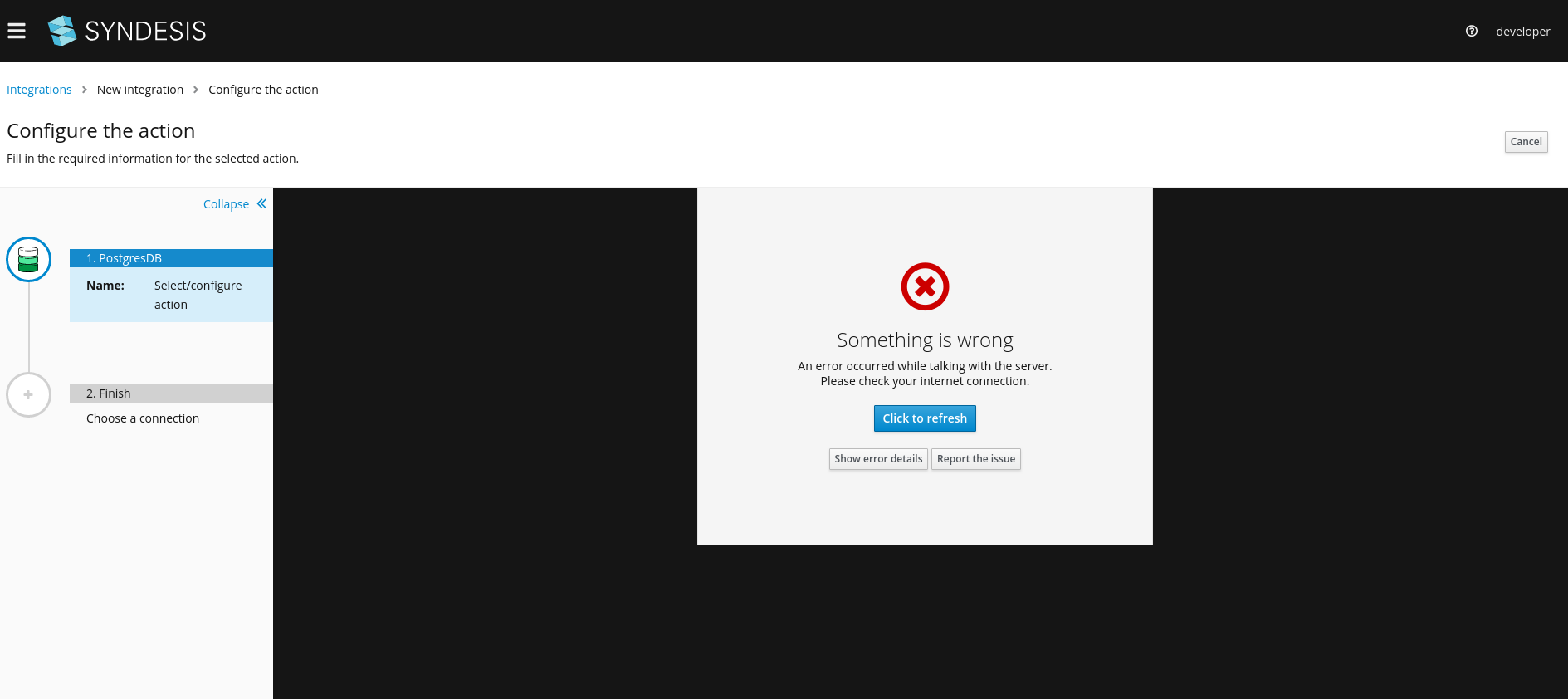
Is the error screen supposed to be completely gone, or is the resolution here that there is an error in the console?
 asmigala
on 3 Jul 2019
asmigala
on 3 Jul 2019
@riccardo-forina I guess this a question for you.
 heiko-braun
on 3 Jul 2019
heiko-braun
on 3 Jul 2019
"Show error details" there would be relevant in this case I think, it's some kind of unexpected exception.
 gashcrumb
on 3 Jul 2019
gashcrumb
on 3 Jul 2019
BTW, I think @riccardo-forina's PR was more about ensuring that "Show error details" button is available vs. avoiding problems, so if that's some reproducible issue it should go into a new bug report.
gashcrumb
on 3 Jul 2019
Couldn't reproduce the issue I showed above and the error pages now have "Show error details" button which does show some details, closing
asmigala
on 24 Jul 2019
Related issues
 sjavurek
·
5Comments
sjavurek
·
5Comments
 blaggacao
·
5Comments
blaggacao
·
5Comments
 mcada
·
5Comments
mcada
·
5Comments
 gaughan
·
5Comments
gaughan
·
5Comments
 seanforyou23
·
3Comments
seanforyou23
·
3Comments