Syndesis: [Conditional Flow] add a button to get back to parent conditional flow
This is a...
[ ] Feature request
[ ] Regression (a behavior that used to work and stopped working in a new release)
[x] Bug report
[ ] Documentation issue or request
Description
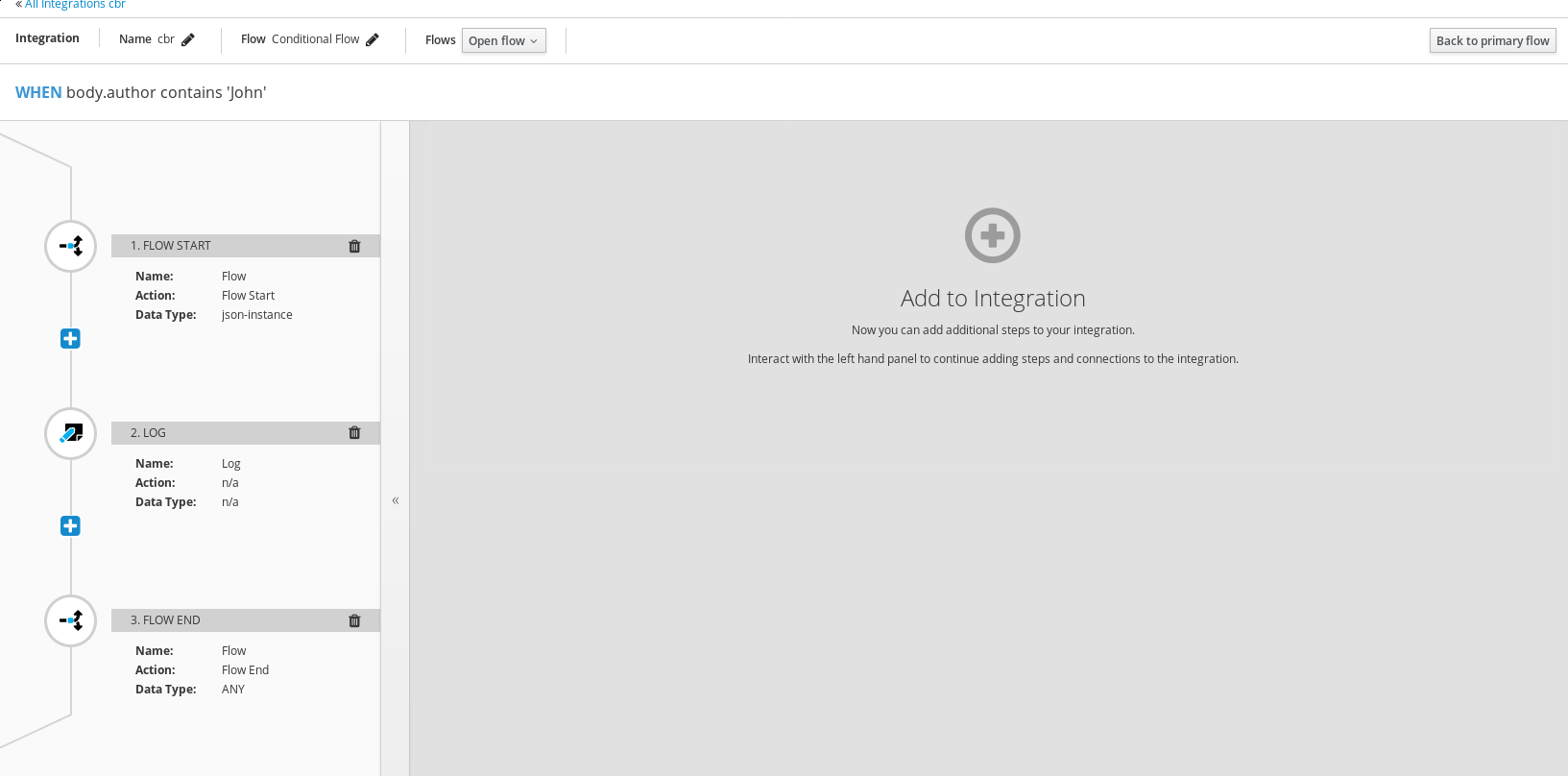
There is no button to go back to parent conditional flow step when I am finished with implementation of one flow. I have to go to the primary flow and then select conditional flow step every time I want to edit/add new condition. This is very inconvenient. There should be a button which saves the condition implementation and gets you back to the step with conditions - next to the button which returns you to the primary flow:
 mcada
mcada
All 20 comments
There is no button to go back to parent conditional flow step when I am finished with implementation of one flow
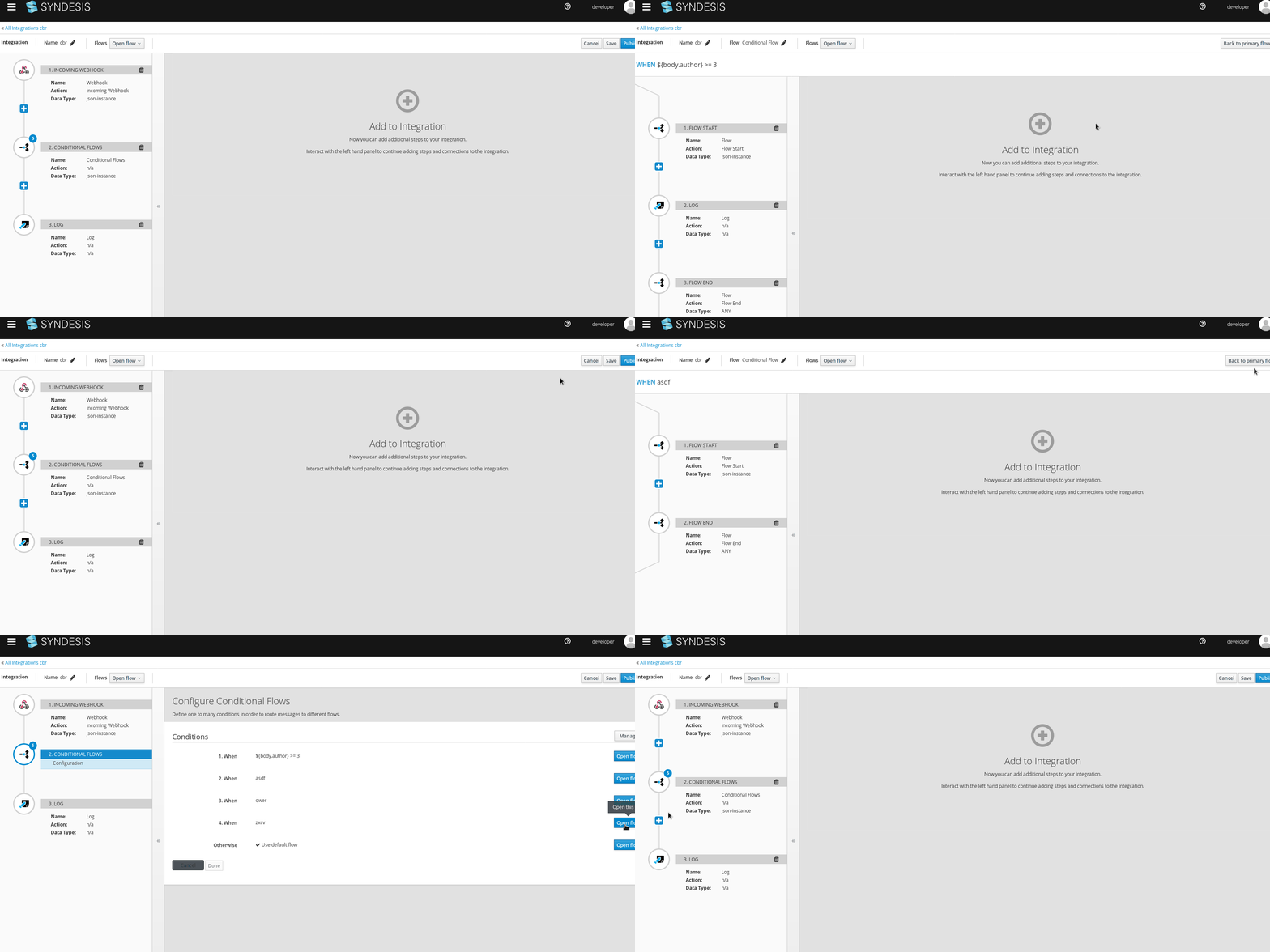
What is the button in the top right corner doing? It says Back to primary flow
 heiko-braun
on 28 May 2019
heiko-braun
on 28 May 2019
@heiko-braun Primary flow here is the main integration flow:
mcada
on 28 May 2019
I see, do you want to get back to the list of conditions?
heiko-braun
on 28 May 2019
I think it would be much better if such option existed.
mcada
on 28 May 2019
I wonder if it'd make the most sense for that button to always go back to the conditional flow step.
 gashcrumb
on 28 May 2019
gashcrumb
on 28 May 2019
@dongniwang this requires your comment.
 paoloantinori
on 29 May 2019
paoloantinori
on 29 May 2019
I understand the request. We need three kinds of navigation here:
- Go back to the conditional flow step. That's for taking care of if users need to add/update/delete any conditions.
- Go back to the main integration. This is for when configuring additional steps and connections for the integration.
- Navigate between different conditions. This is for jumping between conditions. And we already have a dropdown for this.
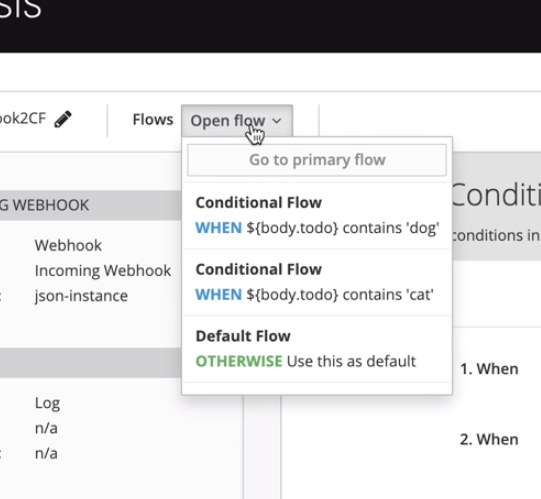
So I think for addressing 1 & 2 above, we can set the back to go back to the conditional flow step.
 dongniwang
on 29 May 2019
dongniwang
on 29 May 2019
We have just switched to the React implementation for Conditional Flows.
Could you verify this?
paoloantinori
on 6 Jun 2019
This one is a tricky issue as it was partially fixed by the new design where you can only edit flows from the main integration view. But with more sophisticated scenario the whole integration breaks: add another conditional flow step inside existing flow - there is where a button "back to the parent flow step" is required, but it breaks the whole integration.
mcada
on 6 Jun 2019
@mcada - thanks for the comment. Can you provide more information about what do you mean by
the whole integration breaks: add another conditional flow step inside existing flow
I'd be happy to set up a quick meeting so we can go through the use case you mentioned. Please let me know.
dongniwang
on 6 Jun 2019
So in the react impl we separated the list of links off to flows from the management of those conditions. When you go back to the primary flow, you'd see all of the conditional steps available then, so then there's no need to go back to the actual conditional flow step.
Also I suspect we probably don't hide the conditional flow step yet when you're editing a sub-flow, so while it may be possible to nest the conditional flow step I don't think we're planning on supporting that. Do I have that understanding right @christophd ?
gashcrumb
on 6 Jun 2019
From a technical perspective nesting conditional flow steps would be possible. If it is too much effort to make this comfortable to use from a usability perspective we can just hide it in a 1st version and add this some other release.
 christophd
on 6 Jun 2019
christophd
on 6 Jun 2019
@mcada I assume we do not have these issues when multiple conditional flow steps are added to the primary flow, right?
christophd
on 6 Jun 2019
I just reviewed the solution doc and it says nesting cbr steps is not in scope
christophd
on 6 Jun 2019
Yeah, I thought so, and I think it's worth preventing that in this first go simply because I think the navigation will become too complicated using the current approaches so far. Given that we do have more real estate in that kinda root page of the editor we could definitely do some interesting things but I think it'd be safer to iterate on this.
gashcrumb
on 6 Jun 2019
Agreed on keeping it simple for now so we have more time to iterate on this - now that we have API provider, conditional flow as well as split/merge (collection), we have a strong interest in UX to evaluate and improve the experience of using these features.
cc: @gaughan @syndesisio/uxd
dongniwang
on 6 Jun 2019
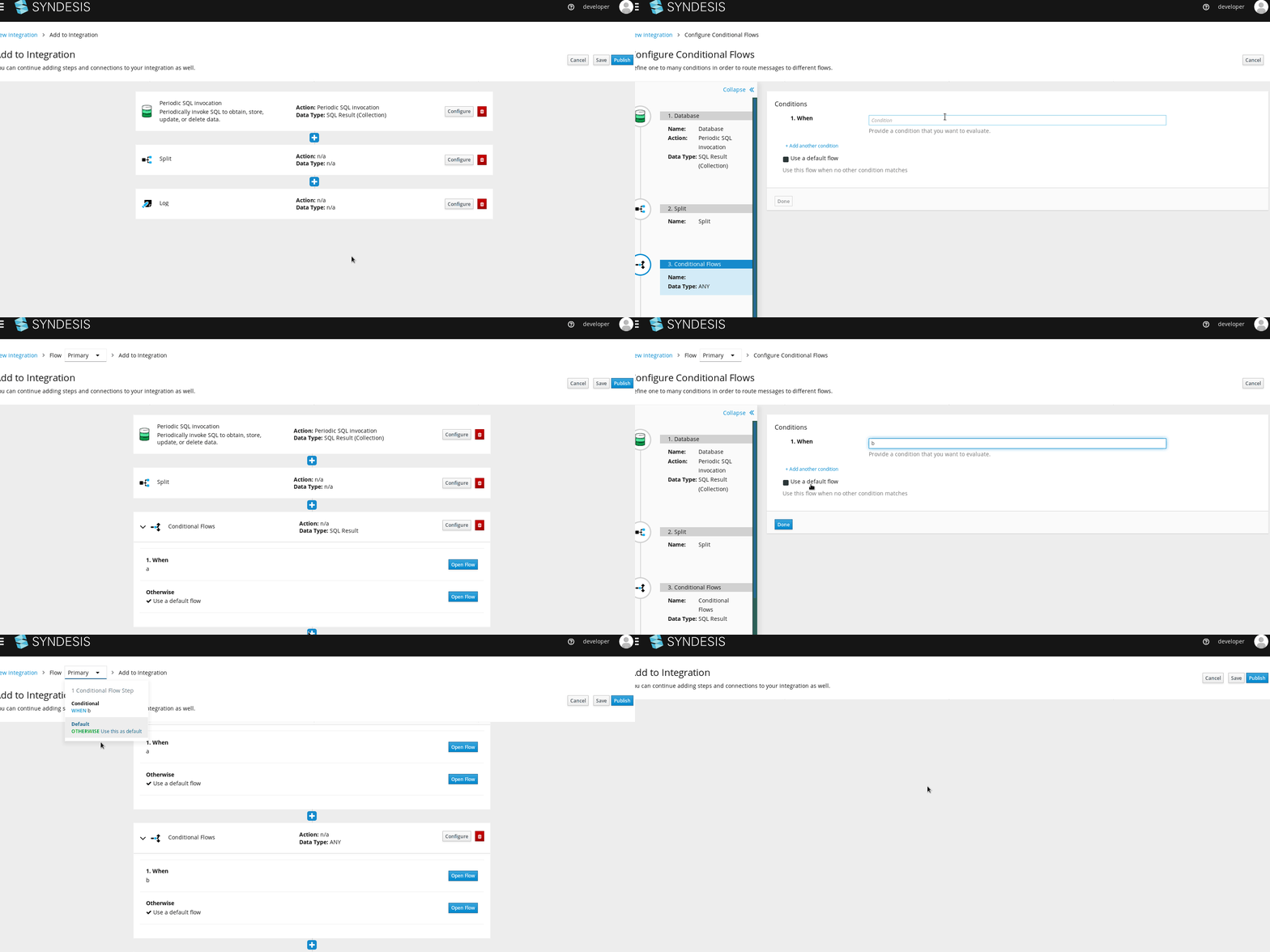
@christophd multiple conditional flows in the primary flow break the whole integration:
mcada
on 7 Jun 2019
Lemme check that, I made one on my minishift instance yesterday and I don't recall it behaving like that.
gashcrumb
on 7 Jun 2019
@mcada can you raise a separate issue for that behavior? I do see that I can create what looks like orphaned flows when editing a conditional flow, I think probably we'll tackle a lot of this while fixing #5608
gashcrumb
on 7 Jun 2019
Sure, here it is https://github.com/syndesisio/syndesis/issues/5636
mcada
on 7 Jun 2019
Related issues
 honghuac
·
4Comments
mcada
·
5Comments
honghuac
·
4Comments
mcada
·
5Comments
 SvenC56
·
5Comments
mcada
·
6Comments
SvenC56
·
5Comments
mcada
·
6Comments
 seanforyou23
·
3Comments
seanforyou23
·
3Comments