Syncthing: Shutting Syncthing down while pushing files to multiple devices corrupts the database?
How to reproduce:
- Create and share an empty folder between 3 devices - A, B, and C.
- Add a few large files to the folder on A.
- While the files are still being pushed from A to B and C, shut Syncthing down on A.
- Restart Syncthing on A.
- Wait for the previously interrupted synchronisation to finish.
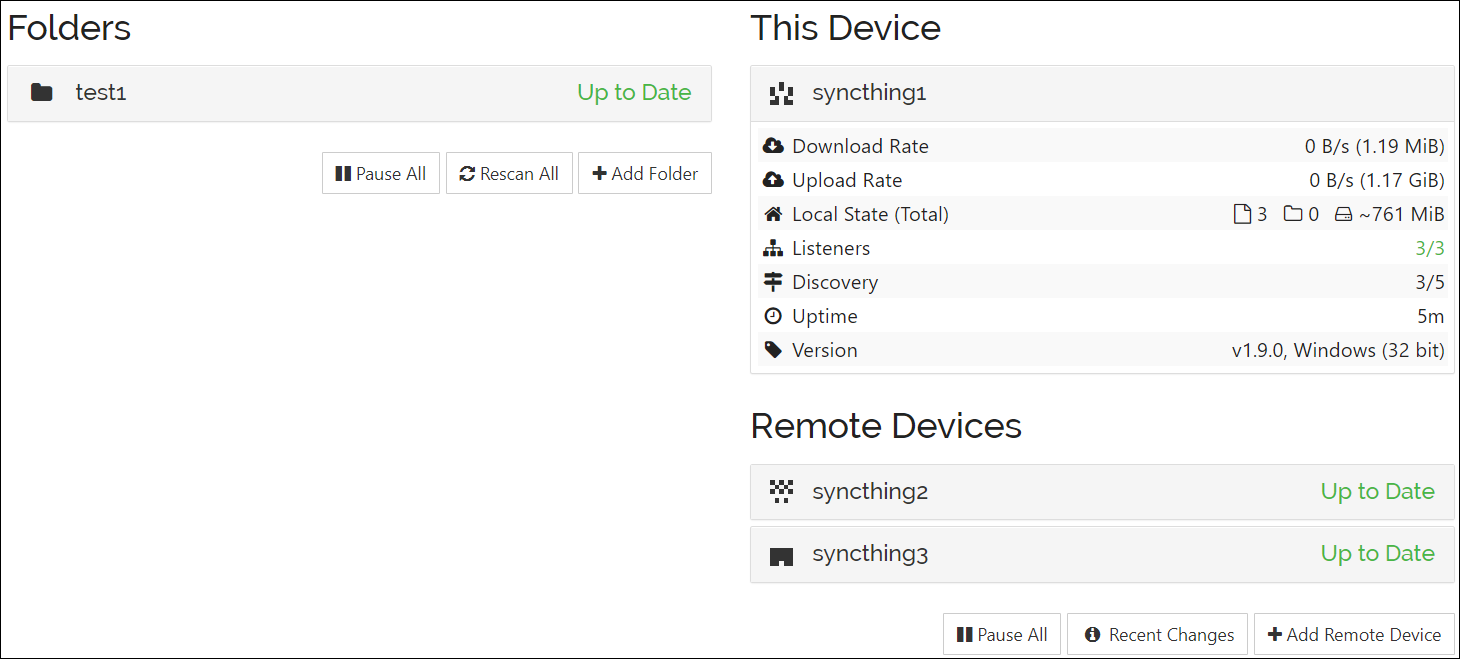
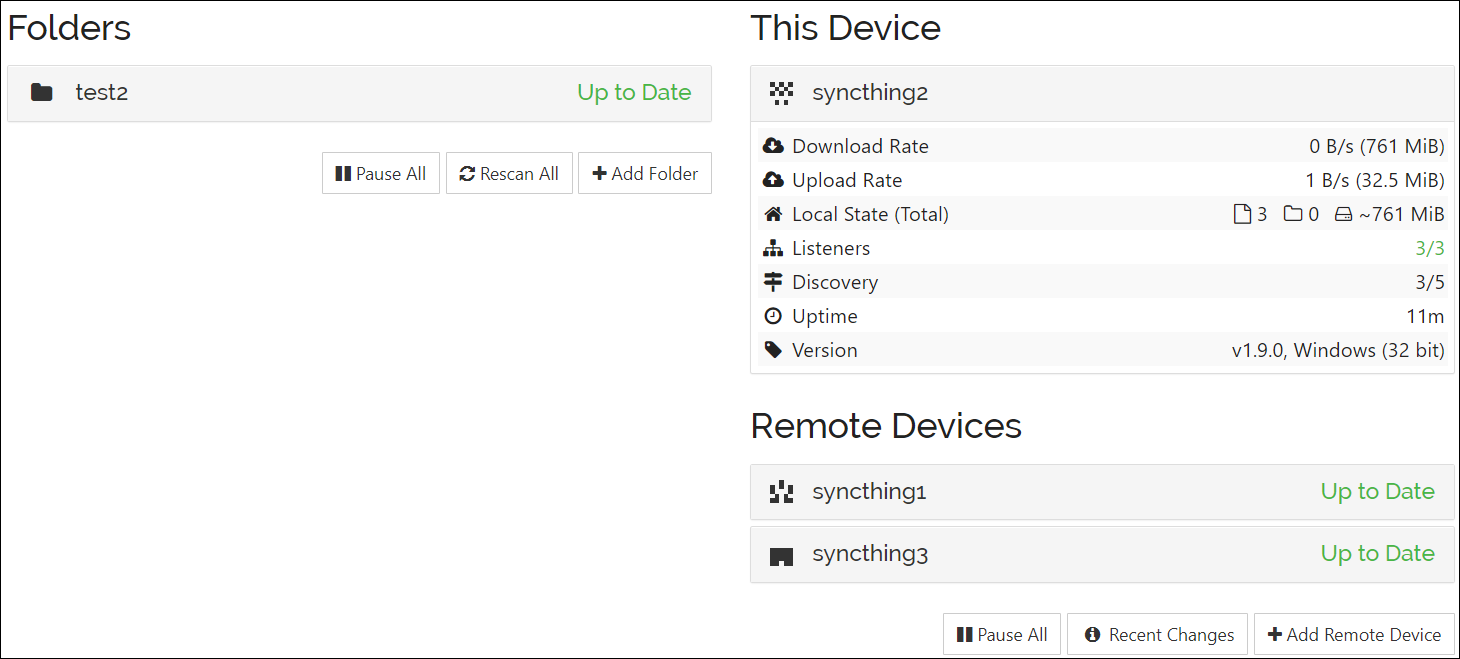
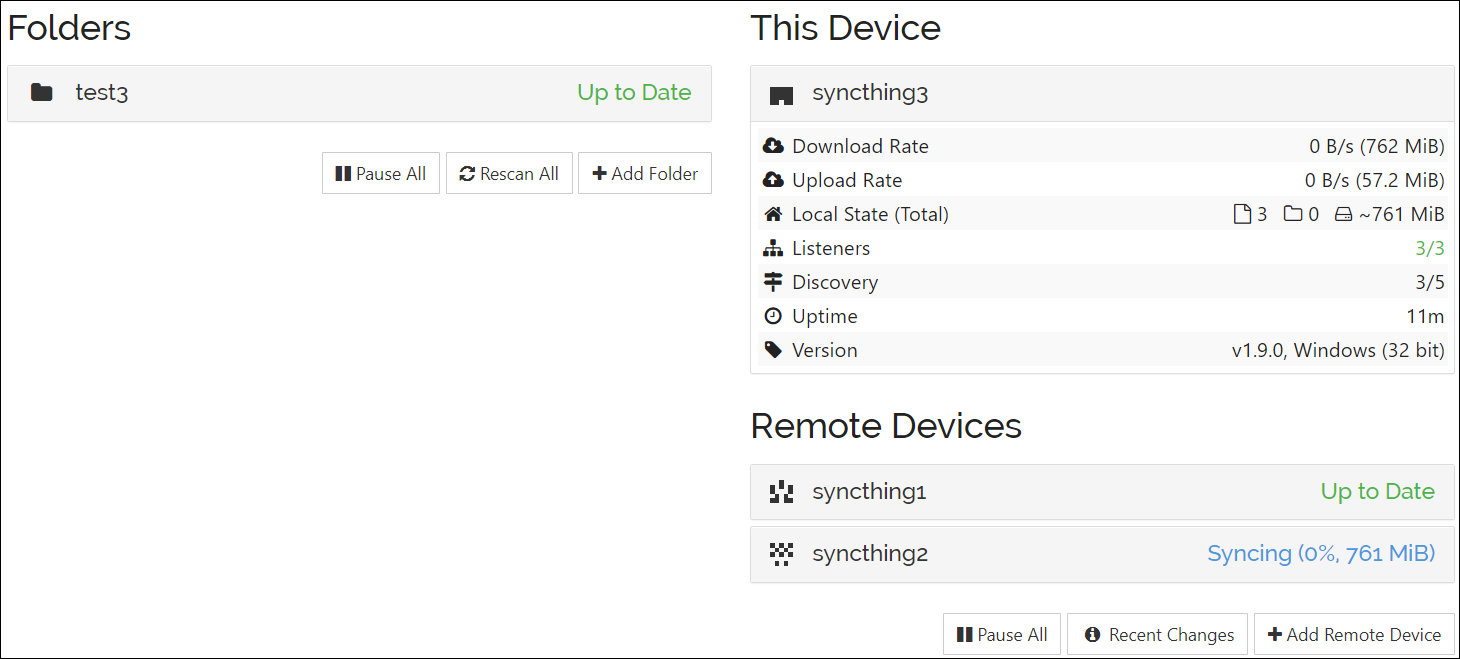
- C is stuck trying to sync the files to B, but they exist there already.

 tomasz1986
All 3 comments
I can't reproduce unfortunately - does it work consistently for you? Can you enable model and db debug logging while reproducing and share those logs.
 imsodin
on 19 Oct 2020
imsodin
on 19 Oct 2020
You cannot reproduce this, because I have missed a few required steps, which I apologise for. This is actually a little bit crazy. I have just re-tested everything, and below is the actual way to reproduce the problem.
How to reproduce:
- Create and share an empty folder between 3 devices - A, B, and C.
- Add a few large files to the folder on A.
- Let the files sync, then delete them on A, and let the deletions sync.
- Re-add the files again to the folder on A.
- While the files are still being pushed from A to B and C, shut Syncthing down on A.
- Replace the Syncthing binary on A with a newer/different version.
- Restart Syncthing on A.
- Wait for the previously interrupted synchronisation to finish.
- B and C are stuck trying to sync the files to to each other, but they exist there already.
Just in case, here are the logs with db and model enabled.
syncthing1.log (Device A)
syncthing2.log (Device B)
syncthing3.log (Device C)
Perhaps there is a simpler way to reproduce this, but I have tried multiple times, and it seems that all these steps are required. Firstly, the files need to have already been present in the databases before, even if they do not exist now. Secondly, there needs to be an upgrade/replacement of the Syncthing binary in between the interrupted synchronisation. Lastly, more than 2 devices need to be involved for the error to occur. Also, sometimes both B and C are stuck in sync, and sometimes only one of them, but I do not know why it is so.
Just for the record, I missed the step 3. in my original instructions, because I had already been adding and removing the files during the testing, so I did not realise that there was a difference there. As for the step 6., the thing is that once the problem has occurred once, it will also keep re-occurring later when reproducing following the same steps, i.e. the binary upgrade is not necessary anymore. I have only managed to find these two requirements now after deleting the original databases and starting from scratch.
tomasz1986
on 19 Oct 2020
Thanks for the logs. After a bit of staring I noticed a smoking gun (after index reset of A, B suddenly needed two items instead of just the one) and now managed to reproduce it in a unit test. Now I can look into the cause and a fix :)
imsodin
on 19 Oct 2020
Related issues
 Artanicus
·
4Comments
Artanicus
·
4Comments
 mohe2015
·
4Comments
mohe2015
·
4Comments
 sgr78
·
3Comments
sgr78
·
3Comments
 bobaxxx
·
4Comments
bobaxxx
·
4Comments
 da2x
·
3Comments
da2x
·
3Comments
Most helpful comment
You cannot reproduce this, because I have missed a few required steps, which I apologise for. This is actually a little bit crazy. I have just re-tested everything, and below is the actual way to reproduce the problem.
How to reproduce:
Just in case, here are the logs with
dbandmodelenabled.syncthing1.log (Device A)
syncthing2.log (Device B)
syncthing3.log (Device C)
Perhaps there is a simpler way to reproduce this, but I have tried multiple times, and it seems that all these steps are required. Firstly, the files need to have already been present in the databases before, even if they do not exist now. Secondly, there needs to be an upgrade/replacement of the Syncthing binary in between the interrupted synchronisation. Lastly, more than 2 devices need to be involved for the error to occur. Also, sometimes both B and C are stuck in sync, and sometimes only one of them, but I do not know why it is so.
Just for the record, I missed the step 3. in my original instructions, because I had already been adding and removing the files during the testing, so I did not realise that there was a difference there. As for the step 6., the thing is that once the problem has occurred once, it will also keep re-occurring later when reproducing following the same steps, i.e. the binary upgrade is not necessary anymore. I have only managed to find these two requirements now after deleting the original databases and starting from scratch.