Please answer these questions before submitting your issue. Thanks!
- What did you do? If possible, provide a simple script for reproducing the error.
请问如何在浏览器中下载网络文件?
比如:
$response->header('Content-Type', 'application/octet-stream');
$response->sendfile('http://z0.xxxx.cc/1.zip');
这样写就提示错误。
必须是本地文件。请问如何将网络文件发送到浏览器中进行下载?
What did you expect to see?
What did you see instead?
What version of Swoole are you using (show your
php --ri swoole)?
swoole 4.2.9
- What is your machine environment used (including version of kernel & php & gcc) ?
php 7.2
 jinmarcus
All 8 comments
先通过协程HTTP客户端下载再发送
https://wiki.swoole.com/wiki/page/938.html
 twose
on 15 Jan 2019
twose
on 15 Jan 2019
@twose
如果先下载到服务器,再发送至浏览器,那么大文件就要等很久,而且似乎不是很好。
传统的写法是这样的:
    $fp = fopen('http://z0.xxxx.cc/666.mp4', 'rb');
    ob_end_clean();
    header('HTTP/1.1 200 OK');
    header('Pragma:public');
    header('Expires:0');
    header('Content-type:application/octet-stream');
    header('Accept-Ranges:bytes');
    header('Content-Disposition:attachment;filename="888.mp4"');
    fpassthru($fp);
    ob_end_flush();
执行后,立刻就可以进行下载。
但是swoole,似乎没有办法这样做。
jinmarcus
on 15 Jan 2019
可以用 Runtime::enableCoroutine
 mabu233
on 15 Jan 2019
mabu233
on 15 Jan 2019
我开启了协程 Runtime::enableCoroutine
但是提示:
ob_end_clean(): failed to delete buffer. No buffer to delete
这个错误
jinmarcus
on 15 Jan 2019
go(function () {
    $cli = new \Co\Client(SWOOLE_TCP);
    $cli->connect('z0.histar.cc', 80);
    $cli->send("GET /666.mp4 HTTP/1.1\r\nHost: z0.histar.cc\r\n\r\n");
    while ($data = $cli->recv())
    {
        var_dump($data); // $serv->send($fd, $data);
    }
});
尝试这个代码
 windrunner414
on 15 Jan 2019
windrunner414
on 15 Jan 2019
开启enableCoroutine使用fopen+fread吧
windrunner414
on 15 Jan 2019
mark
 deniel5601
on 15 Jan 2019
deniel5601
on 15 Jan 2019
@windrunner414
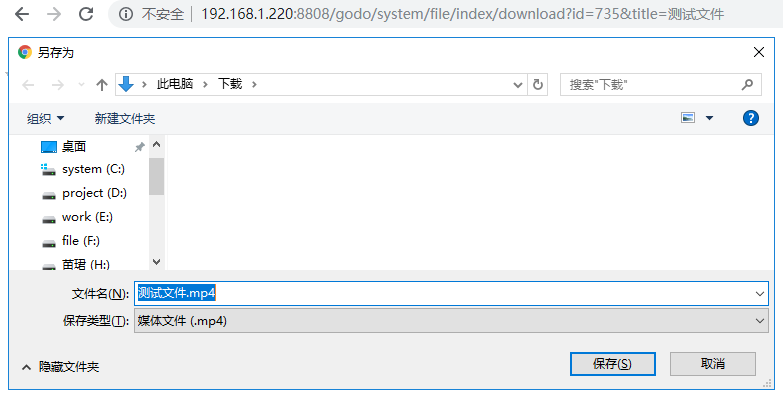
开启enableCoroutine使用fopen+fread 是没有问题的,可以执行,但是现在出现一个问题。
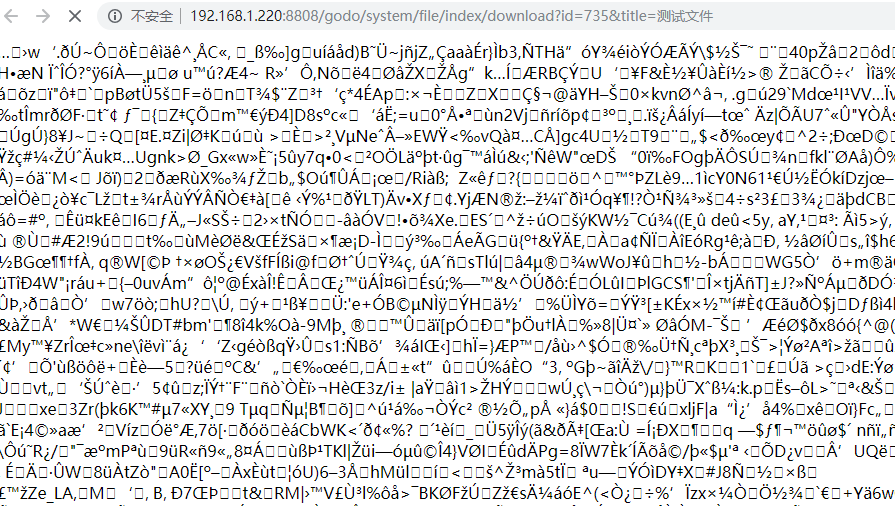
就是,如果我多刷新几次,就会出现,直接将数据吐在页面上,而不断的循环。造成无法下载文件。
    $url = 'http://z0.histar.cc/666.mp4';

    $fp = fopen($url, 'rb');
    if (!$fp) {
        $response->end();
    }

    $response->header('Content-Description', 'File Transfer');
    $response->header('Content-Type', 'application/octet-stream');
    $response->header('Content-Transfer-Encoding', 'binary');
    $response->header('Cache-Control', 'must-revalidate');
    $response->header('Pragma', 'public');
    $response->header('Expires', '0');
    $response->header('Accept-Ranges', 'bytes');
    $response->header('Content-Disposition', "attachment;filename=888.mp4");

    do {
        // 每次读取 8 * 1024 个字节
        $data = fread($fp, 8192);
        if ($data) {
            $response->write($data);
        } else {
            break;
        }
    } while (true);

    fclose($fp);
    $response->end();
正常情况
多刷新几次就变成这样了
jinmarcus
on 16 Jan 2019
Related issues
 zuozhehao
·
3Comments
zuozhehao
·
3Comments
 erDong01
·
3Comments
erDong01
·
3Comments
 rovico
·
4Comments
rovico
·
4Comments
 AndyChanCode
·
3Comments
AndyChanCode
·
3Comments
 sagesan
·
4Comments
sagesan
·
4Comments
Most helpful comment
开启enableCoroutine使用fopen+fread吧