swiper failed to bundle in react app,help~
$ react-scripts build
Creating an optimized production build...
Failed to compile.
Failed to minify the code from this file:
./node_modules/swiper/dist/js/swiper.esm.bundle.js:15
Read more here: http://bit.ly/2tRViJ9
error Command failed with exit code 1.
info Visit https://yarnpkg.com/en/docs/cli/run for documentation about this command.
 LLily7
All 8 comments
Have the same thing..
 vedatmahir
on 20 Nov 2017
vedatmahir
on 20 Nov 2017
Same problem
 DarkChris86
on 21 Nov 2017
DarkChris86
on 21 Nov 2017
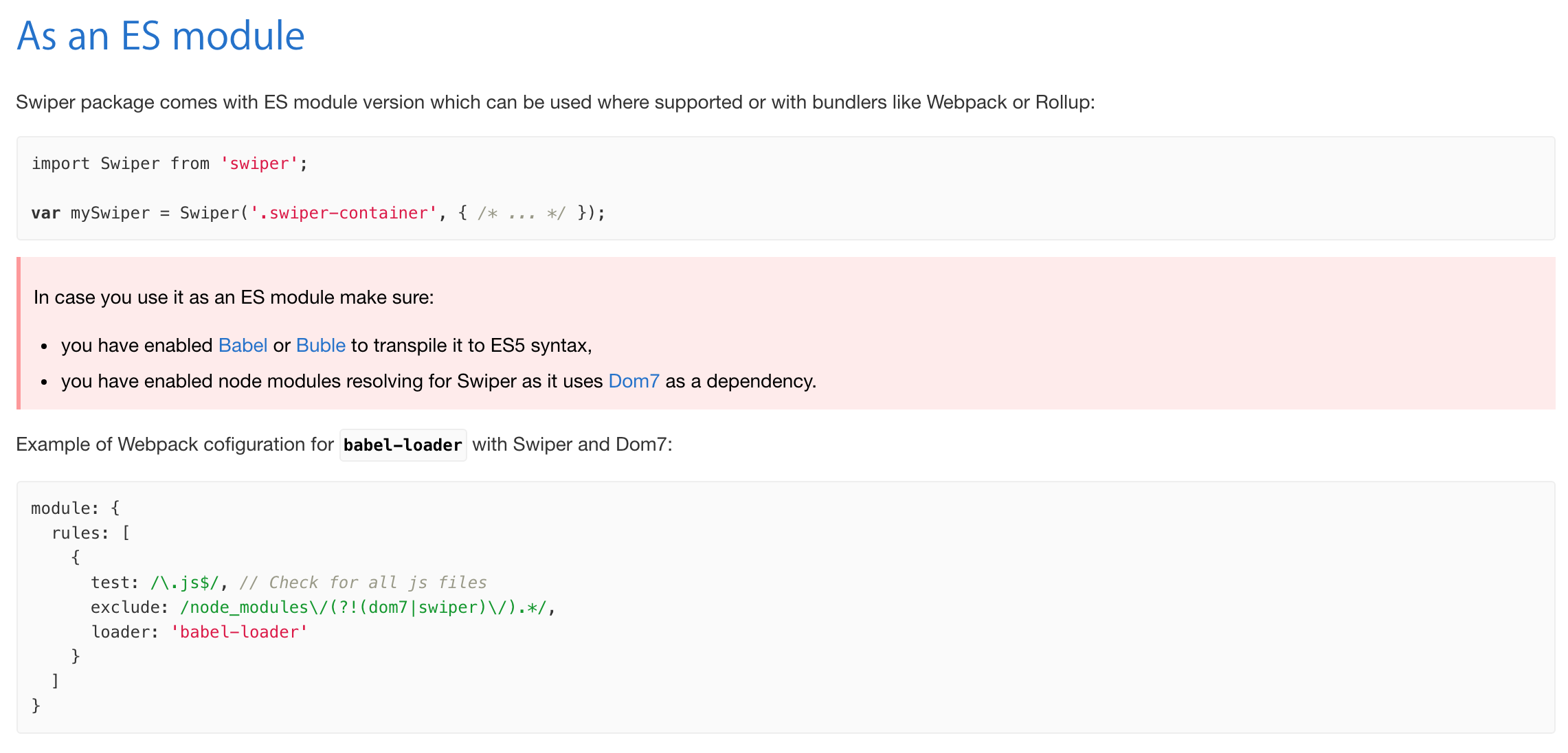
There is section a at http://idangero.us/swiper/get-started/
 nolimits4web
on 21 Nov 2017
nolimits4web
on 21 Nov 2017
Hi nolimis4web!
Tried your recommendation, but unfortunately it doesn't work.
Here is my piece of code for production build:
` {
     test: /\.(js|jsx|mjs)$/,
     include: paths.appSrc,
     exclude: /node_modules\/(?!(dom7|swiper)\/).*/,
     loader: require.resolve('babel-loader'),
     options: {
        compact: true,
        },
      },`
Cheers,
Chris
DarkChris86
on 23 Nov 2017
Hi,
I just installed Swiper to a freshly installed create-react-app, and I receive this exact error, when I tried to 'npm run build'.
Any idea to solve this?
Best regards,
Richard
 richard-kovacs
on 23 Nov 2017
richard-kovacs
on 23 Nov 2017
Same problem, and try the above scheme is invalid
 geekwill
on 28 Dec 2017
geekwill
on 28 Dec 2017
alias: {
      swiper$: 'swiper/dist/js/swiper.js',
      dom7$: 'dom7/dist/dom7.js',
      // Support React Native Web
      // https://www.smashingmagazine.com/2016/08/a-glimpse-into-the-future-with-react-native-for-web/
      'react-native': 'react-native-web',
    },
The above webpack configuration can be resolved, but I'm still a little confused about why.
@Riprios @DarkChris86 @nolimits4web
geekwill
on 28 Dec 2017
Just import the swiper with the absolute path.
import Swiper from 'swiper/dist/js/swiper.js'
 wmzhong
on 8 Apr 2018
wmzhong
on 8 Apr 2018
Related issues
 xavianaxw
·
17Comments
xavianaxw
·
17Comments
 ertdfgcvb
·
25Comments
ertdfgcvb
·
25Comments
 ginkosen
·
21Comments
ginkosen
·
21Comments
 calidion
·
17Comments
calidion
·
17Comments
 brandonce
·
19Comments
brandonce
·
19Comments
Most helpful comment
Just import the swiper with the absolute path.
import Swiper from 'swiper/dist/js/swiper.js'