Swiftmessages: How to change position to RTL ?
How to change position to RTL ?
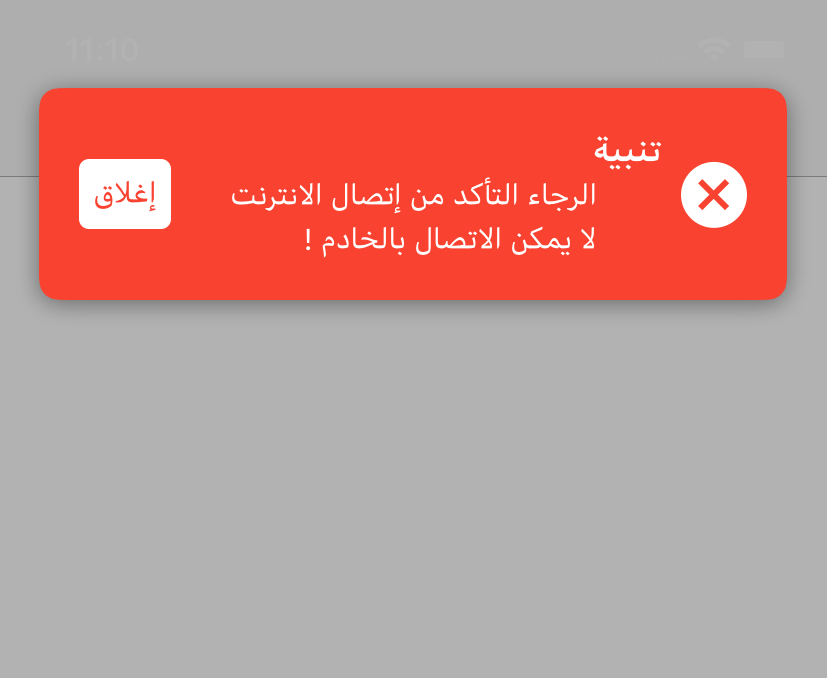
I tried also changing my device language to Arabic
but still shown as LTR not RTL !
            let view = MessageView.viewFromNib(layout: .cardView)

          view.configureTheme(.error)

        view.button?.setTitle("إغلاق", for: .normal)

            view.configureDropShadow()

        view.titleLabel?.text = "تنبية"
        view.bodyLabel?.text = """
        الرجاء التأكد من إتصال الانترنت
        لا يمكن الاتصال بالخادم !
        """

            view.layoutMarginAdditions = UIEdgeInsets(top: 20, left: 20, bottom: 20, right: 20)

            (view.backgroundView as? CornerRoundingView)?.cornerRadius = 10

            var config = SwiftMessages.Config()

            config.presentationStyle = .top

            config.presentationContext = .window(windowLevel: .statusBar)

             config.duration = .forever

            config.dimMode = .gray(interactive: true)

            config.preferredStatusBarStyle = .lightContent

            config.eventListeners.append() { event in
                if case .didHide = event { print("yep") }
            }

        view.buttonTapHandler = { _ in SwiftMessages.hide() }

            SwiftMessages.show(config: config, view: view)
 X901
X901
All 5 comments
You shouldn't do anything to support RTL if your app is using AutoLayout.
I'm using this library with Hebrew and it works without any problem.
May you attach some images of Arabic VS English so we'll be able to see the difference you're talking about?
 Idomo
on 20 Jan 2019
Idomo
on 20 Jan 2019
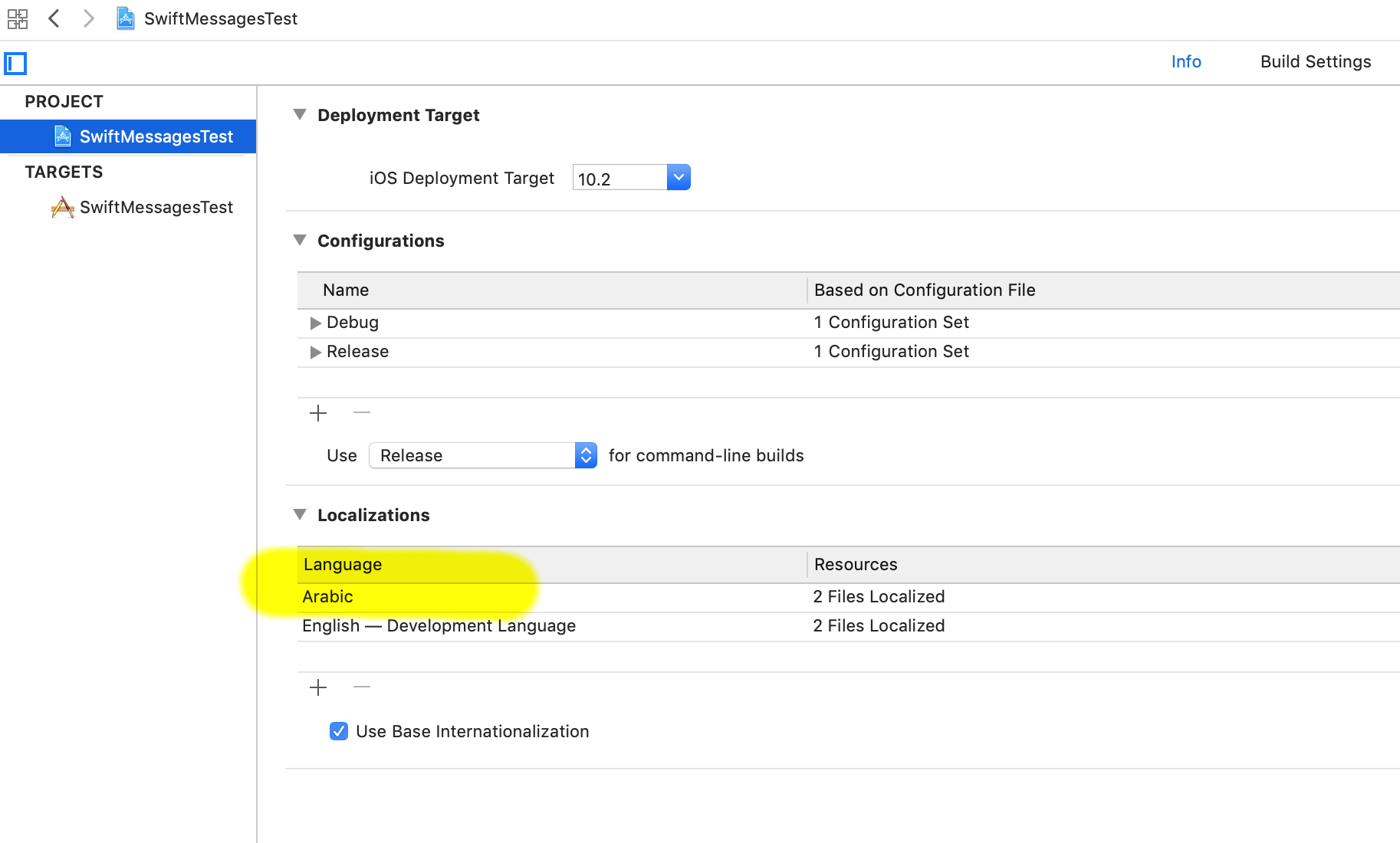
SwiftMessages supports RTL. My guess is you haven't added Arabic localization to your app.
 wtmoose
on 20 Jan 2019
wtmoose
on 20 Jan 2019
@wtmoose
Thank you
this fix the issue only when I change the Device Language to Arabic
a lot of users choose the English Language as a Device Language
and all my design depends on English
is there another way to only change Alert Position?
X901
on 20 Jan 2019
Google "UIView force RTL"
wtmoose
on 20 Jan 2019
Google "UIView force RTL"
I did try this
let viewMessage = MessageView.viewFromNib(layout: .cardView)

    viewMessage.semanticContentAttribute = .forceRightToLeft
but the layout doesn't change
X901
on 28 Mar 2019
Related issues
 andrey-zelenin
·
4Comments
andrey-zelenin
·
4Comments
 mergesort
·
5Comments
mergesort
·
5Comments
 lixiang1994
·
6Comments
lixiang1994
·
6Comments
 lohenyumnam
·
3Comments
lohenyumnam
·
3Comments
 alper
·
6Comments
alper
·
6Comments
Most helpful comment
SwiftMessages supports RTL. My guess is you haven't added Arabic localization to your app.