I looked around but couldn't find an answer to this one.
Is there a way to toggle rules based on targets? More specifically, I want to disable a couple rules for my test targets but keep all the other ones going.
I reckon I can create another swiftlint.yml file on the folder of each test target, but if there's a more generic way to do it, it would be greatly appreciated as this would keep rules synced between all targets and maintenance would be simpler...
The other solution would be to ignore the test targets altogether, but I'd rather have all my code neat and tidy (but slipping some implicit unwrappings for the sake of simplicity, even if it hurts my eyes haha)
 leoravagnani
All 5 comments
SwiftLint does not know about targets. It only knows about files and paths.
Currently, using nested configs is the best approach to this. It would be much better user experience if we ever implement #676.
 marcelofabri
on 3 Jul 2017
marcelofabri
on 3 Jul 2017
Hi @marcelofabri, I have a doubt regarding the target based operation, I have multiple targets in my project and If I add build phase to run swiftlint only for one target will it take all the files in the project and run swiftlint?
The real scenario is for SPM based projects, for each dependency its creating one target. And I have to run swiftlint only for my target. Please refer screenshots below - its a vapor project and I added build phase script to only App target

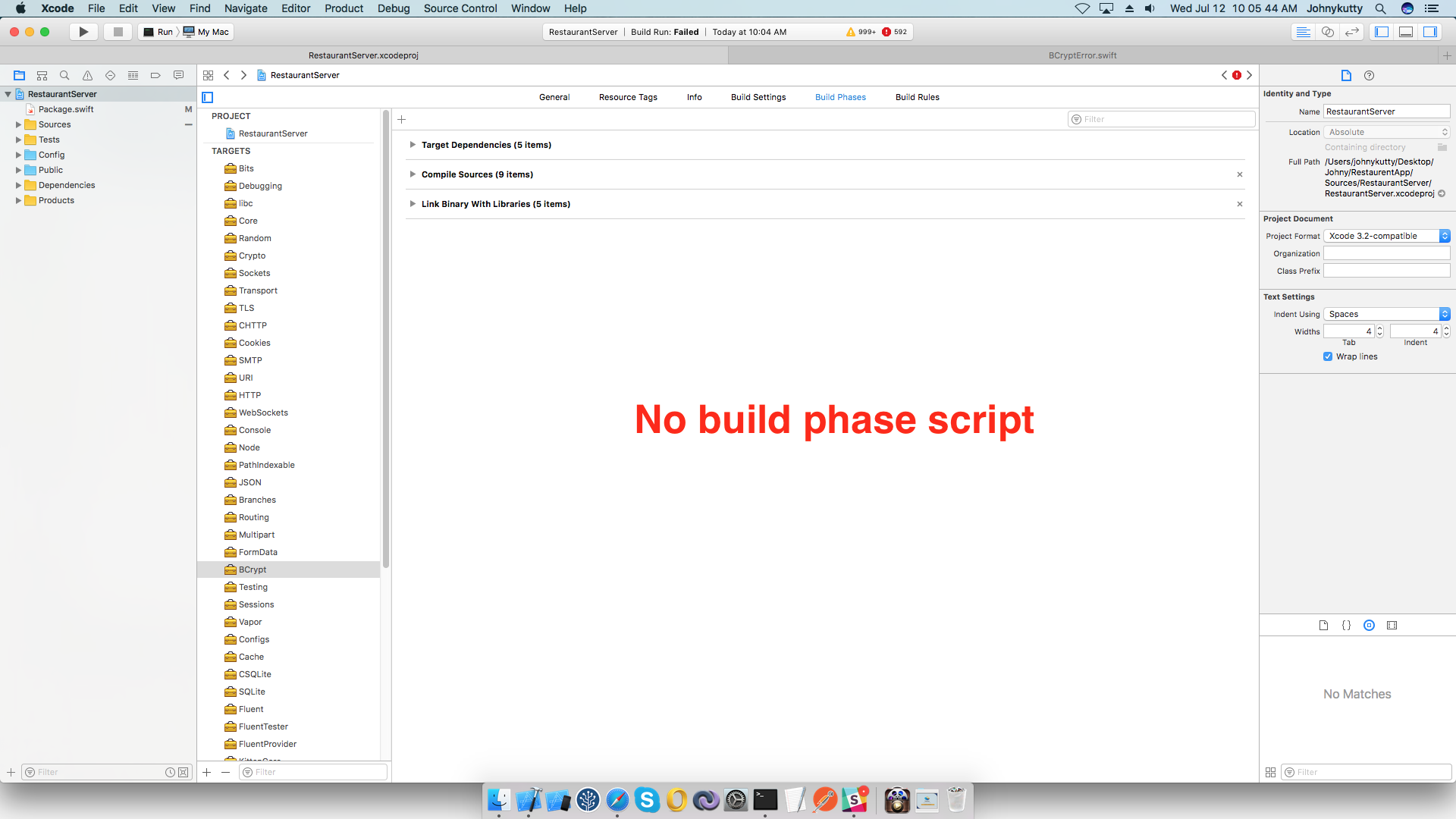
 jkmathew
on 12 Jul 2017
jkmathew
on 12 Jul 2017
@jkmathew, Swift Package Manager targets map perfectly to folders. You can use excluded and included (see the main read‐me) to choose which folders to proofread.
If you are primarily concerned with ignoring external dependencies, you will find more specific advice in #1637.
(If you have multiple targets in the same package that need different configurations, you can try putting additional, modified swiftlint.yml files in the root folder of each target. That is the “nested configurations” that Fabri mentioned.)
 SDGGiesbrecht
on 12 Jul 2017
SDGGiesbrecht
on 12 Jul 2017
yeah thats what I am doing now,
added
excluded:
  - .build
in my swiftlint.yml
jkmathew
on 12 Jul 2017
Another option to avoid duplicating the configuration in each target is to have two configurations in the root folder and use multiple SwiftLint invocations with included/excluded and --config.
I'm closing this for now since I don't think SwiftLint should know about targets. Hopefully in the future the experience for this will be better once we start merging nested configurations and implement some import/inheritance option.
marcelofabri
on 21 Jul 2017
Related issues
 msanders
·
4Comments
msanders
·
4Comments
 AliSoftware
·
3Comments
AliSoftware
·
3Comments
 castus
·
3Comments
castus
·
3Comments
 ziryanov
·
3Comments
ziryanov
·
3Comments
 BalestraPatrick
·
3Comments
BalestraPatrick
·
3Comments
Most helpful comment
Another option to avoid duplicating the configuration in each target is to have two configurations in the root folder and use multiple SwiftLint invocations with
included/excludedand--config.I'm closing this for now since I don't think SwiftLint should know about targets. Hopefully in the future the experience for this will be better once we start merging nested configurations and implement some import/inheritance option.