Swiftformat: Can't run Command-line tool on iTerm2 with Apple Silicon Mac
Hi, I got problem to run command-line tool installed the tool from CocoaPods when using iTerm2 and Apple Silicon Mac.
When I ran ./swiftformat, the following message is shown.
[1] 31670 killed ./swiftformat
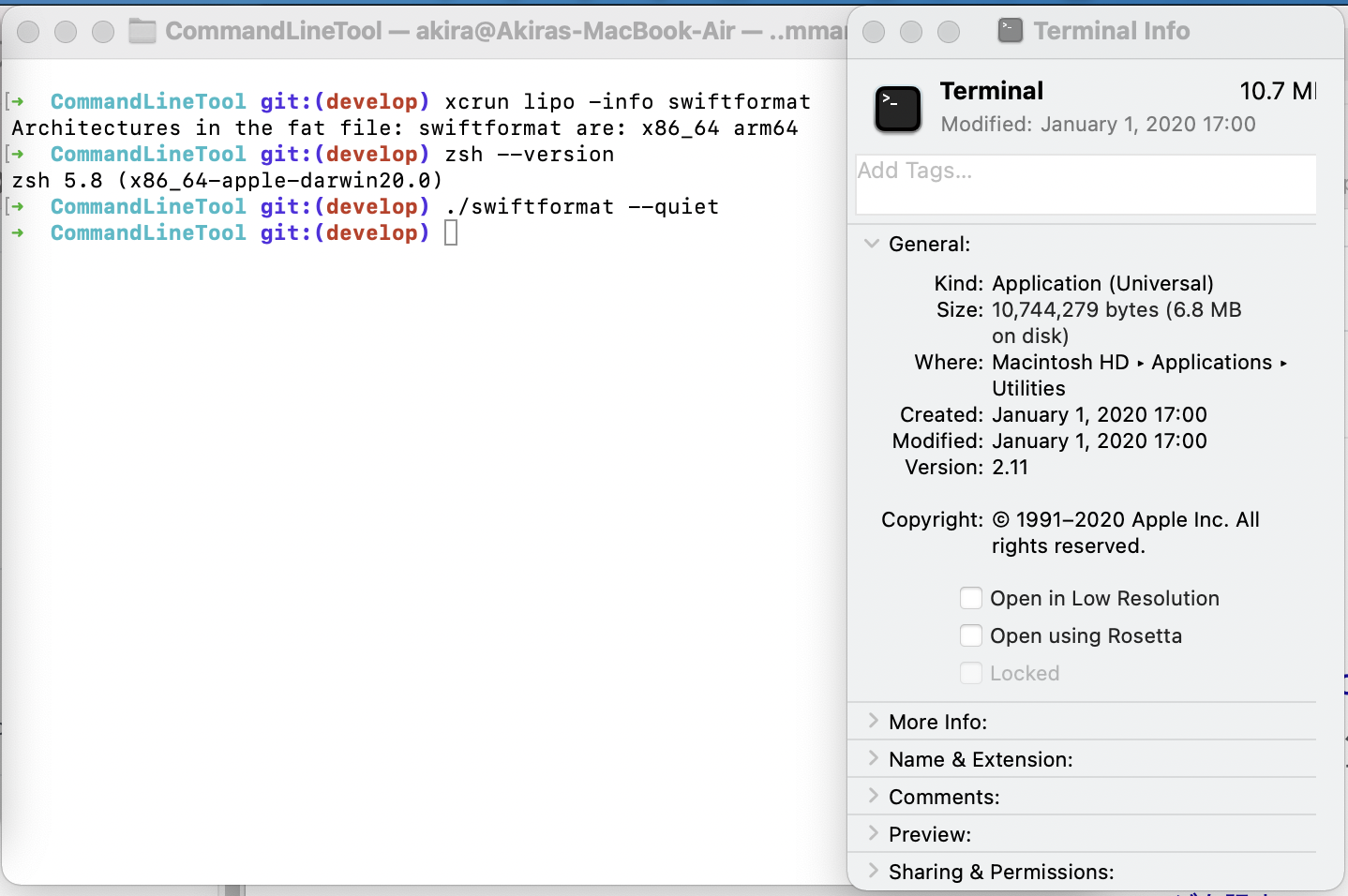
However, there is no problem when using Terminal.
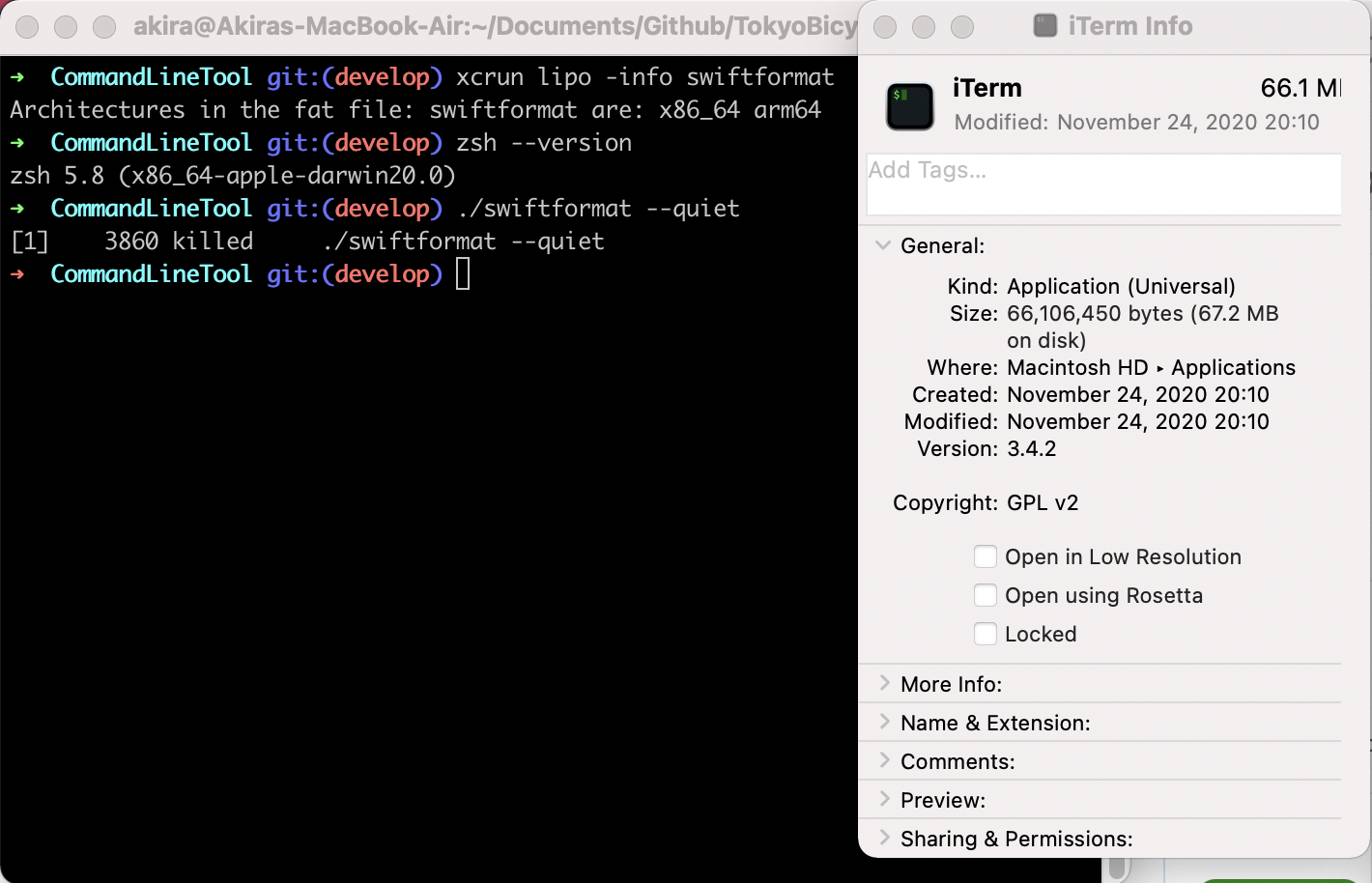
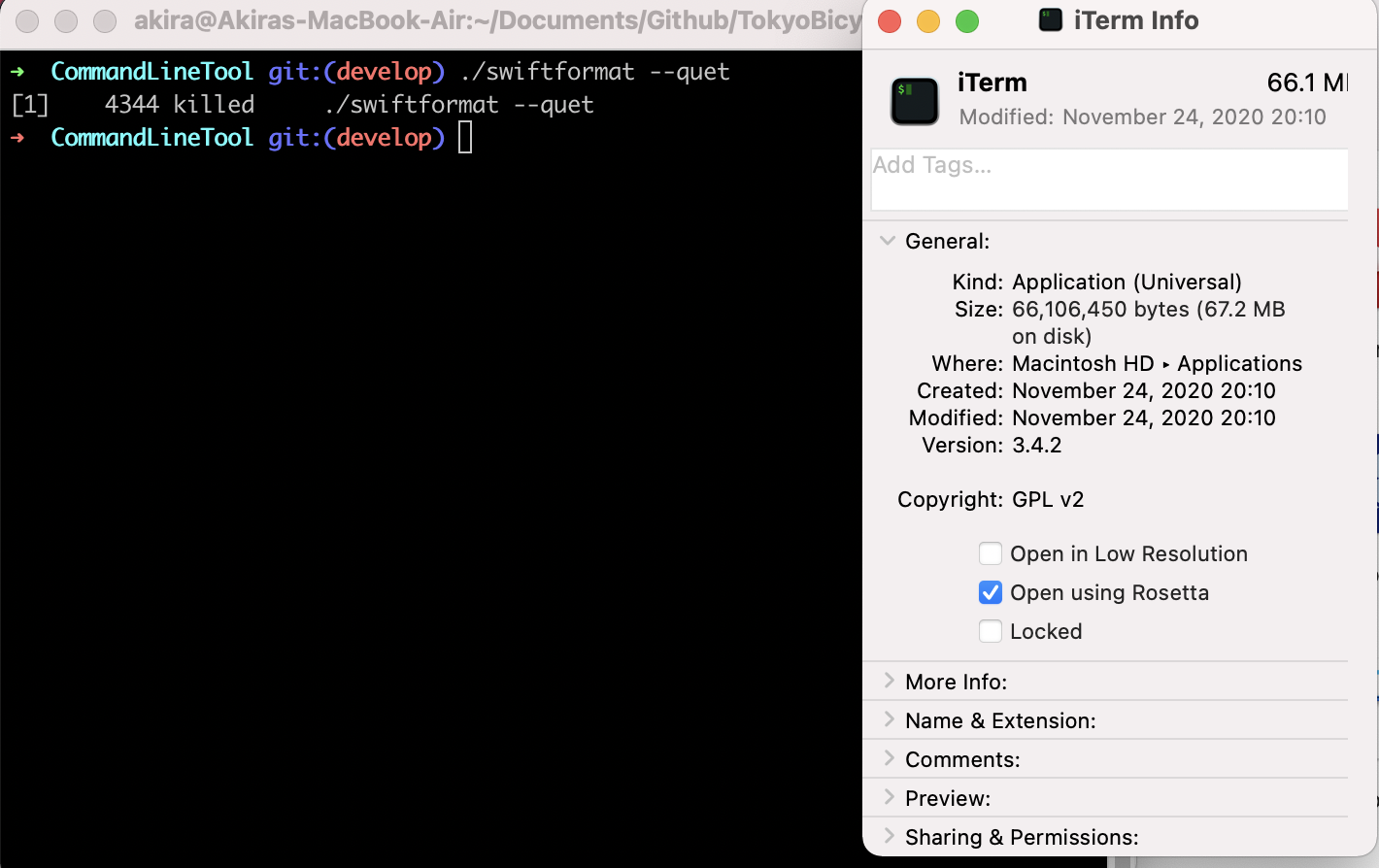
Both terminals run with arm64 (doesn't using Rosetta2).
Here is my environment.
- iTerm2 3.4.2
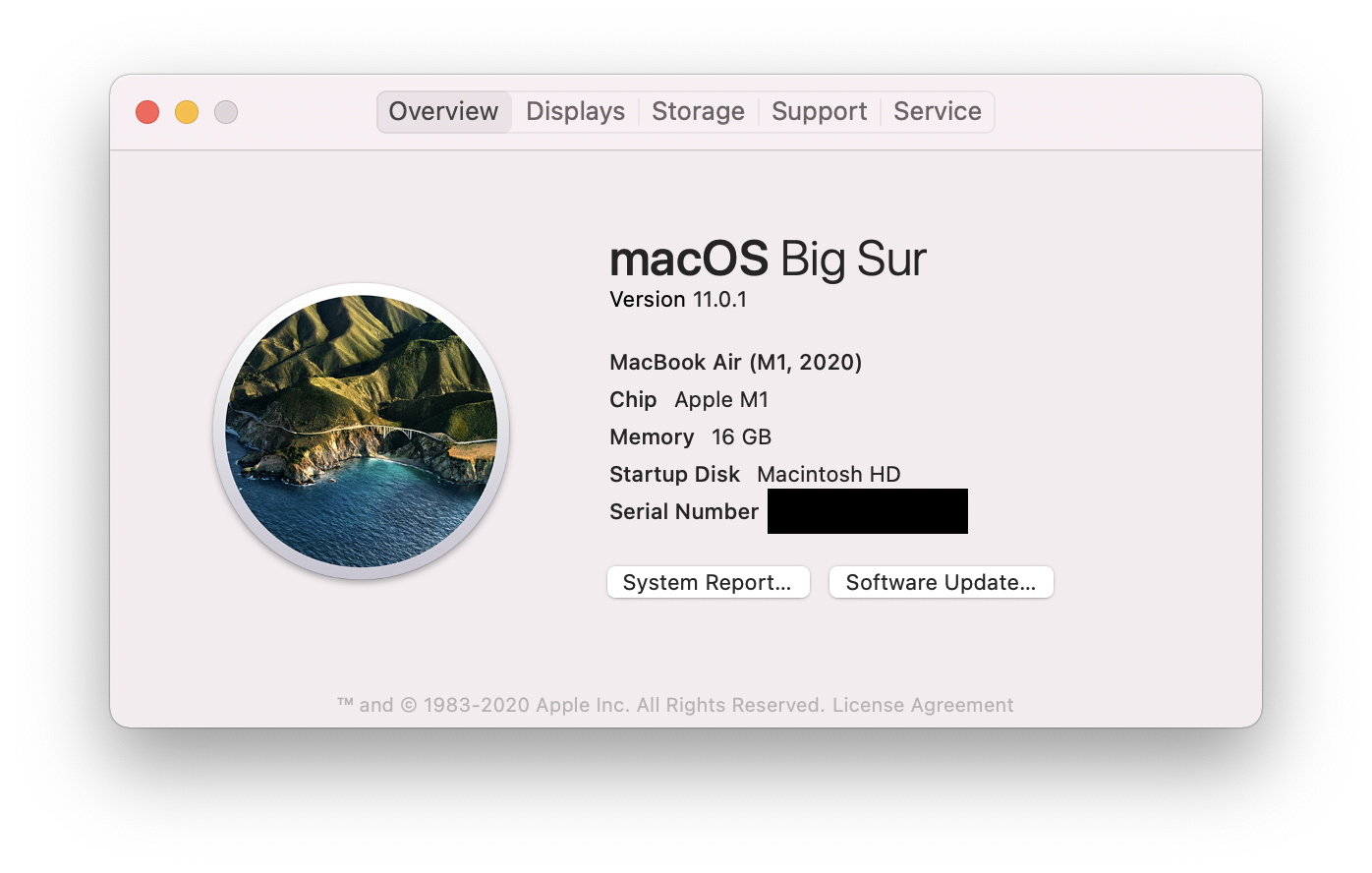
- macOS 11.0.1
- zsh 5.8 (x86_64-apple-darwin20.0) (with oh-my-zsh)
- SwiftFormat 0.47.5
Does anyone knows any workaround?
 0x0c
0x0c
All 7 comments
@0x0c this is very weird. I thought it might be something to do with ANSI characters, but none are used in the help screen that is displayed when you run without arguments AFAIK.
I guess it's worth trying ./swiftformat --quiet just in case it is something like that?
 nicklockwood
on 7 Dec 2020
nicklockwood
on 7 Dec 2020
@nicklockwood Thank you for your reply.
I tried ./swiftformat --quet and still can't run.
Here are results each environment, iTerm2, iTerm2 (with Rosetta2) and Terminal.
Do you have any suggestion for me to investigate this issue?
0x0c
on 7 Dec 2020
@0x0c sorry, I'm not really sure how to debug this. Is there some kind of crash log? Can you build a debug version from source and run it with the debugger attached?
nicklockwood
on 7 Dec 2020
@nicklockwood I found an error message about ./swiftformat --quiet crashes from Console.app (There is typo but can't run).
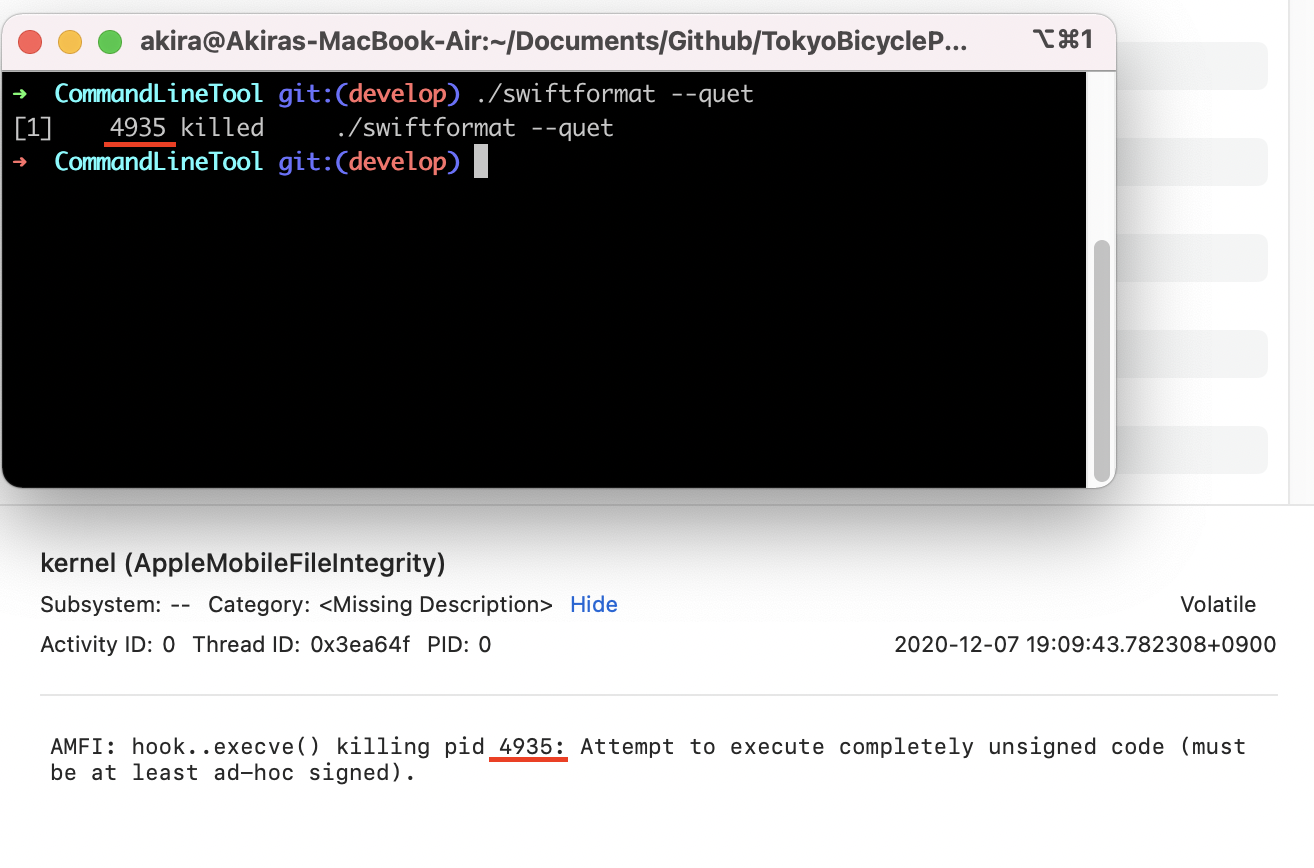
After got this message, I guessed this issue is caused by settings of permission, then I allowed full disk access to iTerm2 and ./swiftformat ran!

I think there are two ways to solve this issue, one is sign the binary, and other is enable full disk access for iTerm2. This issue may be occurred both Intel and Apple Silicon. It may helpful to notice this workaround in README.
0x0c
on 7 Dec 2020
@0x0c ah, that makes sense. I normally install using homebrew, which I guess handles signing correctly. I'll make sure the binary is signed for the next release.
nicklockwood
on 7 Dec 2020
@nicklockwood I got it. Thanks a lot!
0x0c
on 7 Dec 2020
@0x0c fixed in 0.47.6
nicklockwood
on 8 Dec 2020
Related issues
 soranoba
·
3Comments
soranoba
·
3Comments
 PompeiaPaetenari
·
4Comments
PompeiaPaetenari
·
4Comments
 sebastianfrelle
·
4Comments
sebastianfrelle
·
4Comments
 Cyberbeni
·
4Comments
Cyberbeni
·
4Comments
 meherkasam
·
3Comments
meherkasam
·
3Comments