SwiftFormat is disabled in Xcode 12 Beta 5
Installed SwiftFormat today, but can't get it to work.
I can see the option SwiftFormat in Xcode Editor menu, but it's disabled.
I've just installed Xcode 12 Beta 5. I'm on macOS 11.0-beta (20A5343i).
I read in the release-notes that extension should work in Xcode 12.
I've activated the extension etc.
 weenzeel
All 7 comments
Deprecations
For compatibility with new security features in macOS 11, Xcode extensions must be built using Xcode 12 and must embed XcodeKit.framework. An Xcode extension rebuilt with these tools remains compatible with older versions of Xcode and macOS. (51822755)
 hovaks
on 20 Aug 2020
hovaks
on 20 Aug 2020
@weenzeel @hovaks ah, apologies then - I've linked XcodeKit but not built with Xcode 12. You'll need to build it yourself from source.
 nicklockwood
on 20 Aug 2020
nicklockwood
on 20 Aug 2020
It works fine with Xcode 12 Beta 5 on 10.15.6 fwiw.
 haikusw
on 21 Aug 2020
haikusw
on 21 Aug 2020
Installed SwiftFormat today, but can't get it to work.
I can see the option SwiftFormat in Xcode Editor menu, but it's disabled.I've just installed Xcode 12 Beta 5. I'm on macOS 11.0-beta (20A5343i).
I read in the release-notes that extension should work in Xcode 12.
I've activated the extension etc.
How to build the source code on our mac:
Open terminal and enter below codes respectively:
cd Desktop
git clone https://github.com/nicklockwood/SwiftFormat.git
Open .xcodeproj file in Project Folder
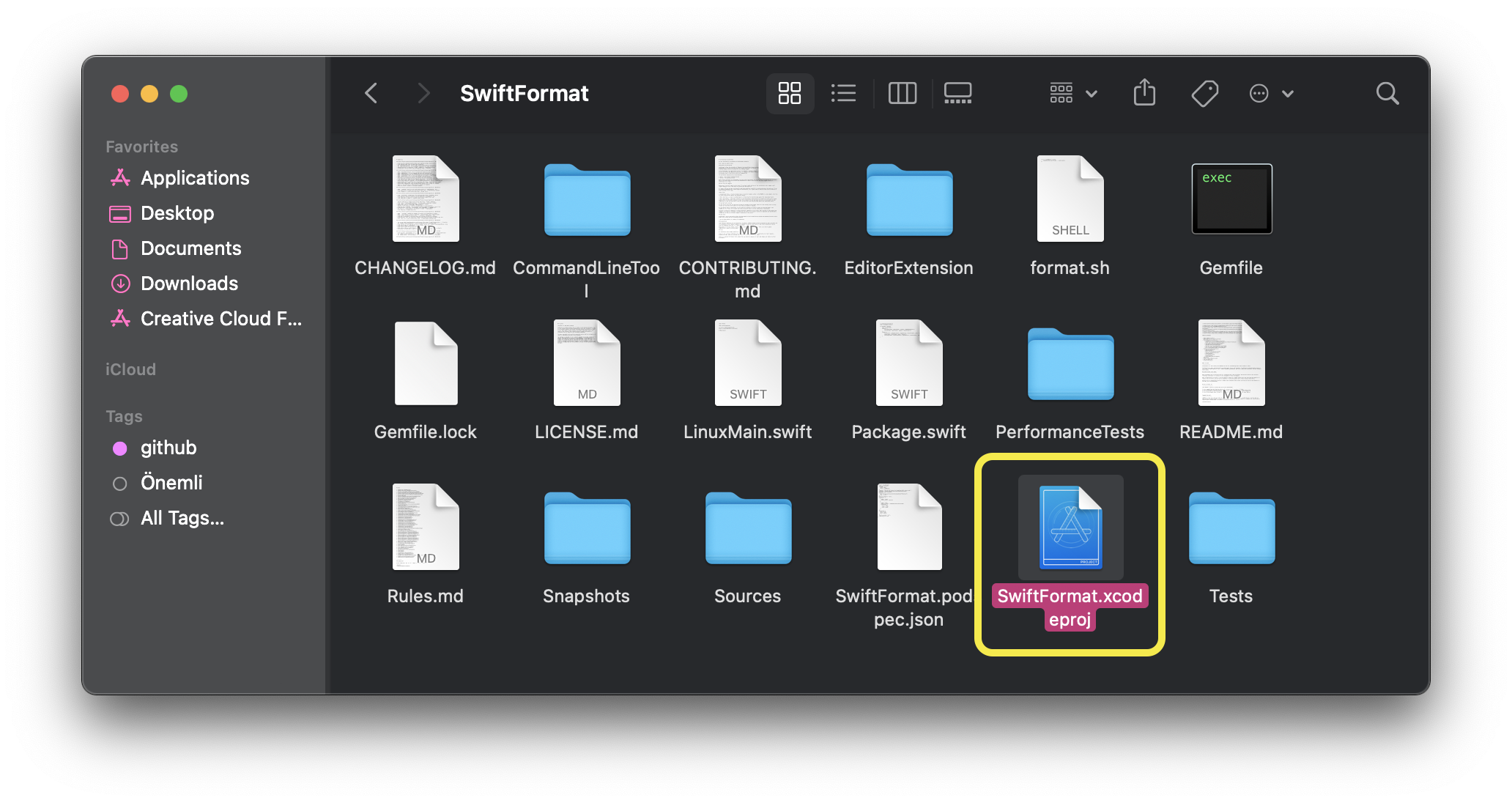
This repo will open in Xcode. After then press ⌘+1 and follow the path in the picture 👇🏻
(Select team for every section at 2nd)
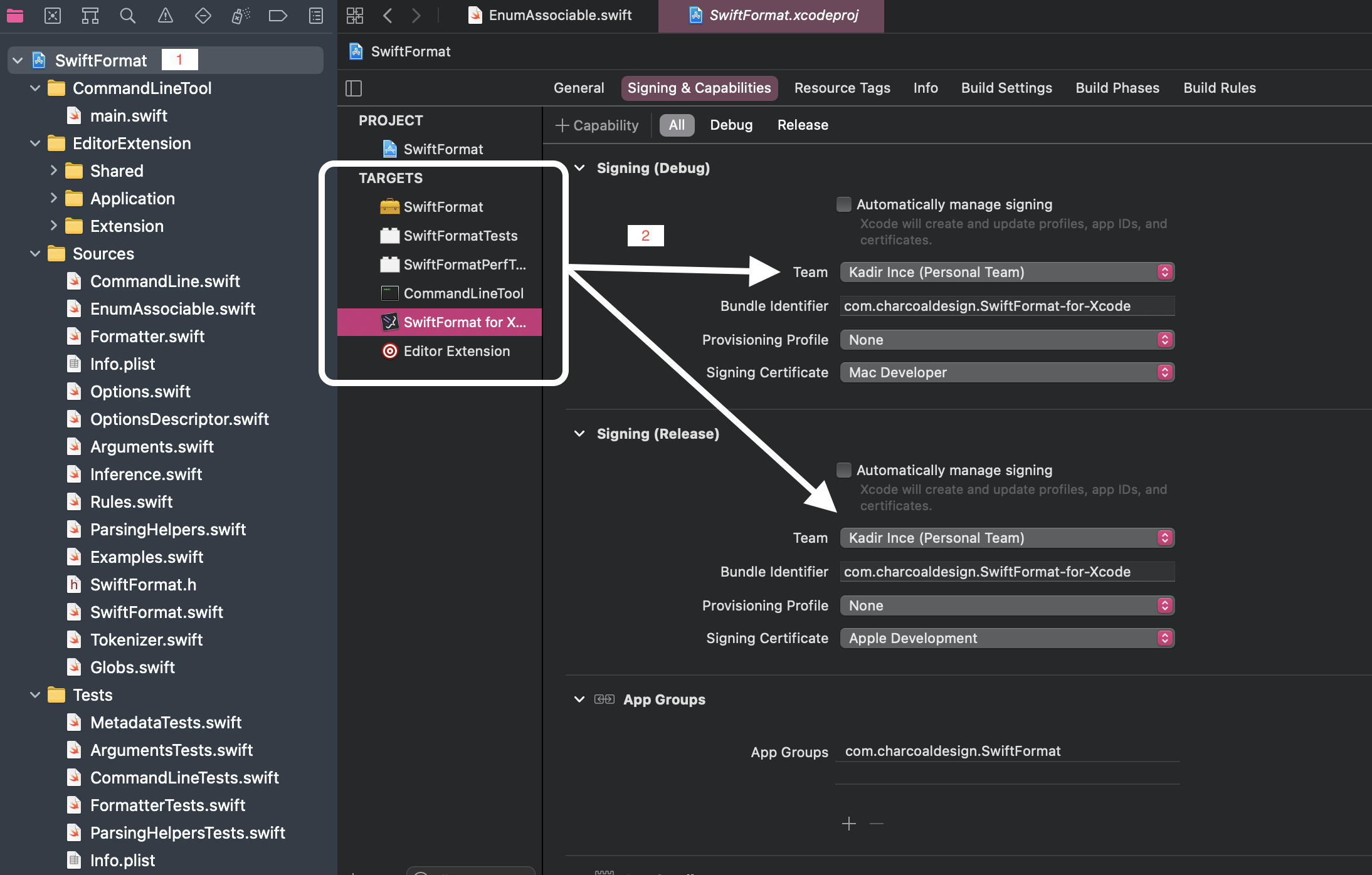
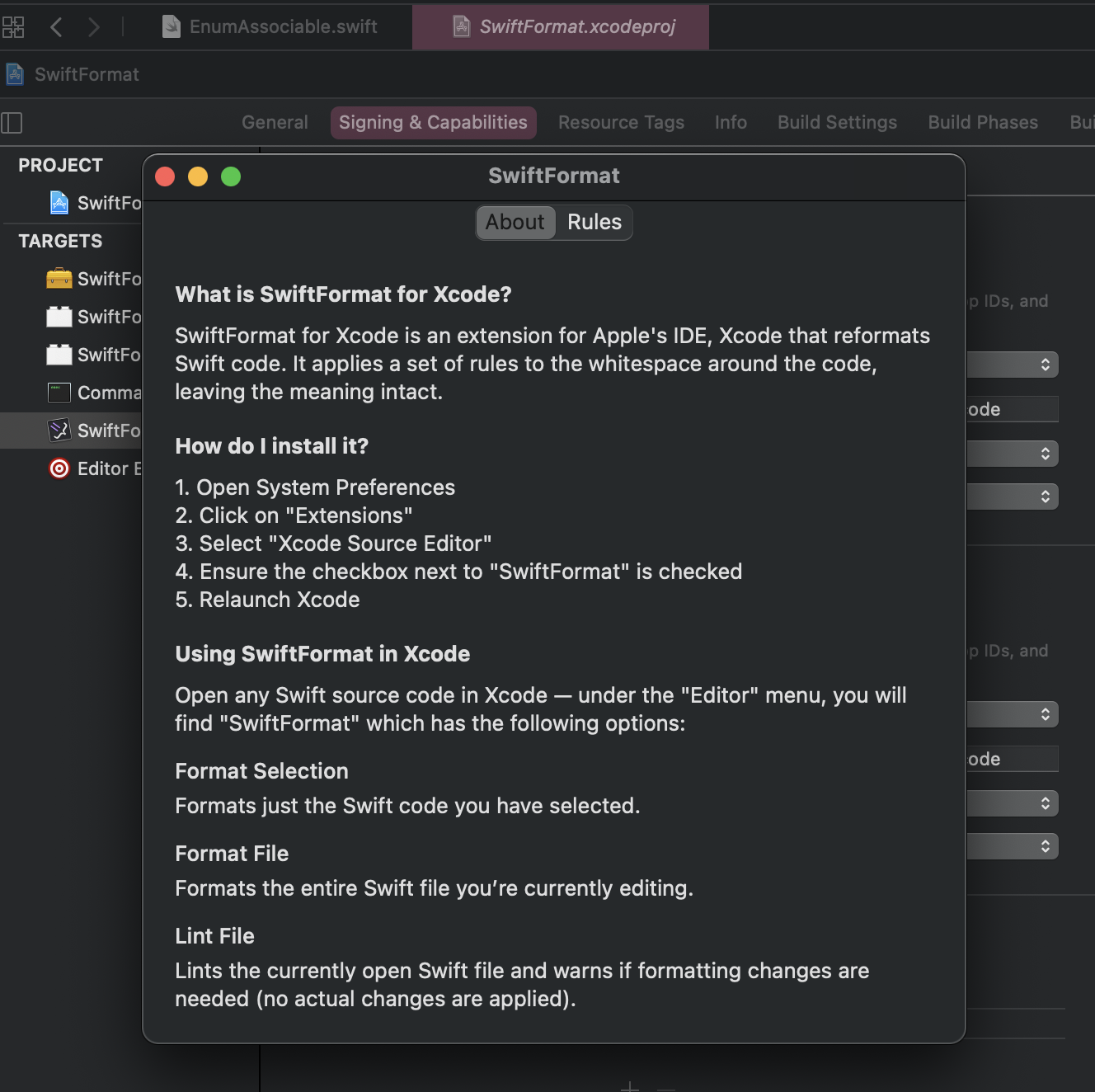
and select "SwiftFormat for Xcode" and run "My Mac"

and the app is opening
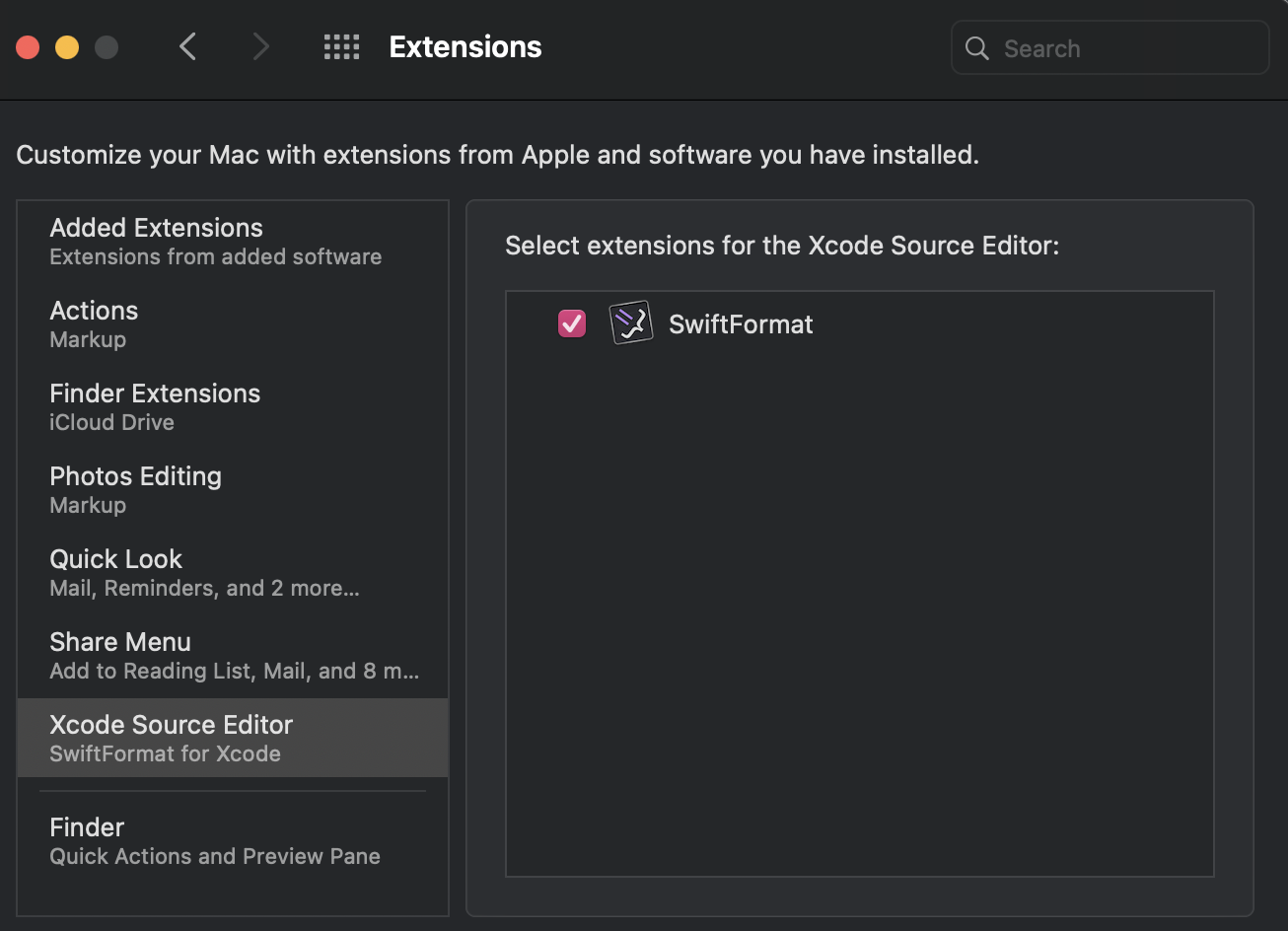
go to --> System Preferences - Extensions - Xcode Source Editor (at the left menu) - Check the SwiftFormat
- Restart Xcode
- Press ⌘+, (Open Preferences)
- Go to the Key Bindings section and write "swiftformat" in filter text field
- Assignment any key binding for code format (like as ⌘+⌥+L)
Now you can format your codes at working the file
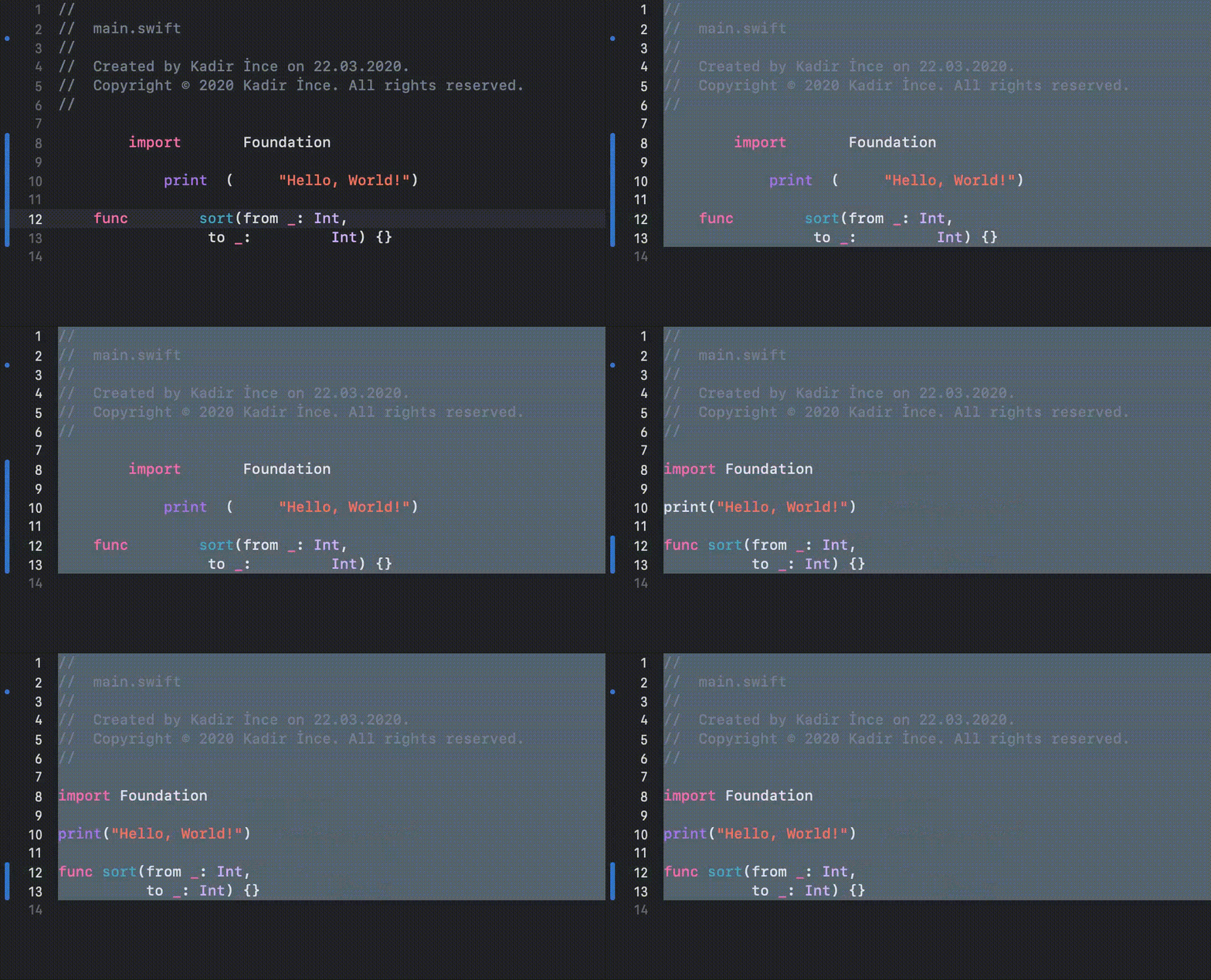
 kadir-ince
on 23 Aug 2020
kadir-ince
on 23 Aug 2020
Thank you @kadir-ince for the excellent work-around write up!
weenzeel
on 26 Aug 2020
Wasn't this fixed in PR https://github.com/nicklockwood/SwiftFormat/pull/669?
Should be just a case doing your own build.
Edit
I see you're sorted.
Should have read to the end, I guess!
 hyperphonic0
on 4 Sep 2020
hyperphonic0
on 4 Sep 2020
@weenzeel as of version 0.46.3 the bundled Extension should work in Xcode 12.
nicklockwood
on 26 Sep 2020
Related issues
 MaxDesiatov
·
3Comments
MaxDesiatov
·
3Comments
 Cyberbeni
·
4Comments
Cyberbeni
·
4Comments
 DagAgren
·
4Comments
DagAgren
·
4Comments
 sebastianfrelle
·
4Comments
sebastianfrelle
·
4Comments
 dcramps
·
3Comments
dcramps
·
3Comments
Most helpful comment
How to build the source code on our mac:
Open terminal and enter below codes respectively:
cd Desktopgit clone https://github.com/nicklockwood/SwiftFormat.gitOpen .xcodeproj file in Project Folder
This repo will open in Xcode. After then press ⌘+1 and follow the path in the picture 👇🏻
(Select team for every section at 2nd)
and select "SwiftFormat for Xcode" and run "My Mac"
and the app is opening
go to --> System Preferences - Extensions - Xcode Source Editor (at the left menu) - Check the SwiftFormat
Now you can format your codes at working the file