Swifterswift: Update LICENSE copyright date to 2018
https://github.com/SwifterSwift/SwifterSwift/blob/master/LICENSE
MIT License
-- Copyright (c) 2015-2017 SwifterSwift (https://github.com/swifterswift)
++ Copyright (c) 2015-2018 SwifterSwift (https://github.com/swifterswift)
 SD10
SD10
All 16 comments
Hi. I am looking to get involved with a Swift project this year. Is anyone working on this? How can I get started / help?
 richgabrielli
on 2 Jan 2018
richgabrielli
on 2 Jan 2018
Hey @richgabrielli,
First, you need to fork the SwifterSwift repository to your personal account. You can see the fork button in the top right corner next to the stars. (Please start the project if you haven't already 😂)
Then you need to clone your fork to your local machine, make changes to the LICENSE.md file, and
then push your changes back up to your fork.
After you do that, you need to create a pull request from your fork to SwifterSwift master branch.
If any of these steps are unclear, try and Google the process. I couldn't find a guide that I was happy with at the moment. Of course, you can also ask questions here
SD10
on 2 Jan 2018
Thanks! I will give it a shot. I have done a few tutorials on GitHub and I understands all your words so I will give it a shot. 🤣
richgabrielli
on 2 Jan 2018
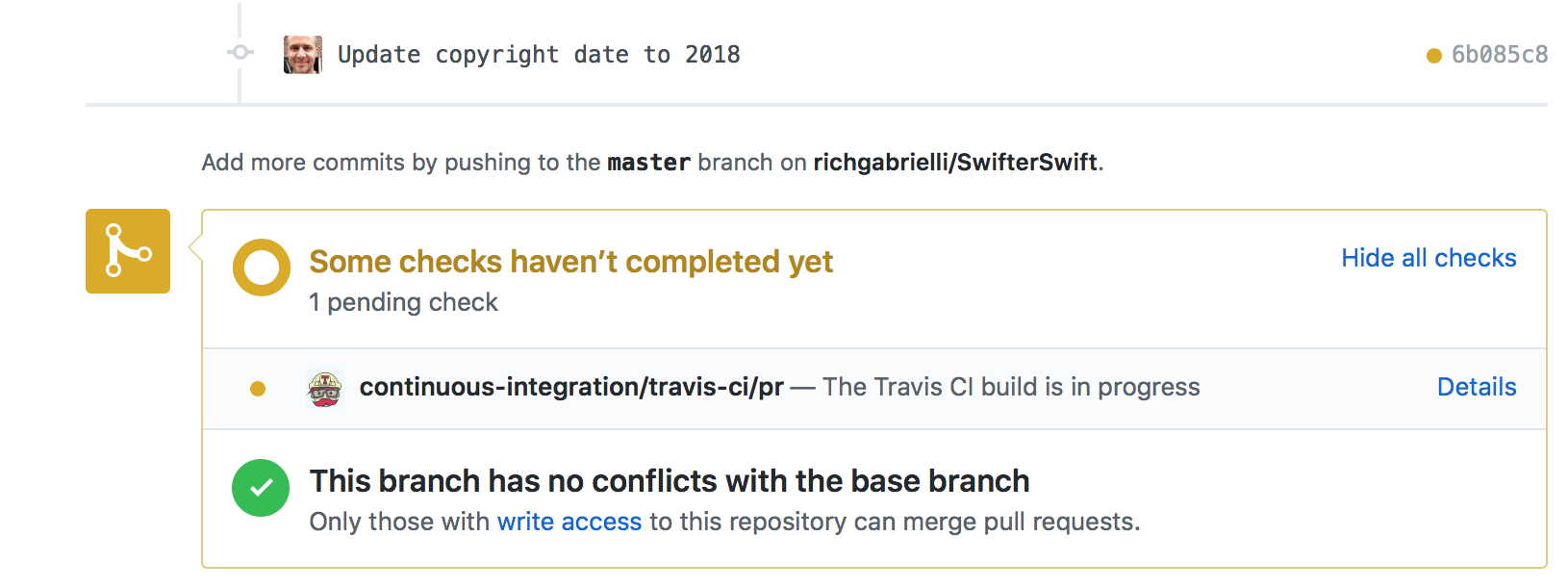
I submitted the pull request, but received a message I was not expecting. Do I need to do anything else? Can you help?
richgabrielli
on 2 Jan 2018
@richgabrielli No worry. That is just our continuous integration software. Everytime someone submits a PR it runs the changes against all our unit tests to make sure nothing broke
SD10
on 2 Jan 2018
This was closed by #351
SD10
on 2 Jan 2018
Great! That was pretty awesome. I need to look at a Swift topic. Can I ask a quick question? Do I need to delete my fork and re-fork each time I want to work on an issue?
richgabrielli
on 2 Jan 2018
No you don’t have to. However, sometimes a fork can go stale... meaning it doesn’t reflect the changes of the original repo. I would recommend you read:
https://help.github.com/articles/configuring-a-remote-for-a-fork/
This tells you how to add a remote reference to the original repository
and then how to pull the changes into your local copy:
https://help.github.com/articles/syncing-a-fork/
Sent with GitHawk
SD10
on 2 Jan 2018
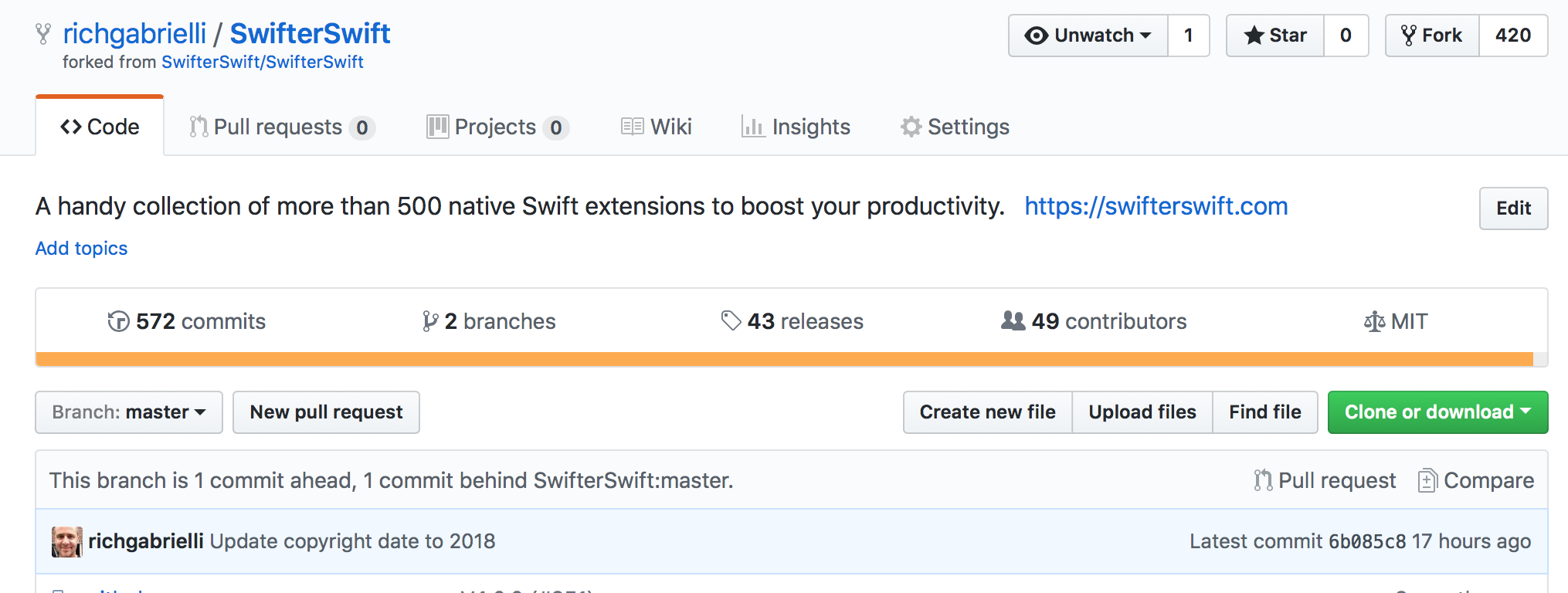
@SD10 - why does my local forked branch show up as out of sync with the update I changed? Similar issue with MessageKit project.
richgabrielli
on 3 Jan 2018
@richgabrielli your fork doesn't mirror the original repo. this is because maybe you want to fork a project and then work on it / take things in another direction. you have to update it manually if you want it to stay in sync. that's what those 2 links above are for
SD10
on 3 Jan 2018
Thanks. Which two links?
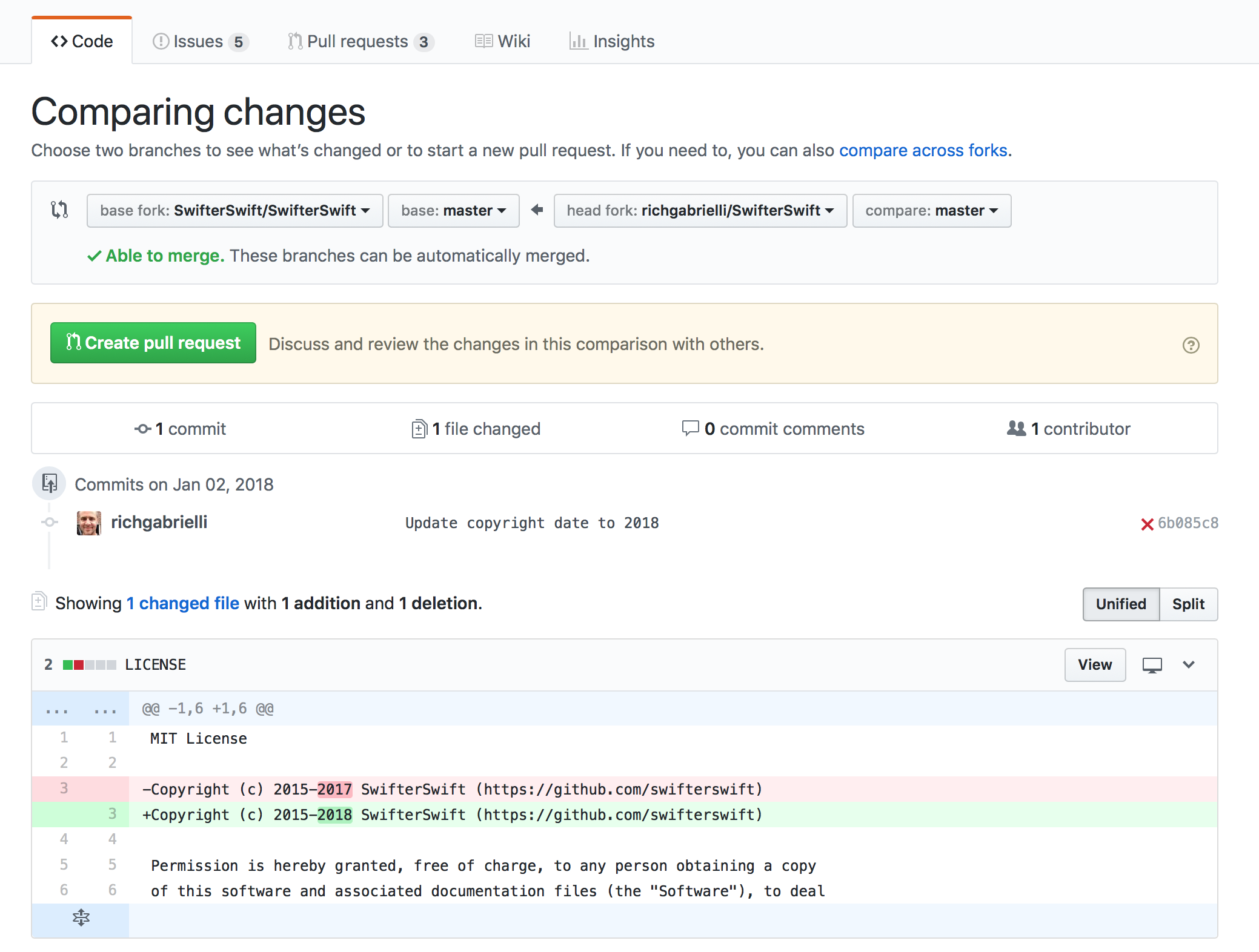
@SD10 - I am missing something. When I click on compare it looks like the copyright date is not changed.
When looking at MessageKit it says: This branch is 1 commit behind MessageKit:master. However, when I click on compare it says there are no differences.
richgabrielli
on 3 Jan 2018
@SD10 - I just noticed this: thoughts?

richgabrielli
on 3 Jan 2018
I meant this:
https://github.com/SwifterSwift/SwifterSwift/issues/350#issuecomment-354885903
CI error is fine, I canceled the build because there were no code changes.
SD10
on 3 Jan 2018
@SD10 - Thanks. I did follow the links and had no issues executing the commands.
I still have this message: This branch is 1 commit ahead, 1 commit behind SwifterSwift:master.
I still receive this when I do a compare next to the message above
:
richgabrielli
on 3 Jan 2018
@SD10 - I have really confused myself. I just want to get in sync and understand what is happeningI tried to do another pull request to see if that helps. I appreciate all your help.
richgabrielli
on 3 Jan 2018
You probably wanted to rebase and not merge. The goal is to get your branch even with SwifterSwift master. You will probably have to refork and try again next time, but no worries, it happened to me a lot too.
SD10
on 3 Jan 2018
Related issues
 omaralbeik
·
3Comments
omaralbeik
·
3Comments
 martinstoyanov
·
5Comments
martinstoyanov
·
5Comments
 pawurb
·
3Comments
pawurb
·
3Comments
 g001613001
·
5Comments
g001613001
·
5Comments
 LucianoPAlmeida
·
4Comments
LucianoPAlmeida
·
4Comments
Most helpful comment
Thanks! I will give it a shot. I have done a few tutorials on GitHub and I understands all your words so I will give it a shot. 🤣