Swift: REPL, multiarray.x86_64-linux-gnu.so: undefined symbol: PyExc_SystemError:
Environment:
- Ubuntu 16.04.4 x86_64
REPL error log (While on CLion without REPL is OK):
➜  ~ export PATH=/home/iron/a/app/swift_dev/usr/bin:$PATH
➜  ~ swift -I/home/iron/a/app/swift_dev/usr/lib/swift/clang/include
Welcome to Swift version 4.2-dev (LLVM 04bdb56f3d, Clang b44dbbdf44, Swift 70260a59ef). Type :help for assistance.
  1> let a = 2
a: Int = 2
  2> let b = 3
b: Int = 3
  3> a*3
$R0: Int = 6
  4> import Python
  5> let np = Python.import("numpy")
Fatal error: 'try!' expression unexpectedly raised an error: exception: /usr/lib/python2.7/dist-packages/numpy/core/multiarray.x86_64-linux-gnu.so: undefined symbol: PyExc_SystemError: file /home/swift-build/swift/stdlib/public/core/ErrorType.swift, line 184
Current stack trace:
0    libswiftCore.so                    0x00007ffff2107110 _swift_stdlib_reportFatalErrorInFile + 215
1    libswiftCore.so                    0x00007ffff20a9627 <unavailable> + 4269607
2    libswiftCore.so                    0x00007ffff1e2204d <unavailable> + 1617997
3    libswiftCore.so                    0x00007ffff20a94bd <unavailable> + 4269245
4    libswiftCore.so                    0x00007ffff20a9427 <unavailable> + 4269095
5    libswiftCore.so                    0x00007ffff1e228a8 <unavailable> + 1620136
6    libswiftCore.so                    0x00007ffff20a93d0 <unavailable> + 4269008
7    libswiftCore.so                    0x00007ffff1e2204d <unavailable> + 1617997
8    libswiftCore.so                    0x00007ffff1fe3c98 <unavailable> + 3460248
9    libswiftCore.so                    0x00007ffff1eb0fca <unavailable> + 2203594
np: Python.PythonObject =terminate called after throwing an instance of 'std::logic_error'
  what():  basic_string::_M_construct null not valid
[1]    16294 abort (core dumped)  swift -I/home/iron/a/app/swift_dev/usr/lib/swift/clang/include
 Honghe
All 5 comments
Also documented as SR-7757.
 dan-zheng
on 3 Jun 2018
dan-zheng
on 3 Jun 2018
I ran into this and discovered a workaround.
import Foundation
dlopen("libpython2.7.so", RTLD_NOW | RTLD_GLOBAL)
I discovered the workaround by playing around with some of the suggestions at https://stackoverflow.com/questions/11842920/undefined-symbol-pyexc-importerror-when-embedding-python-in-c .
 marcrasi
on 11 Jul 2018
marcrasi
on 11 Jul 2018
@marcrasi Nice find! I believe we can add the call to dlopen before Py_Initialize() here.
Would you like to see if the following works and start a PR?
#if os(macOS) || os(iOS) || os(watchOS) || os(tvOS)
import func Darwin.C.dlopen
#else
import func Glibc.dlopen
#endif
...

public struct PythonInterface {
  init() {
    dlopen("libpython2.7.so", RTLD_NOW | RTLD_GLOBAL)
    Py_Initialize()   // Initialize Python
  }
}
One downside to the dlopen workaround is that it's limited to a specific version of Python.
For Python 2, I feel this is acceptable because 2.7 is more-or-less de facto.
For Python 3, this is more problematic because people use different versions (3.5 and 3.6 are common).
Once Python 3 support is added and it is the case that Python 3 also requires the dlopen workaround, we may need to think of something else.
dan-zheng
on 11 Jul 2018
kind of related - but not exactly -
I was seeing Symbol not found: __PyCodecInfo_GetIncrementalDecoder
Had to use a specific version of Python for everything to work(2.7 didn't work / not did 2.7.13)
conda create -n gymai  python=2.7.9
source activate gymai
pip install --upgrade pip
pip install "gym[atari]"
dabbling on this pong swift reinforce codebase by @saschaschramm
https://github.com/johndpope/SwiftReinforce
side note - if anyone knows of how to glue the xcode run with a specific version of python automatically - (like visual code) - I'm all ears.
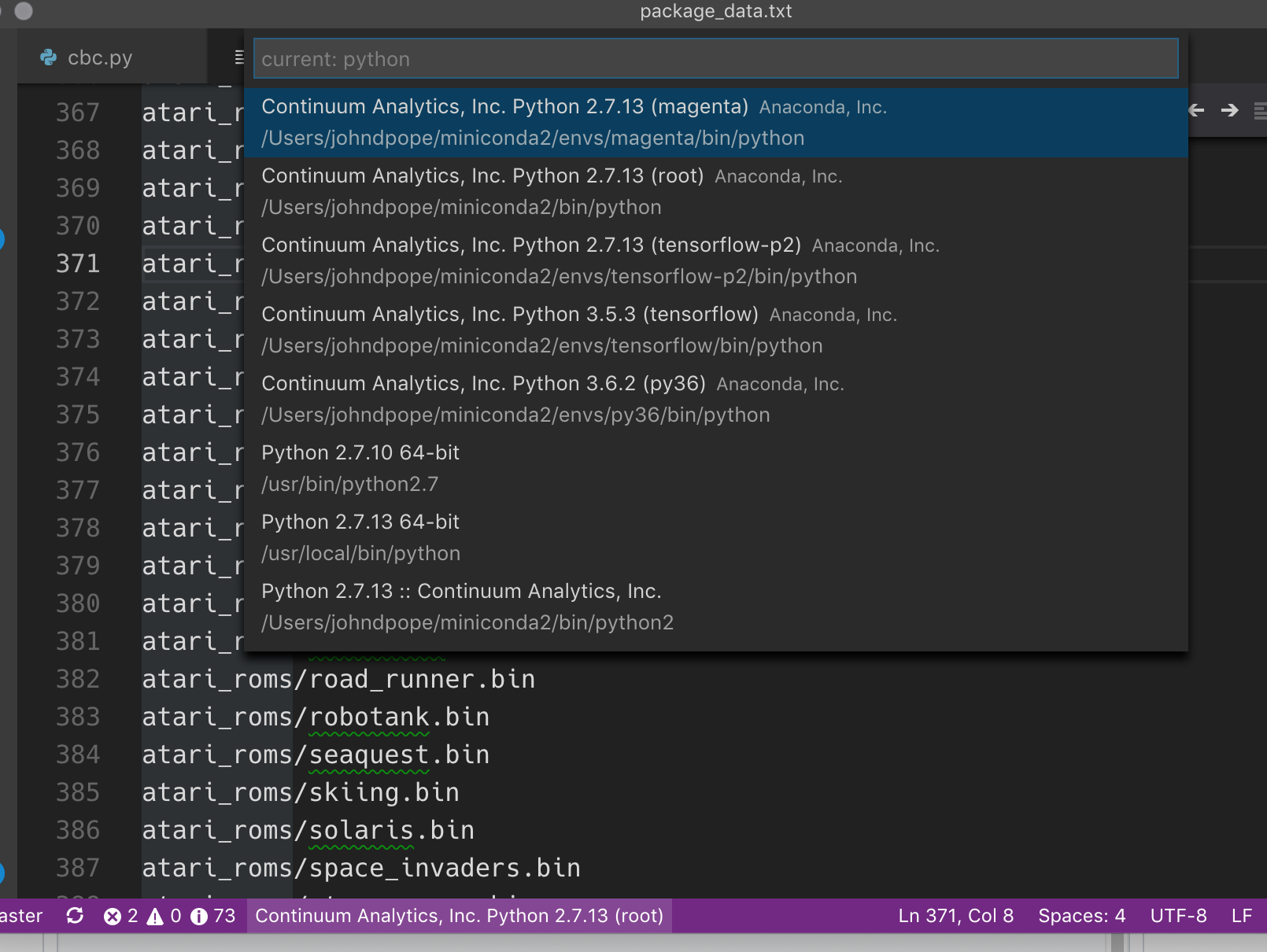
In the mean I posted some instructions on wrangling around this issue in above repo / readme by using Wait for executable to launch in schema settings.
 johndpope
on 8 Sep 2018
johndpope
on 8 Sep 2018
Related issues
 elefantel
·
5Comments
elefantel
·
5Comments
 noahtren
·
5Comments
noahtren
·
5Comments
 rxwei
·
3Comments
rxwei
·
3Comments
 Zandew
·
3Comments
Zandew
·
3Comments
 donn
·
3Comments
donn
·
3Comments
Most helpful comment
I ran into this and discovered a workaround.
I discovered the workaround by playing around with some of the suggestions at https://stackoverflow.com/questions/11842920/undefined-symbol-pyexc-importerror-when-embedding-python-in-c .