Sweetalert: open alert in "loading" mode
Hi,
According to the documentation, it is only possible to put a Sweet Alert in a loading mode from a click on submit button. Is there a way to open a SweetAlert in a "loading" state directly ? For example:
1/ user clicks on a button on main panel
2/ ajax action is triggered + an alert displays 'your request is being processed'
3/ the alert is replaced by another alert "done" if all is ok, or "argl!" if there is a problem
Thanks !
 hmsuchier
All 8 comments
You can put this instructions at success ajax function.. for example:
$(".sweet-overlay, .sweet-alert").remove();
swal("Loading","done","success");
if all is ok, else you can write a sweetalert error message.
 buggyzap
on 17 Feb 2016
buggyzap
on 17 Feb 2016
i did it this way
swal({
title: "Are you sure?",
text: "This action will completely remove "+data.fullNames,
type: "warning",
showCancelButton: true,
confirmButtonColor: "#DD6B55",
confirmButtonText: "Yes, delete it!",
showLoaderOnConfirm: true,
closeOnConfirm: false },
function(isConfirm)
{
if (isConfirm)
{
//your ajax here
}
else
{
swal("Cancelled", "User not deleted ", "error");
}
}
);
 mudphilo
on 22 Feb 2017
mudphilo
on 22 Feb 2017
I want this feature too. I have my own form and I want to use the SweetAlert loader on send without having to press a second confirm button.
 gerardreches
on 27 Feb 2017
gerardreches
on 27 Feb 2017
swal({
title: "Are you sure?",
text: "This action will completely remove "+data.fullNames,
type: "warning",
showCancelButton: true,
confirmButtonColor: "#DD6B55",
confirmButtonText: "Yes, delete it!",
showLoaderOnConfirm: true,
closeOnConfirm: false },
function(isConfirm)
{
// confirm button was pressed
if (isConfirm)
{
// get your data here
var toPost = {userId: data.userId , token: accessToken};
// prepare ajax
$.ajax({
url: apiURLDeleteUsers,
data: JSON.stringify(toPost),
type: "POST",
success: function (json)
{
// on success display message back
response = json;
swal("Deleted!", "User deleted successfully "+json.success, "success");
},
error: function (jqXHR, textStatus, errorThrown)
{
// error occured. display error
var res = jqXHR.responseJSON;
swal("Cancelled", "User not deleted "+res.error, "error");
}
});
}
else // user pressed cancel
{
swal("Cancelled", "User not deleted :)", "error");
}
}
);

mudphilo
on 28 Feb 2017
make sure you have
showLoaderOnConfirm: true
mudphilo
on 28 Feb 2017
SweetAlert cannot show a loading state on its buttons by default. What you can do in the new 2.0 version though is create a custom component and pass it into the content option. There you could show a spinner. :)
 t4t5
on 8 Sep 2017
t4t5
on 8 Sep 2017
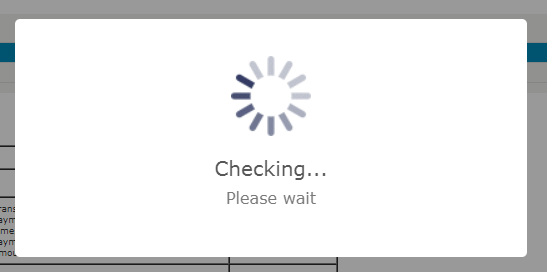
Use the below code and you will get a popup with loading.
window.swal({
title: "Checking...",
text: "Please wait",
imageUrl: "images/page_loader1.gif",
showConfirmButton: false,
allowOutsideClick: false
});
 sunny2208
on 17 Jun 2019
sunny2208
on 17 Jun 2019
For v2 you can use this:
  swal({
    title: "Loading...",
    text: "Please wait",
    icon: "/images/loading.gif",
    button: false,
    closeOnClickOutside: false,
    closeOnEsc: false
  });
 DavidRayner
on 13 Nov 2019
DavidRayner
on 13 Nov 2019
Related issues
 fracz
·
4Comments
fracz
·
4Comments
 voodoo6
·
4Comments
voodoo6
·
4Comments
 AlexV525
·
4Comments
AlexV525
·
4Comments
 sastrahost
·
5Comments
sastrahost
·
5Comments
 mouro001
·
3Comments
mouro001
·
3Comments
Most helpful comment
For v2 you can use this: