Sway: Colour for debug output on stderr is hardcoded to black
The colours are hardcoded here:
https://github.com/swaywm/sway/blob/854497b242b78f14f990a04d2c1fed14b03ee33b/common/log.c#L37-L46
With a black background terminal, the debug output is not visible:
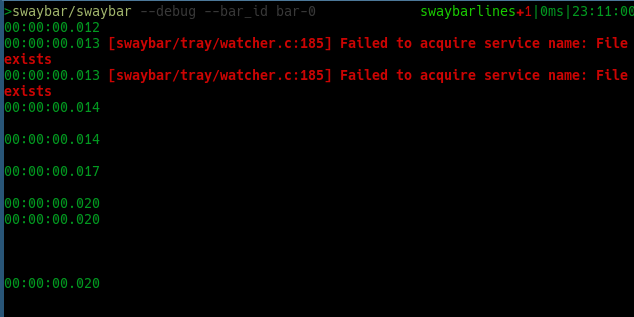
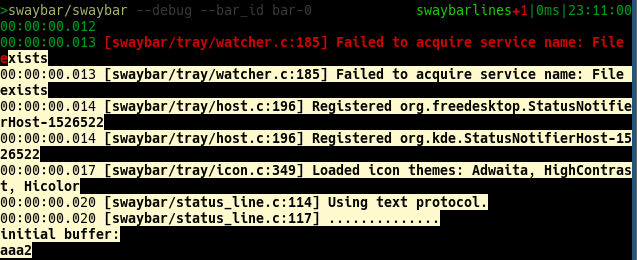
Would an option to disable colouring be acceptable? Or changing the colour of the debug output to something else that won't clash with common terminal background colours?
 ammgws
All 7 comments
I think there's an escape code to use the default color.
 emersion
on 26 Mar 2020
emersion
on 26 Mar 2020
Do you mean \e[0m (reset)?
ammgws
on 27 Mar 2020
Maybe? In any case, I never encountered this issue and use a white-on-black terminal. So I wouldn't be surprised if that was a terminal bug and Sway was correctly using escape codes.
To disable colors, one can sway -d 2>&1 | cat.
emersion
on 27 Mar 2020
I think there's an escape code to use the default color.
That would be \e[39m
So I wouldn't be surprised if that was a terminal bug and Sway was correctly using escape codes.
Well, \e[30m is black, and \e[1;30m is bold black. But still black. However, some terminals can be configured to _also_ brighten bold text (and some have this enabled by default). For black, the result is usually gray:ish.
If gray is the desired color, you could try bright black instead, \e[90m. Or probably better, use one of the grays from the 256-color palette, e.g. \e[38;5;240m. There are 50... I mean 24 shades of gray, in the range 232-255.
 dnkl
on 27 Mar 2020
dnkl
on 27 Mar 2020
@emersion what terminal emulator are you using?
ammgws
on 8 Apr 2020
This is an issue on both alacritty and kitty with near-default configs. On alacritty, the following config reproduces:
colors:
  # Default colors
  primary:
    background: '0x1C1B1A'
    foreground: '0xeaeaea'

  # Normal colors
  normal:
    black:   '0x000000'
    red:     '0xff0000'
    green:   '0xb1d631'
    yellow:  '0xfecf35'
    blue:    '0x426870'
    magenta: '0xc397d8'
    cyan:    '0x70c0ba'
    white:   '0xeaeaea'
It looks like this:
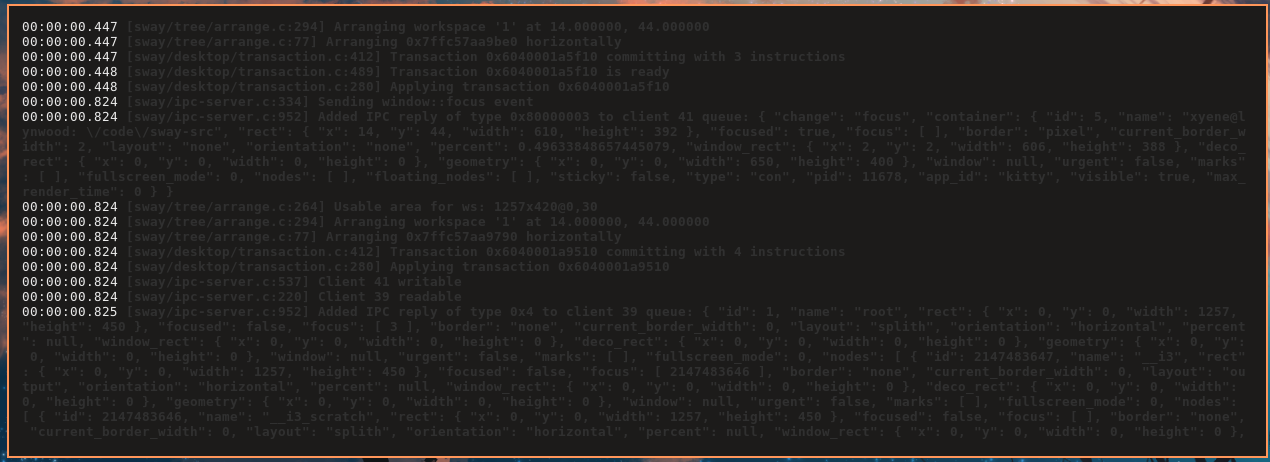
\x1B[1;30m is the escape sequence for black, but some terminal emulators default palettes will not draw it as _real_ black, since that'd be not-useful to the user.
The suggestion of using bright black seems to work well:
- alacritty
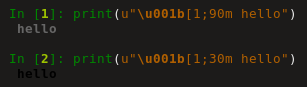
(\x1B[1;30m uses actual black, so in my case it's actually _darker_ than the background)
kitty
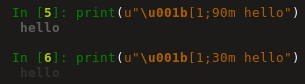
xterm
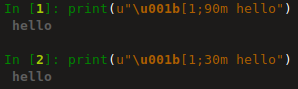
(notably this is the same color in xterm)
 Xyene
on 29 Apr 2020
Xyene
on 29 Apr 2020
Yet another option is to use _dim_ on the default foreground color, \e[39;2m.
However, "dim" is not supported by all terminals (in which case the text will simply be in the default foreground color).
dnkl
on 29 Apr 2020
Related issues
 ghost
·
4Comments
dnkl
·
4Comments
ghost
·
4Comments
dnkl
·
4Comments
 Olie440
·
4Comments
Olie440
·
4Comments
 DpoBoceka
·
4Comments
DpoBoceka
·
4Comments
 aidanharris
·
3Comments
aidanharris
·
3Comments