Svelte: Uncaught (in promise) TypeError: Illegal constructor at new SvelteElement (index.mjs:1381)
Describe the bug
[Dec, 18, 2019]
Uncaught promise when registering a custom element using the latest sapper, svelte, nodeJS, and rollup stack using the following statements.
& rollup.config.js
export default {
client: {
input: config.client.input(),
output: config.client.output(),
plugins: [
replace({...})
svelte({
dev: !production,
customElement: true,
// and tried also with customElement: { tag: "my-element"}
hydratable: true,
emitCss: true
** I want to mention that I had tested on a fresh project
Logs
[Client Side]
=> Uncaught (in promise) TypeError: Illegal constructor
at new SvelteElement (index.mjs:1381)
[Server Side]
=> The 'tag' option is used when generating a custom element. Did you forget the 'customElement: true' compile option?
44:
To Reproduce
Used:
=> index.svelte
=> MyElement.svelte
From my component {name}
[default index.svelte page]
import MyComponent from './my-element.svelte'
My Element
Details
The error triggers an index.mjs when the compiler is calling SvelteElement super constructor.
I might presume that it could be an error also trigger when converting the ES6 JS to ES5 JS code.
Furthermore:
Trying to create a custom element myself it did succeded using the following code:
EX:
 claudiu04
All 14 comments
Hi, thanks for your report - this indeed looks like a problem.
For issues like this, it is helpful to also provide a minimal example using our REPL, such as this. Alternatively you can fence your code with markdown such as this or
// This
Following these guidelines helps devs quickly read and determine the problem.
 dkondrad
on 19 Dec 2019
dkondrad
on 19 Dec 2019
Looked further into this and it seems to be an issue with bundling plugin chain because if I pass the option directly to compile() everything is good to go.
As an aside, we don't have test coverage of this warning in the CI suite, so I'm going to submit a PR to add it.
dkondrad
on 19 Dec 2019
I managed to create a repro of the Illegal Constructor locally.
The custom element flag in rollup is global, meaning it applies to all components, even the top-level one.
This throws an exception:
<script>
    import MyElement from './MyElement.svelte';
</script>
<my-element/>
While this does not:
<svelte:options tag={"my-app"}/>
<script>
    import MyElement from './MyElement.svelte';
</script>
<my-element></my-element>
There is a separate issue here with the REPL.
It seems no matter what the selection of customElement is in the compile options, it still complains about the tag option in both files.
@claudiu04 - Could you go through all components and set valid tags for them to see if it resolves the client-side exception?
dkondrad
on 20 Dec 2019
Added an issue to the repl component: see sveltejs/svelte-repl#79
dkondrad
on 20 Dec 2019
Hi, thanks for your report - this indeed looks like a problem.
For issues like this, it is helpful to also provide a minimal example using our REPL, such as this. Alternatively you can fence your code with markdown such as
thisor// ThisFollowing these guidelines helps devs quickly read and determine the problem.
As I mentioned this is a basic example forked from the original repo + the setup mentioned;
===> REPL example: https://svelte.dev/repl/489ee8acd10848b0bb1feb2535bd6cc5?version=3.16.5
claudiu04
on 21 Dec 2019
I managed to create a repro of the
Illegal Constructorlocally.
The custom element flag in rollup is global, meaning it applies to all components, even the top-level one.This throws an exception:
<script>
  import MyElement from './MyElement.svelte';
</script>
<my-element/>
While this does not:
<svelte:options tag={"my-app"}/>
<script>
  import MyElement from './MyElement.svelte';
</script>
<my-element></my-element>
There is a separate issue here with the REPL.
It seems no matter what the selection ofcustomElementis in the compile options, it still complains about thetagoption in both files.@claudiu04 - Could you go through all components and set valid tags for them to see if it resolves the client-side exception?
I think you miss the idea of what is a component and what is an app. There is a difference. In you example, you do not actually register the component more likely the app as a component.
claudiu04
on 21 Dec 2019
I managed to create a repro of the
Illegal Constructorlocally.
The custom element flag in rollup is global, meaning it applies to all components, even the top-level one.
This throws an exception:<script> import MyElement from './MyElement.svelte'; </script> <my-element/>While this does not:
<svelte:options tag={"my-app"}/>
<script>
    import MyElement from './MyElement.svelte';
</script>
<my-element></my-element>
There is a separate issue here with the REPL.
It seems no matter what the selection ofcustomElementis in the compile options, it still complains about thetagoption in both files.
@claudiu04 - Could you go through all components and set valid tags for them to see if it resolves the client-side exception?I think you miss the idea of what is a component and what is an app. There is a difference. In you example, you do not actually register the component more likely the app as a component.
You must register in your webpack or rollup config the following line: [ customElement: true ]
You can achieve this also by registering the shadow dom component
customElements.define('my-app', HTMLElement ....)
claudiu04
on 21 Dec 2019
Hi, thanks for your report - this indeed looks like a problem.
For issues like this, it is helpful to also provide a minimal example using our REPL, such as this. Alternatively you can fence your code with markdown such asthisor// ThisFollowing these guidelines helps devs quickly read and determine the problem.
As I mentioned this is a basic example forked from the original repo + the setup mentioned;
===> REPL example: https://svelte.dev/repl/489ee8acd10848b0bb1feb2535bd6cc5?version=3.16.5
i'm not sure you can register stuff in the REPL config files, or at least i have not tried
claudiu04
on 21 Dec 2019
I managed to create a repro of the
Illegal Constructorlocally.
The custom element flag in rollup is global, meaning it applies to all components, even the top-level one.
This throws an exception:<script> import MyElement from './MyElement.svelte'; </script> <my-element/>While this does not:
<svelte:options tag={"my-app"}/>
<script>
  import MyElement from './MyElement.svelte';
</script>
<my-element></my-element>
There is a separate issue here with the REPL.
It seems no matter what the selection ofcustomElementis in the compile options, it still complains about thetagoption in both files.
@claudiu04 - Could you go through all components and set valid tags for them to see if it resolves the client-side exception?I think you miss the idea of what is a component and what is an app. There is a difference. In you example, you do not actually register the component more likely the app as a component.
You must register in your webpack or rollup config the following line: [
customElement: true]
You can achieve this also by registering the shadow dom component
customElements.define('my-app', HTMLElement ....)
From REPL example: https://svelte.dev/repl/489ee8acd10848b0bb1feb2535bd6cc5?version=3.16.5
created locally:
1. When I registering [ *customElement: true ] in the config i get*
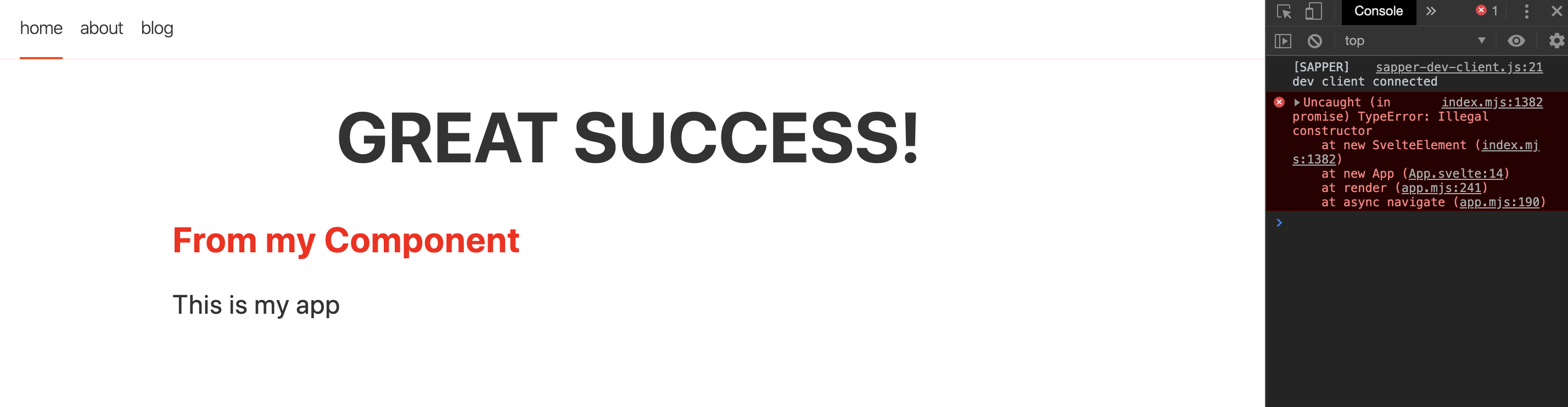
2. If I do not register my element in the config I do not get any error, but neither my element is registered :(
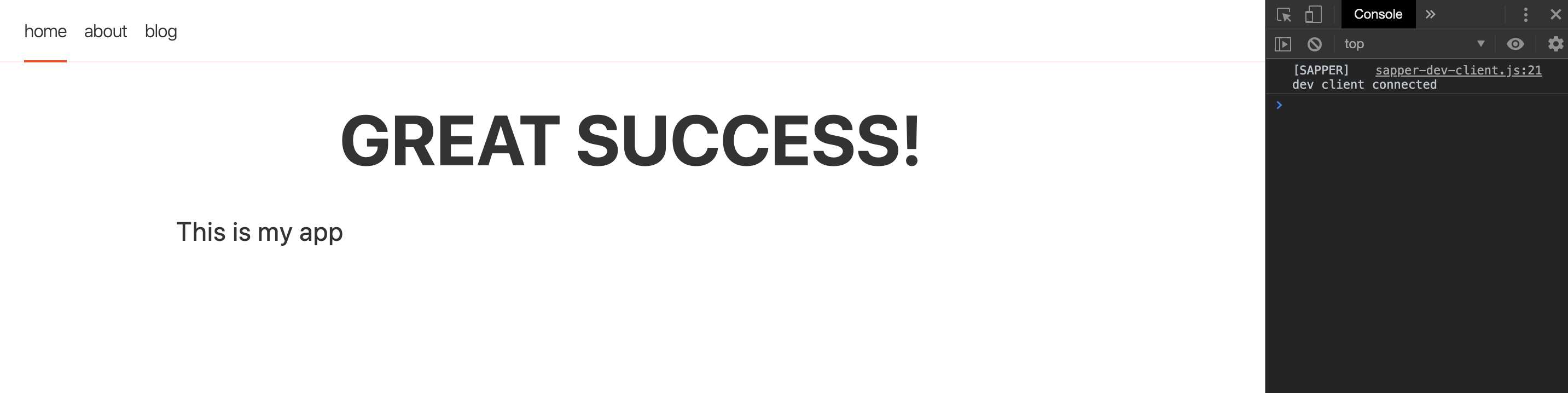
I will like to achieve the behaviour mentioned in the first example when I register the component in the config.
Can some help with this ?
Thank you in advance !
claudiu04
on 21 Dec 2019
@claudiu04, I did offer a means to fix it... please try my suggestion.
dkondrad
on 22 Dec 2019
@claudiu04, I did offer a means to fix it... please try my suggestion.
I tried before your suggestion but did not arrive to the first result (see post above with the screenshot).
Thanks though for your efforts and suggestions.
claudiu04
on 22 Dec 2019
The repo cases posted here neglect the tag on the top level component, so the suggestion wasn't followed. I can understand the need to make customElement component specific, but this is functioning as expected.
@Conduitry, I believe this can be closed... if the author wants to open an enhancement ticket to make customElement component specific then we can look into it further.
dkondrad
on 28 Dec 2019
I just ran into the issue described by @claudiu04 myself, and tried the suggestion from @dkondrad, which made the error go away. To recap, here's what I did:
- Download the zip file from the REPL from @claudiu04 : https://svelte.dev/repl/489ee8acd10848b0bb1feb2535bd6cc5?version=3.16.5
- Updated
rollup.config.jsby addingcustomElement: trueto thesvelteplugin options. - Added
<svelte:options tag={"my-app"}/>toApp.svelte.
Step 3 fixed it. Thanks @dkondrad .
Although I can see how it would make sense that when compiler is configured with customElement: true, it would try and generate components using configured tags, I think it would make more sense if the compiler would only do so for components for which a custom tag was actually set.
@Conduitry I can create a separate issue where this can be discussed further if you prefer.
 sfmskywalker
on 29 Dec 2019
sfmskywalker
on 29 Dec 2019
How can I fix this issue with third part Library, because I would like to use Layercake in my custom component and am facing same issue because of missing tag option.
 tettusud
on 31 Jul 2020
tettusud
on 31 Jul 2020
Related issues
 robnagler
·
3Comments
robnagler
·
3Comments
 thoughtspile
·
3Comments
thoughtspile
·
3Comments
 juniorsd
·
3Comments
juniorsd
·
3Comments
 mmjmanders
·
3Comments
mmjmanders
·
3Comments
 1u0n
·
3Comments
1u0n
·
3Comments
Most helpful comment
How can I fix this issue with third part Library, because I would like to use Layercake in my custom component and am facing same issue because of missing tag option.