Survey-library: survey js submit survey with api call
Are you requesting a feature, reporting a bug or ask a question?
requesting a feature
What is the current behavior?
When survey is completed shows the html text indicating survey is completed
What is the expected behavior?
when submit a survey, may I have a customized post api call inside it, please?
Is there any chance that I could add a cancel button beside it, or do you have this function provided?
Provide the test code and the tested page URL (if applicable)
Tested page URL:
Test code
 model.onComplete.add(function(result) {
  document.querySelector('#container').innerHTML = "<div class='panel'><h2>Survey has been submitted</h2>" ;
}
```
 xiuzhen1103
All 22 comments
@xiuzhen1103 hello! If I understood you correctly, you need to control "onclick" of "complete" button?
 dmitrykurmanov
on 13 Jul 2017
dmitrykurmanov
on 13 Jul 2017
@xiuzhen1103 Please take a look at survey.completedHtml property
Here is the demo of using it: http://surveyjs.org/examples/jquery/survey-processtext/
 andrewtelnov
on 13 Jul 2017
andrewtelnov
on 13 Jul 2017
control "onclick" of "complete" button was one question,
second one is :
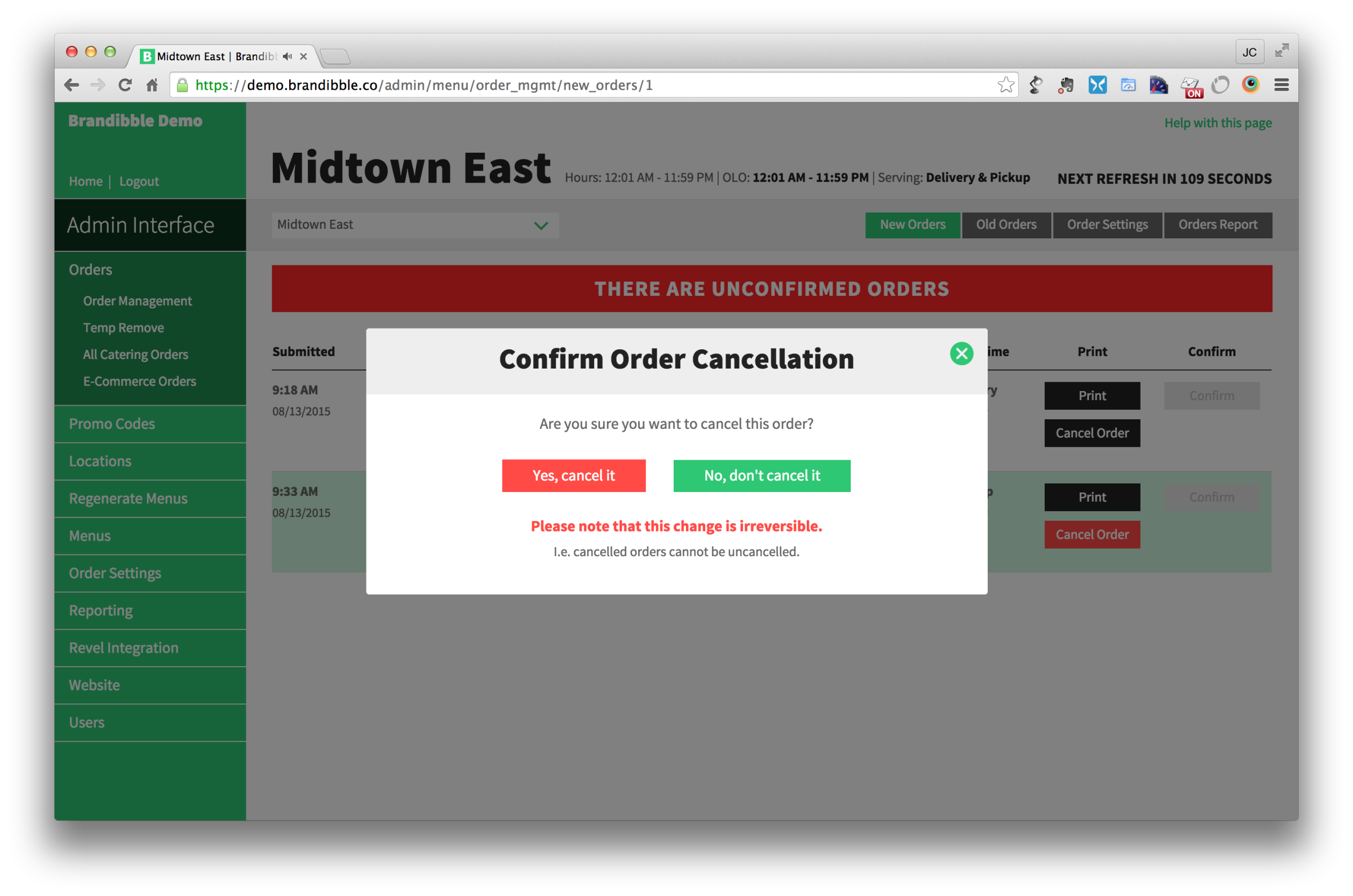
do you provide cancel button? to confirm if cancel , something like this
xiuzhen1103
on 14 Jul 2017
I think it makes sense. We could optionally provide "сonfirmation dialog" when "complete" button "onclick" from the box or just give event and possibility to handle it. @xiuzhen1103, @andrewtelnov what do you think about it?
dmitrykurmanov
on 14 Jul 2017
hi Dmitry,
Thanks for the suggestion , is there any chance that I could have a cancel button beside submit button for our project.

xiuzhen1103
on 14 Jul 2017
@xiuzhen1103 hello! And what will "cancel" button do? Will it go to the first page and clean all answers or something like that?
dmitrykurmanov
on 14 Jul 2017
cancel button pop up a dialog modal as the screenshot I posted, provides two option Yes and No, when click no return to survey form, click yes, direct to other page.
xiuzhen1103
on 14 Jul 2017
@xiuzhen1103 as a workaround you could try to do it by yourself. Here an example: https://plnkr.co/edit/DYmf4jOSSDWEu7uwHB7a?p=preview
dmitrykurmanov
on 14 Jul 2017
and we will think about this feature
dmitrykurmanov
on 14 Jul 2017
Thanks Dmitry,
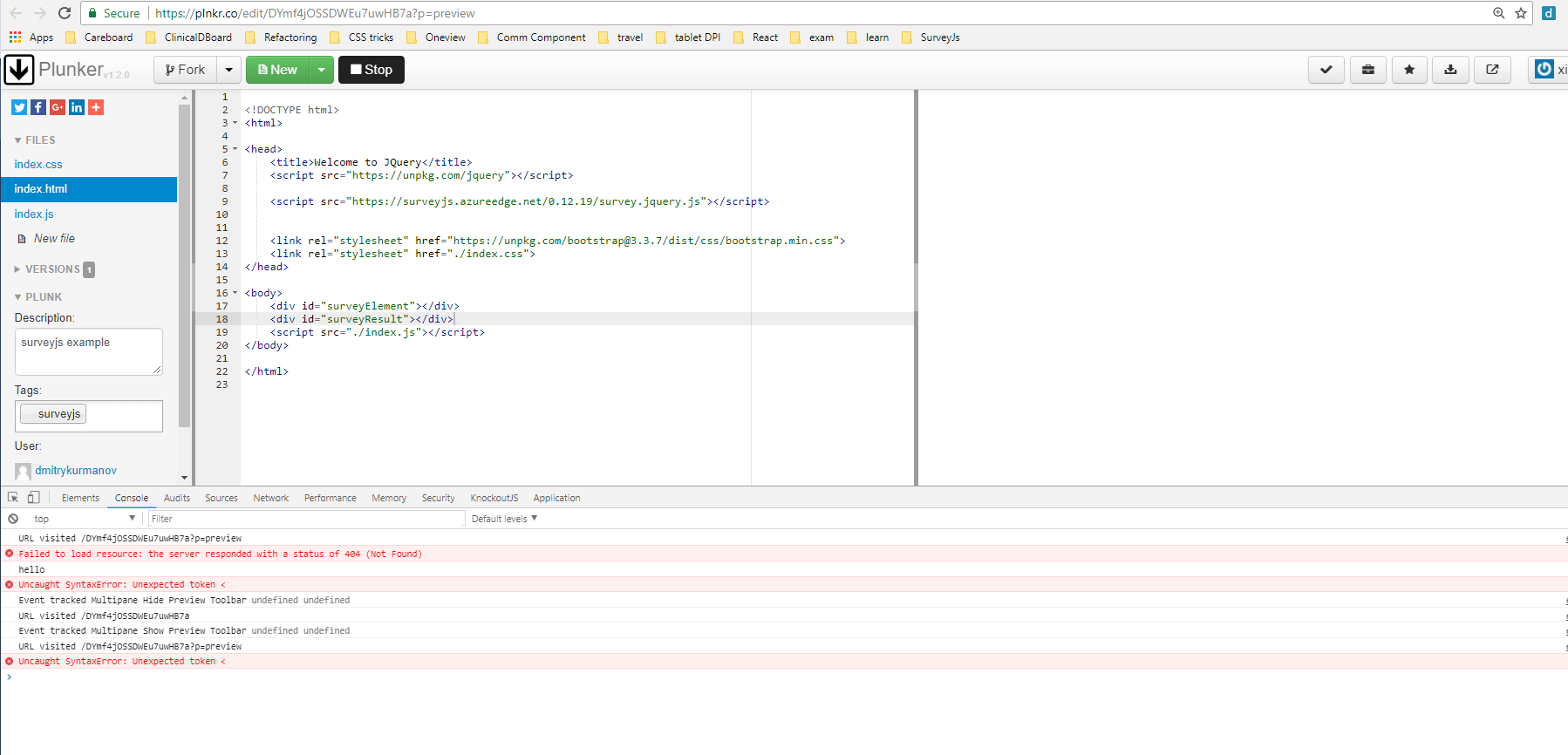
unfortunately, this is not working
xiuzhen1103
on 14 Jul 2017
@xiuzhen1103 that is strange, I can't reproduce this problem in chrome, which browser do you use?
dmitrykurmanov
on 14 Jul 2017
Version 60.0.3112.66
xiuzhen1103
on 14 Jul 2017
Thanks, it worked now, very strange.
xiuzhen1103
on 14 Jul 2017
Is there any chance that I could rename button "complete" to "submit", please?
xiuzhen1103
on 14 Jul 2017
@xiuzhen1103 yes, you can use localization http://surveyjs.org/examples/jquery/survey-localization/
and I've updated the example: https://plnkr.co/edit/DYmf4jOSSDWEu7uwHB7a?p=preview
dmitrykurmanov
on 14 Jul 2017
localization is not working
https://plnkr.co/edit/NWIQoYW9TEHtvsaaInnp?p=preview
xiuzhen1103
on 14 Jul 2017
@xiuzhen1103 you forgot about survey.locale = "my" and it should be defined before render: https://plnkr.co/edit/ZWAxird0m4PPZMucddEB?p=preview
dmitrykurmanov
on 14 Jul 2017
@xiuzhen1103 Another way to implement it is to use the custom navigation. You may turn off showing the standard navigation button and use your own. Here is the demo: http://surveyjs.org/examples/jquery/survey-customnavigation/
As for button text, there is an easy solution as well. Here is the list of properties to change the buttons text:
survey.pagePrevText, survey.pageNextText and survey.completeText.
Thank you,
Andrew
andrewtelnov
on 14 Jul 2017
@andrewtelnov, thanks millions!!! this would make more sense, and works perfectly. I have tried in my local project, localization not work for me, error message its locales is not defined.
xiuzhen1103
on 14 Jul 2017
@xiuzhen1103 yes, I forgot about custom navigation! By the way, for using custom localization you need to redefine (or copy-past and modify) all strings, so it is more complex solution.
dmitrykurmanov
on 14 Jul 2017
working excample with custom locale for someone else from issues search: https://plnkr.co/edit/ZWAxird0m4PPZMucddEB?p=preview
dmitrykurmanov
on 14 Jul 2017
Thanks for all the help!!! @dmitrykurmanov @andrewtelnov
xiuzhen1103
on 14 Jul 2017
Related issues
 nadialo
·
4Comments
nadialo
·
4Comments
 AWIXOR
·
3Comments
xiuzhen1103
·
4Comments
AWIXOR
·
3Comments
xiuzhen1103
·
4Comments
 misamura
·
4Comments
misamura
·
4Comments
 wollerman
·
4Comments
wollerman
·
4Comments