Support: How to add GitHub Stats to GitHub Profile or README.md file
Description
A brief description of the question or issue:
You can also join the discord community here
Feel free to check out other cool repositories of EddieJoaude Comminity here
GitHub Stats are automatically update as we're get more involve in PR, making issues, REPOs etc.
Or do we have to manually update GitHub stats
 mohit01-beep
All 10 comments
You need to use @anuraghazra service to do it, it can be achieve with:
Change the ?username= value to your GitHub's username
[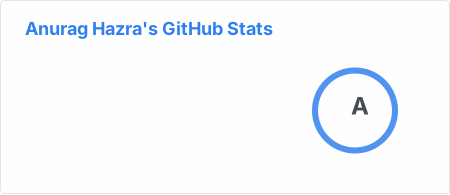](https://github.com/anuraghazra/github-readme-stats)
Full docs https://github.com/anuraghazra/github-readme-stats
Tip: you can go to anyones custom profile and view the README.md file, then click raw to see how they achieve it
 eddiejaoude
on 12 Aug 2020
eddiejaoude
on 12 Aug 2020
yeah i found good resource on site you give above but there's something wrong happening here
I write most language code in readme file at bottom but it cover area above on other lines
can you check why it's happening
https://github.com/mohit01-beep
here's my profile link
mohit01-beep
on 12 Aug 2020
I think it is because you don't have a line break after your list, so markdown thinks the image is part of the list and not a separate block
Hi there 👋
- 🔭 I’m currently working on ...some small web projects using HTML, CSS and JS
- 🌱 I’m currently learning ...JAVA, HTML, CSS and JS
- 👯 I’m looking to collaborate on ...Open Source Projects and Hackathons
- 🤔 I’m looking for help with ...
- 💬 Ask me about ...anything i will try to help you if i can
- 📫 How to reach me: ...
- 😄 Pronouns: ...
- ⚡ Fun fact: ...
eddiejaoude
on 12 Aug 2020
oh i found what was wrong, also i want to ask where can i get these emoji's codes and icons
mohit01-beep
on 13 Aug 2020
oh i found what was wrong
what was wrong @mohit01-beep ? remember think of sharing with the community
eddiejaoude
on 13 Aug 2020
oh i found what was wrong
what was wrong @mohit01-beep ? remember think of sharing with the community
it's just you have to put - on starting of each line for line break,
i didn't knew that was line break i just tried and yeah i'm right - is line break in README.md file
mohit01-beep
on 13 Aug 2020
oh i found what was wrong,
also i want to ask where can i get these emoji's codes and icons
please check this 2nd line of emoji and icons in README @eddiejaoude
mohit01-beep
on 13 Aug 2020
it's just you have to put - on starting of each line for line break,
i didn't knew that was line break i just tried and yeah i'm right - is line break in README.md file
Ok so I what I suggested worked https://github.com/EddieJaoudeCommunity/support/issues/56#issuecomment-672955265
eddiejaoude
on 13 Aug 2020
how to add Icons/Logo in Readme file
mohit01-beep
on 18 Aug 2020
I think that is a different question. If it is buried in another question it won't help the rest of the community. Please raise a new question and include an example of what you are looking for
eddiejaoude
on 18 Aug 2020
Related issues
 SuNiL-Chau
·
4Comments
SuNiL-Chau
·
4Comments
 Jmimoni
·
3Comments
Jmimoni
·
3Comments
 Vyvy-vi
·
4Comments
eddiejaoude
·
4Comments
Vyvy-vi
·
4Comments
eddiejaoude
·
4Comments
 AllanRegush
·
4Comments
AllanRegush
·
4Comments
Most helpful comment
You need to use @anuraghazra service to do it, it can be achieve with:
Change the ?username= value to your GitHub's username
Full docs https://github.com/anuraghazra/github-readme-stats
Tip: you can go to anyones custom profile and view the
README.mdfile, then clickrawto see how they achieve it