Support: How to contribute my GitHub profile to the awesome-github-profiles repo
As the title says, how to add my profile to the table over at the readme.
Could you guide me through?
My screenshot:

 DevItsMB
All 10 comments
Hey, as I mentioned above. Coudl you explain me how to contribute my GitHub profile to the awesome-github-profiles repo?
DevItsMB
on 3 Aug 2020
From the current documentation...
- create an issue, with the title as your name, and in the description put a screenshot of the customised GitHub profile page
- take the url created by github from the screenshot in step 1 and add it to this
README.mdas an image at the bottom of the table (use other submissions with the table as an example)- use your created issue url under the image you added
Great question 👍 , after this discussion I am sure there are more improvements we can make to the documentation
From looking at your profile, I have put green tick ✅ on the steps I think you have already done:
- ✅ Create an issue on that the awesome-github-profiles repo with your screenshot, before submitting the issue, copy the generated image url (don't worry if you have submitted it, you can click
editto get the url afterwards) - ✅ Go back to the
README.mdfile, and at the top right click theediticon (looks a bit like ✏️ ) - ✅ GitHub will fork the project which means to make a copy for you, then you can make yours changes to the
README.md, then commit to save (these are still currently in your fork) - Next is to create a Pull Request on the source project for review and approval
 eddiejaoude
on 3 Aug 2020
eddiejaoude
on 3 Aug 2020
@eddiejaoude Okay thanks, so I need to pull a request here: https://github.com/EddieJaoudeCommunity/awesome-github-profiles/pulls ?
Edit: Anything to add in that pull request beside the screenshot?
DevItsMB
on 3 Aug 2020
Yes 👍 . Raise a pull request there, which means you are requesting changes from your forked repo to the main/source repo for review
Your pull request will contain all the code changes, and in the pull request description a screenshot is preferred
eddiejaoude
on 3 Aug 2020
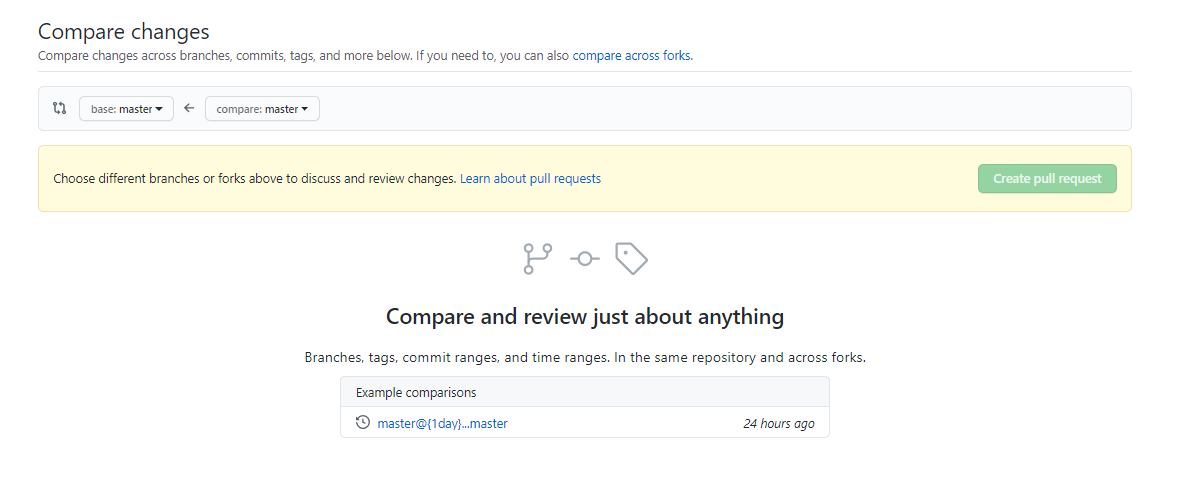
Okay thanks, one more question. What should I select at "Comparing changes". If you can tell what I need to enter there, that would help me out. I never pulled a request, that's why I am so confused
DevItsMB
on 3 Aug 2020
Raising a pull request is confusing, you are not alone 🤓
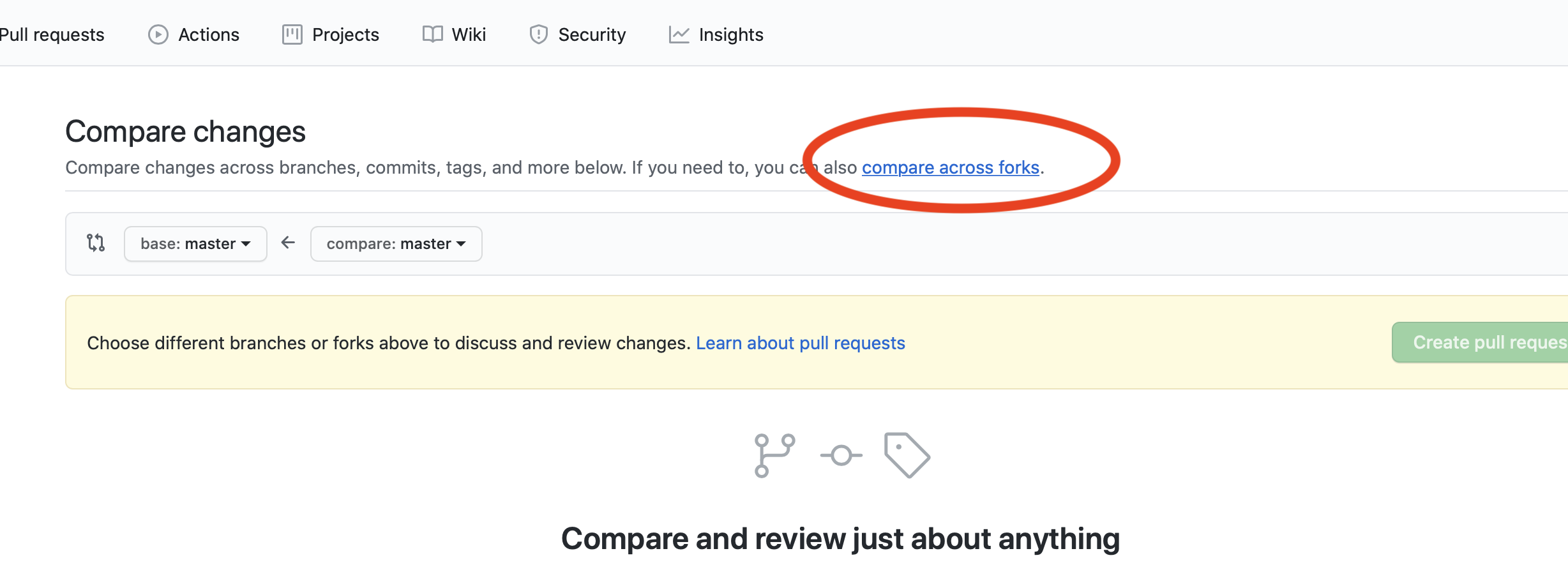
If you click on compare across forks you will be given more options
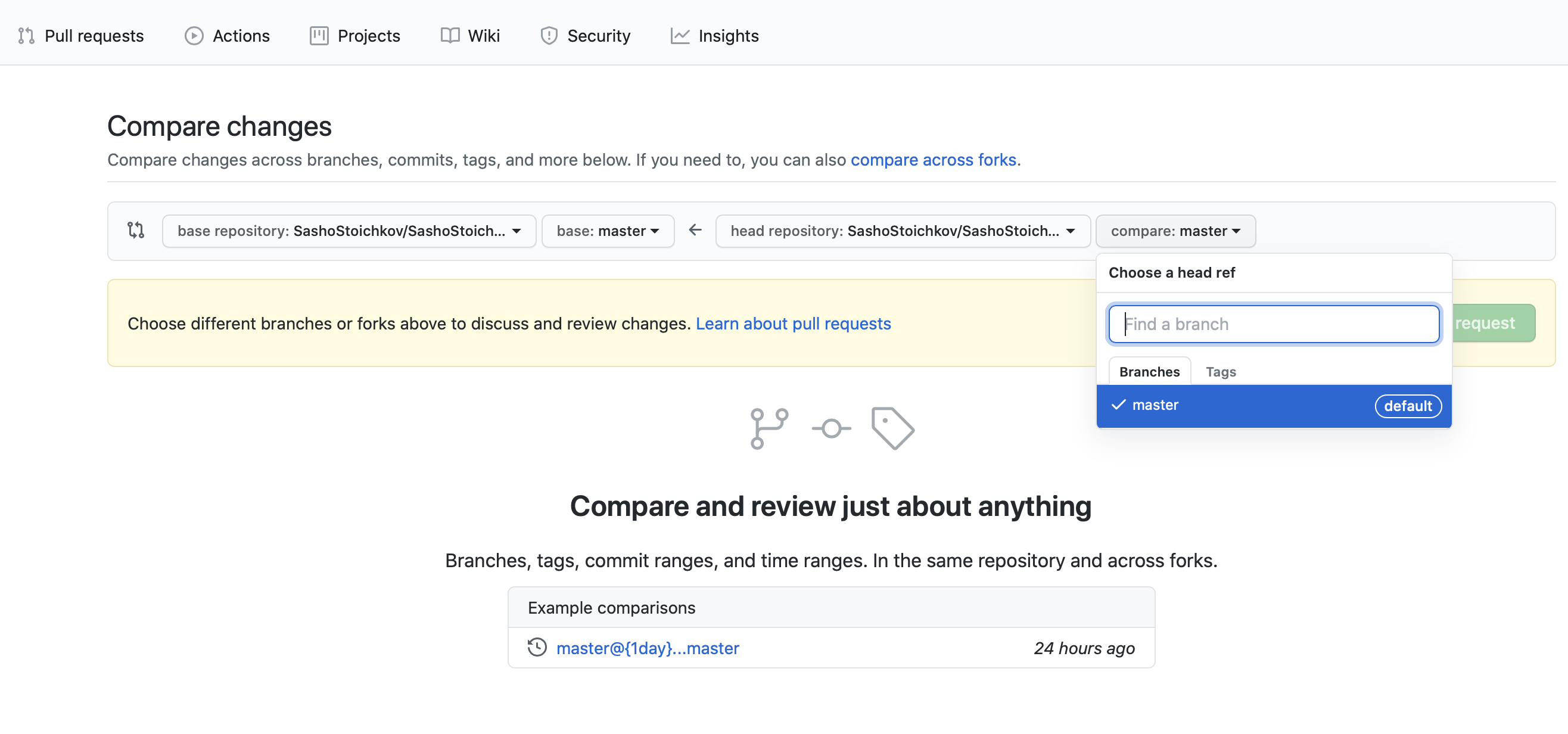
Which will look like this, then select your branch in your repo that you made changes to
eddiejaoude
on 3 Aug 2020
Okay so I made that issue and now I am about to make that pull request, but I am still confused, I didn't made changes, I created an issue with my screenshot and name,
So I have no clue what to select from there.
Do I need to change the README.md =>
https://github.com/EddieJaoudeCommunity/awesome-github-profiles/blob/master/README.md and add my stuff, like all the other did?
DevItsMB
on 3 Aug 2020
From your fork (copy) of the repo in your GitHub account, it looks like you have made a branch with your changes...
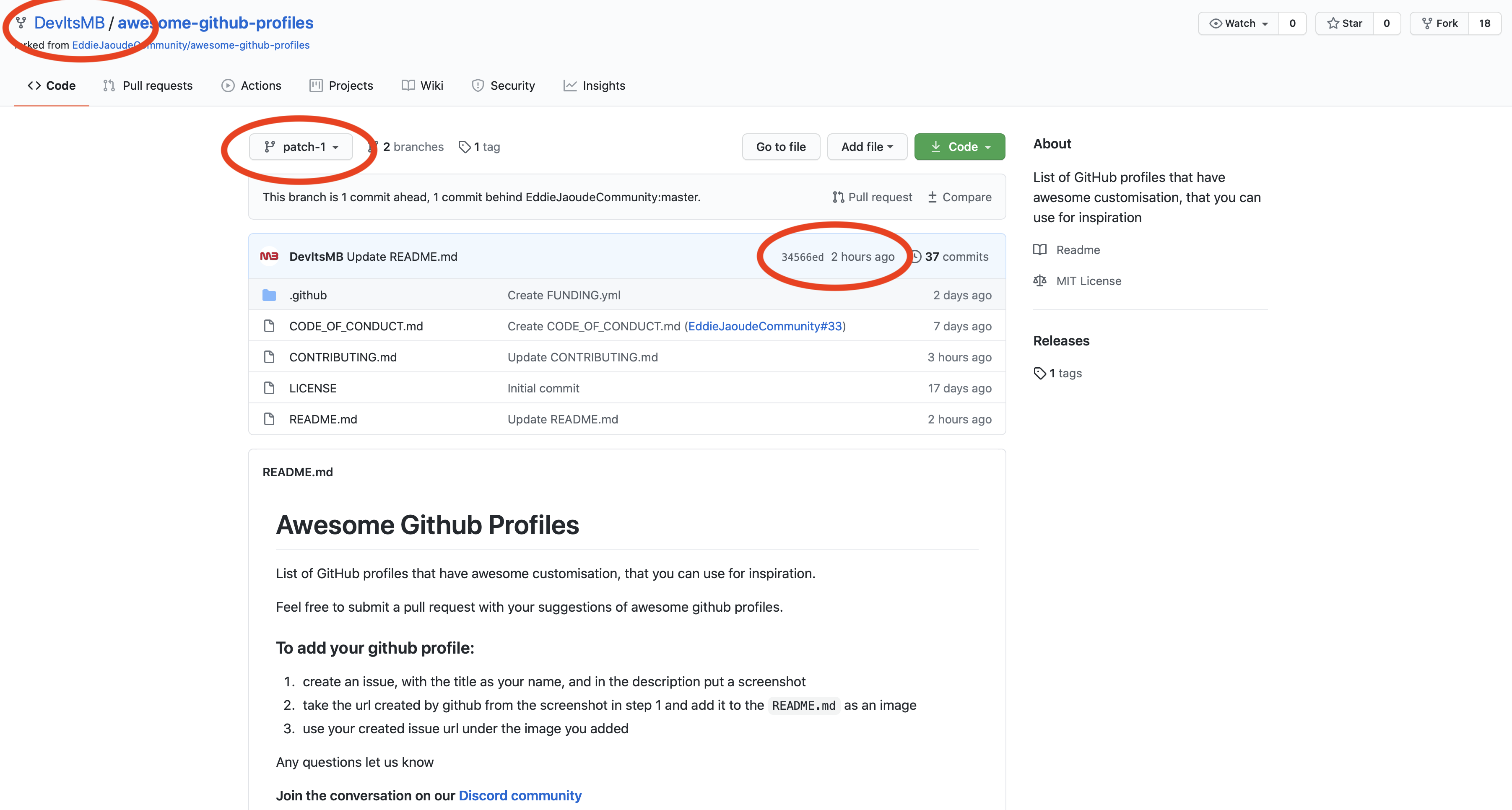
So you need to raise a Pull Request like in my previous comment so it can be reviewed.
eddiejaoude
on 3 Aug 2020
@eddiejaoude Done :D.
DevItsMB
on 3 Aug 2020
Awesome 👍 . I will close this then 🤓
eddiejaoude
on 3 Aug 2020
Related issues
 plazzy99
·
4Comments
plazzy99
·
4Comments
 adityaraute
·
5Comments
adityaraute
·
5Comments
 SuNiL-Chau
·
4Comments
SuNiL-Chau
·
4Comments
 jamesgeorge007
·
4Comments
jamesgeorge007
·
4Comments
 schmelto
·
5Comments
schmelto
·
5Comments