Supervisor: Hassio Snapshot not taking backup of /homeassistant
@SalkinDK commented on Oct 18, 2018, 2:55 PM UTC:
i get this error in the log, when taking the snapshot. If i try to open the snapshot tar file, not all of the homeassistant folder is there? fx the whole packages folder is missing.
WARNING (SyncWorker_13) [hassio.snapshots.snapshot] Can't snapshot folder homeassistant: [Errno 2] No such file or directory: '/data/homeassistant/home-assistant_v2.db-shm'
Home Assistant release with the issue:
not sure when it started but, happens on both 0.80.0 and 0.80.1
Operating environment (Hass.io/Docker/Windows/etc.):
Hassio on a raspberry pi 3
This issue was moved by fabaff from home-assistant/home-assistant#17583.
 move[bot]
All 64 comments
@SalkinDK commented on Oct 19, 2018, 11:02 AM UTC:
Got this error when the automated snapshots where taken last night.
WARNING (SyncWorker_13) [hassio.snapshots.snapshot] Can't snapshot folder homeassistant: [Errno 2] No such file or directory: '/data/homeassistant/home-assistant_v2.db-wal'
move[bot]
on 24 Oct 2018
Still having this issue running the latest version. (Home Assistant 0.84.3, HassOS 1.13, Hass.io supervisor Version 141)
Getting these two errors in the log:
18-12-19 01:02:13 WARNING (SyncWorker_5) [hassio.snapshots.snapshot] Can't snapshot folder homeassistant: [Errno 2] No such file or directory: '/data/homeassistant/home-assistant_v2.db-shm'
18-12-19 03:05:47 ERROR (MainThread) [hassio.snapshots.snapshot] Can't read snapshot tarfile /data/backup/._71c4e4c8.tar: invalid header
I am using the Dropbox Sync addon.
 SalkinDK
on 19 Dec 2018
SalkinDK
on 19 Dec 2018
Same
 TheZoker
on 29 Dec 2018
TheZoker
on 29 Dec 2018
Hmm I guess we should make a "exclude" list for the Hass.io Snapshots.
Backing up the shm and db-wal files does not make sense.
 frenck
on 30 Dec 2018
frenck
on 30 Dec 2018
same problem here the log said
19-01-08 18:15:13 WARNING (SyncWorker_16) [hassio.snapshots.snapshot] Can't snapshot folder homeassistant: [Errno 2] No such file or directory: '/data/homeassistant/home-assistant_v2.db-shm' when i do a partial snapshot from node-red
 GermIno70
on 8 Jan 2019
GermIno70
on 8 Jan 2019
Still having this issue running the latest version. (Home Assistant 0.87.1, HassOS 2.8, Hass.io supervisor Version 143)
19-02-17 01:02:28 WARNING (SyncWorker_17) [hassio.snapshots.snapshot] Can't snapshot folder homeassistant: [Errno 2] No such file or directory: '/data/homeassistant/home-assistant_v2.db-shm'
SalkinDK
on 17 Feb 2019
@Frenck yep. Also for add-ons like databases it make also sense to have an abstracted layer
 pvizeli
on 23 Feb 2019
pvizeli
on 23 Feb 2019
+1 for this issue
19-03-02 04:00:02 WARNING (SyncWorker_8) [hassio.snapshots.snapshot] Can't snapshot folder homeassistant: [Errno 2] No such file or directory: '/data/homeassistant/home-assistant_v2.db-shm'
 CaTeNdrE
on 2 Mar 2019
CaTeNdrE
on 2 Mar 2019
+1
same problem
19-03-20 09:25:06 WARNING (SyncWorker_12) [hassio.snapshots.snapshot] Can't snapshot folder homeassistant: [Errno 2] No such file or directory: '/data/homeassistant/home-assistant_v2.db-shm'
 kvazis
on 20 Mar 2019
kvazis
on 20 Mar 2019
Home Assistant 0.89.1, HassOS 2.10, Hass.io supervisor Version 150
ERROR (MainThread) [hassio.snapshots.snapshot] Can't read snapshot tarfile /data/backup/f06e8bee.tar: unexpected end of data
 sonybansi
on 21 Mar 2019
sonybansi
on 21 Mar 2019
Hmm I guess we should make a "exclude" list for the Hass.io Snapshots.
Backing up the shm and db-wal files does not make sense.
Does that mean that we shouldn't worry about this error msg?
 palvarez89
on 11 Apr 2019
palvarez89
on 11 Apr 2019
I have this problem for many releases, now on 93.1. Both on PI B 3+ and NUC. However, much less frequently on the NUC.
I appears that when the error is encountered, HA stops copying remaining good files.
In other words, the snapshot is not complete.
 DanskerUS
on 23 May 2019
DanskerUS
on 23 May 2019
+1 for this issue
 carstenschroeder
on 8 Jun 2019
carstenschroeder
on 8 Jun 2019
+1
 rmooreID
on 9 Jun 2019
rmooreID
on 9 Jun 2019
I only seem to see this behaviour when calling the snapshot via API. Although I might just be (un)lucky.
Is this an accepted issue? Any workarounds?
EDIT: I have invoked full snapshots via both the dev tool and the snapshot interface and have a 100% failure and success rate respectively so far.
Since the snapshot interface is working I presume it either bypasses the API or invokes it differently?
 sshaikh
on 8 Jul 2019
sshaikh
on 8 Jul 2019
+1 for this issue; I'm also experiencing it as I just noticed it in my logs while validating my snapshots! If this invalidates the snapshots then this is quite a risk I didn't know I had....?
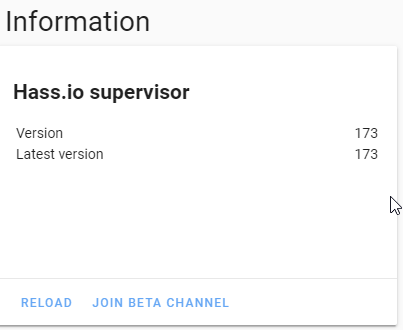
Still an issue for HassIO 173 (latest update as of tonight):
 cajuncoding
on 12 Aug 2019
cajuncoding
on 12 Aug 2019
This issue has been automatically marked as stale because it has not had recent activity. It will be closed if no further activity occurs. Thank you for your contributions.
![stale[bot] picture](https://avatars.githubusercontent.com/in/1724?v=4&s=40) stale[bot]
on 11 Oct 2019
stale[bot]
on 11 Oct 2019
+1
carstenschroeder
on 11 Oct 2019
While waiting for a fix to the issue, have any users come up with any workarounds?
sshaikh
on 11 Oct 2019
same problem here
 Roeland54
on 2 Nov 2019
Roeland54
on 2 Nov 2019
+1
on Raspberry Pi running Hassio, brand new install.
 donotry
on 23 Nov 2019
donotry
on 23 Nov 2019
Same problem here.
Rpi3+, HassIO 193
WARNING (SyncWorker_0) [hassio.snapshots.snapshot] Can't snapshot folder homeassistant: [Errno 2] No such file or directory: '/data/homeassistant/home-assistant_v2.db-shm'
 Michelobb
on 25 Dec 2019
Michelobb
on 25 Dec 2019
Really annoying that partial snapshot takes the complete share-folder full of Plex stuff.
 olekenneth
on 30 Jan 2020
olekenneth
on 30 Jan 2020
@olekenneth That sounds like a different issue. Maybe worth opening a new one?
palvarez89
on 30 Jan 2020
+1
On an Intel Nuc
 woink
on 20 Mar 2020
woink
on 20 Mar 2020
Still an issue and no solution?
My automated backups miss all files after home-assistant_v2.db, which is where mentioned file "home-assistant_v2.db-shm" is missing.
I guess this is a timing issue, The file exist at the start of the backup, but not anymore when the archive is created.
So no automated backups for more then a year now?
I just realized all my backups are worthless :(
 seanomat
on 24 Mar 2020
seanomat
on 24 Mar 2020
Just had the error once again.
Running hassio in a proxmox vm on a nuc.
EDIT: Snapshot taking in the supervisor webui
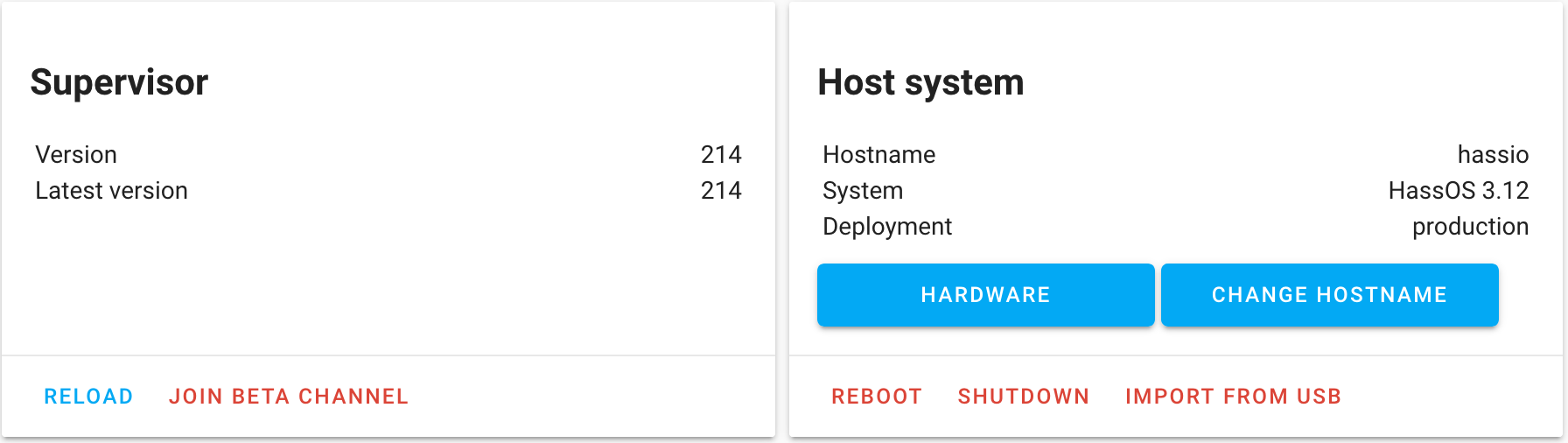
20-04-11 10:39:36 ERROR (MainThread) [supervisor.snapshots] A snapshot/restore process is already running
20-04-11 10:40:05 WARNING (SyncWorker_7) [supervisor.snapshots.snapshot] Can't snapshot folder homeassistant: [Errno 2] No such file or directory: '/data/homeassistant/home-assistant_v2.db-shm'
@frenck @pvizeli any news on a exclude list?
SalkinDK
on 11 Apr 2020
I can confirm this issue on 0.107.7 on a RP3 - manual snapshot appears to be complete (and I do not get the error above), auto-backup is not. I believe this to be a critical issue as if you don't continously monitor the system log for warnings you do not realize that you don't have a viable backup.
 TheDK
on 14 Apr 2020
TheDK
on 14 Apr 2020
Auto-backup fails here as well occasionally. Far less frequently on a NUK vs a RP3. It appears to be a timing issue (slower/longer backups on RP3 seem to encounter this more frequently). About 1 in 10 on a RP3, about 1 in 25 on NUC.
DanskerUS
on 14 Apr 2020
After updating to 0.108.3 I ran an automated Backup again and it went through fine (maybe due to less clutter because Pi was just rebooted?) and all files appear to be there. I will switch to daily backups as size is pretty small to avoid losing to much should I have a not working backup. Nevertheless, a fix for this would be nice.
TheDK
on 14 Apr 2020
Same here.
0.108.3
 malinduta
on 15 Apr 2020
malinduta
on 15 Apr 2020
After running it over a week I can now say for sure that every Snapshot that was triggered by an automation at 3am is incomplete and missing the same files (iE all of the ZWave config, but more). Every snapshot done manually over the HAss Supervisor UI appears to be complete. I will now update to latest HAss OS / HAss versions for RPi3b and test again.
TheDK
on 20 Apr 2020
Don't bother, this is going on for months/years and has not changed yet. I moved my database to the /shared folder so it fails last and does not interrupt the backup in the middle resulting in incomplete backups
seanomat
on 20 Apr 2020
OK - as it turns out as soon as it being triggered by an automation it seems to fail. I'll try moving the DB...
TheDK
on 20 Apr 2020
Don't bother, this is going on for months/years and has not changed yet. I moved my database to the /shared folder so it fails last and does not interrupt the backup in the middle resulting in incomplete backups
How to do it?
I would also like to move it...it ruins my backups.
malinduta
on 20 Apr 2020
Would you mind sharing that line in the recorder config? Is that correct?
db_url: sqlite:////home/user/.homeassistant/share
I am not quite sure what the /config is realtiv to - I guess /.homeassisstant ?
Can I just add that line and a new DB-File will be created? I do not necessarily care about the content of the DB as I am just starting up...
TheDK
on 20 Apr 2020
I created an extra directory for the DB so my line looks like this:
db_url: sqlite:////share/hassio_db/home-assistant_v2.db
If you want to keep the data, you can stop Home-Assistant and move the file over through ssh.
Otherwise the files will be created.
seanomat
on 20 Apr 2020
Thanks, works as expected! I will now wait for the DB file to gain some weight and see if backup works...
TheDK
on 20 Apr 2020
Don't bother, this is going on for months/years and has not changed yet. I moved my database to the /shared folder so it fails last and does not interrupt the backup in the middle resulting in incomplete backups
That's clever, I look forward to trying it out. But how do you guarantee that folder gets backed up last?
sshaikh
on 20 Apr 2020
Well I guess it's alphabetic, but it doesn't really matter for me. It is part of a different archive (share vs. addons vs. config) then home-assistant, that's my main interest.
I would bet that even if it fails before the backup of the config, the config would still be backed up successfully.
seanomat
on 20 Apr 2020
By the way: unbelievable what hoops we have to jump through to get some basic safety :(
seanomat
on 20 Apr 2020
I agree. I can't imagine an exclusion list or even failure handling on any file not found being much effort to implement.
I'm not quite sure what you mean by "part of a different archive" though?
sshaikh
on 20 Apr 2020
By the way: unbelievable what hoops we have to jump through to get some basic safety :(
Absolutely - esp. when it comes to security / continuity relevant items like this one.
I'm not quite sure what you mean by "part of a different archive" though?
Just download a snapshot and look in the .tar - you will see archives packed into the snapshot itself.
I just checked, after moving DB to Share backup works.
TheDK
on 20 Apr 2020
Thanks for the tips.
After falling into the rabbit hole that is database configuration using the recorder integration, I solved the issue a slightly different way by moving to postgres.
sshaikh
on 20 Apr 2020
UPDATE: This worked for awhile, but the symptom returned even after the change. Seems to be hit or miss, so maybe the db-shm file is there for successful snaps and not for unsuccessful.
I fixed this by changing the file exclusions in snapshots.py from:
MAP_FOLDER_EXCLUDE = {
    FOLDER_HOMEASSISTANT: [
        "*.db-wal",
        "*.db-shm",
        "__pycache__/*",
        "*.log",
        "OZW_Log.txt",
    ]
}
to
MAP_FOLDER_EXCLUDE = {
    FOLDER_HOMEASSISTANT: [
        "home-assistant_v2.*",
        "__pycache__/*",
        "*.log",
        "OZW_Log.txt",
    ]
}
This seemed to require a reboot to take effect.
This doesn't backup the db at all, but you could make it "home-assistant_v2.db-*" if you want to actually backup the db as well but not the "db-shm" and "db-wal" files.
I'm sure this will get over written with a supervisor update, but lets hope this gets implemented!
 Lymkin
on 24 Apr 2020
Lymkin
on 24 Apr 2020
This is great - will it survive upgrades?
EDIT: Didn't see your last sentence in the email update.
sshaikh
on 24 Apr 2020
@sshaikh - It seems to work more often than not, but does fail sometimes. I'm not a python expert so I'm not sure why. I doubt it will survive an upgrade unless they change the code in snapshots.py.
Lymkin
on 24 Apr 2020
In the meantime my 500mb sqlite db is now taking up ~50mb in postgres.
I think the real fix here is moving to a real DB!
sshaikh
on 24 Apr 2020
@sshaikh - I agree! I'm going to that soon as well. I don't want to mess up my "prod" system, so I just setup a "dev" system so I can test thing before implementing on my prod HA.
Lymkin
on 24 Apr 2020
I have the same issue (108.8 on pi 4).
This night my automated backup failed (home assistant folder not complete). I had this issue a few times, but in most cases the backup is complete (daily backups). A manual backup yesterday worked fine.
Reading trough the comments it seems like it works fine for manual backups. Is there an explanation why it only fails for automated backups?
BTW I had to restore to a (complete) backup yesterday. I have had complete backups the days before.
Now the first automated backup after the restore failed. Could this be related to the restore (maybe something went wrong during the restore) or is it for sure not related and just a coincidence? Everything else seems fine (I also checked the config folder, all files were restored).
Edit: Ok, so one the day later the automated backup worked fine (complete). This tells me that the incomplete backup wasn't related to the restore (which could have been faulty), so it was indeed only a coincidence.
Really hope this issue gets solved soon.
 h4nc
on 25 Apr 2020
h4nc
on 25 Apr 2020
BTW, my issue seemed to start when I moved to an SSD and expanded my database file using:
recorder:
purge_keep_days: 30
in my yaml. Could bigger files increase the likelihood of this hiccup?
And, as others have mentioned, this only happens for auto backups. Manual backups always work fine from what I have noticed.
 bluemantwo
on 25 Apr 2020
bluemantwo
on 25 Apr 2020
Same issue here.
Occurs with manual and automated full snapshot.
Unfortunately found out this problem the hard way and had to rewrite many things.
Home assistant 109.6
Supervisor 222
HassOS 3.13
 julienlarivee
on 9 May 2020
julienlarivee
on 9 May 2020
So even your manual backup had this issue? I have never had a manual backup fail yet. But since they both use the same service, we have never understood why one is different from the other for some of us. I do hope this can be addressed soon.
bluemantwo
on 9 May 2020
Yes I had the problem on the manual backup too, but not every time. So we just have to verify and if it's bad then delete and redo it.
It seems to be backing up everything in alphebetical order and I found it was always getting the error (maybe a coincidence) at the database.
My recorder is set to purge_keep_days: 2, so it pretty small. Less than 1gb.
Everything runs on a RPI4 4gb on a 32gb sd card.
Personally, I wouldn't mind at all losing the database if it meant not losing yaml code.
julienlarivee
on 9 May 2020
I'm having this issue also on my Pi4. I've spot-checked my backups and this issue goes back months for me spanning across multiple HA and HassOS versions. My recorder is set to purge nightly, and my DB file is about 70mb.
I haven't noticed any issues with snapshots created via the UI, only with those created by service calls.
Current environment:
HA 109.6
Supervisor 222
HassOS 3.13
 Motive313
on 14 May 2020
Motive313
on 14 May 2020
As has been stated above the problem occured regularly for me as well until I moved the DB to the share folder. Alternative: Exclude the DB from the backup.
Why this is not being adressed beats me. It's absolutely criticial and people are losing data because of it.
Btw: I moved to a DB on a different machine - backup is now working fine and 300kb in size.
TheDK
on 14 May 2020
As I stated before, some of my manual backup failed too. Rarely, but sometimes.
I played a bit with it and it seems to be failling only on the first manual backup after flashing hassio and a previous snapshot to the sd card.
Hope this helps.
julienlarivee
on 18 May 2020
I can indeed confirm that it's failing on the first manual backup via the UI. The second manual backup goes fine.
But it keeps failing every time I initiate a backup using the rest interface:
curl -X POST -H "Authorization: Bearer
-H "Content-Type: application/json" http://
Error's again:
20-06-08 19:16:36 WARNING (SyncWorker_18) [supervisor.snapshots.snapshot] Can't snapshot folder homeassistant: [Errno 2] No such file or directory: '/data/homeassistant/home-assistant_v2.db-shm'
 huubeikens
on 8 Jun 2020
huubeikens
on 8 Jun 2020
What is being done about this? Backups are a 100% essential part of this application and if they don’t work reliably that is a HUGE issue, should probably be the #1 priority but it’s been happening for years. How does this keep getting overlooked?
 broyuken
on 14 Jun 2020
broyuken
on 14 Jun 2020
@broyuken what have you done to fix this? 🤷 PR welcome.
 balloob
on 20 Jun 2020
balloob
on 20 Jun 2020
I’m not a python coder, but if that’s the only way to fix a critical 2 year old issue I’ll take a crack at it. If you’d be so kind as to point be toward the file(s) that handles the snapshots I will see if I can get something done.
broyuken
on 20 Jun 2020
@broyuken me neither, but actually, this is open source and if you want to get things done, do it yourself or wait until its done.
Thats how it works.
Neither me nor anyone else is being paid for fixing things.
I've proposed a PR in #1795 so keep calm and wait until its being merged...
 boesing
on 20 Jun 2020
boesing
on 20 Jun 2020
@boesing and @broyuken , THANK YOU, THANK YOU, THANK YOU for looking into this!!!!! Manual backups have proven to be a life saver, so being able to finally use the service for automatic backups will be fantastic. I have been at a loss as to why a critical bug in doing backups, which is one of the most important items for any software like this, has gone unresolved for so long!
bluemantwo
on 20 Jun 2020
@boesing and @broyuken , THANK YOU, THANK YOU, THANK YOU for looking into this!!!!! Manual backups have proven to be a life saver, so being able to finally use the service for automatic backups will be fantastic. I have been at a loss as to why a critical bug in doing backups, which is one of the most important items for any software like this, has gone unresolved for so long!
I didn’t do anything other than ask for someone to finally resolve this issue. I didn’t even know it was an issue until I went to restore a backup that was incomplete. This was all @boesing
broyuken
on 20 Jun 2020
Related issues
 greencharlie100
·
4Comments
greencharlie100
·
4Comments
 yozik04
·
8Comments
yozik04
·
8Comments
 elsbrock
·
5Comments
elsbrock
·
5Comments
 probonopd
·
9Comments
pvizeli
·
4Comments
probonopd
·
9Comments
pvizeli
·
4Comments
Most helpful comment
Hmm I guess we should make a "exclude" list for the Hass.io Snapshots.
Backing up the shm and db-wal files does not make sense.