Super-productivity: Android App doesn't sync with Dropbox
Your Environment
- Version used: 5.4.2
- Operating System and version: Android 9, Samsung
Current Behavior
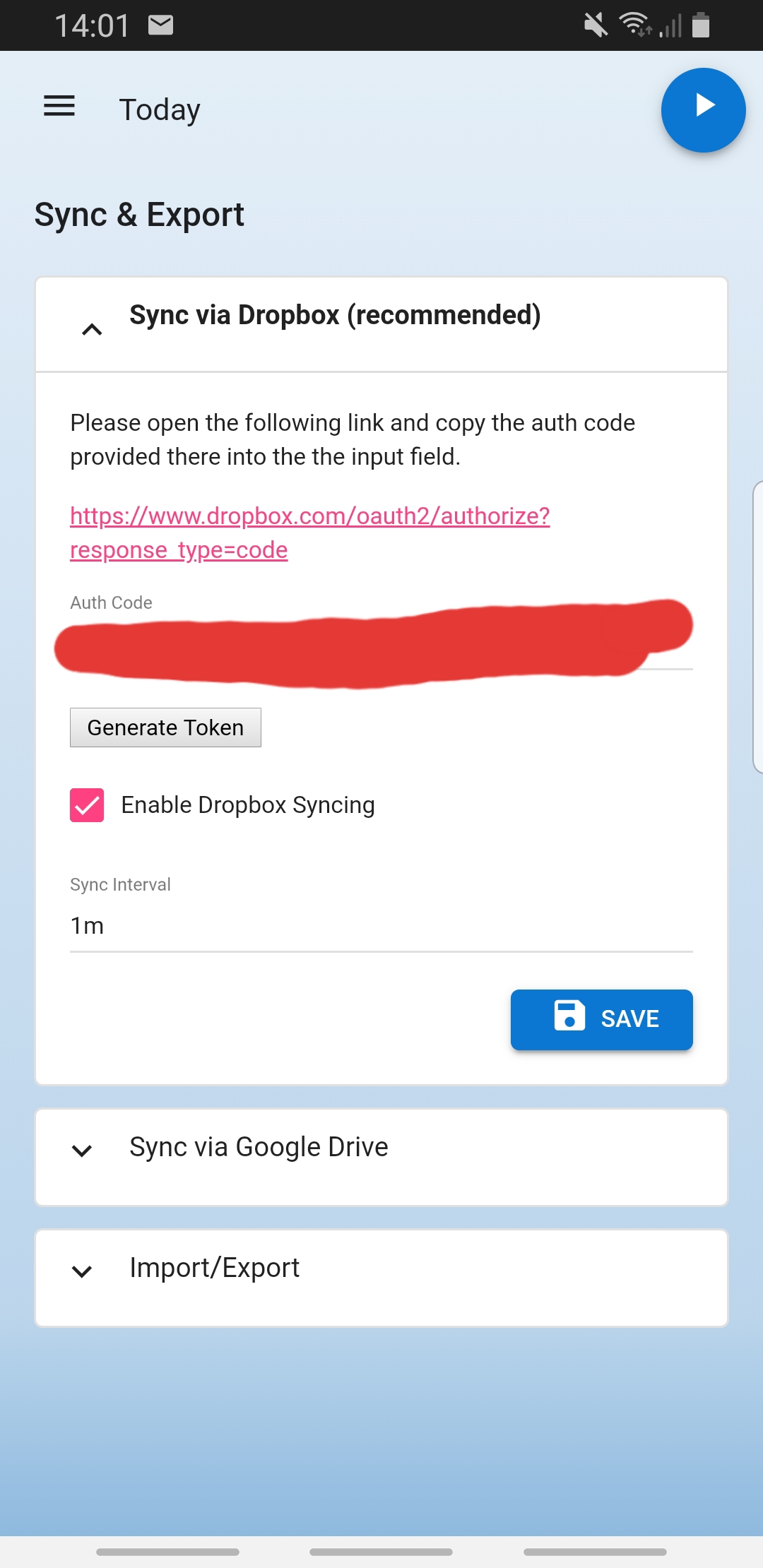
After entering the Auth Code of Dropbox, clicking "Generate Token" creates a "Successful" message, but after saving the sync never happens. The token isn't displayed, too.
 halloichbingunnar
All 10 comments
Thanks for opening this up. I look into it. As a quick side note: Normally everything should show up if you click save once more.
 johannesjo
on 3 Jul 2020
johannesjo
on 3 Jul 2020
i tried to make sure the bug isn't in front of the smartphone: i tried more than once with saving, also did a reinstall and tried again - still don't know how to get it syncing :)
halloichbingunnar
on 3 Jul 2020
One more question: Are you using the android app or the web app?
johannesjo
on 3 Jul 2020
The Android App. If I try in firefox mobile it works...
halloichbingunnar
on 3 Jul 2020
It might be that you need to delete the cached app data too. Normally it should update automatically, but maybe it doesn't on your case. The android version is still a little wonky, unfortunately...
johannesjo
on 3 Jul 2020
Thanks! I'll try and let you know what happened :)
halloichbingunnar
on 3 Jul 2020
works! thank you!
halloichbingunnar
on 4 Jul 2020
I'm happy to hear that! Thank you for letting me know!
johannesjo
on 4 Jul 2020
Normally everything should automatically work. I found that when you turn on sync or transfer is turned on shareing and you have good wifi you go into your files on this other site then open Dropbox add the file after that go to respective Dropbox settings open it and pull them out manually this will take some time to sync as well hope iwas helpful it was my first time.
 freetoken-Tg1483
on 5 Jul 2020
freetoken-Tg1483
on 5 Jul 2020
looks like your all set good luck.
freetoken-Tg1483
on 16 Aug 2020
Related issues
 calvadosxo
·
4Comments
calvadosxo
·
4Comments
 GabrielRodriguesS
·
4Comments
GabrielRodriguesS
·
4Comments
 theCalcaholic
·
4Comments
theCalcaholic
·
4Comments
 Mindstormer619
·
4Comments
Mindstormer619
·
4Comments
 wada3n
·
3Comments
wada3n
·
3Comments
Most helpful comment
Thanks! I'll try and let you know what happened :)