Super-productivity: Logical error with the date displayed in time spent on a task
Your Environment
- Version used: 3.0.7
- Operating System and version: Windows 10, v1809
Expected Behavior
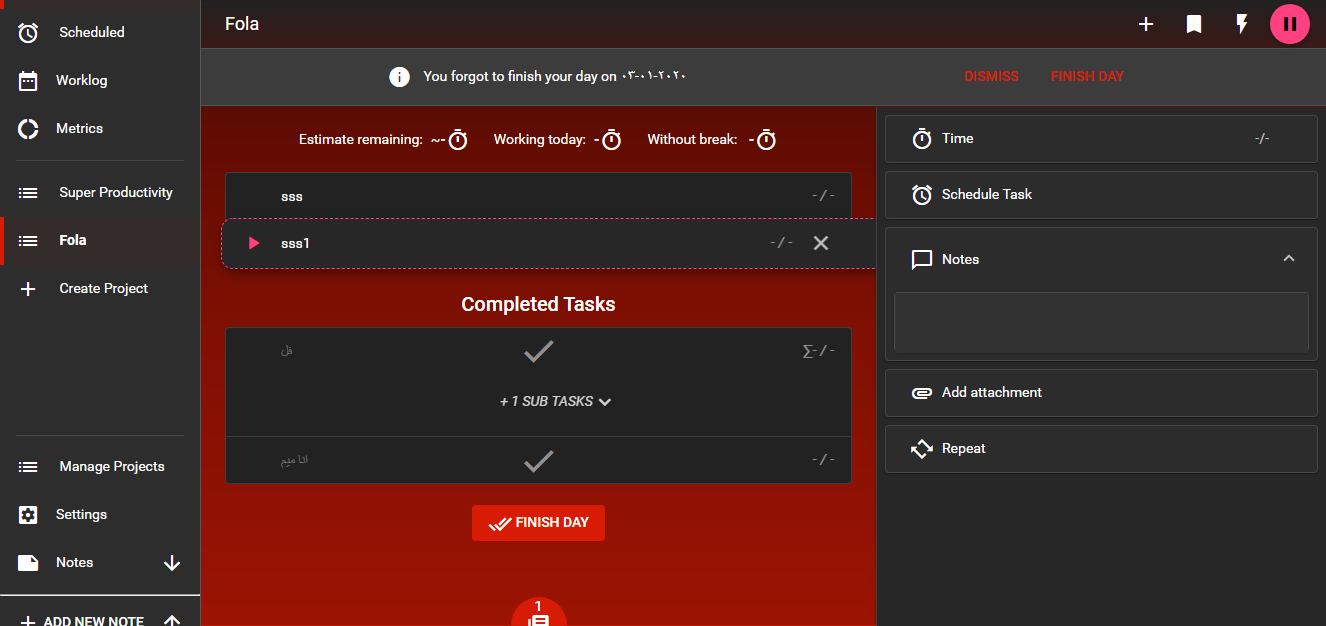
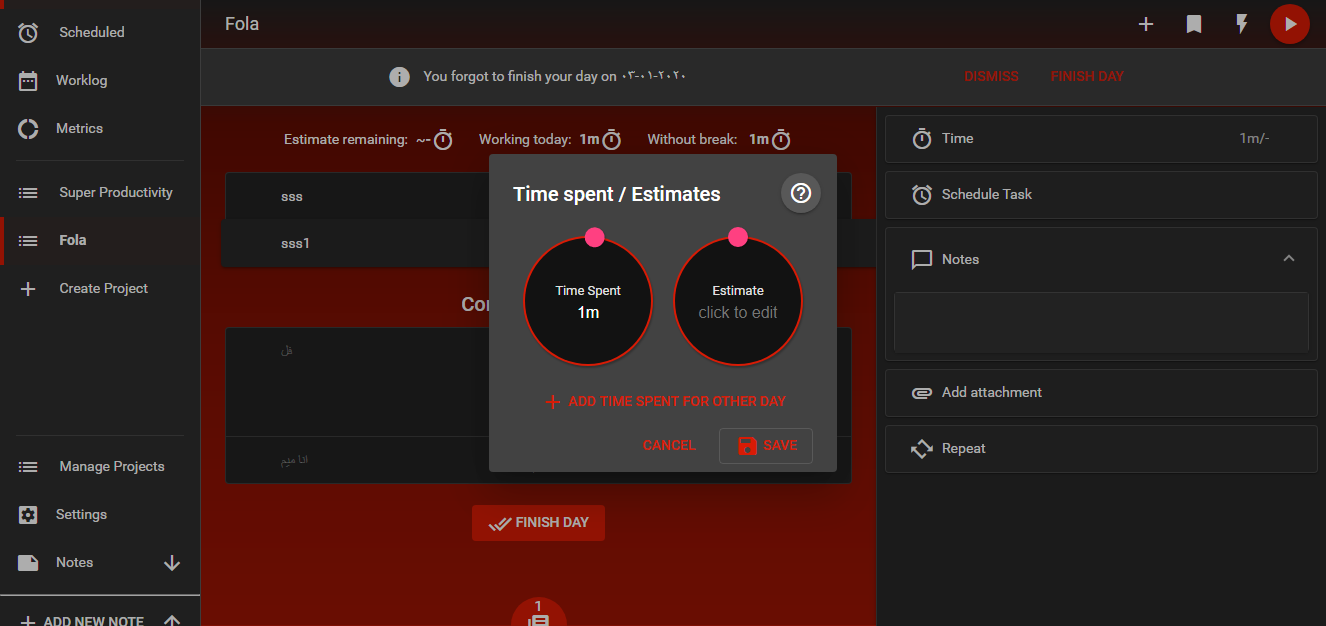
When I start tracking time for a task when the language is set to English. then go to edit the time spent on that task from additional info.
A list of the days that I worked in shows except for the date of the day we are in. (That's the right behavior)
That should happen even if I change the language to Arabic.
and vice versa.
Current Behavior
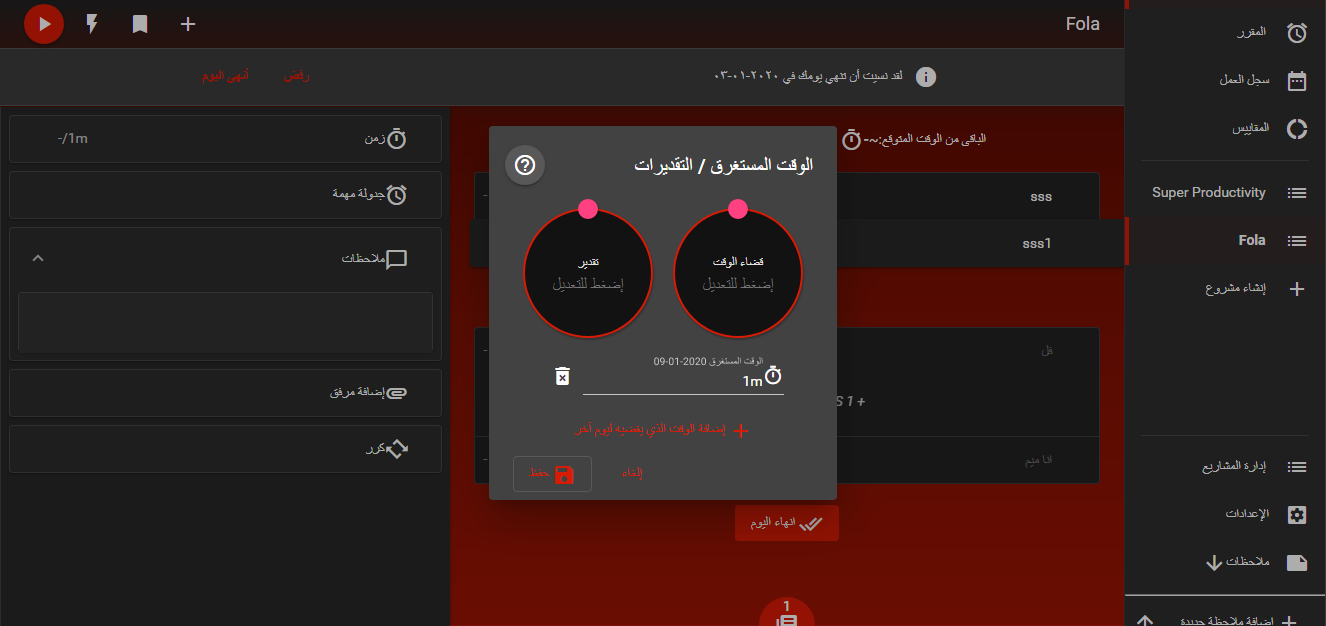
The list of days shows the date of the day we are in.
That happens when The language selected is Arabic and the time tracing started while the language is English and vice versa.
Steps to Reproduce (for bugs)
- Select the English language.
- Create a task in any project.
- Start time tracking for the task for a while then pause it.
- Select the Arabic language.
- Go to that task and open the additional info then click to edit the time spent on the task.
Console Output
There is no output
 MostafaAmin07
All 9 comments
These are some screens showing what happens.
This is not the only problem that happens regarding dates related functionality.
But it is the easiest one to reproduce.
MostafaAmin07
on 9 Jan 2020
Good catch! Thank you very much! I am working on a patch.
 johannesjo
on 10 Jan 2020
johannesjo
on 10 Jan 2020
Ugly issue... I naively assumed that
moment(date).format('YYYY-MM-DD');
Would return the same on every system. Of course it doesn't....
I published a patch and also some automated migration scripts for the data. Hope this works smoothly. Could you check this for me with your data (don't forget to make a backup first)?
johannesjo
on 10 Jan 2020
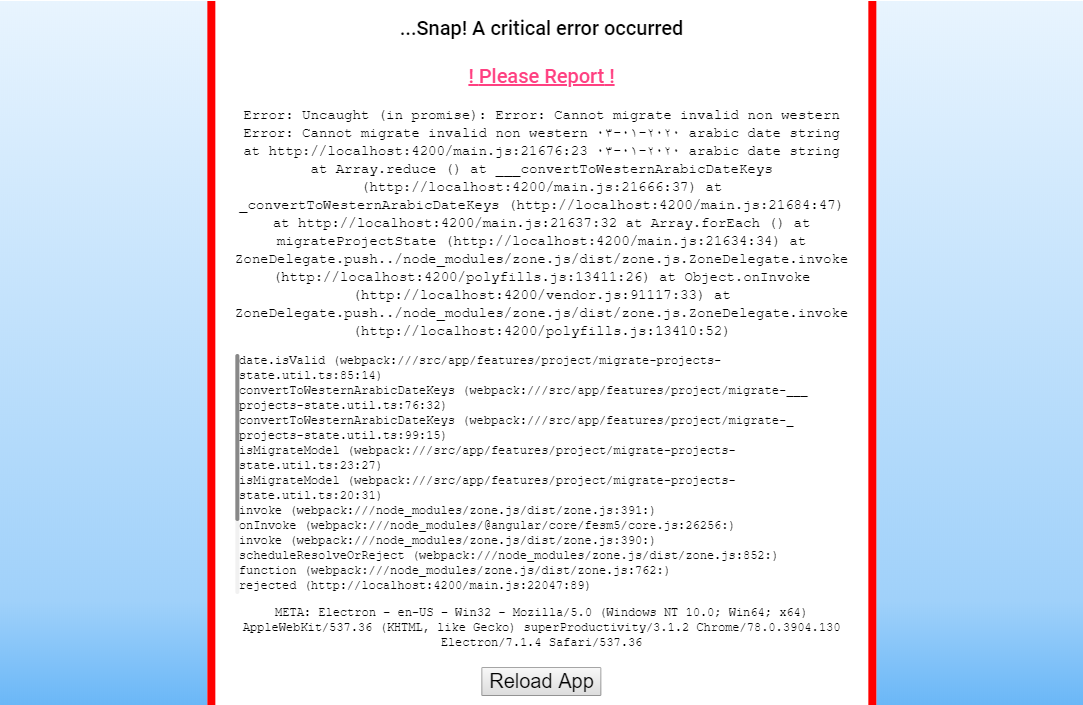
Unfortunately, a critical error occurred in the migration.
MostafaAmin07
on 11 Jan 2020
I played around with moment and it seems like it can't parse Hindu-Arabic numerals.
So I tried a quick fix to that is converting the Hindu-Arabic numerals to Western-Arabic numerals before parsing them with moment like this.
const numberMap = {
  '١': '1',
  '٢': '2',
  '٣': '3',
  '٤': '4',
  '٥': '5',
  '٦': '6',
  '٧': '7',
  '٨': '8',
  '٩': '9',
  '٠': '0'
};

function replace(date : string): string {
  let  newDate : string = date;
  return newDate.replace(/[١٢٣٤٥٦٧٨٩٠]/g, function (match) {
    return numberMap[match];
  });
}
But there are 2 problems I can spot.
The project state migration doesn't run when importing a project from a file so imported data doesn't get updated.
The second one is a bit tricky. If a date exists twice one of them will be overwritten like this example.
"timeSpentOnDay": {
                        "٢٠١٩-١٢-٢٧": 1001,
                        "2020-01-02": 7010,
                        "2020-01-03": 4003,
                        "2020-01-09": 25000,
                        "٢٠٢٠-٠١-٠٩": 5001
                    },
                    "timeSpent": 42015,
the last 2 dates are the same day but when the migration runs it results in this
"timeSpentOnDay": {
                        "2019-12-27": 1001,
                        "2020-01-02": 7010,
                        "2020-01-03": 4003,
                        "2020-01-09": 5001
                    },
                    "timeSpent": 42015,
So it would be better if they add up instead of getting overwritten.
MostafaAmin07
on 11 Jan 2020
That's great work thank you! Would you maybe be willing to provide a PR for these adjustments for the migrate scripts for tasks and projects?
johannesjo
on 11 Jan 2020
Sure, I will.
MostafaAmin07
on 11 Jan 2020
Thank you very much! I'll try to add a similar thing for japenese, korean and chinese next week. We probably need it.
johannesjo
on 12 Jan 2020
Hopefully this is fixed with one of the newer releases. Please let me know if you encounter any further issues with this.
johannesjo
on 14 Feb 2020
Related issues
 jac1013
·
3Comments
jac1013
·
3Comments
 D06E
·
3Comments
D06E
·
3Comments
 theCalcaholic
·
4Comments
theCalcaholic
·
4Comments
 alexanderadam
·
3Comments
alexanderadam
·
3Comments
 Kl4tch
·
3Comments
Kl4tch
·
3Comments