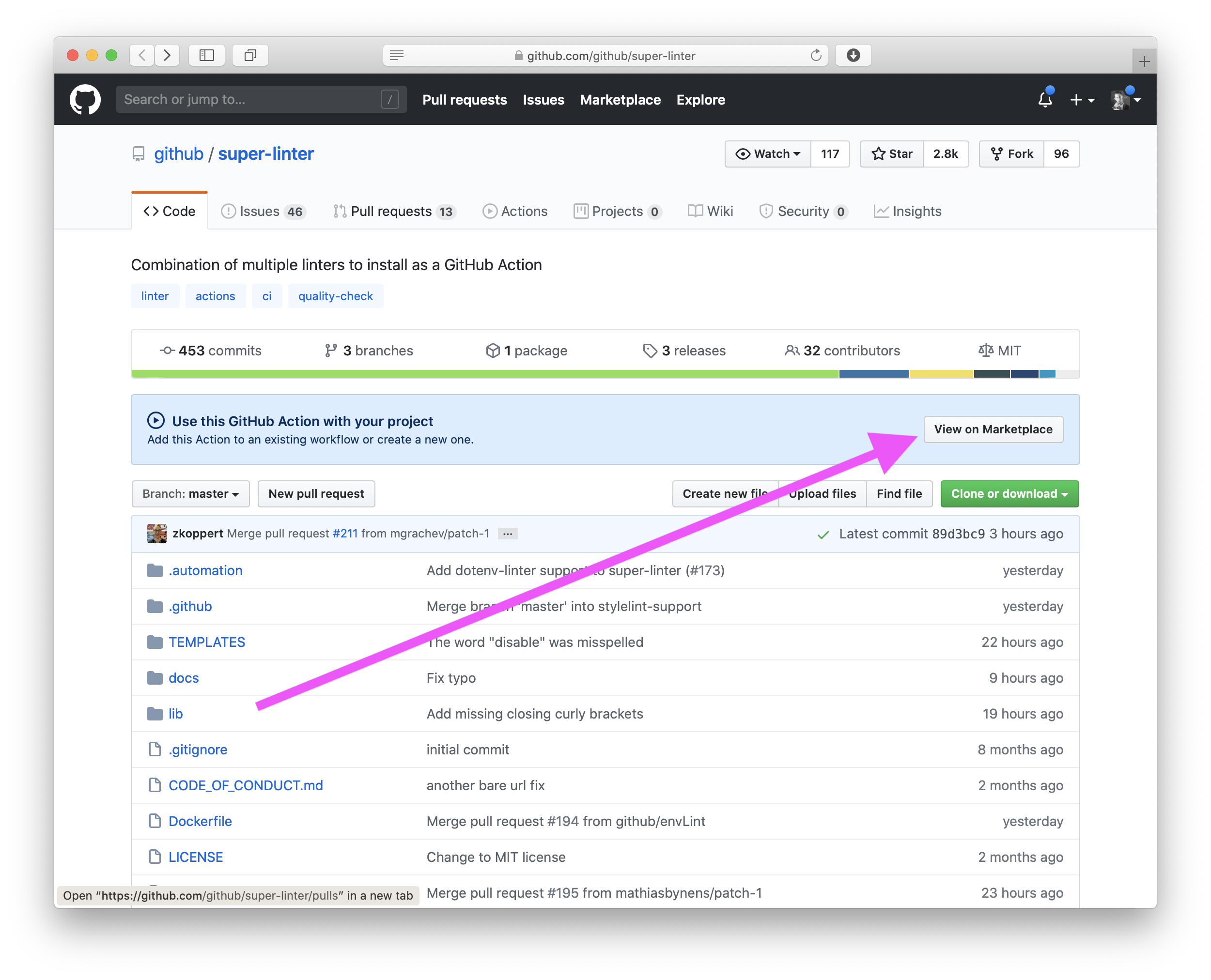
Expected to install in one-click.
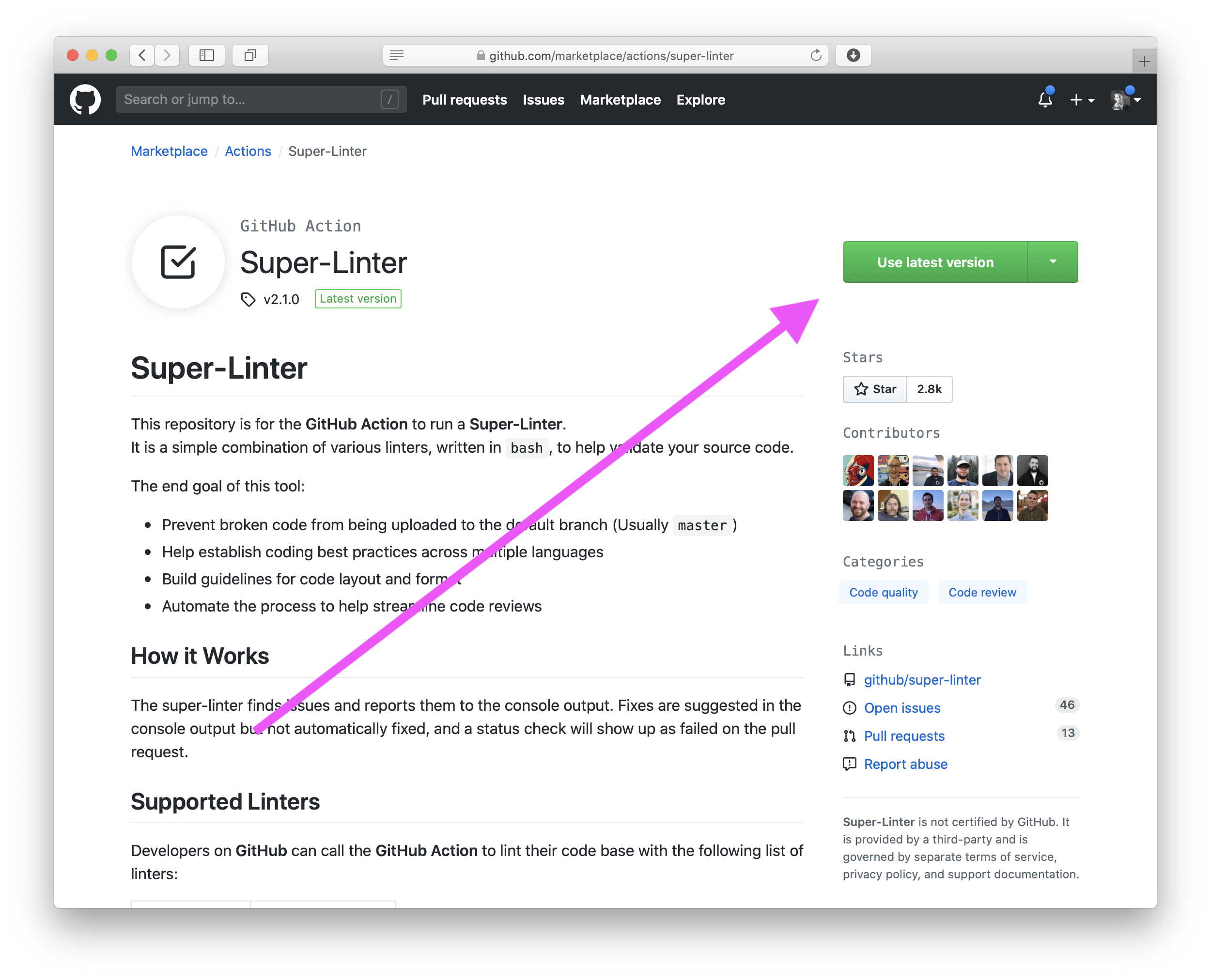
I clicked.
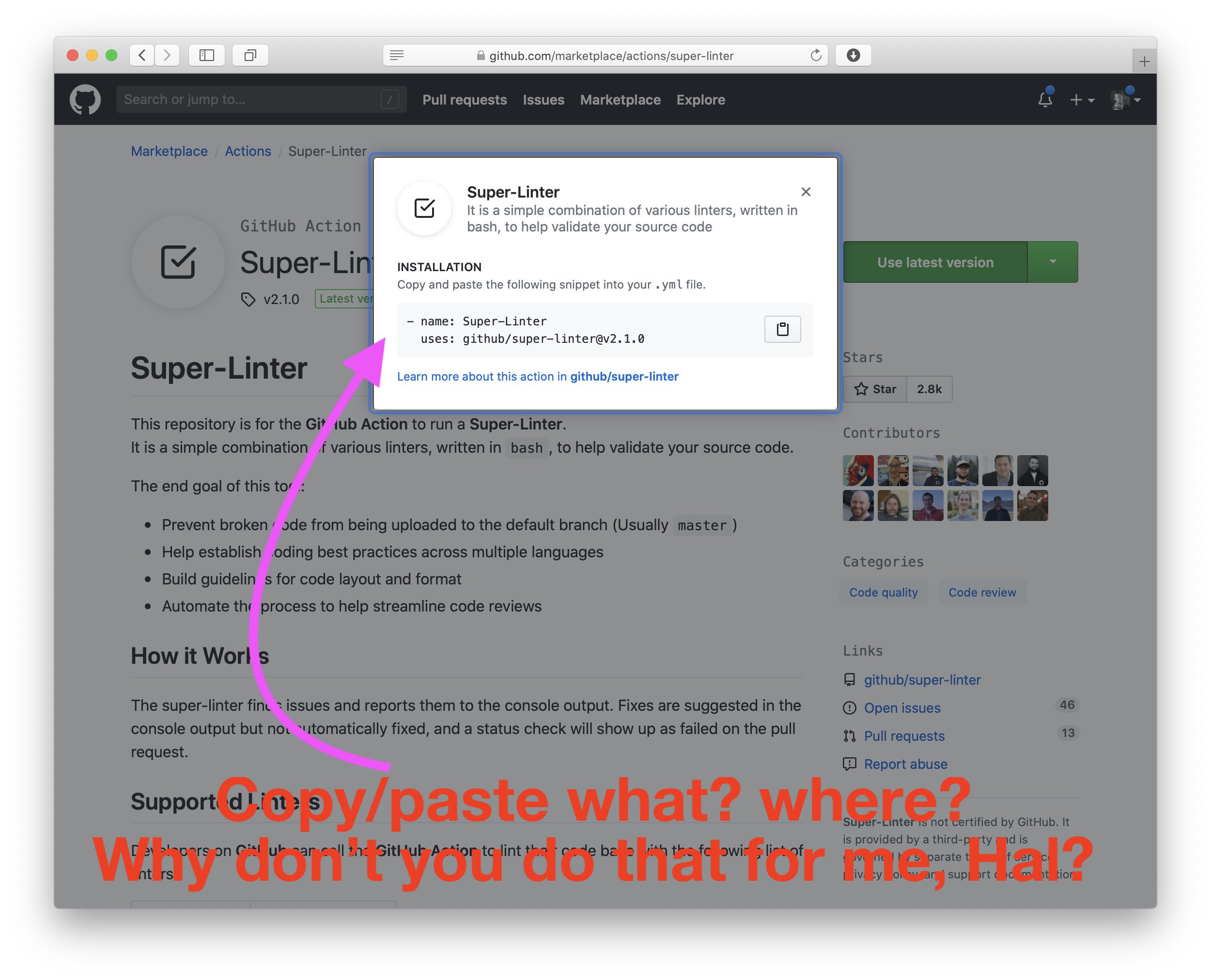
Instead it told me something about .yml.
I don't care about .yml, what I care about is linting my team's code.
 fulldecent
All 9 comments
Thanks for sharing your path to installing and the difficulty you’ve had. I can provide some context here that might make things more clear and then perhaps we can explore improving the experience for others by improving our documentation.
This repository is designed to be a GitHub Action. Essentially that means that with a specially named .yaml file then GitHub provide the infrastructure and automation to magically run the selected action. There is a bunch of detail I’m glossing over that you can find at https://help.github.com/en/actions. This linter collection is not yet designed to run smoothly in a local environment but we are working on that now.
A one click install is not yet available in GitHub for these types of actions. I do think we can improve the process and guide especially first time actions users through the process in a more helpful way.
I’d be really interested to hear how you think we can improve our documentation or supplement it to help. If I made a video of setting this up on a new repo would that be helpful to you? Are short gifs for each step to setup more helpful? What potential changes to our reader do you think would help?
Thanks for contributing!!
 zkoppert
on 20 Jun 2020
zkoppert
on 20 Jun 2020
I think having an entry in the docs on "how-to-install.md" the linter will help greatly so added information doesn't crowd the readme.md. In the readme.md there is kinda already an example in the "How to use" section.
I have not tested that process yet as I am waiting for PHP support to be added. From what i have seen so far though, that looks to be the easiest way to get it set up in your repo. The marketplace only asks you to copy and add two lines to some random .yml file and doesn't state where the .yml file should be located or if its ok to add it to other action's .yml file. For a first time actions user that is very confusing (I was confused).
I think short gifs will also help people where English is not their first language or need a visual of what they look for as a first time actions user (like my self) so they don't get confused and choose the wrong option. It could be of where the .yml file is located and a recommended "starting configuration" should look like in said .yml file.
 lilmnm-kamikaze-
on 21 Jun 2020
lilmnm-kamikaze-
on 21 Jun 2020
I think the gifs are a nice extra, but on the readme "How to use" that you linked is clearly stated that:
In your repository you should have a .github/workflows folder with GitHub Action similar to below:
.github/workflows/linter.yml
And there is a full example of the whole file. So I think the questions about where the yml it is located and a starting configuration are provided already
 GaboFDC
on 21 Jun 2020
GaboFDC
on 21 Jun 2020
Very true. As the user that opened the issue stated when you click the "Use latest version" button in the marketplace it just says to place it in your .yml. New users would just click that button and not scroll down the page and see the "how to use" section.
lilmnm-kamikaze-
on 22 Jun 2020
All great feedback and we're open for PR's and it always helps to hear from outside of the circle on how it looks, feels, and is used. Sometimes we're too close to it, and can't see the use cases :)
 admiralAwkbar
on 22 Jun 2020
admiralAwkbar
on 22 Jun 2020
I know it's a "me too" but I second the YAML issue. Personally I would be interested in trying this on a few projects but haven't made the time yet because I see it requires extra setup using YAML and I already Unit Test my code before checking into GitHub so I'm not worried about it being broken.
Perhaps one of the following could help make it easier with the current setup:
- GUI to generate the YAML
- YAML templates for each language to help someone get started
- Additional examples based on each language
 ConradSollitt
on 25 Jun 2020
ConradSollitt
on 25 Jun 2020
@ConradSollitt Check out https://www.youtube.com/watch?v=EDAmFKO4Zt0&t=120s and let me know if that clears up the confusion. If so we will link that here in the README to help people get started who are unfamiliar with GitHub actions.
zkoppert
on 30 Jun 2020
@fulldecent @conradSollitt Check out #333 if you have a moment to review
zkoppert
on 1 Jul 2020
@lilmnm-kamikaze- We added a table of contents to try to help with the crowded README.md
zkoppert
on 1 Jul 2020
Related issues
 bbaassssiiee
·
5Comments
bbaassssiiee
·
5Comments
 patrick-compass
·
4Comments
patrick-compass
·
4Comments
 IlanCosman
·
4Comments
IlanCosman
·
4Comments
 bazzadp
·
3Comments
bazzadp
·
3Comments
 DawidJanczak
·
5Comments
DawidJanczak
·
5Comments