Suneditor: use editor's styles for content copied from html sources
When we copy content from other sources like google docs or a webpage and paste it into suneditor, how to make sure that the pasted content will use styles of the suneditor?
Thank you!
 s-kris
All 18 comments
@s-kris All content is modified for "suneditor" style.
 JiHong88
on 13 Mar 2021
JiHong88
on 13 Mar 2021
Sorry, I tried copying from medium, google docs, other websites etc.. the pasted content retains the original style.
Is there a config variable?
s-kris
on 13 Mar 2021
Paste it here http://suneditor.com/sample/index.html
Are there any differences?
JiHong88
on 13 Mar 2021
Yes. I tested this.
http://suneditor.com/sample/index.html --> pasted content's styles are changed to suneditor's
but for my editor, they remain the same.
s-kris
on 13 Mar 2021
Show me the options you are using.
JiHong88
on 13 Mar 2021
<SunEditor
setDefaultStyle=""
placeholder="Word your thoughts here..."
setOptions={{
minHeight: 500,
height: 'auto',
buttonList: [
['formatBlock', 'bold', 'italic', 'underline', 'list'],
['link', 'image', 'video'],
['align', 'horizontalRule'],
['undo', 'redo'],
],
imageAccept: 'image/.jpg, .jpeg, .png, .gif',
imageUrlInput: false,
showPathLabel: false,
formats: [
{
tag: 'p',
name: 'Normal',
command: 'replace',
class: '',
},
{
tag: 'h2',
name: 'Heading',
command: 'replace',
class: '',
},
{
tag: 'h3',
name: 'Subheading',
command: 'replace',
class: '',
},
'blockquote',
'pre',
],
linkRel: ['nofollow'],
attributesWhitelist: {
img: 'alt',
p: 'style|text-align',
},
}}
onChange={handleEditorChange}
disable={props.readonly}
setContents={props.postContent}
onImageUploadBefore={(files, info, uploadHandler) => {
// img-uploader
}}
/>
Try it to below options
attributesWhitelist: {
  img: 'alt',
  p: 'text-align',
},
Awesome, this converts content pasted from medium and substack to suneditor's format.
But content from google docs and few other websites, keeps original format.
s-kris
on 13 Mar 2021
It is correct that the accepted format is maintained.
Please show me the example.
JiHong88
on 13 Mar 2021
Google docs
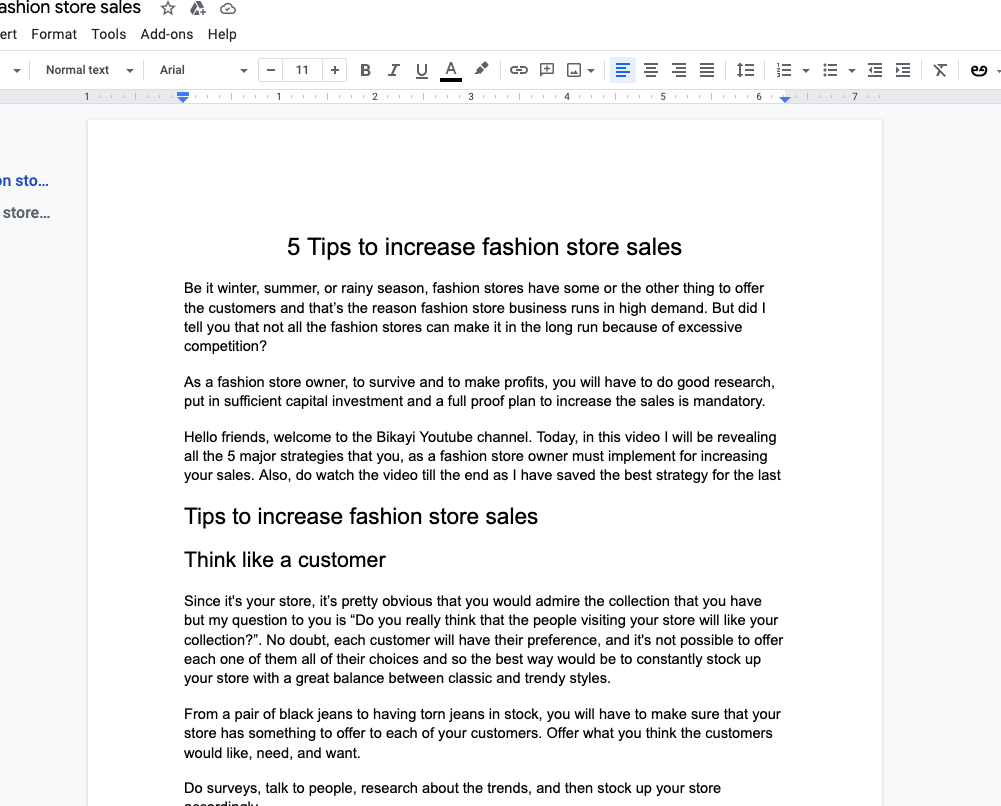
suneditor
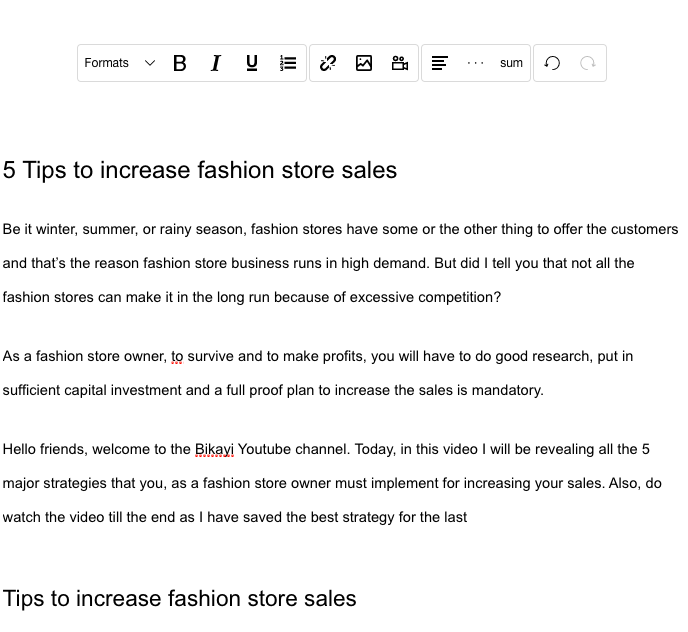
Medium
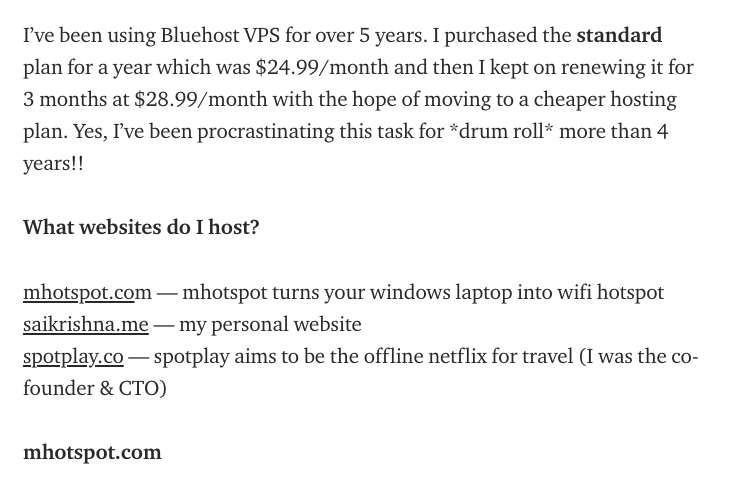
suneditor
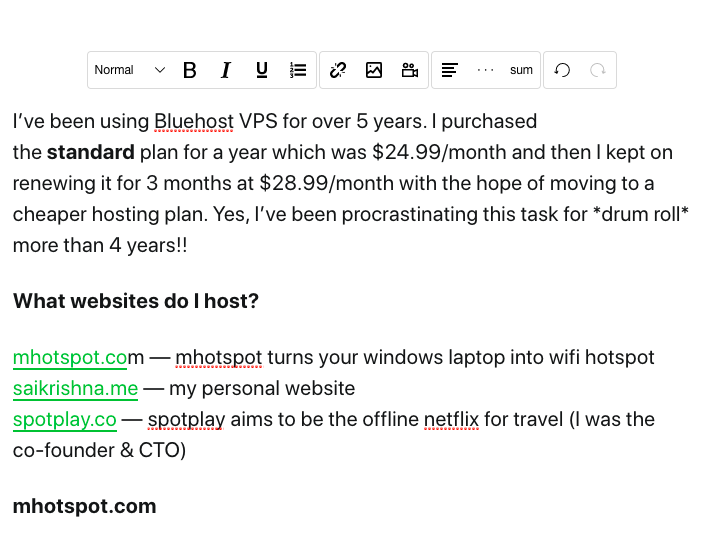
I want to convert content copied from google docs also to suneditor's format. :)
s-kris
on 13 Mar 2021
@s-kris Sorry, I don't understand.
How do I have to change it?
Can you share the Google file?
JiHong88
on 15 Mar 2021
Apologies. When content is copied from medium page and pasted in the editor, text is converted to suneditor's format.
But when the content is copied from google docs and pasted in the editor, text is NOT converted to suneditor's format.
Please find word doc attached below
[word doc] (https://github.com/JiHong88/SunEditor/files/6141563/Copy.of.Tips.to.increase.fashion.store.sales.docx)
s-kris
on 15 Mar 2021
Paste is well worked.
It removes the disallowed tags, but nothing is transformed into another tag.
What exactly does the suneditor format mean?
JiHong88
on 15 Mar 2021
Thanks!
I meant, if we copy-paste something from word doc or other sources - text size, font style etc should look according to default styles of the editor.
s-kris
on 15 Mar 2021
Yes All styles are currently being removed.
Does mean that all text should be marked with a P tag?
JiHong88
on 15 Mar 2021
Yes.
Right now, font-sizes and colors are retained.
s-kris
on 15 Mar 2021
The style of the span tag is preserved.
You can remove the "span" tag when pasting with the "pasteTagsWhitelist" option setting, but the "span" tag will disappear even when you paste text in the editor.
Currently, it cannot be applied differently by determining whether it is an external source or an internal source when pasting.
In version 3.0.0, I will add a method to customize this part.
suneditor.create('..', {
  pasteTagsWhitelist: 'br|p|div|pre|blockquote|h[1-6]|ol|ul|li|hr|figure|figcaption|img|iframe|audio|video|source|table|thead|tbody|tr|th|td|a|b|strong|var|i|em|u|ins|s|strike|del|sub|sup|code|svg|path'
})
That's fantastic! Thank you 🙏🏻
s-kris
on 15 Mar 2021
Related issues
 mkhstar
·
3Comments
mkhstar
·
3Comments
 Saeeed-B
·
7Comments
Saeeed-B
·
7Comments
 sirlancelot
·
5Comments
sirlancelot
·
5Comments
 vn516726
·
3Comments
vn516726
·
3Comments
 David-Grass-Feria
·
6Comments
David-Grass-Feria
·
6Comments
Most helpful comment
Try it to below options