Sumatrapdf: Support clickable region
What do I mean by clickable region?
After searching a while, I can't find the official name for this pdf feature.
Nevertheless, here's a gif illustrating it with a side by side comparison.
Left pane: Correct behaviour (PDF XChange)
Right pane: Sumatra
Note that only left-click is used in this video.

As you can see there's a clickable "metadata" region on top of the U15 rectangle, that is not accessible with sumatra pdf.
Additional info
| name | info |
| -- | -- |
| OS Name | Microsoft Windows 10 Pro |
| OS Version | 10.0.18362 N/A Build 18362 |
| SumatraPDF Version | v3.1.2 x64 |
The pdf was created with Altium Designer.
Footer
Thanks for your great work.
Feel free to ask me questions
 g-berthiaume
All 8 comments
It would be nice if you could also attach a sample PDF for any devs to look at.
 SumatraPeter
on 4 Sep 2019
SumatraPeter
on 4 Sep 2019
It would be nice if you could also attach a sample PDF for any devs to look at.
Sadly, I'm not in a position to share this specific pdf.
I will look if i can find one with the same propriety, but without sensible information.
g-berthiaume
on 4 Sep 2019
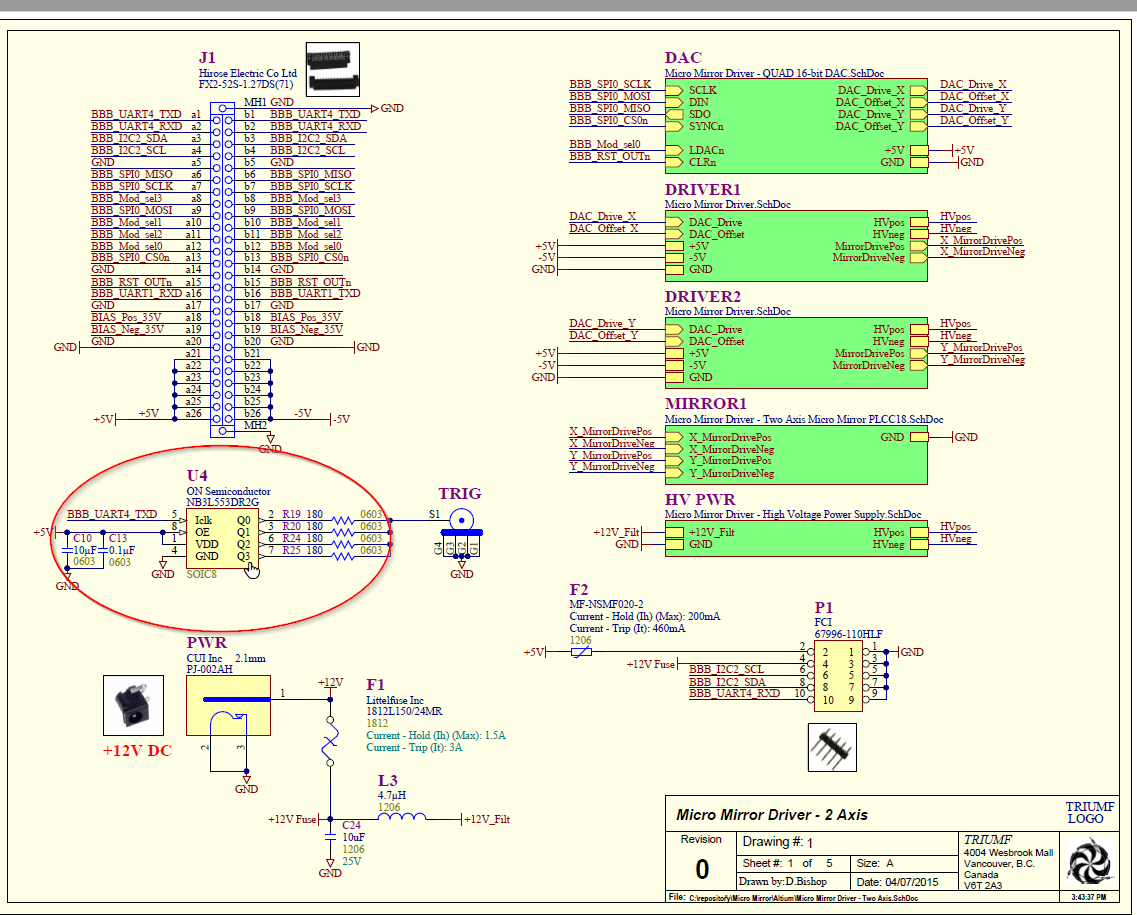
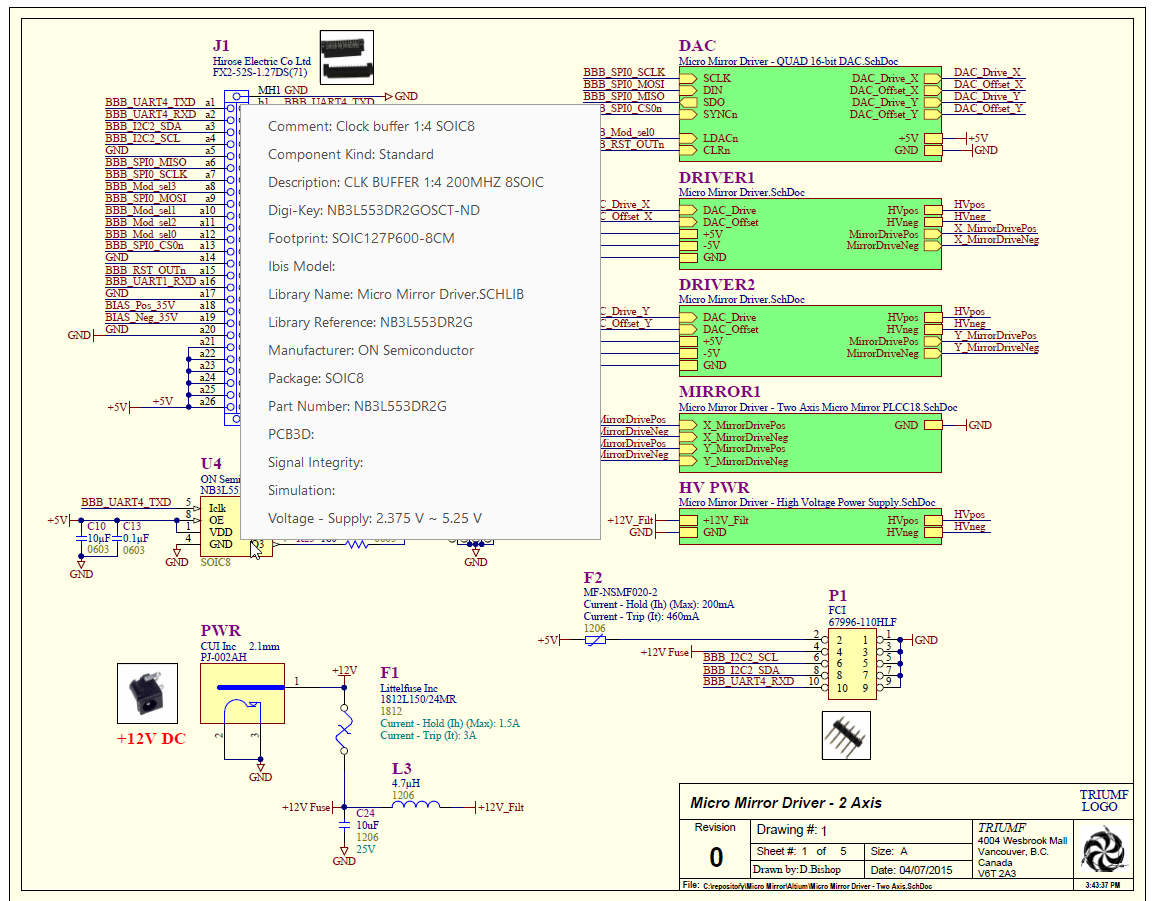
Here's a pdf sample.
You should be able to click on U4, on the first page.
Before
After
Feel free to ask me any questions.
g-berthiaume
on 16 Sep 2019
The latest versions of Firefox, Edge and MuPDF (Sumatra's PDF engine) do not seem to support these clickable regions.
Since Adobe's is the reference implementation, can you check whether the regions work in Adobe Reader?
SumatraPeter
on 17 Sep 2019
I did the following test:
Support for clickable region tests:
✅ Adobe Reader
✅ PDF XChange
❌ MuPDF
❌ SumatraPDF
g-berthiaume
on 17 Sep 2019
Thanks, so now it's up to the Sumatra and MuPDF devs to figure out what these clickable regions are, and for the latter to add support for the same.
If you want to speed up the process you can file a bug report directly for MuPDF here and share the same file with them.
SumatraPeter
on 17 Sep 2019
Thanks, so now it's up to the Sumatra and MuPDF devs to figure out what these clickable regions are, and for the latter to add support for the same.
Thanks for your great work.
g-berthiaume
on 17 Sep 2019
Looking at the sample file with a text editor (after running mutool clean -d to decompress streams), with the help of the PDF 1.7 reference, it seems the clickable regions are links that cover the rectangles of the pieces (like the U4), and which preform a JavaScript action (as opposed to the usual go to page/URI actions) when clicked. In this file, the JavaScript action calls app.popUpMenu() (see p. 136-7 of the JavaScript for Acrobat API Reference) to display the metadata in a popup [menu] window.
From what I can see, MuPDF currently doesn't support JavaScript link actions, nor the JavaScript app.popUpMenu() function. Also, event callbacks would need to be implemented, so the viewer app can display the popup window when app.popUpMenu() is called.
 TamirEvan
on 23 Sep 2019
TamirEvan
on 23 Sep 2019
Related issues
 Aliaksandr3by
·
4Comments
Aliaksandr3by
·
4Comments
 kloked
·
6Comments
kloked
·
6Comments
 StefanSchroeder
·
7Comments
StefanSchroeder
·
7Comments
 Hassenky
·
8Comments
Hassenky
·
8Comments
 zeniko
·
5Comments
zeniko
·
5Comments
Most helpful comment
Looking at the sample file with a text editor (after running
mutool clean -dto decompress streams), with the help of the PDF 1.7 reference, it seems the clickable regions are links that cover the rectangles of the pieces (like the U4), and which preform a JavaScript action (as opposed to the usual go to page/URI actions) when clicked. In this file, the JavaScript action callsapp.popUpMenu()(see p. 136-7 of the JavaScript for Acrobat API Reference) to display the metadata in a popup [menu] window.From what I can see, MuPDF currently doesn't support JavaScript link actions, nor the JavaScript
app.popUpMenu()function. Also, event callbacks would need to be implemented, so the viewer app can display the popup window whenapp.popUpMenu()is called.