Suitecrm: Cannot open accounts when I customize fields
Issue
When I remove "required" from the name field in the Accounts module, this poses a problem. If I don't enter a name, there is no links in the accounts list to click in order to access the record.
I removed the name field because I wanted it to be split up into first name and last name.
Alarm Business requires two names, Contact Name and Company Name. I'm guessing that many consumer services operate this way. In every instance there's a contact name, but not always a company name.
Expected Behavior
I should be able to click something other than the name in order to access a record, especially when the required parameter of name is removed.
Actual Behavior
No name means no clicky clicky.
Possible Fix
1) New field parameter: Click Action
2) Make any non-inline editable field clickable to access the account
3) Allow user to configure which field is the click field in order to access the account.
4) Just click anywhere on the row to access the account
5) Dedicated 'View' button
6) Add view to the "bulk action" menu so you can view all selected accounts.
Steps to Reproduce
1) Fresh install
2) Admin -> Studio -> Accounts -> Fields -> name( Company )
3) Remove the required checkbox.
4) Save and Deploy
5) Create an account without a name.
6) Try to access the record.
Context
The entire system is unusable
Your Environment
- SuiteCRM Version used: 7.11
- Browser name and version Chrome, IE, and Edge
- WAMP with various version of PHP test 5.6.x, 7.0.x, 7.1.x, 7.2.x and 7.3.x
- WIndows 7, 10, and XP
 Wayne-II
All 14 comments
In case someone comes across this, after a couple hours in the code, I found listviewdefs.php under modules/Accounts/metadata/listviewdefs.php. There is an interestion section of code which has 'link' set to true for 'name'. I suspect if I find how I can customize listviewdefs I can set link to true for any of my custom fields.
Wayne-II
on 17 Jan 2019
I did a search for listviewdefs.php in the suitcrm source directory and found an if checking for custom/modules/Accounts/metadata/listviewvardefs.php.
That path is from memory, but setting link to the account # field resolved my issue. I suspect I will find the same type of configuration for the "search view" so that I can add account id to search view.
Hope this helps someone. I spent 2 days on this already. I was ready to tell them to use the quick edit button to view accounts until I found the search view issue.
P.S. Not sure it's called "search view", that's just what I'm calling it until I know better.
P.P.S. I did find a lot of people in issues and forums running into what I suspect is this issue when customizing their fields for various modules. The usual suggested steps to fix was "remove customizations". One person had suggested hiring a dev to run through the code in a debugger, but there were no errors in the logs. That OP ended up getting bitter.
Wayne-II
on 17 Jan 2019
Hi @Wayne-II,
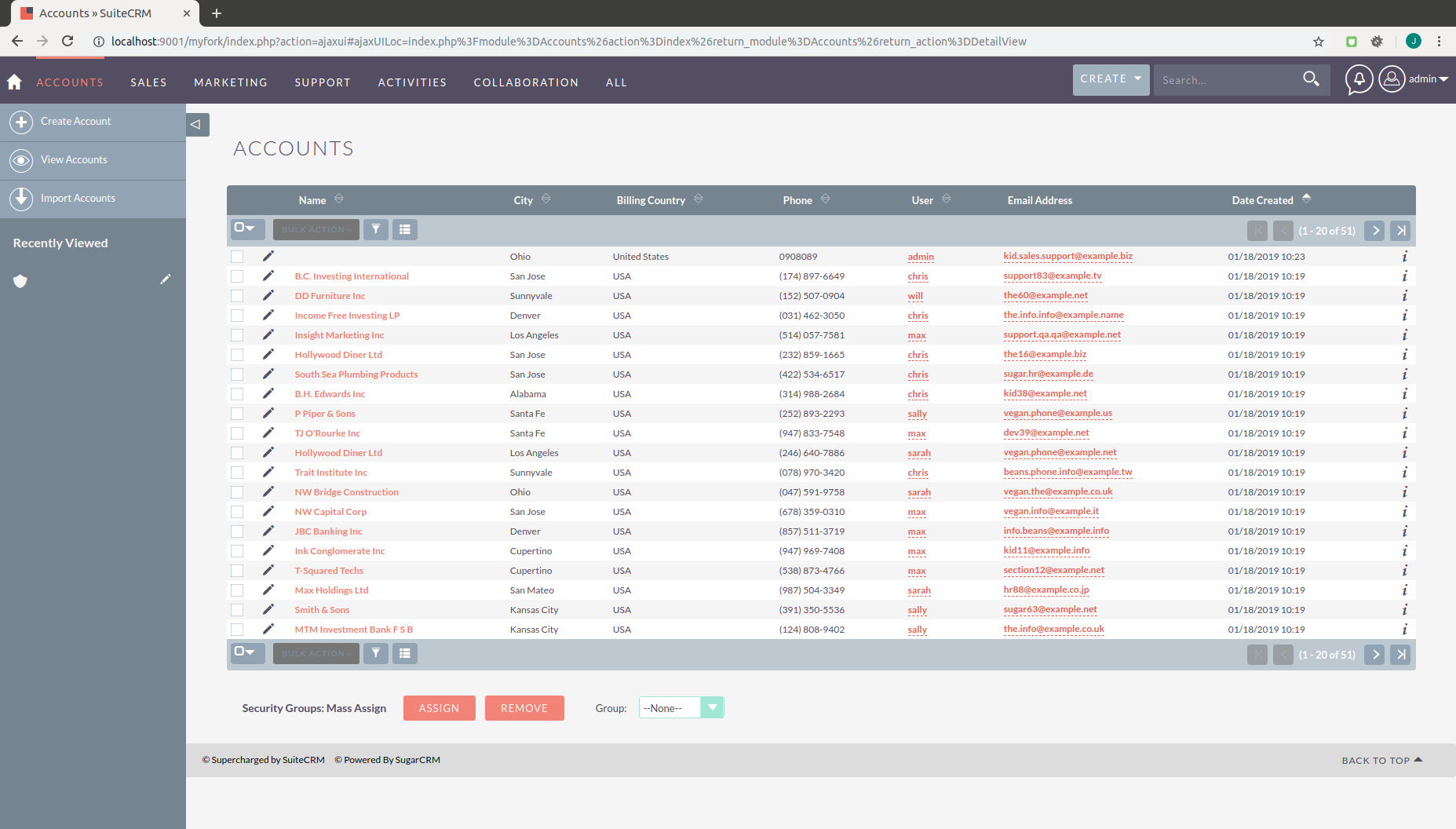
I've looked at your issue and replicated it and even when the account has no name it is still accessible, as shown in the screen shot below you should have an icon next to the record that allows you to preview and then edit the record.
The Icon appears to the left in the form of a pencil.
 jack7anderson7
on 18 Jan 2019
jack7anderson7
on 18 Jan 2019
You cannot access the record if you search for it, there is no "edit" pen icon in the search results. Adding link=true in the listviewvardefs is more intuitive. There should also be something similar for the search view.
I thought I had mentioned I was going to have them use the "edit" icon instead of fixing it until I found the search issue.
Search issue steps.
1) Find a record with no name
2) search for something specific to that record, eg phone number
3) you cannot access the record from the search list.
Wayne-II
on 18 Jan 2019
That's a bit unclear after reading it.
I didn't notice the "View" Link once you had clicked the "edit" icon, and just telling them to use the edit view was sufficient if it was the only issue. The issue remains, you still cannot access a nameless record from search results.
Wayne-II
on 18 Jan 2019
Doing a quick search, my hopes were dashed by these two lines of code:
https://github.com/salesagility/SuiteCRM/blob/master/modules/Home/UnifiedSearch.php#L111
https://github.com/salesagility/SuiteCRM/blob/master/modules/Home/UnifiedSearch.php#L144
It is unlikely my employer will provide me with sufficient time to fix these in a manner which would result in a successful pull request, and my at home time is currently in deficit. I can make this configurable at some point, in the non-near feature.
To be clear, I will be told to "make it work", which will likely result in me modifying the "data query/processor" so that account id, and not name, are put into the data used by the unified search script.
Wayne-II
on 18 Jan 2019
@Wayne-II Would you be able to show a screenshot? i'm not quite sure which search you are referring to. Both the global search and filter show the edit pencil for me.
We have a demo here: https://demo.suiteondemand.com
Username: will
Pass: will
 Dillon-Brown
on 18 Jan 2019
Dillon-Brown
on 18 Jan 2019
You are correct, the edit button does appear when using search in that demo. It also shows up in listview instead of what ever view I'm getting.
I will upload screenshots with info redacted due to it's production nature.
Wayne-II
on 18 Jan 2019
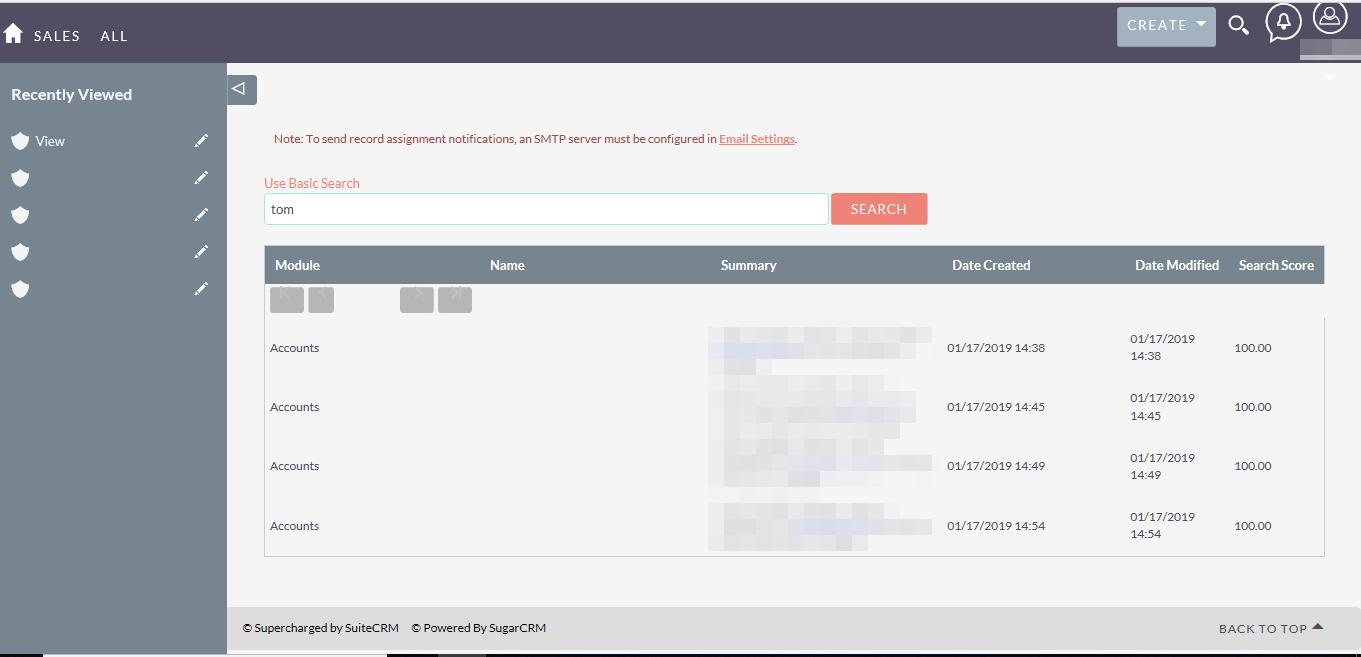
The search renders modules/Home/UnifiedSearch.php. Nothing I can do allows it to use UnifiedSearchAdvanced.php, which seems like it would use my custom listviewvardefs.php.
Wayne-II
on 18 Jan 2019
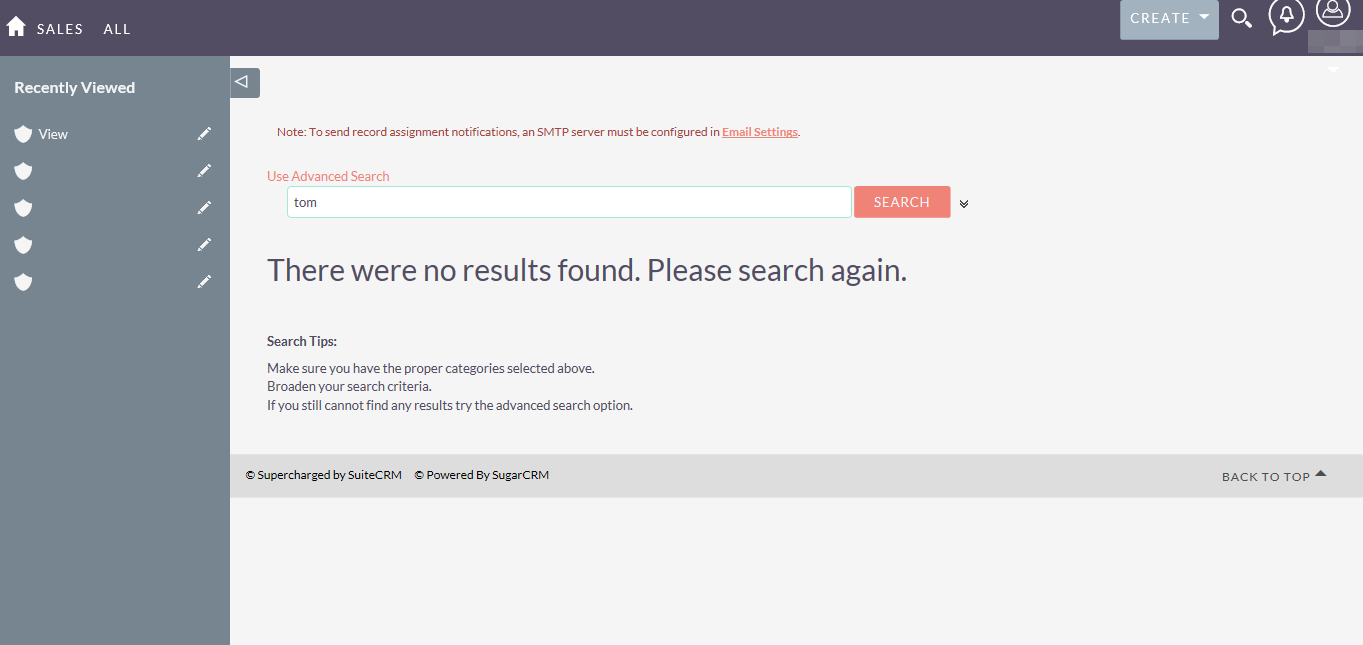
I'm just using the magnifying glass in the top right corner of the page.
Wayne-II
on 18 Jan 2019
Hi @Wayne-II ,
We have been able to replicate your issue and thanks for your help, we appreciate it.
jack7anderson7
on 18 Jan 2019
I appreciate the assistance troubleshooting. So far I'm very please with this software. Bit of a learning curve, but once you know how things are done, and a bit of PHP, it's not too hard.
Any chance you found whereabouts the issue lies so I can at least get it up and running? I've been looking at the "Basic" search UnifiedSearch.php file to modify the query, but it's proving a bit of a task.
Wayne-II
on 18 Jan 2019
@Wayne-II Unfortunately I don't have the AOD stuff setup atm but i'm guessing it's probably in modules/Home/UnifiedSearch.php function doSearch
Dillon-Brown
on 18 Jan 2019
In case anyone runs into this bug, I found a very hacky workaround.
I changed line https://github.com/salesagility/SuiteCRM/blob/master/modules/Home/UnifiedSearch.php#L158
function getRecordSummary(SugarBean $bean){
to
function getRecordSummary(SugarBean $bean, $record_id){
I changed line https://github.com/salesagility/SuiteCRM/blob/master/modules/Home/UnifiedSearch.php#L249
$newHit->summary = getRecordSummary($bean);
to
$newHit->summary = getRecordSummary($bean, $hit->record_id);
and I changed line https://github.com/salesagility/SuiteCRM/blob/master/modules/Home/UnifiedSearch.php#L180
$summary[] = $bean->$key;
to
if( $key == 'account_number_c'){
    $link = 'http://192.168.10.140:81/index.php?module=Accounts&action=DetailView&record=' . $record_id;
    $summary[] = '<a href="' . $link . '"/>' . $bean->$key . '</a>';
}else{
    $summary[] = $bean->$key;
}
This hack is specific to my implementation. It could be better but this suits my needs for now.
You would change $key == 'account_number_c' to whatever custom field that shows up in your summary results. You can find that name in the studio fields customization area. It will be lower case as the code strToLower it for comparrison.
Excuse the poor formatting. Not sure what GitHub does but it looks funny in preview.
Wayne-II
on 18 Jan 2019
Related issues
 jellydonuts
·
3Comments
jellydonuts
·
3Comments
 dawansv
·
3Comments
dawansv
·
3Comments
 Mausino
·
3Comments
Mausino
·
3Comments
 ajprouty87
·
3Comments
Mausino
·
3Comments
ajprouty87
·
3Comments
Mausino
·
3Comments