Suitecrm: Choose Targets Campaigns error last step
Issue
Expected Behavior
Actual Behavior
Possible Fix
Steps to Reproduce
The error is when you create a Newsletter campaign with both version 7.10.5 and 7.10.6
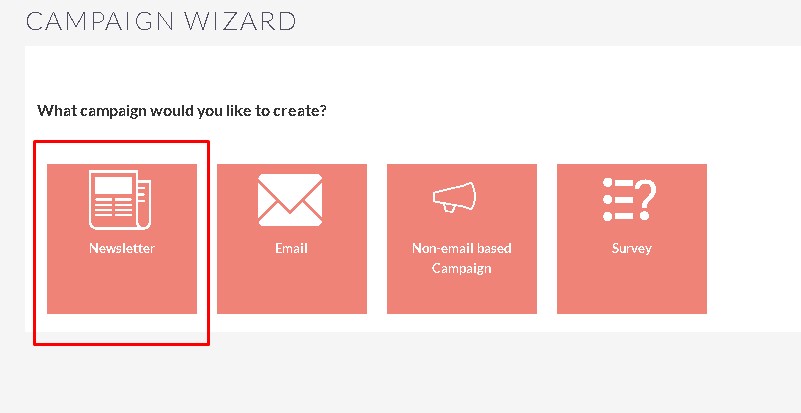
- Launch wizard -> step Target Lists -> select Target
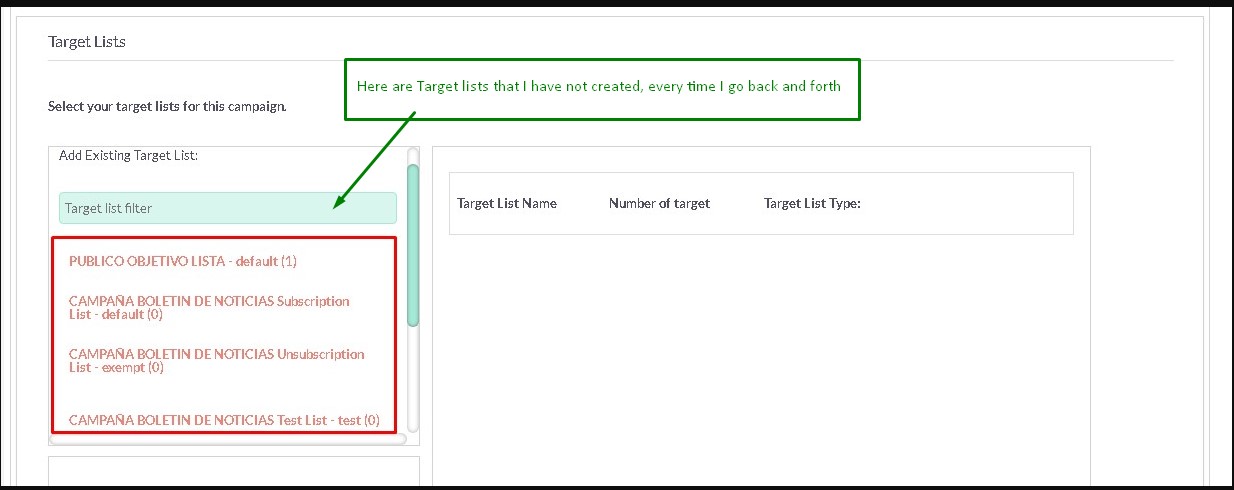
- Next step Templates, back to step previous, loses the target list and appears in the list of new target lists that I have not created.
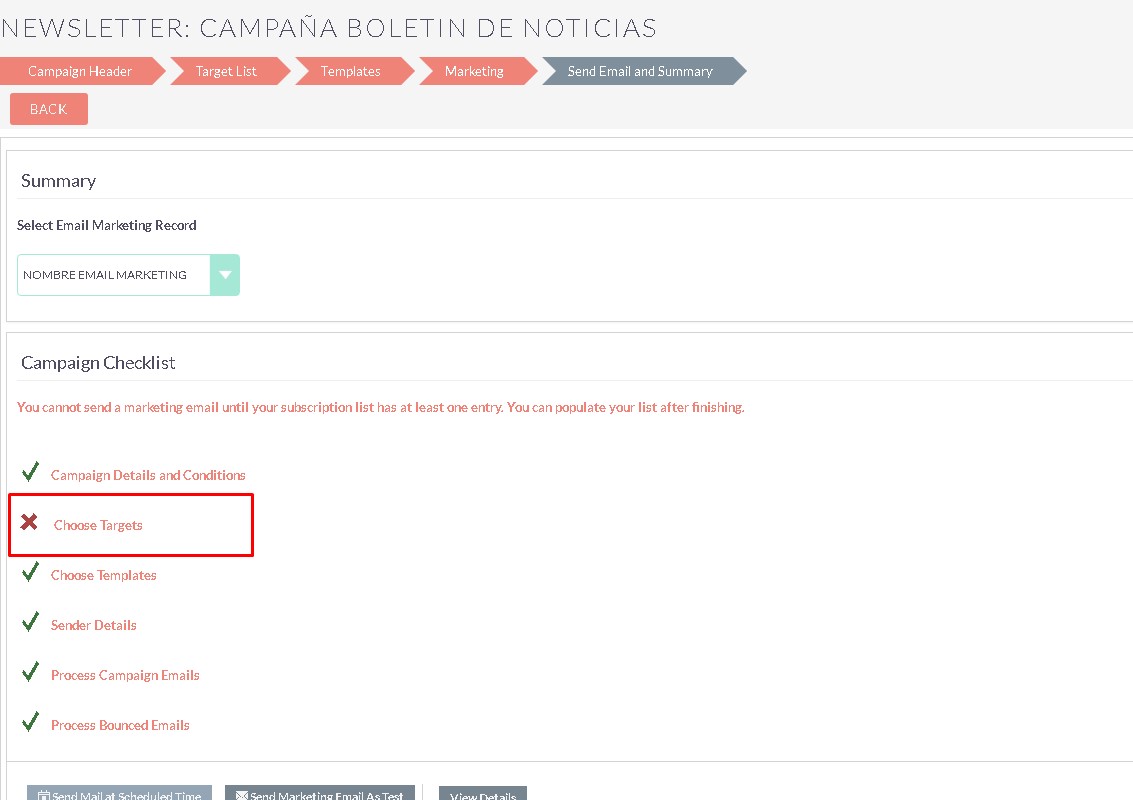
- In the step Send Email and Summary, as it loses the target lists, Choose Targets with red blade


Context
suiteCRM forum
TOPIC: Choose Targets Campaigns error last step
I tried it in the official demo with Newsletter type.
It is clearly a bug as you highlighted.
- If you navigate back no target list remains selected.
- However if you exit from the creation of the Campaign and go to the list view, then select the campaign, in Edit view all available target lists are selected.
This a very dangerous and nasty bug, high priority
This is a critical issue because if one does't realise the problem he may end up sending a newsletter to all atrget lists created in the system and this is really unwanted and against GDPR
Your Environment
- SuiteCRM Version used: 7.10.5 and 7.10.6
- Browser name and version (e.g. Chrome Version 51.0.2704.63 (64-bit)): all browsers
- Environment name and version (e.g. MySQL, PHP 7): Mysql an php7
- Operating System and version (e.g Ubuntu 16.04): Centos
 maverikmaverik
All 14 comments
Possibly related (but I am not sure it is):
 pgorod
on 13 Jun 2018
pgorod
on 13 Jun 2018
No is the same problem, the one you mention is another that is not solved either, but it is independent of this other one.
maverikmaverik
on 13 Jun 2018
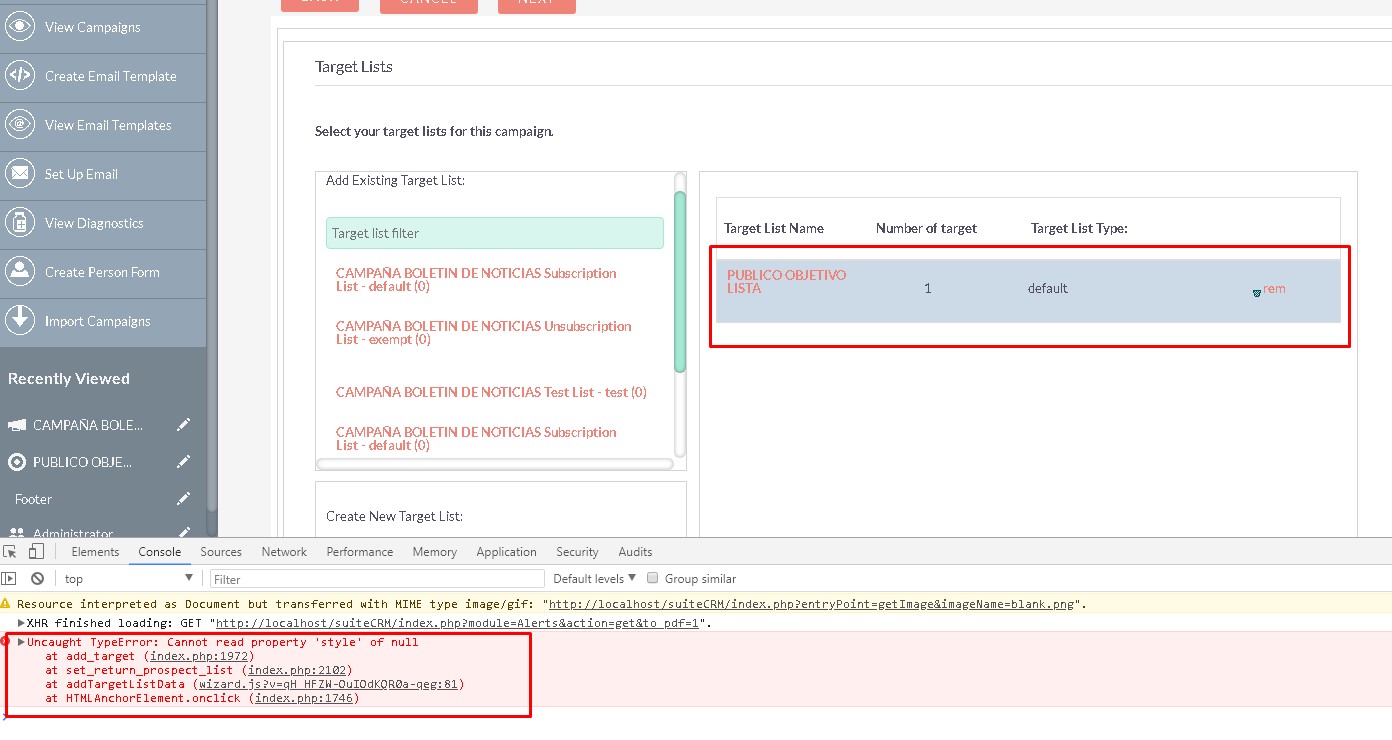
That javascript error is being triggered by line 294 in modules/Campaigns/tpls/WizardCampaignTargetListForNonNewsLetter.tpl
document.getElementById('no_targets').style.display = 'none';
'no_targets' is not in the DOM.
Why is the file named 'ForNonNewsLetter'? We're creating a newsletter... Is it using the wrong template?
 ApatheticCosmos
on 13 Jun 2018
ApatheticCosmos
on 13 Jun 2018
@ApatheticCosmos, @maverikmaverik - Thank you for the very well detailed issue report. I found a possible fix for this issue, can you please confirm if it's works now, if you apply my change above?
 gymad
on 14 Jun 2018
gymad
on 14 Jun 2018
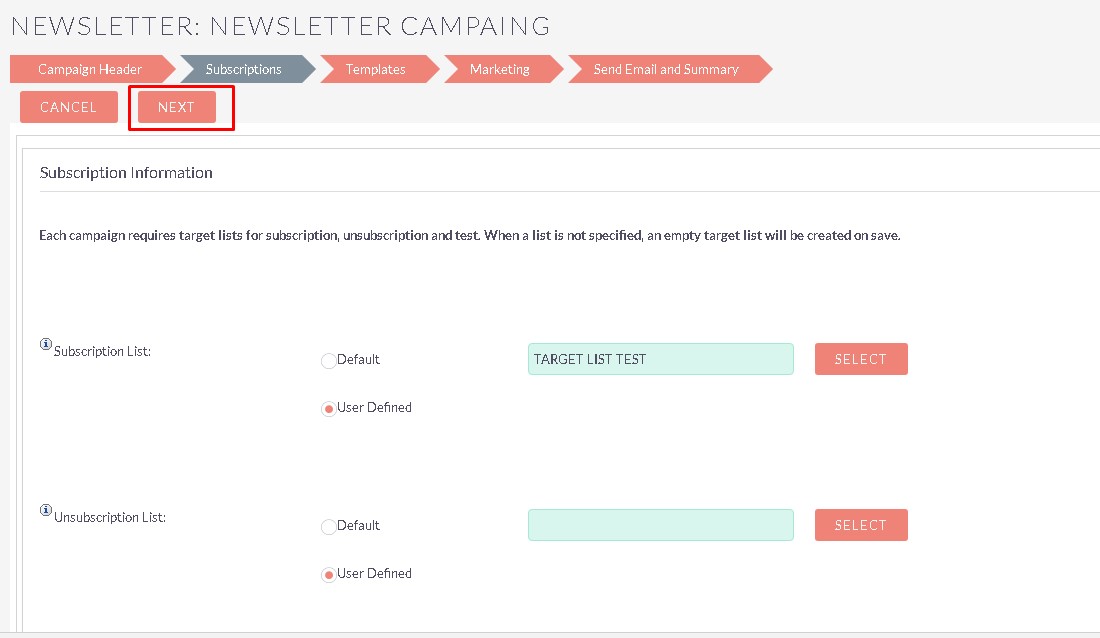
@gymad It now has
[Campaign Header> [Subscriptions> [Templates>
at the top instead of
[Campaign Header> [Target List> [Templates>
and the javascript error is gone.
There is also a note on the Subscriptions page that says:
Each campaign requires target lists for subscription, unsubscription and test. When a list is not specified, an empty target list will be created on save.
I think this is the proper behavior, but @maverikmaverik should test in his environment to make sure it's fully working.
ApatheticCosmos
on 14 Jun 2018
Produces a new error, it is not correct, the screen goes blank


maverikmaverik
on 15 Jun 2018
It is not closed, it has not been resolved yet.
I do not know why it's closed
maverikmaverik
on 15 Jun 2018
@maverikmaverik It appears you had closed it (perhaps by mistake?) looking at the activity stream.
Are you able to provide some logs to identify that 500 error. I suspect it could be permissions, did you reapply correct permissions when you applied the file changes from the proposed pull request?
@gymad Can you assist and help out.
 samus-aran
on 15 Jun 2018
samus-aran
on 15 Jun 2018
themes permissions 775
maverikmaverik
on 15 Jun 2018
@maverikmaverik logs?
That would give a more accurate description of causing a 500.
samus-aran
on 15 Jun 2018
error_log and suitecrm_log do not give any
maverikmaverik
on 15 Jun 2018
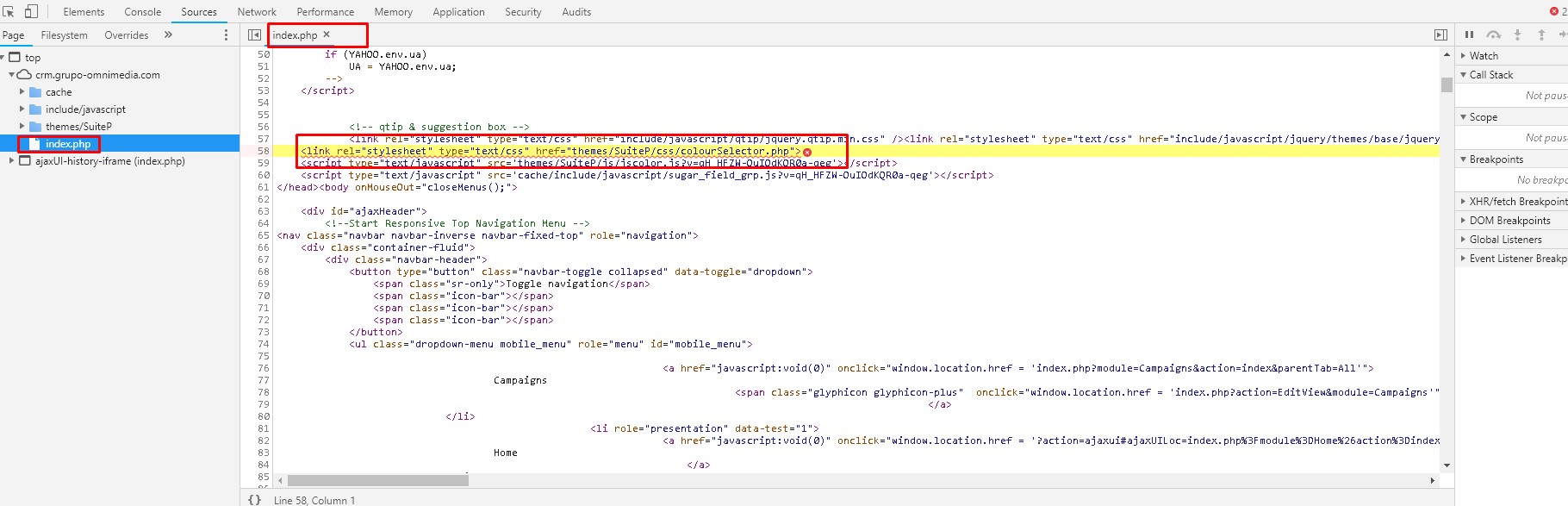
@maverikmaverik we can not replicate the blank screen, I assume there is a mistake in your colourSelector.php but it seems correct in the current branch, however 500 server error means something wrong in the server itself (like file permission) or it could be a syntax or parse error in the php interpreter. You can look into your apache log to find an error message (using the correct php.ini settings). if it does not helps also would be nice to see what is in the POST data below in your console log:

gymad
on 15 Jun 2018
I am using V7.10.7 and the same problem occurs when creating an email campaign. The "Target List" not select error appears.
 jfd118
on 26 Jul 2018
jfd118
on 26 Jul 2018
I am using 7.10.8 and have the same issue. I can execute a test email, but I am manually selecting the Send Test action button and then selecting my email campaign which will send successfully at that time.


 mcolangelo
on 20 Sep 2018
mcolangelo
on 20 Sep 2018
Related issues
 daschenbrener
·
3Comments
daschenbrener
·
3Comments
 likhobory
·
3Comments
likhobory
·
3Comments
pgorod
·
3Comments
likhobory
·
3Comments
likhobory
·
3Comments
pgorod
·
3Comments
 connorshea
·
3Comments
connorshea
·
3Comments