Suitecrm: Your password has expired
Issue
related to the closed issue #4639 but with some differences.
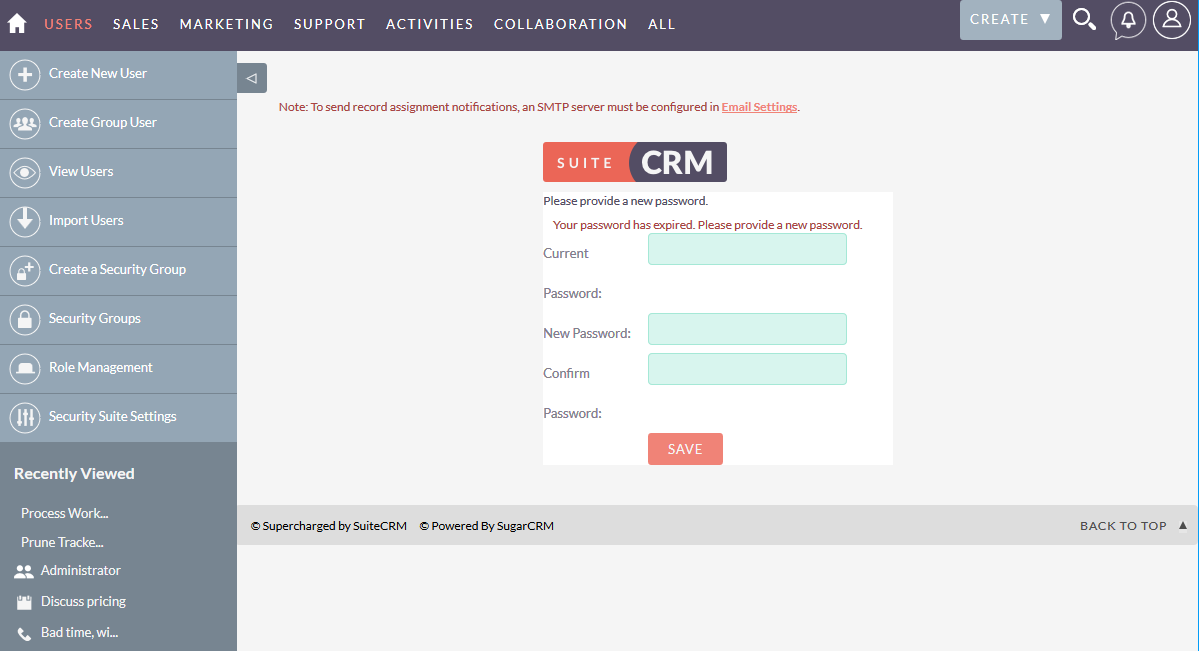
The message Your password has expired. Please provide a new password. keeps showing in 7.10.RC2. This is a system test, plain stock and upgraded from several versions before. The issue started with 7.10 and its not gone. The password is not generated by the system.
Expected Behavior
There are 2 problems:
1- It should'n happen at all. Password expiring should not be a default setting.
2- If you want this to show for expired passwords then the menu should be visible without allowing to see the admin contents as you can see the "recent viewed" menu.
Possible Fix
There should be a message displayed when the admin first login to say:
please go to Admin / Password Management and change: "System-Generated Password Expiration" to None or else you will have to create a new password each time you login.
You see my point!
Why use Password Expiration ON by default?!
Actual Behavior
Please provide a new password.
Your password has expired. Please provide a new password.
Your Environment
- SuiteCRM Version used:
- Browser name and version (e.g. Chrome Version 51.0.2704.63 (64-bit)): Windows 10 32bit - Chrome / Firefox
- Environment name and version (e.g. MySQL, PHP 7): apache 2.4.18 / PHP Version 7.0.11 / mysql 5.7.17
- Operating System and version (e.g Ubuntu 16.04):
 horus68
All 6 comments
Same behaviour observed here in the full 7.10 release, under a similar setup scenario (test system upgraded directly from 7.9.8, which itself was a fresh install). No third-party themes are active nor any modules loaded.
Passwords are not system generated.
Ubuntu 16.04 Server with a stock LAMP stack is the underlying platform.
 davenz
on 5 Mar 2018
davenz
on 5 Mar 2018
The same problem. Appeared after upgrade from 7.8 to 7.10 few days ago.
Also I can't turn that feature off, because few settings are missing from 'Password Manager' page

Before typing that message:
- I had used
chown www-data:www-data -R /var/www/suitecrm - Also I had tried to replace
suitecrm/modules/Administration/PasswordManager.tplandPasswordManager.phpwith the same files from 'master' branch of GitHub.
But nothing had helped.
I do not use any custom theme.
Version 7.10
 Landver
on 7 Mar 2018
Landver
on 7 Mar 2018
We are experiencing this same behavior since upgrading to SuiteCRM version 7.10. In the meanwhile to prevent the passwords from expiring on any integration users I have just been setting the users.pwd_last_changed to a future date (6 months in the future). Hopefully there will be a more permanent/appropriate fix soon.
 stancel
on 11 Mar 2018
stancel
on 11 Mar 2018
"setting the users.pwd_last_changed"
what are you talking about? That was some setting in database or what?
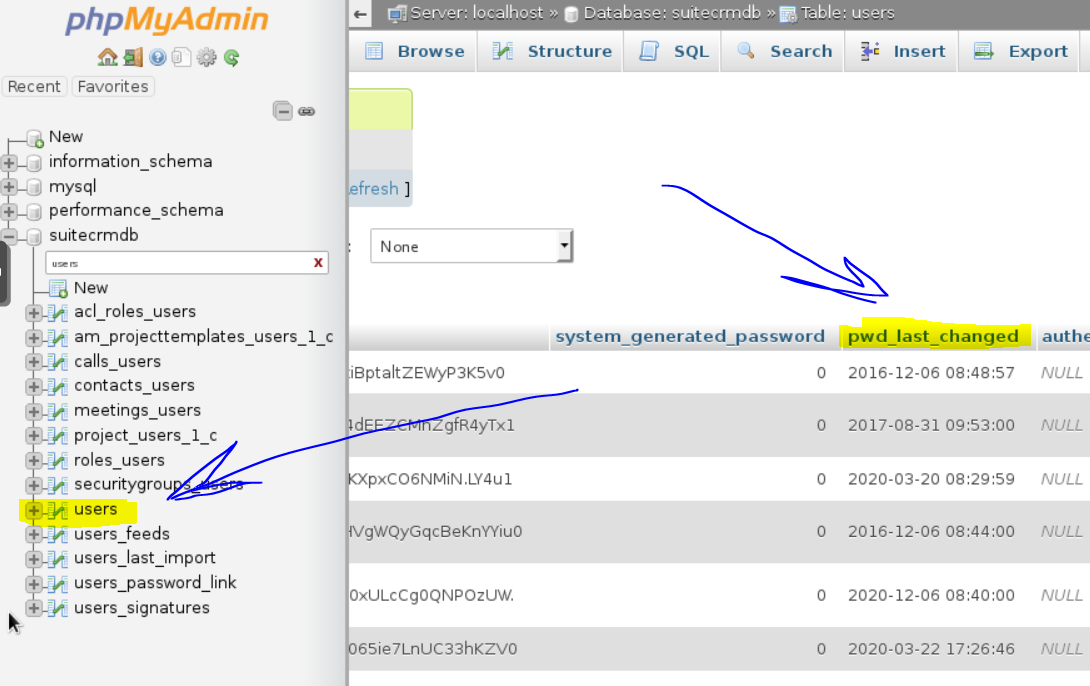
Ok, I found that 'users' is table in database of CRM, and one of the columns is 'pwd_last_changed'
Landver
on 27 Mar 2018
update suitecrm.users set pwd_last_changed = '2018-07-04 11:59:00' where id = 'THE ID from your USER in suitecrm.users.id';
stancel
on 27 Mar 2018
I have created pull request #5642 that should fix this bug by adding a condition that would check for expired passwords only if the password was system generated. This is in line with the settings panel.
 rholighaus
on 3 Apr 2018
rholighaus
on 3 Apr 2018
Related issues
 project-banana
·
3Comments
project-banana
·
3Comments
 pgorod
·
3Comments
pgorod
·
3Comments
 Mausino
·
3Comments
Mausino
·
3Comments
 ArturoBurela
·
3Comments
ArturoBurela
·
3Comments
 daschenbrener
·
3Comments
daschenbrener
·
3Comments
Most helpful comment
I have created pull request #5642 that should fix this bug by adding a condition that would check for expired passwords only if the password was system generated. This is in line with the settings panel.