Subtitleedit: frames visibility/grid in settings and waveform
My new studio requires me to fix subs timing in respect of frames, not milliseconds.
First, I need to set a min. gap between subtitles of 2 frames which, according to my calculations for 25 fps, is 80 ms. Is that right?
However, I also need to pay attention to frame gap between subs which is difficult when in the waveform grid there are only milliseconds.
Is it possible to include a setting to switch it to frames? If not, could you suggest a way to handle that?
 evayor
All 9 comments
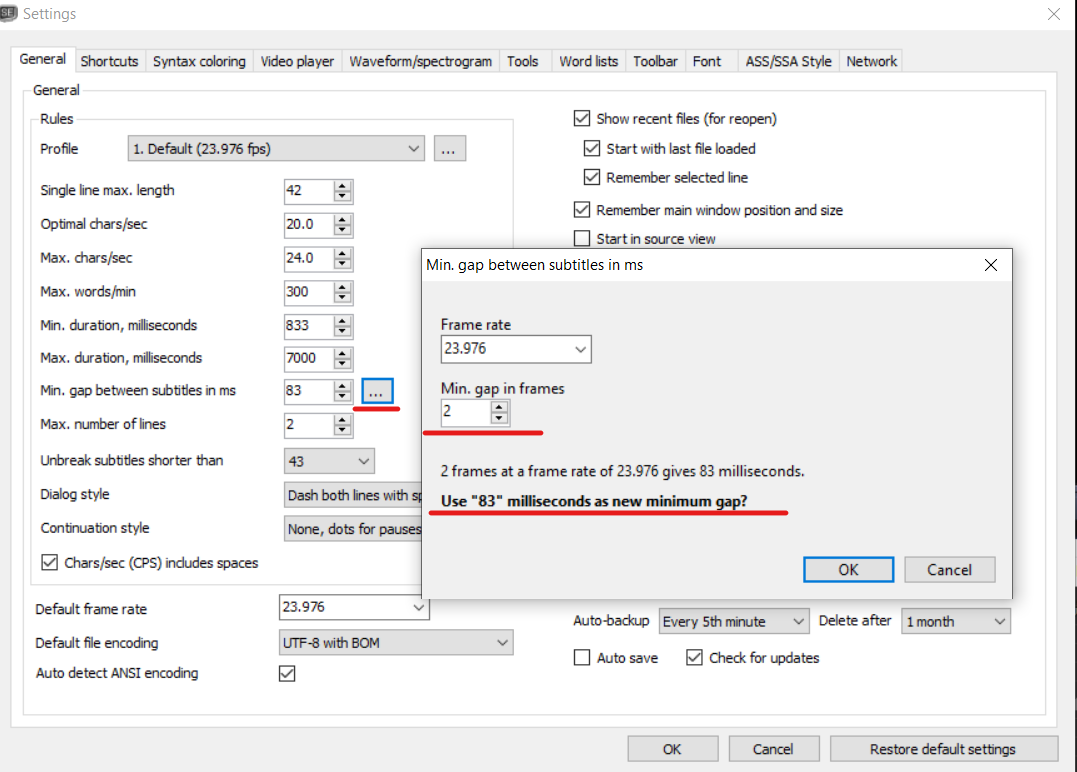
In the latest beta, SE can calculate that:
 OmrSi
on 8 Jun 2020
OmrSi
on 8 Jun 2020
Thank you, I'll have it in mind. I'm not using it at the moment because I haven't found a way to export all my settings from SE 3.5.15 to Beta which is only portable so far.
But the other possibility to have a frame grid would be very useful because I need whether I ve 10 frames difference or less and then decide how to extend the previous sub.
evayor
on 8 Jun 2020
I think you can do that with "Edit -> Bridge gaps between subtitles"
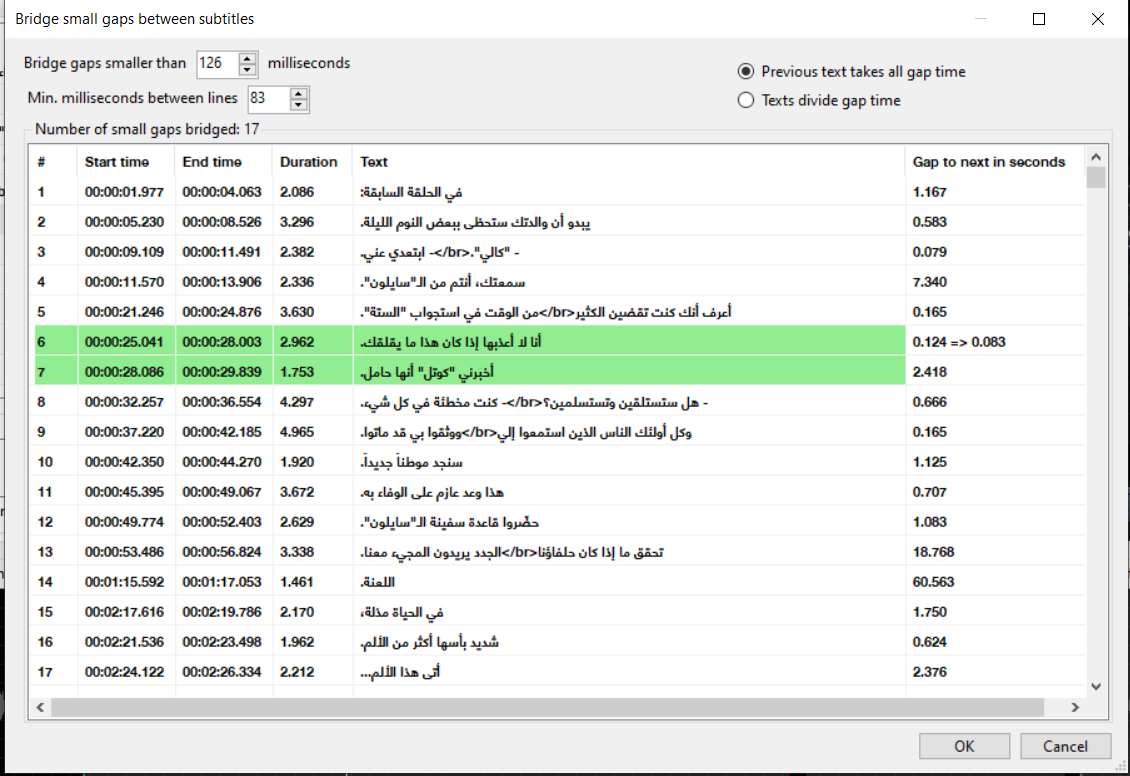
No need to check manually.
OmrSi
on 8 Jun 2020
Yeah, I tried that,. However, I'd like to do it in real time, not post factum, but certainly it's an option.
Thanks again.
evayor
on 8 Jun 2020
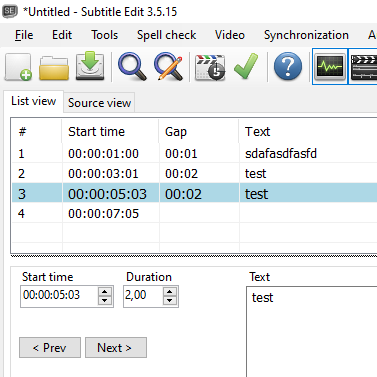
Also, in Options -> Settings you can set time code mode to frames.
And in the list view column, you can right-click, and show Gap.
Will look like this:
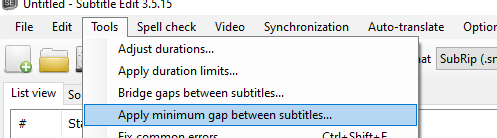
Plus check Tools -> Apply min gap between subtitles:
And further more, you can use "F8" which is "Go to next error" in main window (after setting 80 ms as min gap in settings).
 niksedk
on 8 Jun 2020
niksedk
on 8 Jun 2020
Thank you @niksedk , I added the gap column and it will be helpful.
However, I don't understand the value there. Does 0:02 stand for two frames? Because for other gaps in this mode I get 01:01, for example, and it doesn't mean anything to me.
The rule I need to follow is: if there are less than 10 frames between 2 subtitles, extend the first one to the next with a 2-frame gap, i.e. reduce every less than 10-frame gap to 2 frames.
evayor
on 8 Jun 2020
0:02 means 2 frames, 1:01 means 25+1 if the framerate is 25, and so on...
OmrSi
on 8 Jun 2020
And by the way, you can just take the files from the beta and replace the original files on your PC, or take your Settings.xml file and put it in the beta folder.
Settings.xml holds all the settings, you can find it here: %appdata%/SubtitleEdit/%
I have a backup of that file stored away in case something wrong happens.
But of course, there are also the support-files like edited dictionaries and FFmpeg and MPV files which you would need to copy to the beta folder too.
OmrSi
on 8 Jun 2020
The rule I need to follow is: if there are less than 10 frames between 2 subtitles, extend the first one to the next with a 2-frame gap, i.e. reduce every less than 10-frame gap to 2 frames.
When you see 0:10 on a line, use the extend shortcut, it will extend the current line's end to the next's start leaving the min. gap which is 2 frames.
And as you know, you can use Bridge gap by setting gaps smaller than 400 to 80.
OmrSi
on 8 Jun 2020
Related issues
 m0ck69
·
5Comments
m0ck69
·
5Comments
 amiremami
·
4Comments
amiremami
·
4Comments
 LeonCheung
·
5Comments
LeonCheung
·
5Comments
 dvjrickkraft
·
4Comments
dvjrickkraft
·
4Comments
 depeo
·
5Comments
depeo
·
5Comments