Subscriptions-transport-ws: wscat shows immediate disconnect
import express from 'express';
import { graphqlExpress, graphiqlExpress } from 'apollo-server-express';
import bodyParser from 'body-parser';
import dotenv from 'dotenv';
import { execute, subscribe } from 'graphql';
import { createServer } from 'http';
import { SubscriptionServer } from 'subscriptions-transport-ws';

import * as Schema from './schema';

dotenv.config();

const PORT = 3002;
const server = express();

if (typeof process.env.MONGO_URL === 'undefined') {
  console.warn('WARNING: process.env.MONGO_URL is not defined. Check README.md for more information');
}
if (typeof process.env.JWT_SECRET === 'undefined') {
  console.warn('WARNING: process.env.JWT_SECRET is not defined. Check README.md for more information');
}
if (typeof process.env.APOLLO_ENGINE_KEY === 'undefined') {
  console.warn('WARNING: process.env.APOLLO_ENGINE_KEY is not defined. Check README.md for more information');
}

const schemaFunction =
  Schema.schemaFunction ||
  function() {
    return Schema.schema;
  };
let schema = Schema.schema; // manually set schema
const rootFunction =
  Schema.rootFunction ||
  function() {
    return schema.rootValue;
  };
const contextFunction =
  Schema.context ||
  function(headers, secrets) {
    return Object.assign(
      {
        headers,
      },
      secrets
    );
  };

server.use(
  '/graphql',
  bodyParser.json(),
  graphqlExpress(async request => {
    if (!schema) {
      schema = schemaFunction(process.env);
    }
    const context = await contextFunction(request.headers, process.env);
    const rootValue = await rootFunction(request.headers, process.env);

    return {
      schema: await schema,
      rootValue,
      context,
      tracing: true,
    };
  })
);

server.use(
  '/graphiql',
  graphiqlExpress({
    endpointURL: '/graphql',
    query: ``,
    subscriptionsEndpoint: `ws://localhost:3002/subscriptions`,
  })
);

// We wrap the express server so that we can attach the WebSocket for subscriptions
const ws = createServer(server);

ws.listen(PORT, () => {
  console.log(`GraphQL Server is now running on http://localhost:${PORT}/graphql`);
  console.log(`View GraphiQL at http://localhost:${PORT}/graphiql`);
  console.log(`WebSocket Subscription Server is now running on ws://localhost:${PORT}/subscriptions`);

  // Set up the WebSocket for handling GraphQL subscriptions
  new SubscriptionServer(
    {
      execute,
      subscribe,
      schema,
    },
    {
      server: ws,
      path: '/subscriptions',
    }
  );
});
npm install -g wscat
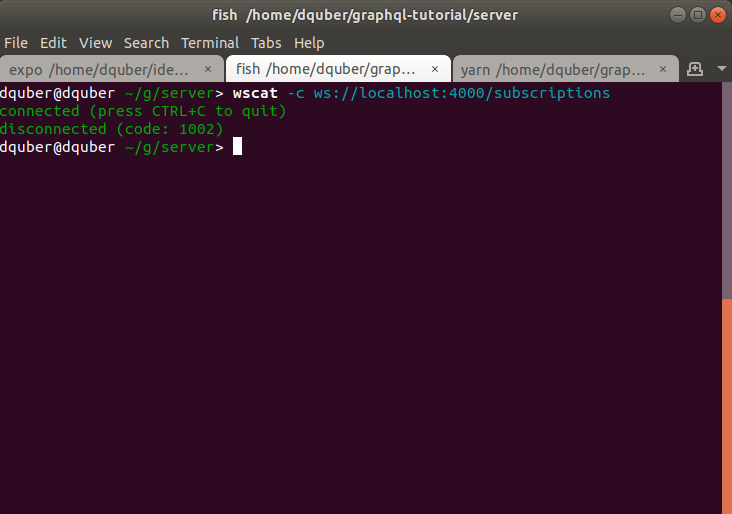
wscat -c ws://localhost:3002/subscriptions
connected (press CTRL+C to quit)
disconnected
Am I doing something wrong?
 booboothefool
All 4 comments
I'm running into the same issue.
my subscriptions websockets work fine within graphiql. But when trying to connect outside of it or through our ios client, it just won't work.
It appears to connect and then disconnect instantly.
 uberism
on 15 Apr 2018
uberism
on 15 Apr 2018
Are you including the correct WebSocket subprotocol via your testing tool? This is the Sec-WebSocket-Protocol which is checked on the server at: https://github.com/apollographql/subscriptions-transport-ws/blob/master/src/server.ts#L133
 NeoPhi
on 19 Apr 2018
NeoPhi
on 19 Apr 2018
I'm also facing the same problem..any help plz...
```import express from "express";
import { graphqlExpress, graphiqlExpress } from "graphql-server-express";
import bodyParser from "body-parser";
import cors from "cors";
import { schema } from "./src/schema";
import { execute, subscribe } from "graphql";
import { createServer } from "http";
import { SubscriptionServer } from "subscriptions-transport-ws";
const PORT = 4000;
const server = express();
server.use(
"",
cors({
origin: ""
})
);
server.use(
"/graphql",
bodyParser.json(),
graphqlExpress({
schema
})
);
server.use(
"/graphiql",
graphiqlExpress({
endpointURL: "/graphql",
subscriptionsEndpoint: ws://localhost:4000/subscriptions
})
);
// We wrap the express server so that we can attach the WebSocket for subscriptions
const ws = createServer(server);
ws.listen(PORT, () => {
console.log(GraphQL Server is now running on http://localhost:${PORT});
// Set up the WebSocket for handling GraphQL subscriptions
new SubscriptionServer(
{
execute,
subscribe,
schema
},
{
server: ws,
path: "/subscriptions"
}
);
});
```
 venkatesh-rao
on 21 Dec 2018
venkatesh-rao
on 21 Dec 2018
I got tripped up on this too. I got it working by setting the -s, --subprotocol flag to graphql-ws.
example: wscat -c ws://localhost:4000/graphql -s graphql-ws
 tonycapone
on 25 Apr 2019
tonycapone
on 25 Apr 2019
Related issues
 ozeals
·
3Comments
ozeals
·
3Comments
 n1ru4l
·
3Comments
n1ru4l
·
3Comments
 mjasnikovs
·
5Comments
mjasnikovs
·
5Comments
 MoonTahoe
·
5Comments
MoonTahoe
·
5Comments
 damour
·
3Comments
damour
·
3Comments
Most helpful comment
I got tripped up on this too. I got it working by setting the
-s, --subprotocolflag tographql-ws.example:
wscat -c ws://localhost:4000/graphql -s graphql-ws