Styled-jsx: Jetbrains IDEs syntax support
I usually use Webstorm for React projects thanks to it's great JSX syntax support and the IDE tooling so It would be great if we have syntax support for Styled-JSX in the Jetbrain's IDEs.
 davegomez
All 8 comments
One trick is to add language injection comments before the literal.
Something like this
'''
//language=CSS
'
h1 { color:red }
'
'''
See more here
https://www.jetbrains.com/help/idea/2017.1/using-language-injections.html#injection_comments
You can also add before and after to the comment to tell the IDE to pretend that the code in the literal is surrounded by wrapping code you specify in the before and after blocks.
Finally sometimes i use SCSS if interpolating variables in the template string since that fools the IDE into accepting the $ as legal which they aren't in vanilla CSS.
 benjaminjackman
on 19 May 2017
benjaminjackman
on 19 May 2017
Awesome, this works!
    { /*language=SCSS*/ }
    <style jsx>{`
      .container {
        margin: 0 auto;
        width: 880px
      }
    `}</style>
@davegomez @benjaminjackman would you like add that to the README?
 giuseppeg
on 10 Jun 2017
giuseppeg
on 10 Jun 2017
Is it still possible to have syntax highlight without adding injection comments? Not everyone on our team using Idea editor. Isn't is possible to have plugin for this?
 RusinovAnton
on 3 Apr 2018
RusinovAnton
on 3 Apr 2018
I agree it would be good to have this as a plugin for IDEA, as most the other editors have plugins/extensions for styled-jsx
 slpixe
on 4 Sep 2018
slpixe
on 4 Sep 2018
For those still interested in the original request, installing the Styled Components jetbrains plugin also seems to work for styled-jsx.
 alextiley
on 10 Sep 2018
alextiley
on 10 Sep 2018
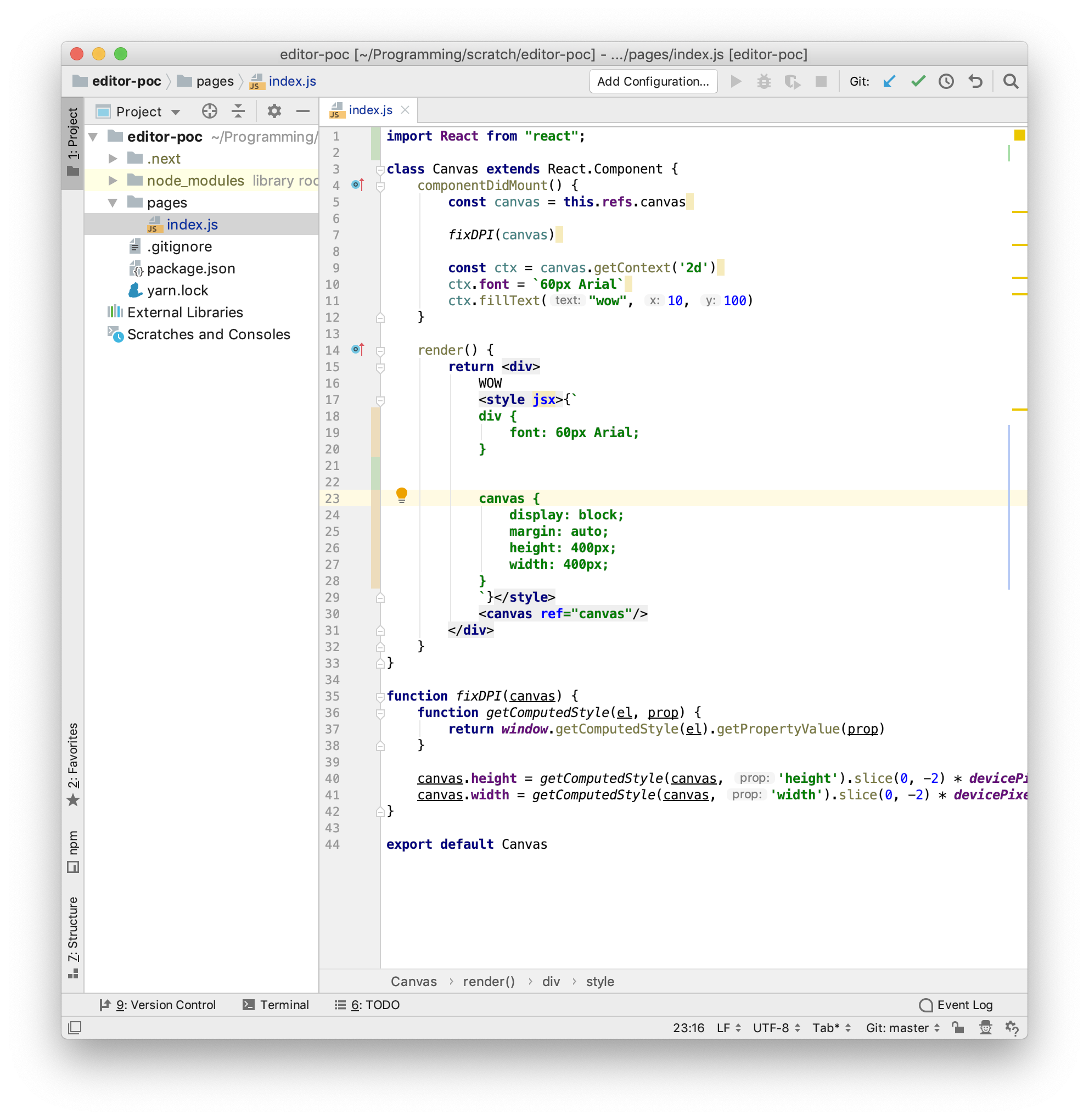
@alextiley afaik it does not work for styled JSX. At least not for me. See
 nhooyr
on 11 May 2019
nhooyr
on 11 May 2019
Please follow styled-components/webstorm-styled-components#77, I think it will be ready this week.
 denofevil
on 11 Nov 2019
denofevil
on 11 Nov 2019
Related issues
 loick
·
4Comments
loick
·
4Comments
 straxico
·
4Comments
straxico
·
4Comments
 nkzawa
·
5Comments
nkzawa
·
5Comments
 ryandeussing
·
3Comments
giuseppeg
·
4Comments
ryandeussing
·
3Comments
giuseppeg
·
4Comments
Most helpful comment
Awesome, this works!