Strongbox: Cosmetic Feature Request: Big Sur Icon Padding
Hi Mark,
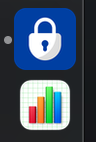
Any chance you could change the icon padding to match the new Big Sur style? Basically there is more padding now.
About 50px in a 512px icon. See screenshot as reference.
I know it's not important, but it drives me nuts :-)
Thank you!
 dan-el
All 7 comments
Ha, weird I thought this would have been automatic - do you have a link to any docs on this?
 strongbox-mark
on 18 Nov 2020
strongbox-mark
on 18 Nov 2020
That‘s a feature: The best apps get the biggest icons. ;)
 Slummi
on 18 Nov 2020
Slummi
on 18 Nov 2020
This page has the SF Symbols app as well as icon templates for iOS and macOS: https://developer.apple.com/design/resources/
And this page has the Icon design guidelines: https://developer.apple.com/design/human-interface-guidelines/macos/icons-and-images/app-icon/
Cheers!
dan-el
on 18 Nov 2020
OK, they're the standard guidelines but I thought you might have something else you've seen somewhere. I'll have to look into this...
strongbox-mark
on 19 Nov 2020
I created a 512px transparent template I use for other purposes myself. The corner radius is not exactly as in the design guidelines, but it's more or less okay. Happy to share if that helps you.
There are templates in the Photoshop files in the design guidelines. if you want me to extract them for you let me know.
dan-el
on 19 Nov 2020
Hi @dan-el - This should be fixed for you now with 1.14.4. Could you confirm and close?
Also, would you like to join the Beta Testers Group? Drop a mail to [email protected] if so :)
strongbox-mark
on 20 Dec 2020
just beautiful. closed!
and thanks :D
dan-el
on 20 Dec 2020
Related issues
 rob3c
·
3Comments
rob3c
·
3Comments
 F3000
·
3Comments
F3000
·
3Comments
 vinzf
·
3Comments
vinzf
·
3Comments
 limuc
·
6Comments
limuc
·
6Comments
 mmcguill
·
5Comments
mmcguill
·
5Comments
Most helpful comment
That‘s a feature: The best apps get the biggest icons. ;)