Strongbox: Show Pinned Items below Search Results in AutoFill
Hi ,
just a finding from today . In my library I have 5 pinned items .
When I press the auto fill button above the keyboard -> choose database -> the items are mixed . Some pinned I see at the top , but not all .
Is this something you can implement ?
 F3000
F3000
All 6 comments
Yeah good idea I think
 strongbox-mark
on 30 Jun 2020
strongbox-mark
on 30 Jun 2020
I'm not sure about this one actually @F3000 - The autofill results here are search results, I don't think pinned items should really be there.
strongbox-mark
on 23 Aug 2020
But for ipad users could be a good way .
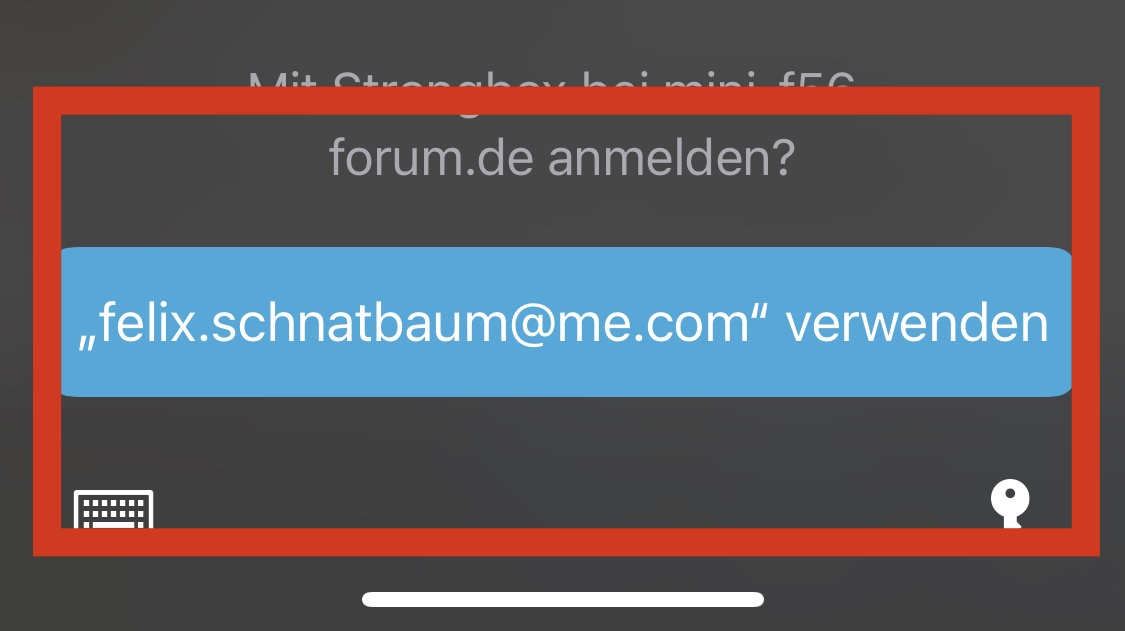
Because on iOS I have never seen the blue button like on iPhone (see picture)
F3000
on 23 Aug 2020
Hi @F3000 - Yes, I hear what you're saying but the Pinned Items are different from this screen with the blue entry. Strongbox doesn't own and can't control that screen/menu...
Honestly I think this is a won't fix/can't fix.
strongbox-mark
on 24 Aug 2020
@strongbox-mark noe I can remember the intention behind this :)
example :
I have installed the apple feedback app to report issues . After some time the app logs me out .
When I try to log in I tip on "passwords(auto fill)" and the strongbox extension open a new search entry field .
But the search line is empty .
In this case i need my AppleID credentials . I have pinned them in the database .
But when the autofill extension can't find items because the search bar is empty , it would be nice to have my pinned items here ;)
F3000
on 30 Aug 2020
I guess it's not a bad idea to display pinned items below the search results... Let's go with that.
strongbox-mark
on 31 Aug 2020
Related issues
 limuc
·
6Comments
limuc
·
6Comments
 mmcguill
·
5Comments
mmcguill
·
5Comments
 Ben-Voris
·
4Comments
Ben-Voris
·
4Comments
 vinzf
·
3Comments
vinzf
·
3Comments
 rob3c
·
3Comments
rob3c
·
3Comments