Strongbox: Multiple URL support
Situation:
Some sites use the same credentials but have different URLs (sometimes even the domains are different), e.g. for their store and for their forum. At the moment it is not possible to provide multiple URLs for one account, which are searched automatically when opening Strongbox. There's a workaround with "search in all fields" (in iOS Version) ...
Proposed solution:
When searching for a match in URL not only search in the field "URL" but in all fields staring with "URL", e.g. also matching fields "URL2" or "URL-Forum".
 Doc-Steve
All 7 comments
Yes, sounds like a good idea - should be a quick one in the next release...
 mmcguill
on 1 Jan 2020
mmcguill
on 1 Jan 2020
There exists something similar to what you want, it involves using the field references feature built into KeePass. It accomplishes the same task as you want, but just gone about a different way.
Here’s an example of how I have two entries of mine set up. I copied the UUID field from the Apple metainfo and put that in the field references for my iCloud entry. Now when I copy the username or password field for the iCloud entry, it just grabs the username or password from the Apple entry. This way there’s only one entry I have to update, and all others linked to that entry reflect the latest changes.
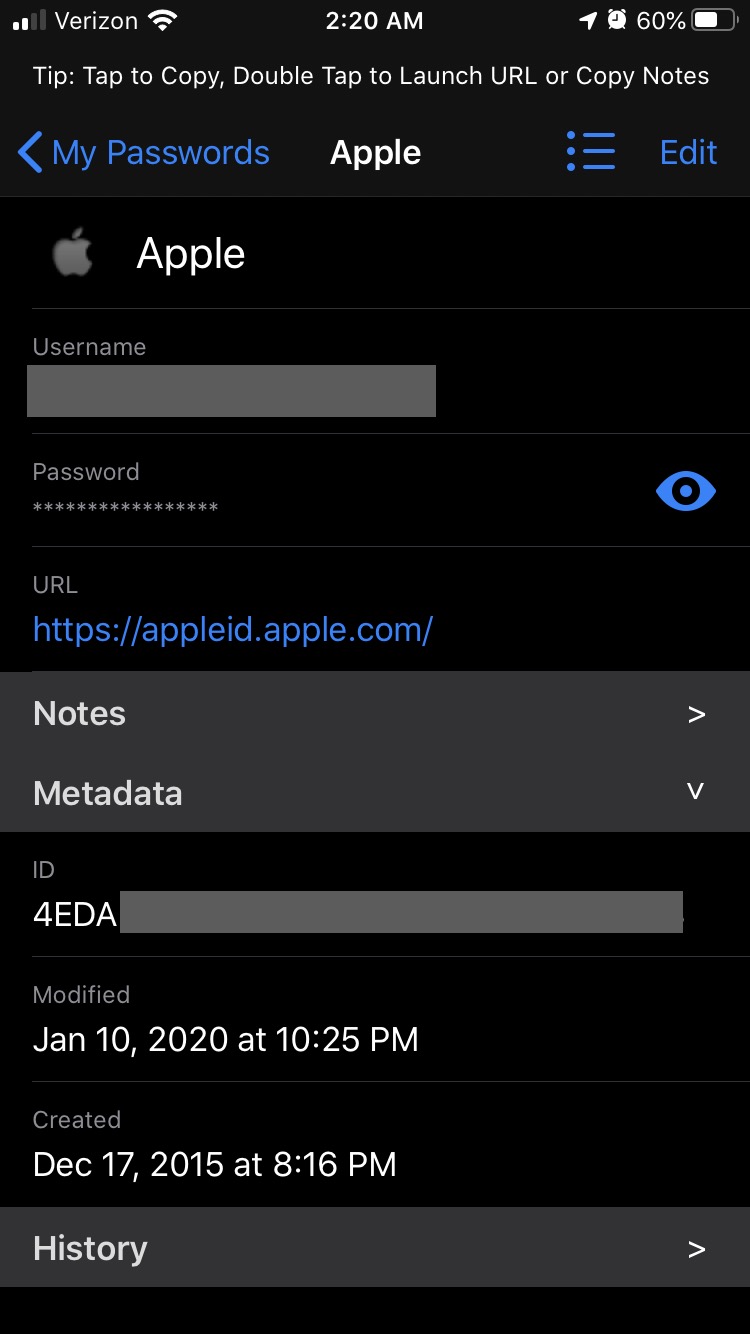
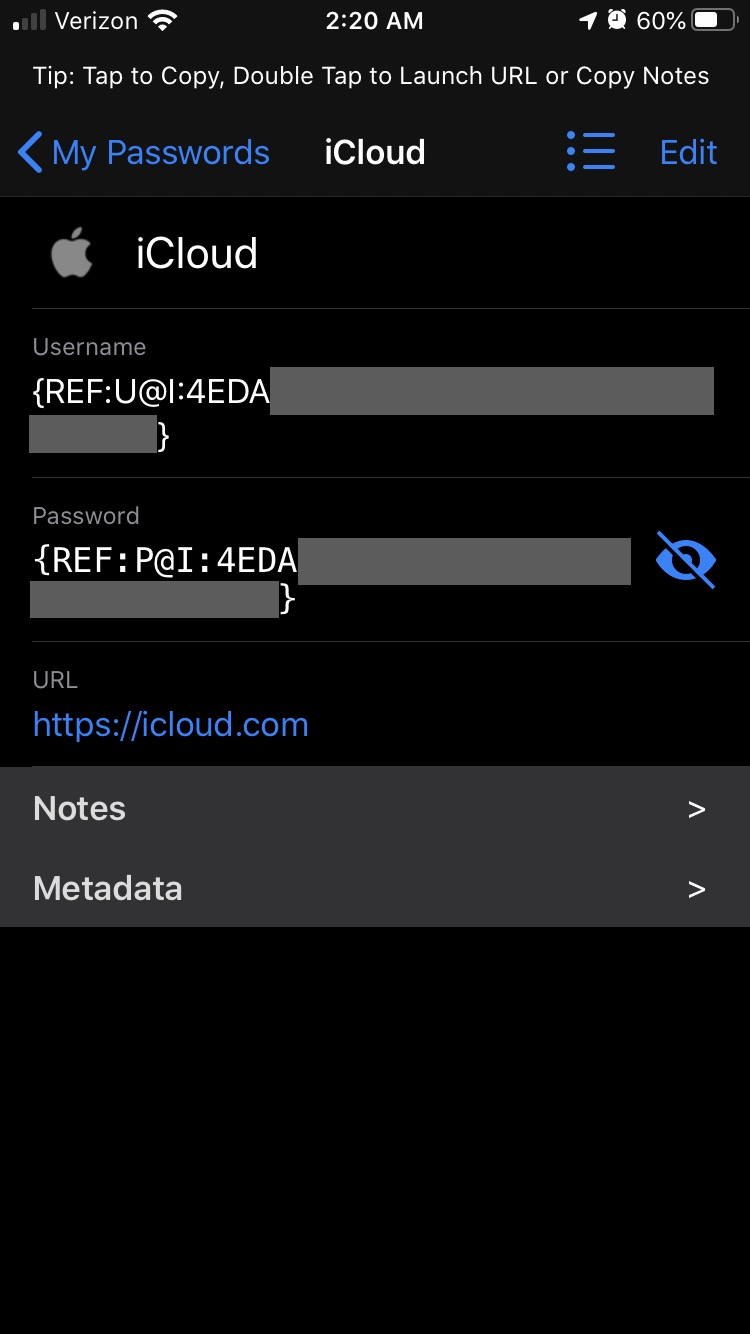
You can also set this up pretty quickly from the KeePass desktop version. You right click an entry and click duplicate, and check the box that says to replace the username and password with references. Then you can go to that entry and make any edits you wish to the URL and other fields.
 gamewin1
on 14 Jan 2020
gamewin1
on 14 Jan 2020
Field references are very usefull for another purpose: you have two different pages you want to link together, e.g. single sign on with facebook credentials on another web page. The use case of this ticket is different: this is ONE account with different URLs, where you don't want to spread your notes etc. in different entries.
Doc-Steve
on 14 Jan 2020
@Doc-Steve This is available now in 1.45.6 released today. Could you check it is working as expected? Any custom fields starting with URL* or KP2A_URL* are now considered alternative URLs and will match in a URL search...
mmcguill
on 18 Jan 2020
Thanks, perfect! Works even better than expected. It works in the Strongbox GUI and also in the "quick select" before opening Strongbox GUI.
Doc-Steve
on 19 Jan 2020
Cool!
mmcguill
on 20 Jan 2020
@mmcguill
Also fields with „URL 2“ (there is a blank between URL and the number)
 F3000
on 26 Feb 2020
F3000
on 26 Feb 2020
Related issues
 janehlers
·
6Comments
janehlers
·
6Comments
 eike-fokken
·
7Comments
F3000
·
5Comments
eike-fokken
·
7Comments
F3000
·
5Comments
 antelle
·
5Comments
antelle
·
5Comments
 brogers5
·
6Comments
brogers5
·
6Comments