Strongbox: Can't connect to OneDrive on iOS
I'm trying to use Strongbox on iOS with a database stored on OneDrive.
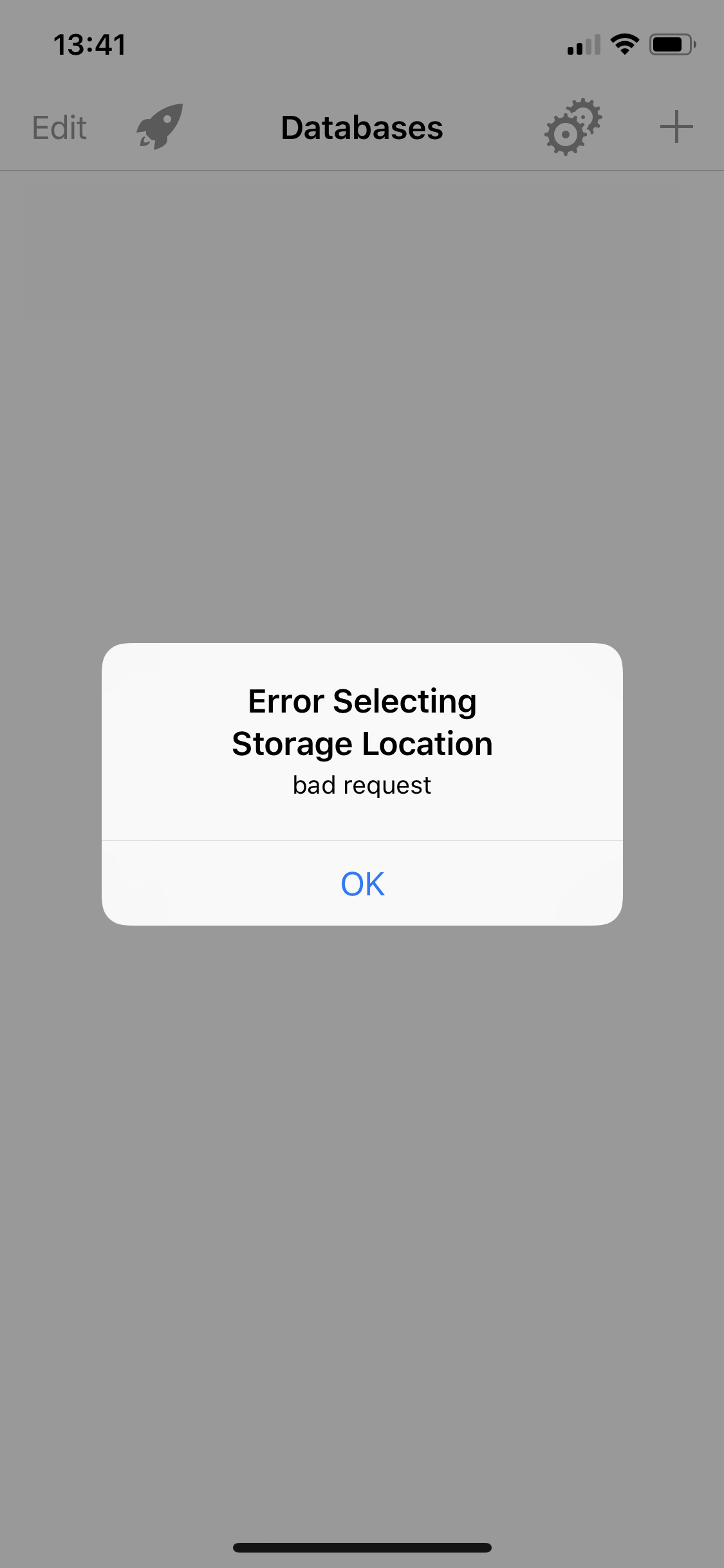
It failed as soon as I'm clicking on OneDrive telling "Error Selecting Storage Location - bad request". See screen capture below.
 llaske
All 16 comments
Hi @llaske - I can't reproduce this at the moment. Can I ask is this a personal or a business account? Is it still an issue for you now?
 mmcguill
on 31 Jul 2019
mmcguill
on 31 Jul 2019
I use a OneDrive for Business setup for my database and have not encountered this issue yet. It’s been reliable and stable on my end.
 shad0whawk
on 31 Jul 2019
shad0whawk
on 31 Jul 2019
@shad0whawk it's a personal account. To be clear it worked on my account before I've activated the OneDrive two-factor authentication. Is there something specific to do when two-factor authentication is activated?
llaske
on 31 Jul 2019
You might need to set up an APP PASSWORD. Look here: https://account.live.com/proofs/manage/additional?mkt=en-US&refd=account.microsoft.com&refp=security&fref=moreOptions
 dan-el
on 31 Jul 2019
dan-el
on 31 Jul 2019
@dan-el thanks for your answer but App Password can't help here.
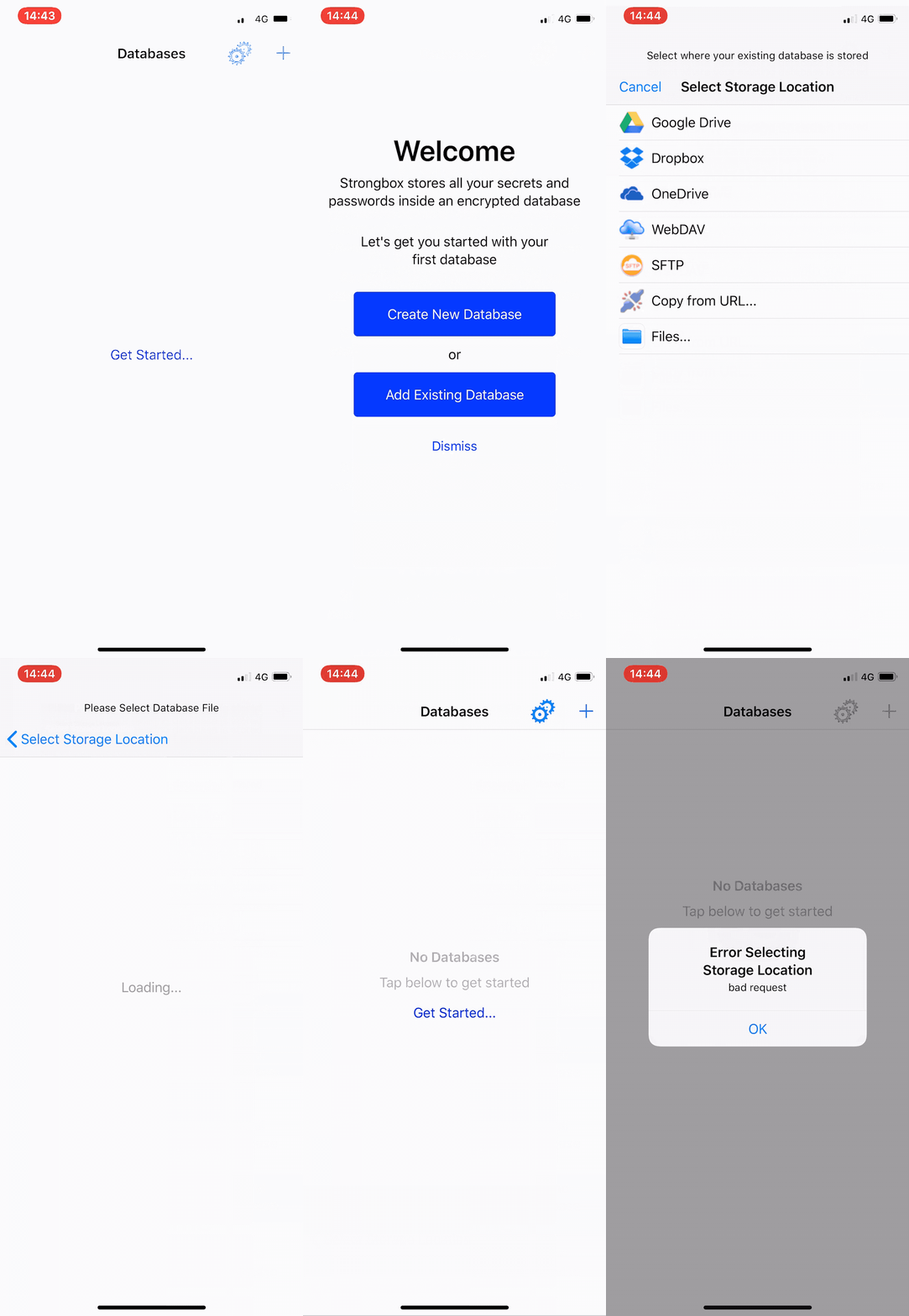
OneDrive app works well on my device with the two-factor authentication and I can't even access to the StrongBox OneDrive authentication because it failed as soon as I'm clicking on OneDrive storage as location. So I can't type a password at all.
Here's a short video to show you what happens.
llaske
on 31 Jul 2019
I see. I tried it on my iPhone SE running iOS 12.4 and the „add existing database“ -> „onedrive“ path leads me to the login form of onedrive which looks good.
Maybe your login credentials are cached on your iPhone. You could try „offloading“ the app via „Settings/General/iPhone Storage/strongbox/offload app“ and then try again.
Be sure to have your database in a safe place first.
Just an idea.
dan-el
on 31 Jul 2019
Offloading the app didn't help but I've finally uninstalled and reinstalled the app and it works now 👍
FYI, there is nothing special to do for two-factor authentication, everything is handle by OneDrive during login process.
Thanks all for your help and for this cool app 👏
llaske
on 31 Jul 2019
Really glad you got this sorted @llaske - Seems like some kind of state/cookie issue with the OneDrive library here, that obviously got cleared when you uninstalled/re-installed.
I wonder if changing to 2 factor was what caused the issue in the first place.
Thanks @shad0whawk and @dan-el for your help with this.
-Mark
mmcguill
on 31 Jul 2019
Same issue. I did not change anything related to the authentication on OneDrive (already have 2FA activated). The only way to solve the problem was reinstalling the app.
 speedfire514
on 25 Aug 2019
speedfire514
on 25 Aug 2019
Cheers for the extra data point, I'm not sure much can be done here Strongbox side.
mmcguill
on 26 Aug 2019
Just a note, in case others come across this issue.
There is actually a way to clear the cache/session token. It’s under Preferences > Cloud > Cloud Sessions > Clear OneDrive Session.
 strongbox-mark
on 7 Sep 2020
strongbox-mark
on 7 Sep 2020
Had same error today. Strongbox running fine on two iphones but had this problem in iPAd.
Deleting the app and re-insttalling it resolved the issue.
 mjvdhoek
on 27 Oct 2020
mjvdhoek
on 27 Oct 2020
Hi @mjvdhoek - Did you try the solution mentioned above:
Preferences > Cloud > Cloud Sessions > Clear OneDrive Session
before uninstalling?
strongbox-mark
on 27 Oct 2020
Hi @mjvdhoek - Did you try the solution mentioned above:
Preferences > Cloud > Cloud Sessions > Clear OneDrive Session
before uninstalling?
Hi...
no... might have done the trick.... thanks pointing that out. will try next time if it occurs!
mjvdhoek
on 27 Oct 2020
Yes, would like to know if this fixes things for people. What version are you running by the way?
strongbox-mark
on 27 Oct 2020
Yes, would like to know if this fixes things for people. What version are you running by the way?
Model: iPhone
CPU: arm64 v8
System Name: iOS
System Version: 14.1
Ep: 1586857179
Flags: P[0[-1]110[26]0011]
App Version: com.markmcguill.strongbox [1.49.24 (2976)@9f06a52]
(iPad same version...)
mjvdhoek
on 27 Oct 2020
Related issues
 F3000
·
3Comments
F3000
·
3Comments
 janehlers
·
6Comments
janehlers
·
6Comments
 Ben-Voris
·
4Comments
mmcguill
·
7Comments
Ben-Voris
·
4Comments
mmcguill
·
7Comments
 ronbreault
·
3Comments
ronbreault
·
3Comments
Most helpful comment
Just a note, in case others come across this issue.
There is actually a way to clear the cache/session token. It’s under Preferences > Cloud > Cloud Sessions > Clear OneDrive Session.