Strongbox: Yubikey: Challenge-Response (KeePassXC mode)
iOS doesn't support Yubikey Challenge-Response for 2FA on Keepass files.
A workaround to be able to open Yubikey protected databases can be found in: https://github.com/keepassxreboot/keepassxc/issues/1734 which shows how to create a pre-computed key file:
CHALLENGE_RESPONSE_KEY=
DATABASE_FILE=/tmp/passwords.kdbx
KEY_FILE=/tmp/passwords.key
xxd -p -c 33 -s 0xc5 -l 32 "$DATABASE_FILE" | xxd -r -p | openssl dgst -sha1 -hmac "$(echo -n "$CHALLENGE_RESPONSE_KEY" | xxd -r -p)" | cut -c 10- | xxd -r -p > "$KEY_FILE"
Unfortunately each time the database is changed this key file needs to be regenerated and imported into iOS.
It might be useful to add an Advanced Unlock option that takes the Challenge-Response secret and password and computes the key on the fly, avoiding the need for manual steps.
 markchalloner
All 94 comments
There are different ways that KeePass implementations incorporate Yubikey Challenge-Response. The implementation used by KeepassXC and Keepass2Android for KDBX4 does not change the challenge nor response every time the database is saved.
See keepassxreboot/keepassxc#1060 for an explanation.
 CueHD
on 17 Apr 2019
CueHD
on 17 Apr 2019
It does change. See https://github.com/keepassxreboot/keepassxc/issues/1734#issuecomment-484194343
 mrclschstr
on 18 Apr 2019
mrclschstr
on 18 Apr 2019
Hi, I'd like to add Yubikey support eventually, so thanks for opening the issue. I'm not super familiar with your use case here...
Could you describe in a little more detail the steps you follow with your device and KeePassXC to Unlock your database?
I will probably need to purchase a Yubikey to get started on this process. Any recommendations for use on iOS?
 mmcguill
on 18 Apr 2019
mmcguill
on 18 Apr 2019
Hi Mark,
Thanks for coming back to me so quick.
Could you describe in a little more detail the steps you follow with your device and KeePassXC to Unlock your database?
The steps required to login to a Yubikey Challenge-Response protected Keepass file with KeepassXC are:
- provision a Yubikey slot with an HMAC-SHA1 Challenge-Response secret (backed up off key),
- connect Yubikey to a desktop PC via USB
- configure the KDBX4 database to use the HMAC-SHA1 secret on the Yubikey
- on opening the database in KeepassXC tick the Challenge Response field in the
Enter master keyscreen.
The current steps required to login to a Yubikey Challenge-Response protected Keepass file with Strongbox are:
- generate a key file from the KDBX4 database master seed and HMAC-SHA1 Challenge-Response (see script above - this needs to be done each time the database changes)
- transfer the key to iOS,
- open database with Strongbox Advanced Unlock option
Password & Key File...and select the imported key file.
The steps I envision would be:
- save the HMAC-SHA1 Challenge-Response secret in secure storage on iOS (simple: a local password protected only Strongbox database, complex: iOS local Keychain?)
- retrieve the secret (simple: manually input via Strongbox Advanced Unlock option
Password & Challenge-Response secret, complex: automatically via pin mechanism?) - Strongbox generates the master key from password and secret with the same algorithm implemented in KeepassXC
- open database
I will probably need to purchase a Yubikey to get started on this process. Any recommendations for use on iOS?
Unfortunately iOS support for Yubikey is currently limited to read-only modes: Yubikey's proprietary OTP, Static password and OATH-HOTP.
Because apps are unable to write via NFC/USB/Lightning the Challenge-Response wouldn't work. It looks Yubico are bringing out an iOS device supporting at least U2F which implies the ability to send data to the key. Unfortunately however Challenge-Response does not seem to be mentioned either in the press release, blog or the signup for the developer preview.
With the physical hardware out of the picture, the only other option is to use the actual secret for now (either off or on-device) as in the current steps documented above.
Cheers
markchalloner
on 18 Apr 2019
Ok, thanks for the detailed response, very helpful.
mmcguill
on 19 Apr 2019
This feature would be amazing.
I see Lastpass is doing a similar/if not the same approach as mentioned above.
 Mukrosz
on 1 May 2019
Mukrosz
on 1 May 2019
Hi @markchalloner how do you see inputting Yubikey secret? Should it be a hex byte space separated string like:
96 84 43 35 60 2b 5f 00 42 78 07 c6 26 f1 ae 25 af 10 f0 2a
Any examples would be great. I'll try to investigate this soon...
mmcguill
on 20 Jun 2019
Hi @mmcguill,
Thanks! It looks like (when generating):
- the HMAC-SHA1 output by the older Yubikey Personalization Tool is space separated as in your example:
96 84 43 35 60 2b 5f 00 42 78 07 c6 26 f1 ae 25 af 10 f0 2a, but - the HMAC-SHA1 output by the newer Yubikey Manager is non-separated:
96844335602b5f00427807c626f1ae25af10f02a,
It's not inconceivable that the secret be backed up in either format (weirdly I have the non-separated format even though I generated it using the Personalization Tool).
When using:
- Keepass2Android's
Challenge Response secret (recovery mode)can take the HMAC-SHA1 as both space separated and non-separated hex formats (though note this is for KeeChallenge's recovery rather than KeePassX's). - openssl can only take the HMAC-SHA1 as a non-separated string:
openssl dgst -sha1 -mac hmac -macopt hexkey:96844335602b5f00427807c626f1ae25af10f02a.
As an aside as I understand the CCHmac method takes an ascii encoded c string so I might be wary of treating the input as anything other than a string anyway to avoid accidentally converting it to the values represented in hex (though I'm not familiar with Objective C so wildly guessing here).
Hope that helps!
markchalloner
on 21 Jun 2019
Alright yeah, I think it should be no issue supporting both formats... Cheers
mmcguill
on 21 Jun 2019
It would be great to see support for this with Yubikey 5 NFC. I've been using Keepass2Android with "Password + Challenge-Response for Keepass XC" mode for some time. Considering moving to iOS but the lack of any applications that support Keepass + Yubikey NFC challenge-response is frustrating.
 ssa3512
on 13 Jul 2019
ssa3512
on 13 Jul 2019
@ssa3512 Sure, understood. The issue is really do with hardware. There's no 2 ways comms capable Yubikey for iOS at the moment, which means challenge response is impossible right now. This issue itself is actually a way to workaround this by supplying the Yubikey secret to Strongbox and having it execute the challenge response (HMAC-SHA1) itself and use that generated response to open the database, which is no doubt a handy feature and something I hope to get done soon.
mmcguill
on 13 Jul 2019
Unfortunately iOS support for Yubikey is currently limited to read-only modes: Yubikey's proprietary OTP, Static password and OATH-HOTP.
Update: iOS 13 would allow write to empty NFC tags. Wondering if this would be helpful if we want to add NFC capabilities for Strongbox.
 SilverBut
on 15 Jul 2019
SilverBut
on 15 Jul 2019
Just an update. In theory Yubikey's new 5Ci should allow this Challenge/Response. I've been in touch and hopefully will get enrolled into their developer program. @SilverBut re the iOS 13 NFC, I don't know, but I'll ask Yubikey about this.
mmcguill
on 15 Jul 2019
Update: Confirmed with Yubikey that iOS 13 NFC support should work too... Just a matter of allocating dev time to this, and a stable iOS 13 build.
mmcguill
on 15 Jul 2019
This feature is now ready for you to test, it would be great to have some feedback. There are a couple of steps to get this working
1) You'll need your Yubikey master secret in Hex form as above (can be spaced couplets or just a long string)
2) You'll need version 1.36.0 from the app store (you might need to uninstall and re install from the app store to get this release)
3) You need to switch this feature on by going to Preferences > Advanced and turning on 'Show Yubikey Workaround' (Screenshot below)

4) You'll see a field where you can enter this secret when you tap on your database.
5) This should open your Yubiekey protected database, in read-only mode for the moment.
mmcguill
on 19 Jul 2019
Hi Mark,
Great, thanks for the feature and the clear steps. The basic functionality works well!
I tested:
Opening a copy of my normal Keepass XC file from a remote with my Yubikey Challenge Response secret with and without the Read-only toggle enabled: PASS
- The file opened successfully, under Read-only mode in both cases
- Note: I was unable to easily retrieve the Challenge Response from another local Strongbox database as the clipboard is wiped on database close (with and without clipboard timeout enabled).
Setting and reopening the database with a convenience pin: FAIL
- The pin appeared to be set correctly.
- The database could not be opened with the message:
Could not open database
The Convenience Password or Key File were incorrect for this database.
Convenience Unlock Disabled.
Setting and reopening the database with Touch ID: FAIL
- The database could not be opened with the message:
Could not open database
The Convenience Password or Key File were incorrect for this database.
Convenience Unlock Disabled.
- The database could not be opened with the message:
Opening the same database via Autofill: PASS
- The file opened successfully and the correct entries were shown.
Opening the same database via Autofill with convenience pin set: FAIL
- A convenience PIN was not requested even though it had been set, the login page was shown instead.
- The file opened successfully and the correct entries were shown.
Opening the same database via Autofill with Touch ID set: FAIL
- Touch ID was not requested even though it had been set, the login page was shown instead.
- The file opened successfully and the correct entries were shown.
Cheers
markchalloner
on 19 Jul 2019
Thanks for the feedback @markchalloner... Yes, should have mentioned Convenience Unlock not supported either.
This is basically the most minimal release possible, I want to make sure the opening/unlocking works well. The next feature could/should be
1) Write Mode
2) Convenience Unlock
Convenience Unlock is probably straightforward enough. Write mode will take more work.
Any extra feedback from anyone else using this method welcome!
mmcguill
on 19 Jul 2019
@mmcguill
If the Challenge Response field was type password could it be autocompleted from another database?
markchalloner
on 20 Jul 2019
@markchalloner Yes, that would work, I'll see about adding that in the next release. I wonder if anyone else in this issue has tried this open method out yet?
mmcguill
on 21 Jul 2019
I started testing this today and everything seems to be working well. Great job 👍 Looking forward to convenience unlock.
ssa3512
on 22 Jul 2019
Thanks for the update @ssa3512 - Convenience Unlock coming soon...
mmcguill
on 24 Jul 2019
Convenience Unlock should work for you with 1.37.0 - Let me know if it works ok!
mmcguill
on 25 Jul 2019
Validated convenience unlock with 1.37.0.
PIN unlock works, Face ID works and the two together works.
Just to confirm, is the expected behavior when Face ID and a PIN are enabled is that BOTH are required? Based on the setting of "Allow Face ID" I was expecting it to be either/or but it is requiring both.
Additionally, when using Face ID, there doesn't seem to be any sort of fallback to using the master key/password to unlock whereas PIN unlock has the "Manual" button that allows you to use those. Is this by design?
ssa3512
on 25 Jul 2019
Great news, thanks for the update.
Re: Using Both, yes that's by design, it's (bio AND pin) not (bio OR pin). There was some discussion about this back when I introduced pins and we decided this was probably what most people wanted.
Re: The device PIN fallback on App Lock, that is actually an oversight, I'll get that in place for the next release.
mmcguill
on 26 Jul 2019
Both pin and touch id works well for me.
You're probably on top of it already but the secret field is still a text field so won't trigger the iOS password autofill option.
Cheers
markchalloner
on 29 Jul 2019
Yes, thought I'd got it in the last release, but must have slipped past me... Coming soon
mmcguill
on 30 Jul 2019
Hi,
I have problems logging into the database and get the message: "Incorrect Creditials".
I am running Windows with Keepass 2 V2.42.1 with KeeChallenge 1.5.0.0. Yubikey Personalzation Tool 3.1.25.
I have programmed my Yubikey 5 NFC for Change-Response HMAC-SHA1 with fixed 64 byte input.
I have duplicated my database with "save as". Then changed the master key with "show expert options"; "Key file / provider is "Yubikey challenge-response". I enter the 64bit key and everything works. I can close and open the database as long as the Yubikey is in my USB slot.
When I try to open the new Keepass Database in Strongbox - using "Yubikey Workaround" and entering my 64bit key I run into the error message above. I have tried with and without password (according to how I changed the master key).
Any idea?
 abalakov
on 10 Aug 2019
abalakov
on 10 Aug 2019
Hi @abalakov - I'm afraid KeeChallenge does things differently than how KeePassXC and KeePass2Android does things.
It seems to me that KeePassXC's method of managing Yubikey Challenge Response is the right way and so Strongbox only supports that method.
Hope that helps, though probably isn't ideally what you wanted to hear.
mmcguill
on 10 Aug 2019
This might help: https://github.com/Yubico/yubikey-personalization-gui/issues/86
mrclschstr
on 11 Aug 2019
I did some more testing with KeeChallenge under Windows: trying a Yubikey Neo instead of 5 NFC. Generating the key with Yubikey Manager instead of Yubikey Personalization Tool. Using Variable length instead of fixed 64 bit length.
None of this is getting it to work. Seems that KeeChallenge is indeed doing things differently than KeepassXC...
I also installed KeepassXC on Windows and get the same error as with Strongbox...
Seems there is no way in getting it to work other than working with KeepassXC.
abalakov
on 11 Aug 2019
Hi @abalakov - Yeah, as mentioned, there are (at least) 2 systems for using Yubikey with a KeePass database.
The KeePassXC one seems to be the best one which is why Strongbox supports that one.
The KeeChallenge system is not supported by Strongbox.
mmcguill
on 11 Aug 2019
Hi @mmcguill ,
I got it. There is an explicit FAQ section on this:
https://keepassxc.org/docs/#faq-yubikey-incompatible
I switched to KeepassXC (but am fighting with browser integration. "Kee" seems to be superior as first impression).
Will IOS13 make it work with the Yubikey itself? Will it work with any NFC version or just the new Yubikey 5Ci (Lightning connector)?
Anyway. Many thanks for making this feature available.
abalakov
on 11 Aug 2019
I got it. There is an explicit FAQ section on this:
https://keepassxc.org/docs/#faq-yubikey-incompatible
Ah yes, I should have posted that FAQ, it's excellent.
I'm afraid even with iOS13 (which should make two way comms possible with
Yubikey) or even with the upcoming release of the Lightning connector - you
will still have to pick 1 method to use your Yubikey with KeePass.
The issue isn't really with Yubikey itself, but the "method" used to fuse
this 2nd factor into the Composite Key used to encrypt your database.
I'd recommend the KeePassXC method (IMO, it's technically better and a more
authentic form of 2FA).
mmcguill
on 12 Aug 2019
I'm afraid even with iOS13 (which should make two way comms possible with
Yubikey) or even with the upcoming release of the Lightning connector - you
will still have to pick 1 method to use your Yubikey with KeePass.
Sorry, this was a misunderstanding. I have switched over to KeepassXC. My understanding is that one still has to use the "Yubikey Workaround" and enter the key manually but not read the code from Yubikey itself. I wonder when I can use the Yubikey instead of the workaround method.
abalakov
on 12 Aug 2019
Yes, ok, understood now. At the moment this isn't technically possible due to hardware. But there is hope on the horizon with Yubikey Lightning and iOS 13. At that point I hope to add full Yubikey support but it's a few months off yet...
mmcguill
on 12 Aug 2019
@mmcguill It looks like the yubikey lightning is released now and some features of it are supported now in other apps (via the lightning connection not NFC yet).
Were you able to get your hands on a yubikey lightning and do you think this method of challenge auth will be supported?
ssa3512
on 27 Aug 2019
Yes plan to add but I don’t have a key yet!
mmcguill
on 27 Aug 2019
Thanks for the feedback @markchalloner... Yes, should have mentioned Convenience Unlock not supported either.
This is basically the most minimal release possible, I want to make sure the opening/unlocking works well. The next feature could/should be
- Write Mode
- Convenience Unlock
Convenience Unlock is probably straightforward enough. Write mode will take more work.
Any extra feedback from anyone else using this method welcome!
Any news about the Write Mode (without a Yubikey, only using the workaround method)?
 xatage
on 18 Sep 2019
xatage
on 18 Sep 2019
I think I'm going to wait and try to do this with the actual Yubikey rather than this workaround. Hopefully I'll have the device soon!
mmcguill
on 18 Sep 2019
If possible, I'd really love to see the opportunity to use those by KeePassXC with Yubikey protected databases in full write mode.
xatage
on 25 Sep 2019
After some trial and error I got it working... Turned out I had to reprogram my yubikey for variable input length when programming the HMAC-SHA key...
Now for the big question: I am trying to find a setup that works cross-platform, ie. Linux, Android and ios. Based on the thread above I can get KeepassXC and Strongbox to play nicely together using the yubikey with KeepassXC. Now the challenge seems to be that Keepass2Android seems to only support the KeeChallenge way....
Is it possible to find a solution on Android that will also work when using a yubikey in the way that is compatible with KeepassXC/Strongbox?
 jtpsky
on 25 Sep 2019
jtpsky
on 25 Sep 2019
Let me answer my own question above: Keepass2Android has a specific authentication method called "Password + Challenge-Response for KeepassXC".
So finally got it working across PC/Android/ios. Now just hoping to soon have support for the Yubico 5ci lightning adapter in Strongbox..
jtpsky
on 25 Sep 2019
Yes... coming soon! :)
mmcguill
on 26 Sep 2019
Just an update, I've been playing with an NFC Yubikey (still waiting on delivery of the 5Ci) and have had some success using the SDK...
However, at the moment adding support for Challenge Response isn't super well supported by Yubico...
See here where I've asked for a rough ETA for SDK support
mmcguill
on 28 Sep 2019
Hi, I've recently set up a test database that I created with KeePassXC with a Yubikey 2FA.
I enabled the "Show Yubikey Secret Workaround Field" in Strongbox and manually entering the password and Yubikey secret unlocks the database successfully.
I enabled TouchID to unlock the database. I assumed this stored the password and Yubikey secret in my Keychain, but when I look at my keychain on MacOS, I can't find the entry.
Where are the database login credentials stored?
 antnythr
on 30 Sep 2019
antnythr
on 30 Sep 2019
Hi @antnythr
They're stored in the Keychain:
but as far as I'm aware you won't be able to view these on MacOS, they're not uploaded to iCloud or anything like that.
mmcguill
on 30 Sep 2019
So in the layman's terms, I have to preprogram the Yubikey and then type that secret into Strongbox. The stupid question is ... I still need to have Yubikey in proximity to my iphone (Yubikey 5 NFC) in order to unlock database, correct?
Mukrosz
on 28 Nov 2019
Hi @Mukrosz
- You don't necessarily have to preprogram your Yubikey if you already know the secret.
- Once you have the secret, you do NOT need to have the Yubikey in proximity to the iPhone (Strongbox basically simulates what the Yubikey would generate from the secret)... This is quite handy in case of a lost Yubikey, or in this case where we can't interact with the Yubikey device from iOS until we get a usable API
Hope that helps!
mmcguill
on 28 Nov 2019
Thank you @mmcguill . So this is an additional master key then.
I hope the usable API becomes available soon for it to be the ideal case of: unlock with what I know + what i have, versus what I know + the other thing that I know.
Thanks for all your hard work!
I'd really love to use Strongbox but my database has a keyfile as an additional 2FA which I don't trust to reside on the same device where I type my master password. Enter Yubikey :)
Mukrosz
on 28 Nov 2019
I'm sorry to resurrect this thread if my understanding is wrong. But the Yubico Authenticator on IOS can now read NFC from Yubikey 5's (and I presume NEOs as well). Does this imply that strongbox could implement the new IOS NFC APIs to encrypt and decrypt password databases? Using a similar methodology to how KeePassXC does this?
 Frichetten
on 20 Dec 2019
Frichetten
on 20 Dec 2019
@Frichetten unfortunately they have not yet implemented HMAC Challenge response via NFC or USB in the yubikit iOS SDK. Their Chief product officer said it's coming in the next release but isn't there yet.
(see https://twitter.com/appenz/status/1204791001648205829)
ssa3512
on 20 Dec 2019
@ssa3512, gotcha. Thank you for the information/link.
Frichetten
on 20 Dec 2019
It looks like they have finally implemented HMAC Challenge response in the yubikit ios SDK
See https://github.com/Yubico/yubikit-ios/commit/8f4b26a1bb800c2f12680f9e7ce0c23c86be41b4
 Mysterion626
on 30 Jan 2020
Mysterion626
on 30 Jan 2020
That's interesting, I may have a play with it shortly...
mmcguill
on 30 Jan 2020
Just found out that KeePassium (https://github.com/keepassium/KeePassium) just added yubikey support. Then I found this issue - now I'm hoping that my favorite Password-App adds this as well :)
 nscheer
on 30 Jan 2020
nscheer
on 30 Jan 2020
:) Thanks, quite keen to get this in too, but want to make sure everything is stable, the commit above isn't an official release.
mmcguill
on 30 Jan 2020
Are you set up to do betas with TestFlight? I would be happy to install a beta version to test this out.
ssa3512
on 30 Jan 2020
Thanks @ssa3512 - Haven't used Testflight before but this might be a good time to start... will be in touch if I do go this way...
mmcguill
on 31 Jan 2020
If you do incorporate the Yubikey challenge, could you still keep the read-only secret feature? It would be quite handy to still view the database even if you lost the Yubikey.
 rammellzee
on 6 Feb 2020
rammellzee
on 6 Feb 2020
For sure, that'll stay available. :)
mmcguill
on 6 Feb 2020
Just an update. I've got this working now (NFC only initially) but unfortunately there's a whole process to getting it approved by Yubico/Apple which is now underway.
Hopefully it won't take too long :)
mmcguill
on 14 Feb 2020
Just another update.
Unfortunately at the mercy of Apple now, and then it will be over to Yubico... Apple have been very slow with their review process, and also managed to lose/reset Export Compliance docs which meant the whole compliance process had to be gone through again. Currently waiting on the app review team to review the build:
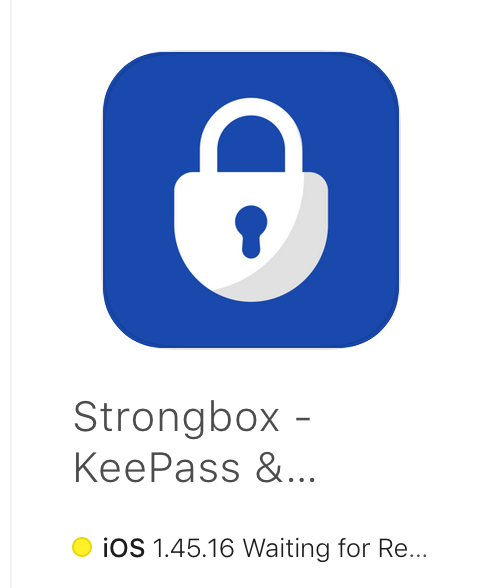
I've requested a status update from Apple as it's been nearly a week without movement...
mmcguill
on 21 Feb 2020
Hey,
version 1.46.0 with YubiKey support has just been released. :)
Can anyone tell me, how I can configure the YubiKey to work with Strongbox / KeePass?
 Slummi
on 27 Feb 2020
Slummi
on 27 Feb 2020
Hi @Slummi - Well spotted!
Yubikey NFC is now supported on iOS! 😀
To get started you'll need an NFC YubiKey with one of the slots programmed for HMACSHA1 Challenge Response. You can program it by using the YubiKey Personalization Tool from Yubico. Go to Challenge Response tab, select HMAC-SHA1, select slot 1 or slot 2, generate a secret key and choose 'Write Configuration'. Store the secret key somewhere very safe (this can be used in an emergency by Strongbox to recover access to your database without the hardware key).
Once you have a YubiKey with HMACSHA1 available on one of it's slots you can create a YubiKey protected database in Strongbox by:
- Tap the '+' button in the top right
- Choose 'New Database (Advanced)'
- Choose Storage Location (e.g. Local Device)
- The 'Set Credentials' screen will popup.
- Enter a Password (optional)
- Under the YubiKey section choose whichever slot you programmed for HMACSHA1
- Tap 'Create'
- You will be prompted to scan your NFC YubiKey now. Scan it.
That's it you've created your database. Now whenever you go to open that database you'll be requested to scan your YubiKey, and similarly when you Save it.
PS. The Workaround Secret is still in place and can now also be used in Full Read-Write mode (so make sure you store your secret somewhere very safe so you can recover if you ever lose the hardware key).
PPS. YubiKey is also now supported fully on the Mac app (Tested with a 5Ci and an NFC Yubikey)
mmcguill
on 27 Feb 2020
When will the 5Ci work with the iPhone App? I've got an Yubikey 5 NFC but only as a backup and since my iPad doesn't have NFC this is no solution.
 chrenderle
on 27 Feb 2020
chrenderle
on 27 Feb 2020
@chrenderle Hopefully pretty shortly if development goes well. It's a very painful process and requires Yubico and Apple whitelisting.
mmcguill
on 27 Feb 2020
Hi @mmcguill - Thanks for the very detailled description!
So it's a purely hash based procedure without any counter that is increased with every access and I can always access the database with the stored hash, even if the YubiKey is broken, right?
Slummi
on 27 Feb 2020
Hrmmm... let me answer it this way, to be precise... The YubiKey component of the Composite Key (Password, Key File, YubiKey CR) is changed on every save (because the challenge is changed on every save), which means the Composite Key changes on every save.
The challenge gets run through HMACSHA1 (which is a keyed hash function, the key is your Yubico on device secret (which you can set programmatically via the Yubico Personalization Tool))...
That's as precisely as I can word it. I'm not sure if it answers your question though?
As long as you know your Yubico secret key you will always be able to unlock it via the Strongbox "Workaround" field whether or not you have the device. The secret key is the key. It can be provided by a YubiKey or via Strongbox workaround.
mmcguill
on 27 Feb 2020
Hey @mmcguill, just wanted to thank you for your work on this! :+1: Recently moved to iOS and I've been on the lookout for something that would work with KeepassXC and my YubiKeys (and truly work cross-platform). I've installed Strongbox today and it worked flawlessly :raised_hands:
 JGAntunes
on 28 Feb 2020
JGAntunes
on 28 Feb 2020
Thanks a million @JGAntunes - Great to hear reports like this!
mmcguill
on 29 Feb 2020
Finally NFC Yubikey support for Strongbox :-)
Unfortuanetly I can not get it working. I tried 2 different keyfiles - both created with KeePassXC using a keyfile and my Yubikey 5 Challenge Response Slot 2 Active. Both work fine in KeePassXC.
I tried the old workaround and the new NFC Function - I always get (translated from German) "Wrong Access Data" "The access data for this database was wrong". So just tried KeePassium - and it works there without problems. I am not sure what I am doing wrong......Any idea?
 okradioman
on 1 Mar 2020
okradioman
on 1 Mar 2020
Hi @okradioman - That's really strange! Couple of questions:
- What message do you get in German (it's easier for me to find) this way.
- What happens if you create the database in Strongbox?
- What happens if you use Password & YubiKey instead of a Key File & YubiKey?
- Could you post an image of the Unlock Screen (send by email if you prefer to [email protected])?
- When you say you tried the "old workaround", does this mean the workaround was working before but is not now?
mmcguill
on 1 Mar 2020
Hi @mmcguill,
actually I am using Password, Keyfile and Yubikey - all of them.
1: I get "Falsche Zugangsdaten Die Zugangsdaten für diese Datenbank waren falsch" (which is not the case...)
- If I create it in Strongbox with Password, keyfile and Yubikey it works fine!
- doesnt work either - same as under 1: - I also tried just password on my keyfile (just to make sure this might work - and it works)
- will do
- actually I have not tried before the release. Workaround I mean typing the Yubikey Geheimnis manually.
Tried to remove keyfile and Yubikey and add again - but no change.
Also tried to create an new kdbx in KeepassXC, a new Keyfile and use Slot2 from my Yubikey. Works fine on KeepassXC but also not in Strongbox.
okradioman
on 1 Mar 2020
Just an update, I managed to find what I believe the issue is here. This is down to the YubiKey being programmed with "Fixed 64 byte input" vs "Variable input" for HMACSHA1.
Strongbox doesn't pad the challenge correctly in this case. A fix is on the way for this now.
mmcguill
on 2 Mar 2020
Hey @mmcguill, just wanted to thank you for your work on this!... it worked flawlessly
Same here! I can confirm it its working with Keyfile and Yubikey 5 NFC with 64bit fixed HMAC-SHA1 Challenge Response.
Thanks a lot!
abalakov
on 2 Mar 2020
Right now the Yubikey does not work with Autofill. Will this be implemented in the future or is this not possible due to the restrictions from Apple?
chrenderle
on 3 Mar 2020
At the moment it's just not possible to access NFC in an Auto-Fill (technically App Extension) context by Apple explicitly don't allow it. I believe the same is true of MFI (e.g. Lightning 5Ci)...
The only solution I can think of, which may not be acceptable is to use the Workaround field, negating the use of the hardware token. :(
mmcguill
on 3 Mar 2020
At the moment it's just not possible to access NFC in an Auto-Fill (technically App Extension) context by Apple explicitly don't allow it
Seems to be documented here: https://developer.apple.com/documentation/corenfc
This is unfortunate. I've been looking forward to migrating from Kypass to Strongbox for NFC challenge-response support and now this is tbh a huge bummer to me :(
 Frederick888
on 3 Mar 2020
Frederick888
on 3 Mar 2020
At the moment it's just not possible to access NFC in an Auto-Fill (technically App Extension) context by Apple explicitly don't allow it
Seems to be documented here: https://developer.apple.com/documentation/corenfc
This is unfortunate. I've been looking forward to migrating from Kypass to Strongbox for NFC challenge-response support and now this is tbh a huge bummer to me :(
Hopefully it’s something they’re planning to implement and that it’s available for iOS 14.
Time to submit some feedback I guess...
https://www.apple.com/feedback/
antnythr
on 5 Mar 2020
Time to submit some feedback I guess...
By the way since I'm using the memory-hard Argon2 function, the memory usage restriction on App Extensions causes random crashes in Auto-Fill and it seem that Strongbox is also affected by this issue (#99). Hence I'd appreciate it if you guys can include this problem in your feedback as well.
PS: Sorry this is a little off-topic.
Frederick888
on 6 Mar 2020
Ever since the latest update, I cannot open my KeePass database on my iPhone 6. I had previously been unlocking my database using the Yubikey secret.
I believe the problem may be related to the fact that because the iPhone 6 cannot be updated to iOS version 13 or later, apps including Strongbox can't use the NFC. When I try to choose one of the NFC slots, I get an error saying device does not support NFC Scanning...
When I don't specify a Yubikey NFC slot and put in the Yubikey secret, it says incorrect credentials.
Is there any chance you're accidentally ignoring the Yubikey secret field?
 seonwoolee
on 10 Mar 2020
seonwoolee
on 10 Mar 2020
Hi, I don't think that it'll be ignoring the secret. Couple of questions
Does your database open with your Yubikey elsewhere?
Is your Yubikey programmed with Fixed Length or Variable input do you know?
mmcguill
on 10 Mar 2020
Yes, it opens with KeePassXC on Windows 10 and Linux, and Keepass2Android on Android.
I don't know how my Yubikey is programmed but I'm not sure why that matters; I'm trying to unlock my database using the Yubikey secret (the way I was unlocking it before the app was updated) and NOT my Yubikey.
seonwoolee
on 11 Mar 2020
Thanks @seonwoolee - That does sound strange. Can you mail [email protected] and I can try to investigate this further in the coming days...
mmcguill
on 11 Mar 2020
@seonwoolee - I haven't heard from you but in case you're still available, there is a new parameter you can now specify in the workaround field. You can prefix the secret with a capital 'P' - this tells Strongbox to simulate a YubiKey programmed in 'variable' mode.
Note: It does matter how you programmed your yubikey even when you are using the workaround field. The YubiKey will calculate different responses for the same secret depending on this parameter. Long story but if you'd like to read more you can do so here:
https://github.com/Yubico/yubikey-personalization-gui/issues/86
mmcguill
on 20 Mar 2020
YubiKey 5Ci support is now available in 1.47.3. This means you can use your YubiKey over NFC and/or lightning.
I believe this issue is now complete and YubiKey Challenge Response is finally fully supported by Strongbox, closing this one out.
mmcguill
on 7 Apr 2020
@mmcguill Thanks for the Yubikey 5Ci support, and a generally nice program! This is great.
Unfortunately I just discovered the hard way that I can't use AutoFill (during a demo, heh). I then looked through the ExternalAccessory documentation and could not find a statement like the one in https://github.com/strongbox-password-safe/Strongbox/issues/95#issuecomment-593960480 about the lack of App Extension support. This makes me slightly hopeful.
I thought I'd bring it up here in case you think it's worth looking into a bit more. Either way, thanks again!
 timclassic
on 15 Apr 2020
timclassic
on 15 Apr 2020
Hi @timclassic - Thanks for that and very sorry about the demo effect!
Yeah, so I just delved a bit deeper into the issue here, and it should technically be possible. The issue is that YubiKits iOS library was not built with App Extensions (which is what the Password Auto Fill component is) in mind and so because they bundle both NFC and Lightning into the one library, building it in an Auto Fill context causes the compiler to choke. NFC is not supported and this blocks the lightning functionality from compiling too.
I've raised the issue with Yubico now
https://github.com/Yubico/yubikit-ios/issues/42
Hopefully they can support this scenario and it will be just a simple recompile from the Strongbox side to support this.
mmcguill
on 16 Apr 2020
Thanks for looking deeper! I’ll watch the Yubico issue in the meantime.
timclassic
on 16 Apr 2020
@mmcguill thanks for a great app - I've just found Strongbox after being a long time Keepass and current MacPass user.
My question: is it possible to configure a single database with 2 YubiKeys (a 5 NFC and 5Ci for example?)
 yoojene
on 23 Apr 2020
yoojene
on 23 Apr 2020
@yoojene you can use Yubikey Manager on a PC to manually set the challenge-response key. I have set the same key on each of my Yubikeys so they all work as the 2FA for the password manager. That way if I lose one, my backup key will still open my Keepass database.
ssa3512
on 23 Apr 2020
Thanks @yoojene - yes, as @ssa3512 has pointed out, as long as you configure your keys with the same HMAC-SHA1 secret you'll be fine.
Also store that secret somewhere safe, even if you lose the 2 keys you can recover.
mmcguill
on 23 Apr 2020
Awesome thanks a lot @mmcguill and @ssa3512!
yoojene
on 24 Apr 2020
Hi all, just an update related to this issue.
As of 1.49.23 (available in the App Store now) you can use a "Virtual Hardware Key", which you can create in app to Unlock and Edit your hardware key protected database. This includes opening and editing in AutoFill mode.
For those of you who were using the "Emergency Secret Workaround Field" to unlock/edit your databases, Strongbox will automatically migrate this field and create a "Virtual Hardware Key" for you. It will then automatically associate this virtual key with your database, so you should not notice any changes.
The big difference is that you can now use your regular hardware key in the main App via NFC or Lightning, and whereas previously you couldn't access you database in AutoFill mode, you can use the new virtual key in AutoFill mode, leading to a kind of best of both worlds situation.
You can also set your virtual key to "AutoFill Only Mode" meaning it can only be used in AutoFill mode. This means much reduced access to your database with the virtual key and full access to your database requires the actual hardware key.
The secret workaround field will disappear from the UI in a release or two once everything looks ok with the new replacement virtual key paradigm.
To find this new feature, just look under "Hardware Key" in the Unlock screen, where you can view, add and remove virtual hardware key's.
NB: You'll need to fail out/cancel out of Convenience Unlock (Face ID/Pin Code) to see the manual Unlock screen, or just tap and hold your database > Manual Unlock.
Let me know if you have any questions...
 strongbox-mark
on 27 Oct 2020
strongbox-mark
on 27 Oct 2020
Related issues
Slummi
·
5Comments
 F3000
·
3Comments
F3000
·
3Comments
 janehlers
·
6Comments
janehlers
·
6Comments
 vinzf
·
3Comments
vinzf
·
3Comments
 rob3c
·
3Comments
rob3c
·
3Comments
Most helpful comment
Just an update. I've got this working now (NFC only initially) but unfortunately there's a whole process to getting it approved by Yubico/Apple which is now underway.
Hopefully it won't take too long :)