Summary
The top bar is black when opening the Payment and Shipping screens.
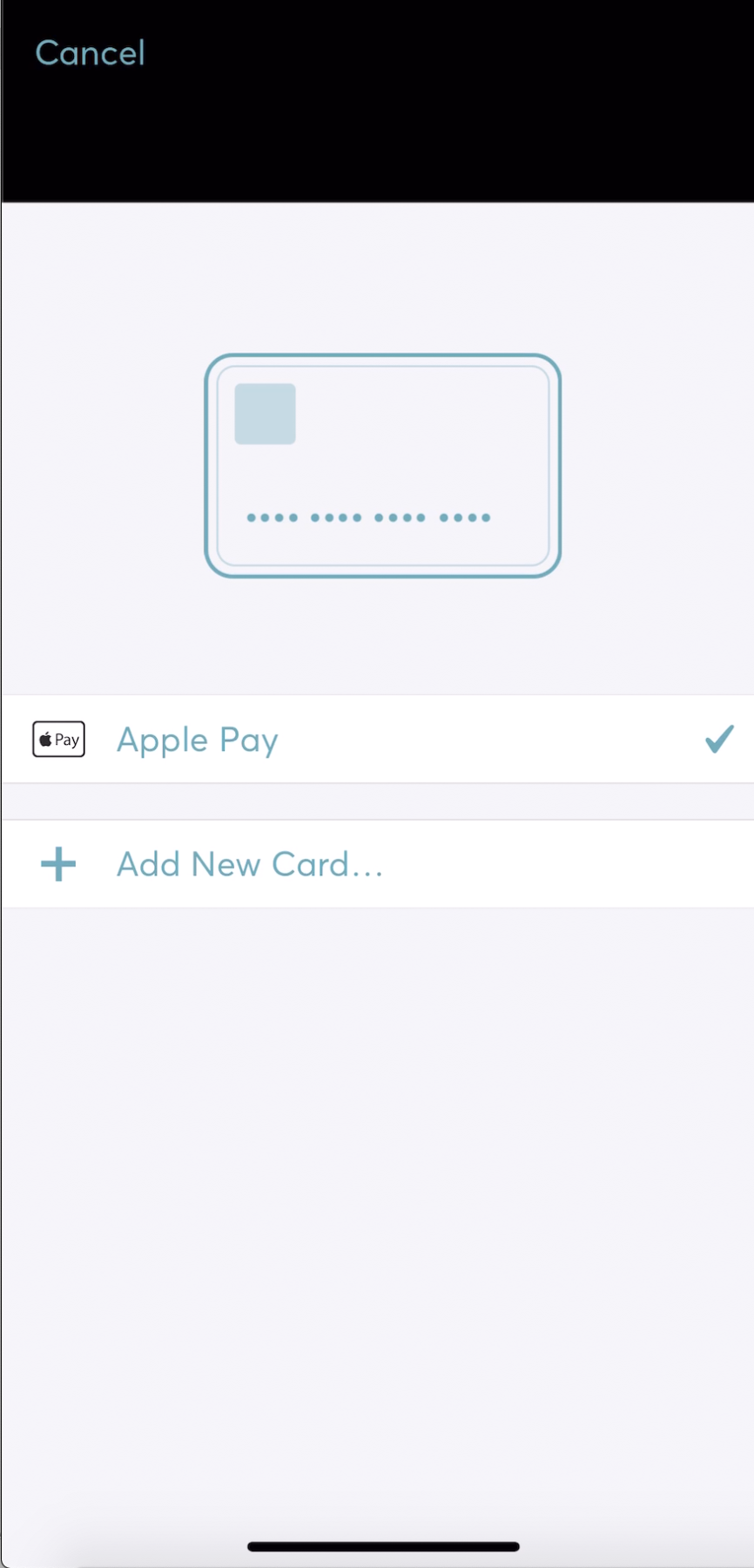
Code to reproduce
    self.paymentContext.presentPaymentOptionsViewController()

    self.paymentContext.presentShippingViewController()
iOS version
iOS 13.1
Installation method
Cocoapods
iPhone X
SDK version
Stripe 16.0.7
 odedharth
All 7 comments
Hi @odedharth,
Thanks for the report! We're working on a fix now.
 yuki-stripe
on 6 Sep 2019
yuki-stripe
on 6 Sep 2019
Thanks for the quick response. Seems that there is still a minor glitch, see it at the end of the video:
https://www.dropbox.com/s/v5sgbqntxb7o18d/RPReplay_Final1568066190.mov?dl=0
odedharth
on 10 Sep 2019
Thanks, I'm trying to repro it now. We should have a fix soon.
 davidme-stripe
on 10 Sep 2019
davidme-stripe
on 10 Sep 2019
@odedharth I can't reproduce this exact issue locally, but can you try setting theme.translucentNavigationBar = YES on your STPTheme and let me know if it resolve the glitch for you? I'm seeing some similar graphical issues related to that setting on iOS 13.
davidme-stripe
on 10 Sep 2019
@davidme-stripe this fixed it, thanks!
odedharth
on 10 Sep 2019
Thank you! I think we'll make that the default in the next version.
davidme-stripe
on 10 Sep 2019
This has been fixed in Stripe SDK 17.0.1.
davidme-stripe
on 10 Sep 2019
Related issues
 Andrewangeta
·
6Comments
Andrewangeta
·
6Comments
 paynd
·
3Comments
paynd
·
3Comments
 xuzhe
·
3Comments
xuzhe
·
3Comments
 marcglasberg
·
7Comments
marcglasberg
·
7Comments
 aurelhubert
·
6Comments
aurelhubert
·
6Comments
Most helpful comment
@odedharth I can't reproduce this exact issue locally, but can you try setting
theme.translucentNavigationBar = YESon your STPTheme and let me know if it resolve the glitch for you? I'm seeing some similar graphical issues related to that setting on iOS 13.