Streetmerchant: Running in Linux Throws an Error
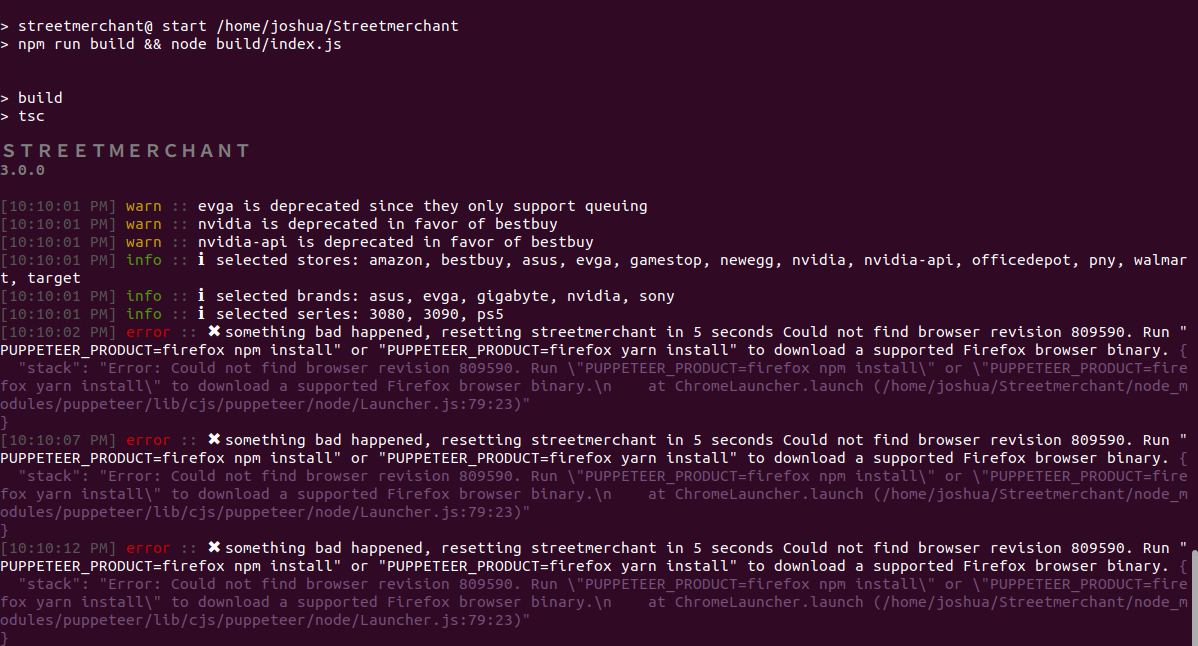
When running in Ubuntu, the script kicks back an error every 5 seconds about missing binary for Firefox. I tried running the command the error returns with no change.
OS version is Ubuntu 20.04.1 LTS (Focal Fossa)
"error :: something bad happened, resetting streetmerchant in 5 seconds. Could not find browser revision 809590. Run "PUPPETEER_PRODUCT=firefox npm install" or "PUPPETEER_PRODUCT=firefox yarn install" to download a supported Firefox browser binary.
{"stack": "Error: Could not find browser revision 809590. Run "PUPPETEER_PRODUCT=firefox npm install" or "PUPPETEER_PRODUCT=firefox yarn install" to download a supported Firefox browser binaryn at ChromeLauncher.launch (/home/joshua/Streetmerchant/node_modules/puppeteer/lib/cjs/puppeteer/node/Launcher.js:79:23)"}
I followed the same installation method as directions state on Windows and it works fine.
Installed node.js
Installed git
Copied git from URL
Ran npm install
Chrome is installed
Firefox is installed
Also tried:
npm install puppeteer
npm install firefox
 himea-saito
All 7 comments
Had the same issue at first. Make sure you install chrome and delete the node-modules folder and add use the npm install cmd again and it fixed it for me
 B1022
on 14 Nov 2020
B1022
on 14 Nov 2020
As stated originally, Chrome is installed. I tried the method of deleting the node-modules folder and ran npm install again, it threw a number of errors and output the following log:
2020-11-14T19_27_34_077Z-debug.log
When I tried to run the start command afterwards, I got this log output:
2020-11-14T19_29_03_256Z-debug.log
himea-saito
on 14 Nov 2020
Did you install the correct version of node and npm?
B1022
on 14 Nov 2020
Node is v10.19.0
NPM is 6.14.4
himea-saito
on 14 Nov 2020
Yeah you need to install node v14
B1022
on 15 Nov 2020
curl -sL https://deb.nodesource.com/setup_lts.x | sudo -E bash -
sudo apt-get install -y nodejs
B1022
on 15 Nov 2020
Thanks, that was the problem. Not sure why Ubuntu 20 APT defaults to version 10, but it's working now.
himea-saito
on 15 Nov 2020
Related issues
 g1forfun
·
5Comments
g1forfun
·
5Comments
 dochodges
·
5Comments
dochodges
·
5Comments
 louij2
·
3Comments
louij2
·
3Comments
 millionhari
·
5Comments
millionhari
·
5Comments
 kylezoa
·
3Comments
kylezoa
·
3Comments