Streetcomplete: Follow GPS position button disappears
How to Reproduce
- open app
- there are three buttons: plus, minus, location
- when position is found, location button disappears
- when the user move with the map and app no longer follows location, the button should become visible, to be able to follow GPS again
- now you have to move position away from screen, then press the arrow at the screen edge
Versions affected
- App from Google Play - v21.2
- Android 10
- Samsung Galaxy A40
 kudlav
All 6 comments
See issue #1896. Unfortunately my proposal to change this behaviour has been rejected. You can tap on the small position marker in order to fix it again, however, you have to point at this marker VERY precisely in order to trigger the function. On my 4,5" display I regularly have to try this 2-5 times until it works. Meanwhile I deliberately pan the map in order to get a bigger button at one of the edges of the display. Yes, it's an ugly workaround and I will never understand why the big button in the lower right corner has to vanish. (What else to do with this now empty space?)
The cycling cat
 cyclingcat
on 30 Jul 2020
cyclingcat
on 30 Jul 2020
Also https://github.com/westnordost/StreetComplete/issues/1843
The problem is that it is a toggle button and as a user I cannot get it why it is shown for few seconds and then hidden.
kudlav
on 30 Jul 2020
The reason why I decided not to show it if the own position is in view is mainly because there should be as few buttons as possible that obstruct the map view with the pins.
At least you two and @Atrate have a problem with this.
I am not sure what the process could be to decide if the most users have no problem with the button being gone and/or even like it better this way or the other way round.
Maybe like this: You create a new (non-bug) ticket in which you list and describe the reason(s) why the button should be back (because this and hte other tickets started with the assumption that it is a bug and it's too much cruft to read through now). Then I stick the issue so everybody sees it. People can then vote on it by leaving a 👍 or 👎 and possibly a 👀 on it for "don't mind either way".
 westnordost
on 2 Aug 2020
westnordost
on 2 Aug 2020
@westnordost Did what you suggested in #1996
 Atrate
on 2 Aug 2020
Atrate
on 2 Aug 2020
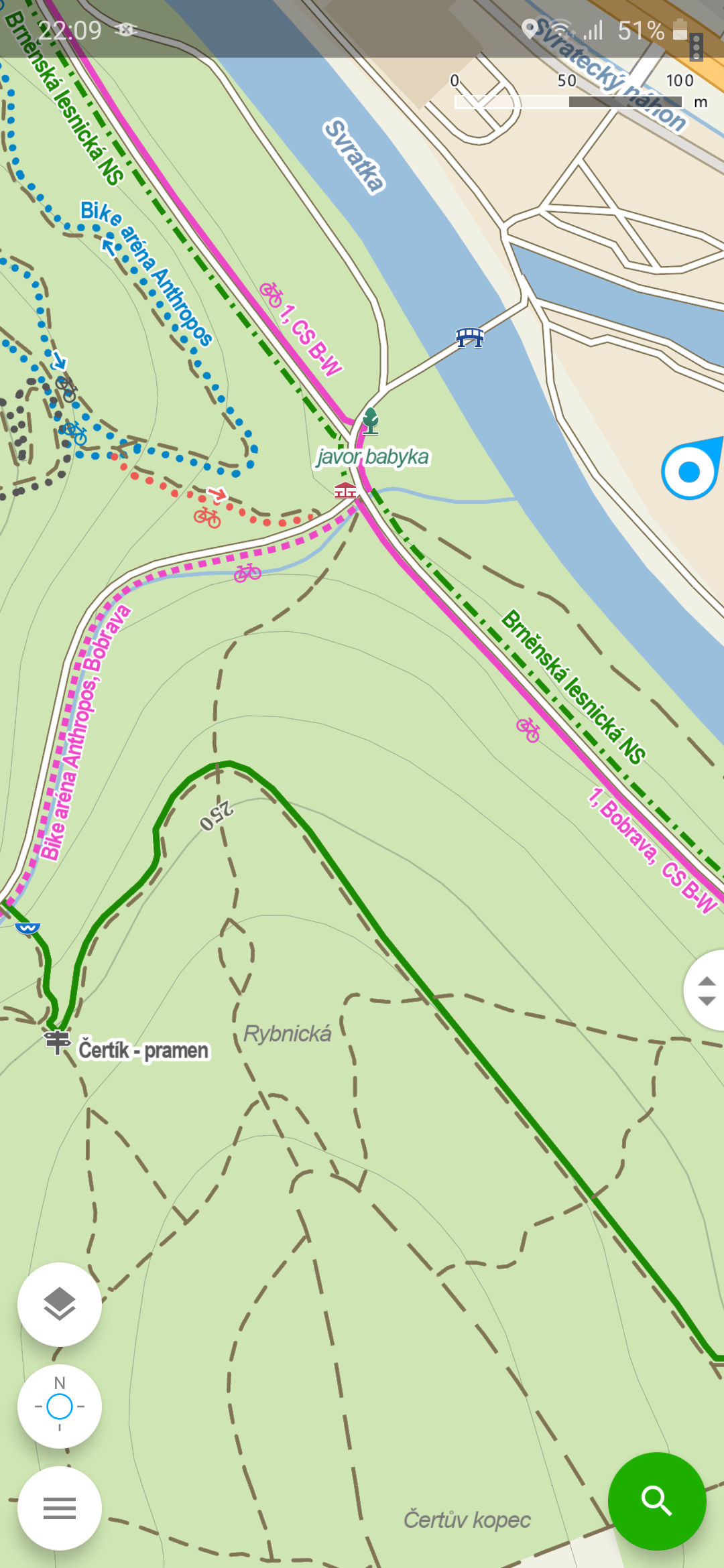
Hi, just for inspiration:
I really like UI of Windy Maps (or original Mapy.cz).
There is slider for zooming, and only few buttons. Location button is included and there is also location pin on the map.
kudlav
on 3 Aug 2020
Me too, or actually mapy.cz, I think there is no difference between these two apps, is there?
westnordost
on 4 Aug 2020
Related issues
 monikarora
·
3Comments
monikarora
·
3Comments
 cascafico
·
4Comments
cascafico
·
4Comments
 matkoniecz
·
3Comments
matkoniecz
·
3Comments
 forteller
·
3Comments
forteller
·
3Comments
 HolgerJeromin
·
3Comments
HolgerJeromin
·
3Comments