Streetcomplete: In some cases dot may be shown instead the quest icon (for example way with both path surface quest and track quest may display neither, even with free space available)
As I mentioned in #1908 there are still some quests not displayed when icon should appear. During testing I confirmed it to be quite irritating, as it makes some quest unsolvable.
It seems that I finally found way to reproduce this, though it is still quite fragile.
How to Reproduce
Reinstall app
Set GPS location to https://www.openstreetmap.org/#map=19/50.06947/19.94163 and zoom into that point
Start downloading quests (triggering it manually), at some point path surface quest icons will appear.
Keep downloading quests, once lit quest will be downloaded quest icons on footways are disappearing making both surface and lit quests unsolvable with dots shown instead.
EDIT: do not disable any quest types it may interfer with repreoduction of this bug. In my case disabling quests except surface for paths and lit before downloads blocks reproduction, though disabling other quests after downloading and reproduction is not changing situation...
I will try to debug and fix this, especially as it is related to #1908 #1462 #1877 and may be caused by my PR.
Versions affected
Latest master, noticed both in Android 6 and Android 10.
 matkoniecz
All 46 comments
This is a quite irritating bug during survey.
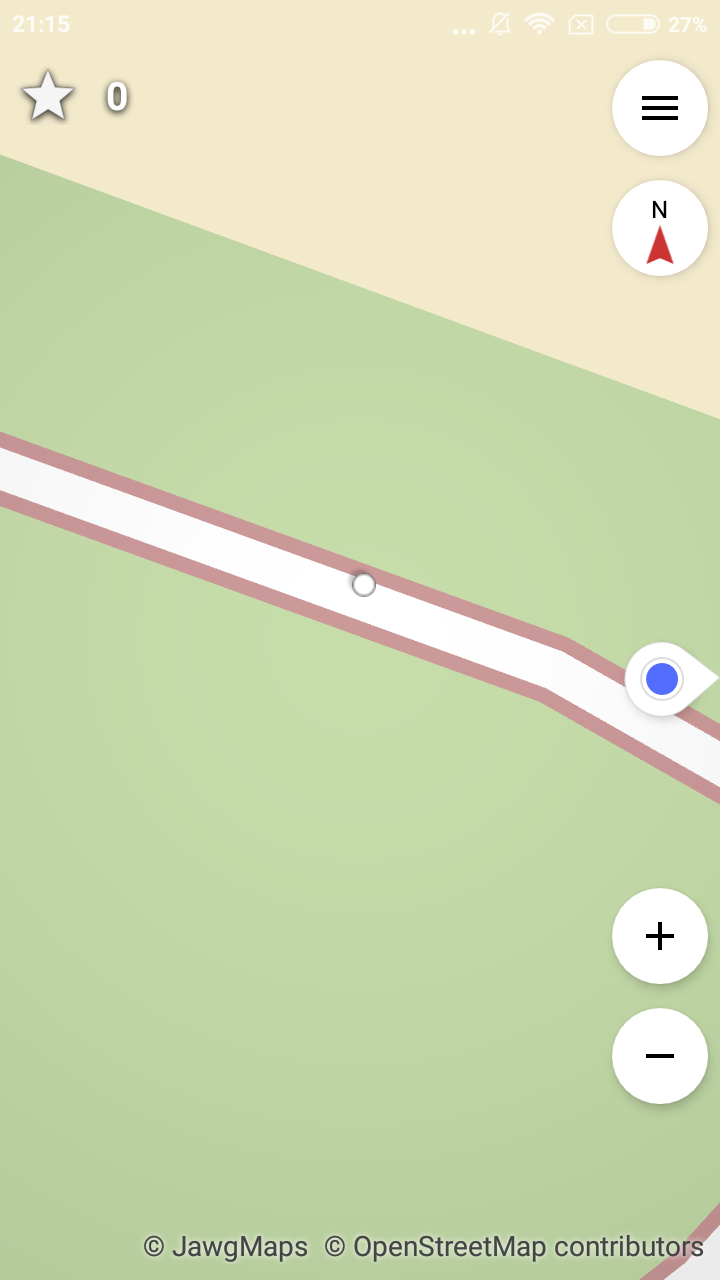
matkoniecz
on 28 Jun 2020
Perhaps both order and priority need to be set or something?
 westnordost
on 28 Jun 2020
westnordost
on 28 Jun 2020
Interesting, I can't reproduce this. I deselected all quests except the surface and lit one, then downloaded both quest types.
For me, it only shows the surface one, once I answer the surface one, the lit one is revealed.
westnordost
on 29 Jun 2020
Can reproduce with building type quests, v21.0-beta1.
 Atrate
on 29 Jun 2020
Atrate
on 29 Jun 2020
Yes that's no wonder, #1908 is not fixed for v21.0-beta1
westnordost
on 29 Jun 2020
Sorry, I also meant latest version compiled from the master branch about 14 hours ago.
Atrate
on 29 Jun 2020
Interesting, I can't reproduce this. I deselected all quests except the surface and lit one, then downloaded both quest types.
Oh, I also tested this. It is not triggering issue also on my phone, that is why reproduction is not asking to disable any quests.
Is it happening on your phone with all quests enabled?
Curiously, it persists after downloading quests without disabling them and after disabling all quests with just surface and lit enabled.
Perhaps both order and priority need to be set or something?
Yes, but for some reason priority: 2 for icons and priority: 1 for dots is ignored.
priority: 10 for icons and priority: 1 for dots works perfectly fine.
1462 removed feeding order value into priority field - it was a fix for my earlier mistake. But as order values were high it added protection against this behavior.
I did multiple install cycles and effects are consistent so I expect a real effect but testing of this change would be helpful. It is quite bizarre, so it may be hardware dependent.
Github is no longer down for me so I will open a PR.
matkoniecz
on 29 Jun 2020
Is it happening on your phone with all quests enabled?
Also not
westnordost
on 29 Jun 2020
priority: 10 for icons and priority: 1 for dots works perfectly fine.
Dots should be not affected by any of it, because they are set to not collide with each other or anything else
westnordost
on 29 Jun 2020
Dots should be not affected by any of it, because they are set to not collide with each other or anything else
I noticed collide: false but despite that at least on my Xiaomi phone dots_no_collide collide/block/obscure icons, also in cases where there is no valid reason for that...
matkoniecz
on 29 Jun 2020
priority: 0 works as expected. No idea why priority: 10 worked at least on my phone. No idea why anything worked at all before. Is priority >=10 overflowing into negatives?
matkoniecz
on 29 Jun 2020
Unfortunately, not fixed. A user with v21.0 was able to reproduce this for this way:
westnordost
on 30 Jun 2020
Sadly, I am unable to reproduce this on either of available phones, at least for that location. Which phone/Android was used to trigger this?
matkoniecz
on 30 Jun 2020
Also at https://www.openstreetmap.org/way/4253998 I only see the quest when zoomed out. When I can see the road name I just get a dot. So it seems my earlier congratulations might have been slightly premature.
Likewise this building but the zoom level doesn't help.
 peternewman
on 30 Jun 2020
peternewman
on 30 Jun 2020
This happeneds on footway surface questions with Samsung galaxy a70/android 10/StreetComplete 21.0. The dot will appear also when you have answered the footway surface and lit questions of the same way, and then undo these two answers. If you undo in some other ways (path or road) icons will came back correctly.
 OpenKartat
on 30 Jun 2020
OpenKartat
on 30 Jun 2020
Also at https://www.openstreetmap.org/way/4253998 I only see the quest when zoomed out. When I can see the road name I just get a dot. So it seems my earlier congratulations might have been slightly premature.
How far zoomed out, roughly? Could you estimate a zoom level?
westnordost
on 30 Jun 2020
How far zoomed out, roughly? Could you estimate a zoom level?
No, but hopefully you can?
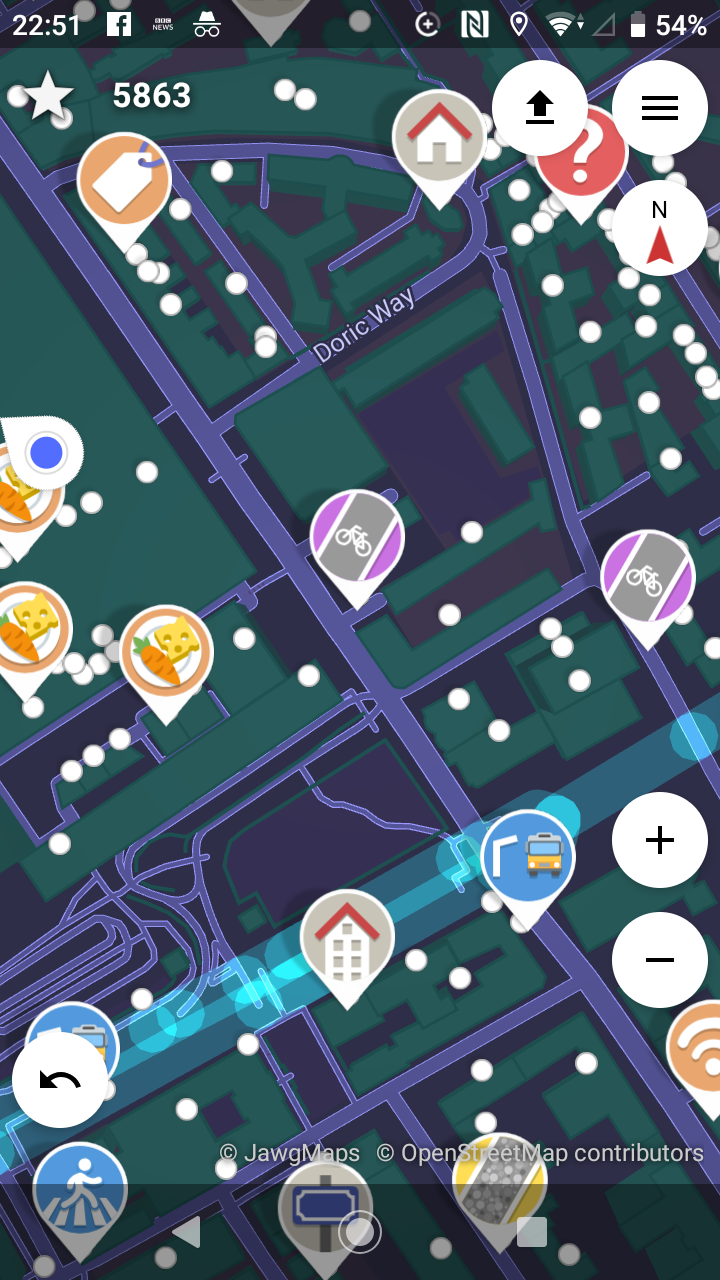
On a related note. Is there a simple way to get a position out of SC for issues like this? I know you can press, but that only has add a note or open in another app with no way to extract it.
peternewman
on 30 Jun 2020
Is there a simple way to get a position out of SC for issues like this? I know you can press, but that only has add a note or open in another app with no way to extract it.
If you have the editor vespucci installed, you get there an "open on osm.org" in the list. This url you can copy in the browser
 HolgerJeromin
on 1 Jul 2020
HolgerJeromin
on 1 Jul 2020
If you have the editor vespucci installed, you get there an "open on osm.org" in the list. This url you can copy in the browser
Thanks @HolgerJeromin .
peternewman
on 1 Jul 2020
In case it helps, e.g. for reproducibility, I found more places where this occurs:
https://www.openstreetmap.org/#map=19/49.19162/16.61294 (most shops in the shopping center affected)
https://www.openstreetmap.org/node/3384144583
To reproduce it is enough to only enable wheelchair access and opening hours quests, the order does not matter.
Android 9 (Lineage-based AOKP)
S4 mini
Street Complete 21.0 (f-droid)
 Helium314
on 7 Jul 2020
Helium314
on 7 Jul 2020
I just updated to v21.0 and got hit by that bug too on some quests I tried to solve. Sometimes, there can be different quests on the same object, and the quest marker will not show, on any zoom level. However, I was able to solve some (but not all) of these quests but zooming out a bit; at a very specific zoom level, some quest markers started to show, only to disappear on lower and higher zoom levels.
https://www.openstreetmap.org/#map=19/41.31629/-72.91622 (for some reason I was able to solve the quests for two of the crossings, but not for the other two):
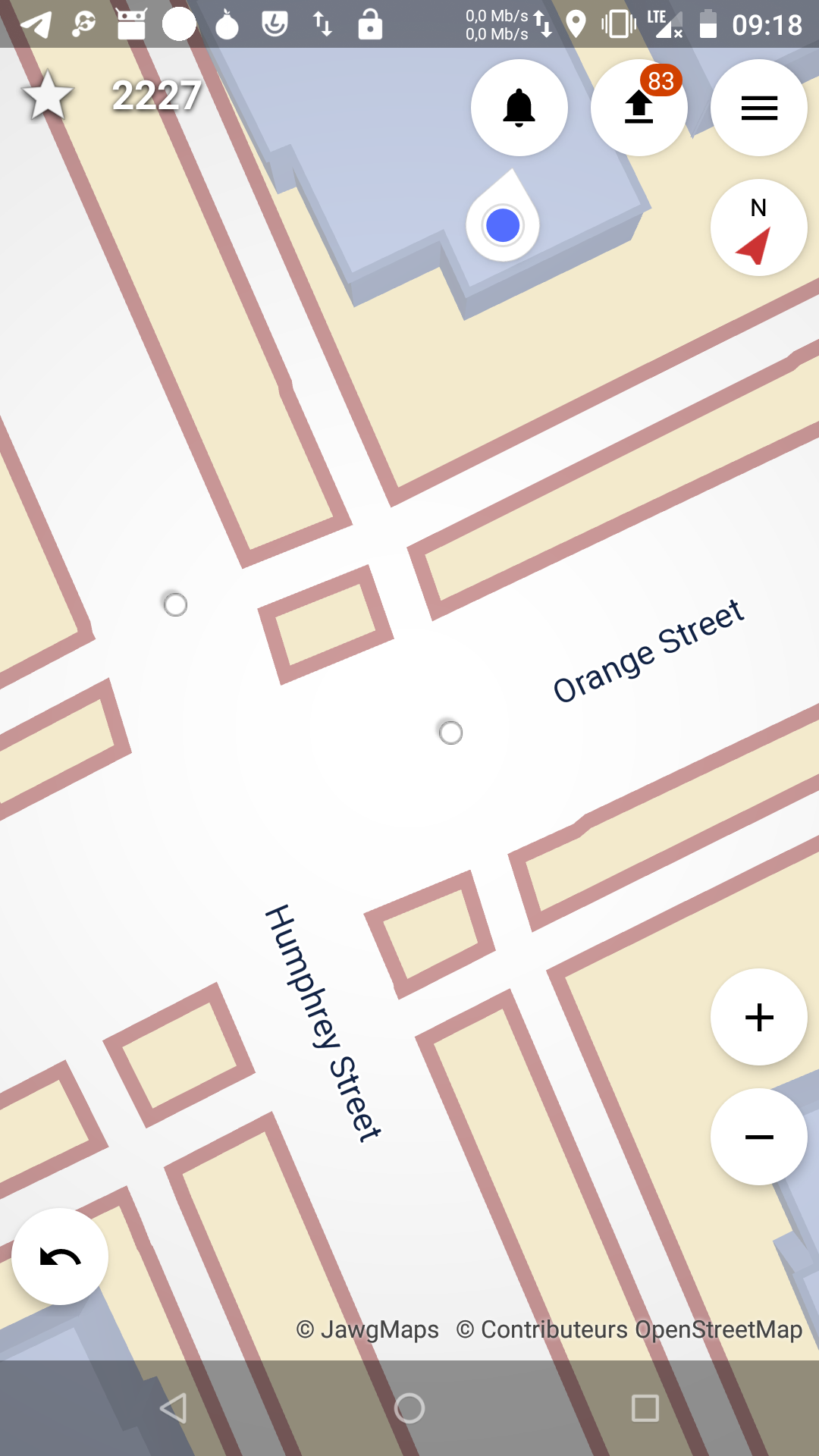
https://www.openstreetmap.org/#map=19/41.31392/-72.91266:
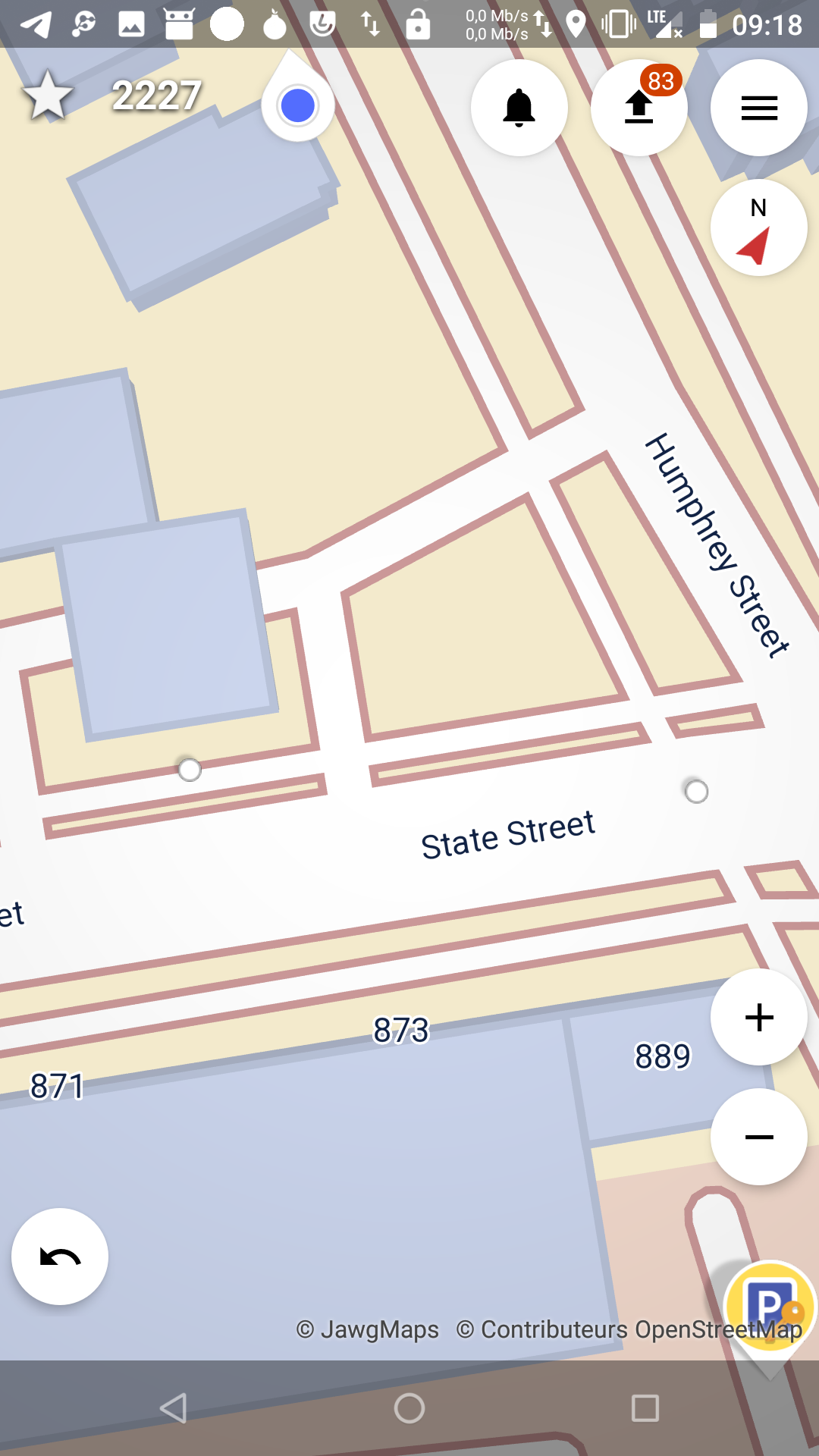
https://www.openstreetmap.org/#map=19/41.31284/-72.91407:
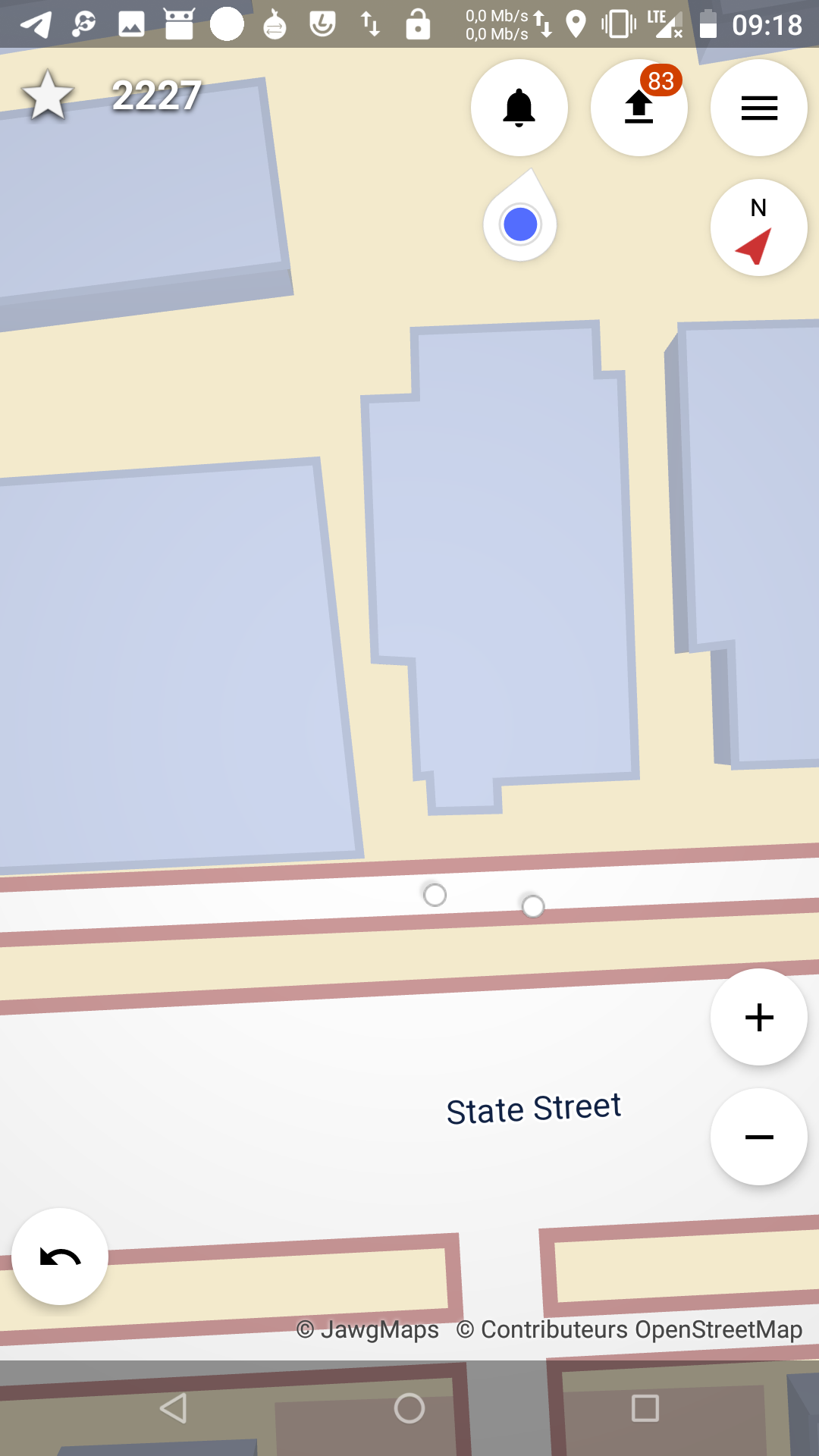
I hope this will help
Android 8 (lineage)
Nexus 5X
StreetComplete 21.0 (f-droid)
 roptat
on 7 Jul 2020
roptat
on 7 Jul 2020
Are you still looking into it, @matkoniecz ?
It may be worth to look into how this bug could have surfaced in the first place. First I exchanged the map style sheet. This somehow led to that labels would occlude the quest pins. But what exactly led to the labels occluding the pointer pins? Why did it work before? After all, we know that we did not change anything from v20 to v21 for the style or display of the quest pins.
westnordost
on 7 Jul 2020
It may be worth to look into how this bug could have surfaced in the first place. First I exchanged the map style sheet. This somehow led to that labels would occlude the quest pins. But what exactly led to the labels occluding the pointer pins? Why did it work before? After all, we know that we did not change anything from v20 to v21 for the style or display of the quest pins.
I'm no expert but this seems a likely suspect to me, especially as some things appear at some zoom levels:
https://github.com/westnordost/StreetComplete/pull/1877
Certainly some vanishing quests (e.g. cycleway surface) appear at exactly the zoom level the street name vanishes. Although others like house number force the street name to vanish/move by rotating.
It's not related to the quest priority stuff within the style sheet is it? Have street names somehow got a priority that's half way up the quest list?
peternewman
on 7 Jul 2020
I'm no expert but this seems a likely suspect to me, especially as some things appear at some zoom levels
I was also worried about it, but at this point I found many cases far away from any text label. But maybe some indirect breakage happened? Or some phantom and not displayed labels block quest icons anyway?
It may be worth to look into how this bug could have surfaced in the first place.
Yes, my current plan is to roll back some changes and retest. Maybe passing text size somehow indirectly breaks something?
Are you still looking into it
I will do it. I initially thought that I fixed it and later I hoped that someone will have some brilliant idea what went wrong.
matkoniecz
on 7 Jul 2020
I noticed that this bug can appear a bit different.
When I only have handrail and path surface quests active, https://www.openstreetmap.org/way/819472760 always shows the handrail quest first, no matter what order is set in the quest list.
When only handrail and lit quests are active, https://www.openstreetmap.org/way/50343462 always shows the lit quest, no matter what order is set in the quest list.
If I hide the lit quest for the steps, only a dot is shown for the handrail quest, and another dot is shown for the lit quest of the nearby path.
If I hide the lit quest of the nearby path insted, only the dot is shown on the steps (for handrail & lit quest)
Helium314
on 8 Jul 2020
Weird, so you are saying that:
- Reordering of quests does not work
- The dots are shown instead of the pin even if or actually especially if there is actually only one, not several quests at that position?
Am 8. Juli 2020 08:10:25 MESZ schrieb Helium314 notifications@github.com:
I noticed that this bug can appear a bit different.
When I only have handrail and path surface quests active,
https://www.openstreetmap.org/way/819472760 always shows the handrail
quest first, no matter what order is set in the quest list.When only handrail and lit quests are active,
https://www.openstreetmap.org/way/50343462 always shows the lit quest,
no matter what order is set in the quest list.
If I hide the lit quest for the steps, only a dot is shown for the
handrail quest, and another dot is shown for the lit quest of the
nearby path.
If I hide the lit quest of the nearby path insted, only the dot is
shown on the steps (for handrail & lit quest)
westnordost
on 8 Jul 2020
- Reordering of quests does not work
I haven't tested this thoroughly, so reordering might only be broken for specific combinations of quests.
- The dots are shown instead of the pin even if or actually especially if there is actually only one, not several quests at that position?
Yes, in the mentioned case there are 2 nearby ways with exactly one open quest each. For none of them the quest marker is shown, but dots for both.
I haven't tested this on a fresh install, so in principle there could be some influence of downloaded, but not displayed quests (hidden or disabled by type).
Helium314
on 8 Jul 2020
Yes, in the mentioned case there are 2 nearby ways with exactly one open quest each. For none of them the quest marker is shown, but dots for both.
Are you sure they don't show at some specific zoom level @Helium314 ? I normally find some dots turn to quests if I zoom in and out (and I think if they don't overlap other dots).
peternewman
on 8 Jul 2020
https://www.openstreetmap.org/?mlat=49.02176&mlon=12.082203#map=19/49.02176/12.08220
Not solvable in any zoom level.
HolgerJeromin
on 9 Jul 2020
Are you sure they don't show at some specific zoom level @Helium314 ? I normally find some dots turn to quests if I zoom in and out (and I think if they don't overlap other dots).
Not sure about this. I did zoom out, but not to the level where markers sometimes show up.
(For me dots actually never "turn into" quest markers, they always remain visible when the marker appears. But that's likely related to #1810)
Helium314
on 9 Jul 2020
Are you sure they don't show at some specific zoom level @Helium314 ? I normally find some dots turn to quests if I zoom in and out (and I think if they don't overlap other dots).
Not sure about this. I did zoom out, but not to the level where markers sometimes show up.
(For me dots actually never "turn into" quest markers, they always remain visible when the marker appears. But that's likely related to #1810)
For me I experienced them only appearing shortly when zooming out at a really specific zoom level
 Identitaet
on 9 Jul 2020
Identitaet
on 9 Jul 2020
On fresh downloads of quest on a fresh app https://www.openstreetmap.org/?mlat=49.19184&mlon=16.61336#map=19/49.19184/16.61336 seems to reliably trigger this bug
So far I failed to trigger it on 23882a3ef and reliably triggered it on the current master version.
master version without any labels - reproduced
master version with only dots and icons displayed, entire style is otherwise removed
TODO:
- test it before I changed order/priority
- remove passing text size parameter
- reread order/priority docs again
matkoniecz
on 9 Jul 2020
- Reordering of quests does not work
I even found a location where the quest order changes with zoom level. At medium zoom I see the opening hours quest (wrong order), at higher zoom I see the wheelchair quest (correct).
I tried using a fresh app on a different phone (same model, different OS version). There, the wheelchair quest is always shown before the opening hours quest, independent of quest order and zoom level...
And generally in locations where I only see dots on my main phone, on the other phone I see quests (although often with the wrong quest order). This is confusing...
Helium314
on 10 Jul 2020
The maintainer of tangram-es is also sometimes online in https://gitter.im/tangrams/tangram-chat , maybe he is able to answer certain questions.
westnordost
on 10 Jul 2020
As usual, I cannot reproduce it. Fresh install, downloaded everything.
https://www.westnordost.de/misc/device-2020-07-10-191649.webm
westnordost
on 10 Jul 2020
I have a suspicion: Can you reproduce it if you comment out all the priority definitions, also in labels.yaml?
westnordost
on 11 Jul 2020
I will test it soon.
I noticed something interesting and I hope that blend_order fix will resolve this.
matkoniecz
on 11 Jul 2020
I have a suspicion: Can you reproduce it if you comment out all the priority definitions, also in labels.yaml?
Yes. I removed all priority declarations, I removed all parts of style except dots and icons - still reproduced.
blend_order change also was not a fix.
matkoniecz
on 11 Jul 2020
I noticed in some places the visible quest (I think it was between bike parking type and bike parking covered) would change as I zoomed in and out, so for the same point the priority of the quests seemed to be changing, or at least their display priority.
Probably unrelated, but I also saw places where the name of a canal was on top of the bridges etc, but perhaps that's expected?
peternewman
on 11 Jul 2020
Phew, okay, that's a persistent bug.
I got the suspicion because if I remember correctly, with the old stylesheet there was not any priority defined. Then, we had the problem that labels would collide with quest markers and obscure them, which you fixed. I thought maybe the bug you fixed was triggered by the labels having gotten labels.
So if this is not the case, the issue must have been introduced probably before the new stylesheet had been introduced. Before, the quest pins couuld never collide with text, so something must have changed that made the pins collideable with text.
But anyhow, to make sure this has nothing at all to do with the stylesheet, you could comment out everything in the stylesheet, so the only thing left is the quests.
If this is then still reproducible, we know the problem must lie somewhere in how the QuestPinLayerManager creates the pins. A few things to check:
- Does the class maybe (under certain circumstances) add the same quests twice to the scene?
- Comment out the style for the collideable dots. Maybe it is some problem that the style is applied even on zoom levels where the collideable-dots should not be shown
westnordost
on 11 Jul 2020
Does the class maybe (under certain circumstances) add the same quests twice to the scene?
No
I have been searching through the tangram-es code:
priorityis a float,orderis an int- Occlusion seems to only happen for labels. It looks like sprites/dots use the same algorithm.
labelCollider.cpp. Theorderfield does not matter for collision, onlypriority(andrepeatGroupwhich is a string) does - Didn't see any obvious possible bug in that code where labels with the same priority would collide with each other resulting in both being occluded
But in any case, there is a bug in the current code in that order is used to sort the quests and priority is always the same.
westnordost
on 12 Jul 2020
I'll close this for now but feel free to reopen if the bug persists with the new version
westnordost
on 12 Jul 2020
My place is fixed with the new version! Thanks
HolgerJeromin
on 13 Jul 2020
I'll close this for now but feel free to reopen if the bug persists with the new version
Various places I was struggling look better now too @westnordost .
I think the quest order has got reversed though, if I find somewhere with a bus stop shelter and bus stop tactile paving, it shows the paving quest until I disable it and only then do I get to see the shelter quest.
Probably likewise there is somewhere with a building, the bus stop and pavement right next to each other, the pavement one only appears when I zoom right in (instead I just get a dot and the road name), unless I disable the (lower priority) bus stop ones, then I see the building and pavement quests. I'm on 21.1.
peternewman
on 13 Jul 2020
Hmm, but the code is
priority: function() { return 1.0 - feature.importance / 100000.0 }
order: function() { return 100000 + feature.importance }
So the most important quest has priority 0.0 and order 200000. The least import quest has priority 1.0 and order 100000. That looks correct to me.
westnordost
on 14 Jul 2020
Oh, nevermind, that code is fine, only the calculation of the importance is upside-down.
westnordost
on 14 Jul 2020
Related issues
 lzmartinico
·
4Comments
lzmartinico
·
4Comments
 monikarora
·
3Comments
monikarora
·
3Comments
 JulienPalard
·
3Comments
JulienPalard
·
3Comments
 ecksun
·
3Comments
ecksun
·
3Comments
 nmxcgeo
·
3Comments
nmxcgeo
·
3Comments