Streamlit: RuntimeError: Data of size 82.1MB exceeds write limit of 50.0MB - CSV File Download Issues
Currently, after doing all filters, the csv file that gets generated is of ~82 MB and i get this error while downloading:
RuntimeError: Data of size 82.1MB exceeds write limit of 50.0MB
|https://user-images.githubusercontent.com/4397489/92728231-00a5e880-f38e-11ea-9d50-f54853ffab2e.png)]
Using the standard function to download csv file:
{code:python}def get_table_download_link(df,filename):
"""Generates a link allowing the data in a given panda dataframe to be downloaded
in: dataframe
out: href string
"""
csv = df.to_csv(index=False)
b64 = base64.b64encode(
csv.encode()
).decode() # some strings <-> bytes conversions necessary here
return f'Download csv file'{code}
I am sending the filtered csv which is roughly more than 80 MB. How do change the max size in this case of downloading?
Ideally, i should be able to download any size or an configuration to increase the limit as per the use case.
Is this a regression?
no
Debug info
- Streamlit version: 0.65.2
- Python version: 3.7.3
- Using Conda? PipEnv? PyEnv? Pex? - Conda
- OS version: Windows 10
- Browser version: Chrome Version 85.0.4183.83
 equester
All 3 comments
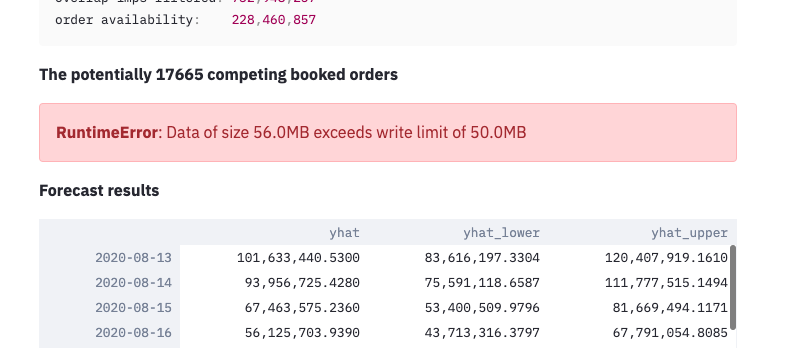
I'm getting a similar error
 iamaziz
on 11 Sep 2020
iamaziz
on 11 Sep 2020
Hello!
From memory, the Base64 data-encoded method has a size limitation depending on your browser.
For larger dataframes, the preferred method for now is dropping the dataframe into Streamlit's static folder and linking back to it. Several approaches are described in this thread.
Fanilo
 andfanilo
on 11 Sep 2020
andfanilo
on 11 Sep 2020
Thanks, Fanilo! great to know there's this option. Perhaps, I should also validate the df size before displaying it.
iamaziz
on 12 Sep 2020
Related issues
 imneonizer
·
3Comments
imneonizer
·
3Comments
 matthew-trava
·
3Comments
matthew-trava
·
3Comments
 isConic
·
3Comments
isConic
·
3Comments
 danlester
·
3Comments
danlester
·
3Comments
 MarcSkovMadsen
·
3Comments
MarcSkovMadsen
·
3Comments
Most helpful comment
Hello!
From memory, the Base64 data-encoded method has a size limitation depending on your browser.
For larger dataframes, the preferred method for now is dropping the dataframe into Streamlit's static folder and linking back to it. Several approaches are described in this thread.
Fanilo