Storybook: Dynamic code preview rendering for vue components
Recently storybook added support for dynamic rendering of code preview for vue components.
See this pull request:
https://github.com/storybookjs/storybook/pull/12812
Instead of
(arg, { argTypes }) => ({
  components: { MyButton },
  props: Object.keys(argTypes),
  template: '<MyButton v-bind="$props" />',
})
... the code preview dynamically generates a code snippet (see example in pull request above). Example:
<template>
  <my-button rounded color="#f00">A Button with rounded edges</my-button>
</template>
See @storybook/vue demo: https://storybookjs.netlify.app/vue-kitchen-sink/?path=/docs/addon-controls--rounded (Storybook 6.1.11)

Looking forward to support for this via @nuxtjs/storybook!
 visini
All 17 comments
Any chance you can make a PR about it?
 Atinux
on 17 Dec 2020
Atinux
on 17 Dec 2020
As I suspected, it's a more complex issue than I thought, and not simply related to @storybook/vue version.
Unfortunately I don't believe I'm the right person to take this on, my knowledge of Vue and Nuxt very limited and barely managed to track down the things that follow. I spent a few hours digging around in storybook docs vue source and manually tried to find which parts of the code are connected with this added functionality. Here's my investigation so far:
I cloned this repo and modified playground/components/MyButton.stories.js:
import MyButton from "./MyButton";
export default {
  title: "Button",
  component: MyButton,
  argTypes: {
    rounded: { control: "boolean" },
  },
};

export const Template = (arg, { argTypes }) => ({
  components: { MyButton },
  props: Object.keys(argTypes),
  template: '<MyButton v-bind="$props">123</MyButton>',
});

export const Primary = Template.bind({});
Primary.args = {
  label: "Primary",
  rounded: true,
};
Then, I investigated within sourceDecorator.js from storybook docs addon vue code – I saw console errors from this specific file:
See this specific file and code segment (error occurred in last line of highlighted portion):
https://github.com/storybookjs/storybook/blob/b747c5c2396786682f36e5ac9b78ea990b6f952d/addons/docs/src/frameworks/vue/sourceDecorator.ts#L50-L56
Related error: Failed to generate dynamic story source: TypeError: null is not an object (evaluating 'storyNode._vnode')
sourceDecorator — sourceDecorator.js:136
After I comment out dynamic story instance identification via vm, and manually use window.$nuxt..., it seems to be a step in the right direction. See here:
var channel = _addons.addons.getChannel();
// var storyComponent = getStoryComponent(story.options.STORYBOOK_WRAPS);
// console.log("storyComponent", storyComponent())
// var storyNode = lookupStoryInstance(vm, storyComponent);
// console.log("storyNode", storyNode)
var code = vnodeToString(window.$nuxt.$children[0].$children[0].$children[0].$vnode);
console.log("code", code)
In the console, I can see the logs of component stories being formatted with each change of args (e.g., toggle "rounded" via the toggle button in docs):
sourceDecorator.js:142:
code <MyButton rounded label="Primary">123</MyButton>
Initially, the formatted code displayed below the story stays the same:
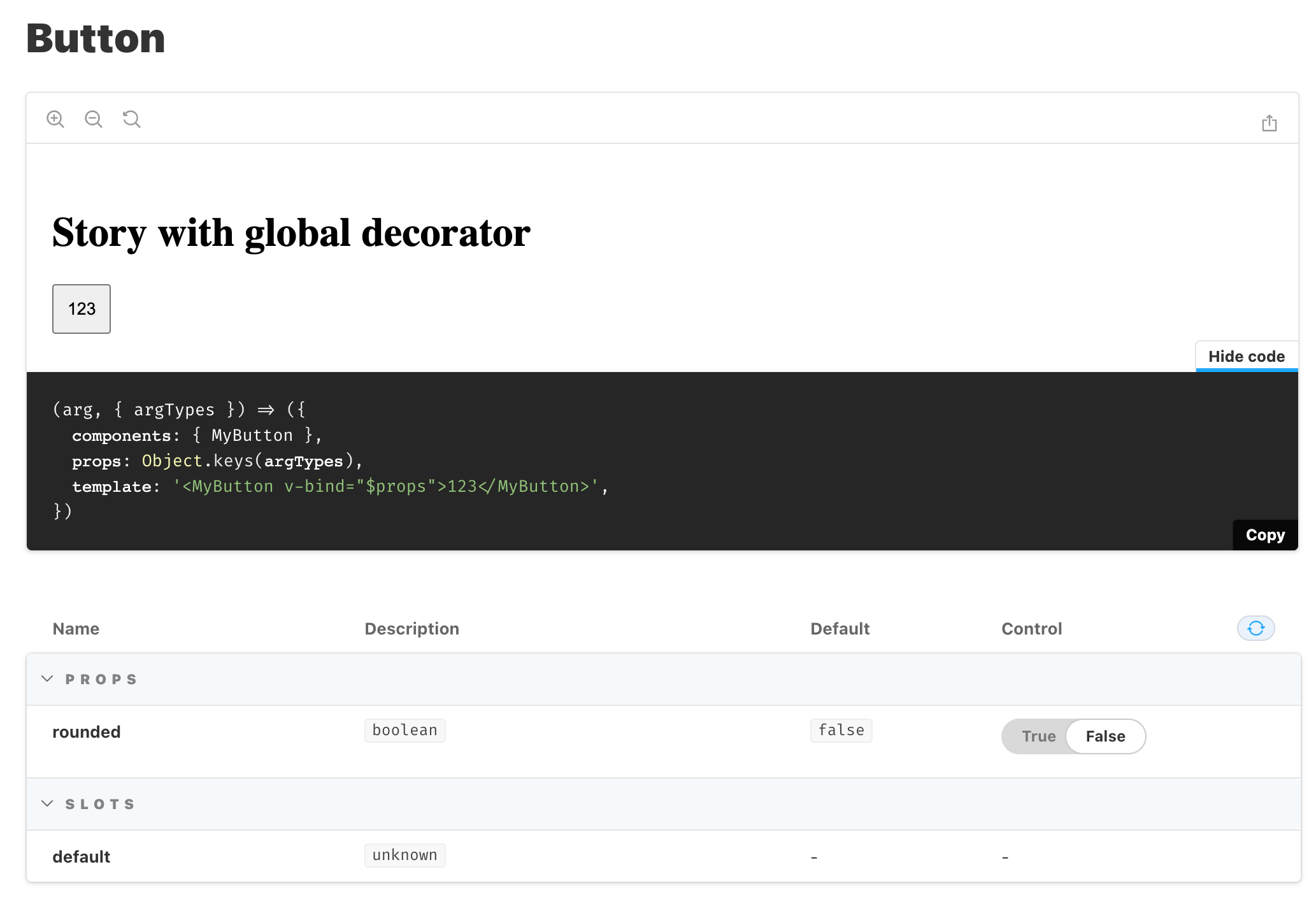
But then, after I change args a few times (e.g., toggle "rounded" via the toggle button in docs) _twice_, the formatted code is updated accordingly:
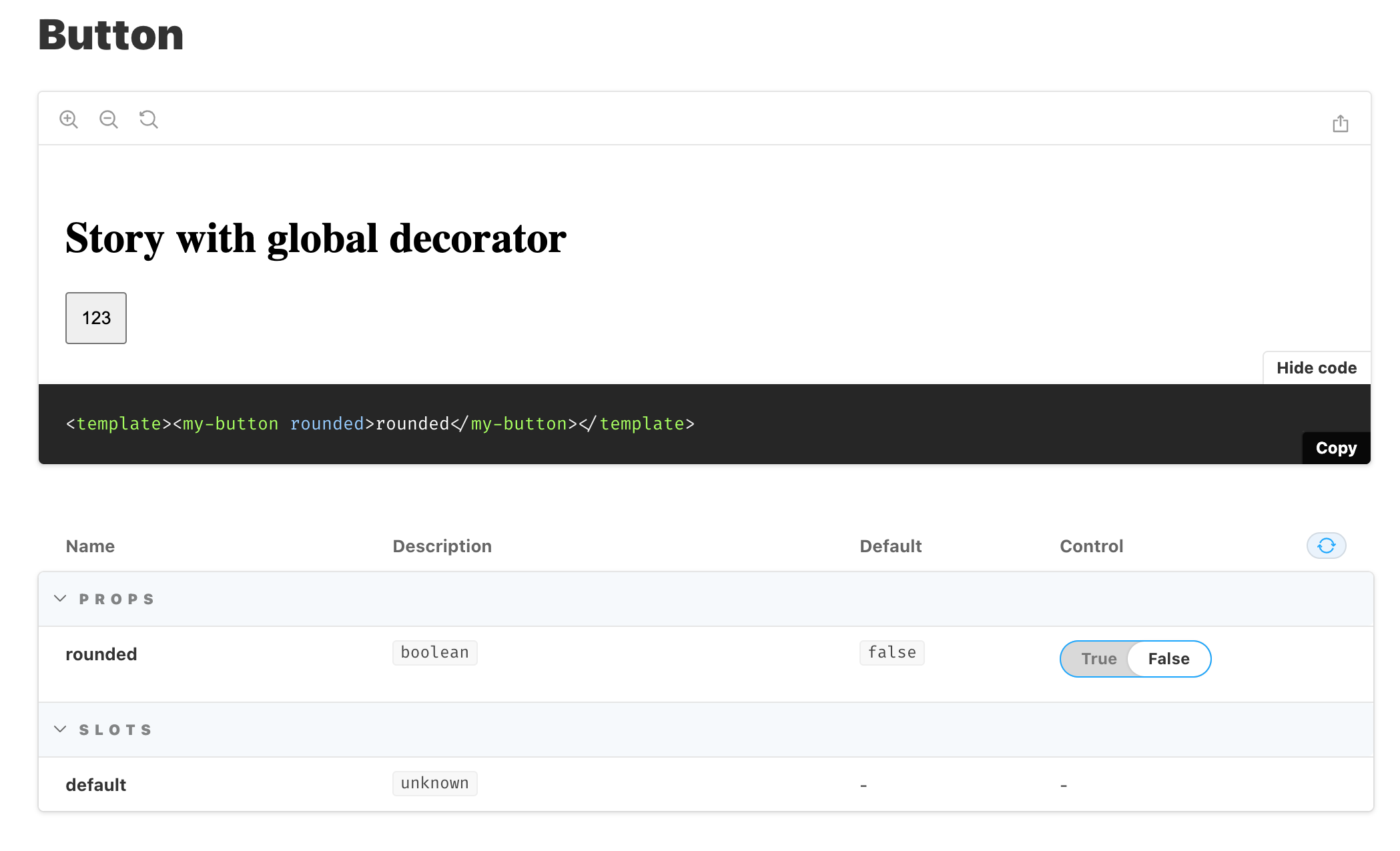
Now, obviously these are nothing more than a few leads, but I'm afraid that I feel out of my depth. I'll be following this issue and am ready to reproduce or confirm any behavior, though.
Many thanks!
visini
on 17 Dec 2020
Awesome work @visini, Thanks for the issue and investigation. This is definitely is a tough issue to solve. Unfortunately storybook does not have proper way to customize internals.
This might be solve by modifying modules internals without need to change sourceDecorator. If not we should write our own sourceDecorator with same logic you explained.
 farnabaz
on 23 Dec 2020
farnabaz
on 23 Dec 2020
Hello @farnabaz @Atinux , does the current storybook / nuxtjs support as suggested by @visini .
 aacassandra
on 24 Jan 2021
aacassandra
on 24 Jan 2021
hmm .. for a while I used the original storybook package and it worked. i hope it works on nuxt/storybook soon. thankyou friends
aacassandra
on 25 Jan 2021
Starting from [email protected], the sourceDecorator reuses an existing Vue node tree instead of new Vue-ing. Could you try it?
https://github.com/storybookjs/storybook/releases/tag/v6.2.0-beta.2
 pocka
on 4 Mar 2021
pocka
on 4 Mar 2021
https://github.com/storybookjs/storybook/pull/14002 is the PR for the change @pocka mentioned
 philwolstenholme
on 4 Mar 2021
philwolstenholme
on 4 Mar 2021
Thank you @pocka @philwolstenholme for mentioning the change.
Integrating 6.2 needs to consider some changes. I think we should wait for 6.2 official release to support it.
farnabaz
on 4 Mar 2021
@farnabaz I wonder if the release of 6.2 will help us with this issue 🤔
philwolstenholme
on 1 Apr 2021
In order to get it worked you need to define first argument for all your stories. This way storybook detects that your story depends on arguments and renders the code. @philwolstenholme
const SampleComponent = (args) => '<div>With Source</div>'
Hi @farnabaz , I don't quite understand?
I am using 4.0.1 of @nuxtjs/storybook. This is an example story of mine:
import * as components from '~/.nuxt-storybook/components';
export default {
title: 'atoms/Button',
component: components.AtomsVaButton,
argTypes: {
iconPosition: {
control: {
type: 'select',
options: ['left', 'right'],
},
},
},
args: {
slotContent: 'Button slot content',
},
};
const Template = (arg, { argTypes }) => ({
props: Object.keys(argTypes),
template: `<atoms-va-button v-bind="$props">{{ slotContent }}</atoms-va-button>`,
});
export const Default = Template.bind({});
Default.storyName = 'VaButton';
export const WithIcon = Template.bind({});
WithIcon.storyName = 'With icon';
WithIcon.args = {
iconName: 'va/right-arrow',
};
export const WithIconOnRight = Template.bind({});
WithIconOnRight.storyName = 'With icon on right';
WithIconOnRight.args = {
iconName: 'va/left-arrow',
iconPosition: 'right',
};
and this is what appears in the Docs tab preview:
Note the missing component visual preview:
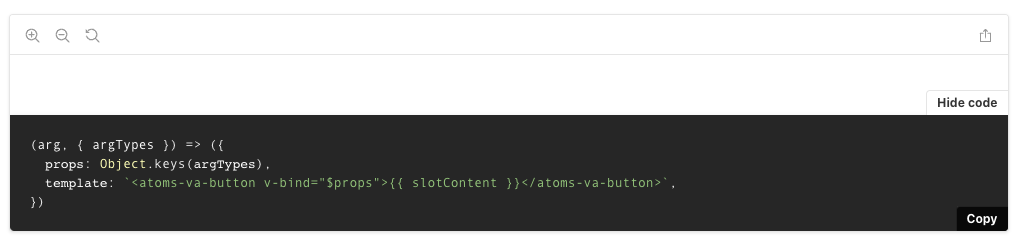
And the code:
(arg, { argTypes }) => ({
props: Object.keys(argTypes),
template: `<atoms-va-button v-bind="$props">{{ slotContent }}</atoms-va-button>`,
})
Have same issue with code preview
 webzlodimir
on 8 Apr 2021
webzlodimir
on 8 Apr 2021
Try using Template without bind. @philwolstenholme
export const Default = Template;
Hmmm so if I try
const Template = (arg, { argTypes }) => ({
props: Object.keys(argTypes),
template: `<atoms-va-button v-bind="$props">{{ slotContent }}</atoms-va-button>`,
});
export const Default = Template;
Default.storyName = 'VaButton';
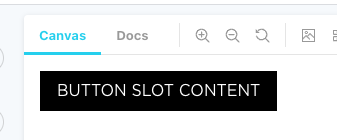
Then I get no preview in the Docs tab, and Storybook says no code is available either. The Canvas tab still works though:

philwolstenholme
on 15 Apr 2021
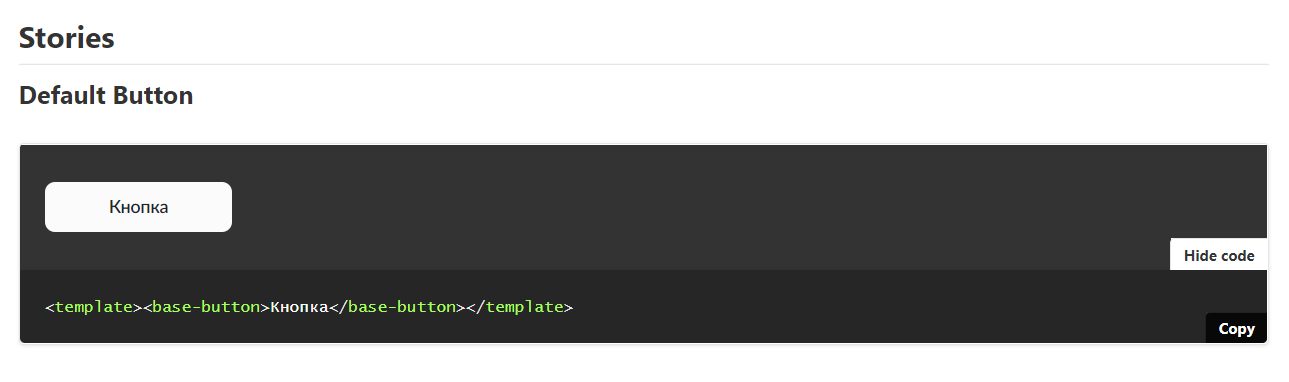
Conducted an experiment and found out the following.
I try:
import BaseButton from '@/components/base/BaseButton'
export default {
title: 'Base/Buttons',
component: BaseButton,
}
export const DefaultButton = (args) => ({
components: { BaseButton },
template: '<base-button>Кнопка</base-button>',
})
On docs page i see:
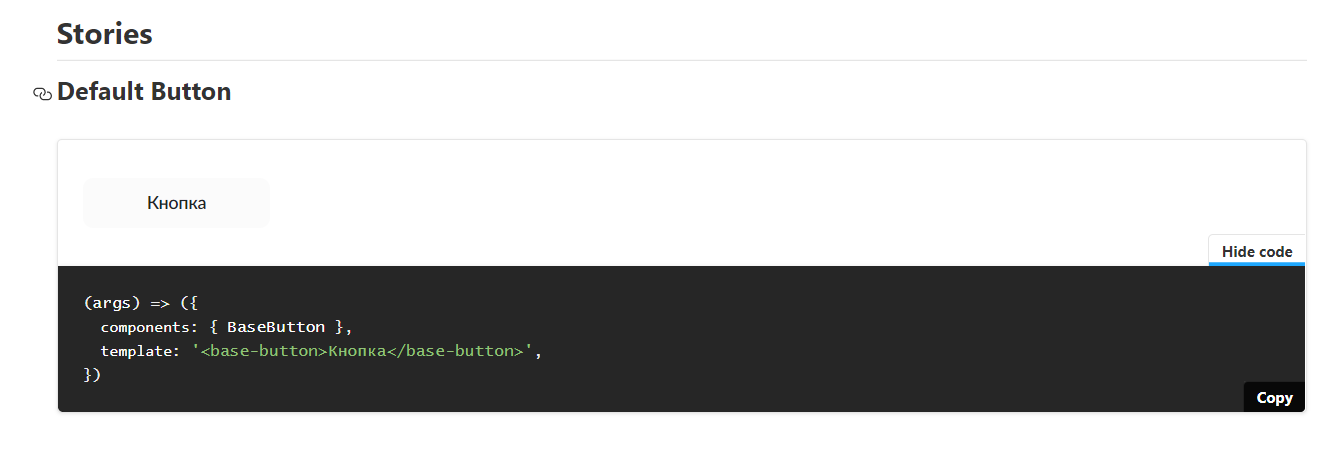
But, if i click on "Refresh controls" button, i see:
webzlodimir
on 15 Apr 2021
I have the same problem as @philwolstenholme .
Why are you guys suggesting to not use Template.bind({}) anymore? This goes against writing DRY code :/ How would we tackle many stories of a component? Should we write a new template function every time?
 Rigo-m
on 22 Apr 2021
Rigo-m
on 22 Apr 2021
Any update of this issue guys?
webzlodimir
on 9 Jun 2021
Related issues
 altryne
·
3Comments
altryne
·
4Comments
altryne
·
3Comments
altryne
·
4Comments
 dankellett
·
3Comments
dankellett
·
3Comments
 behzadam
·
5Comments
behzadam
·
5Comments
 homerjam
·
4Comments
homerjam
·
4Comments
Most helpful comment
As I suspected, it's a more complex issue than I thought, and not simply related to
@storybook/vueversion.Unfortunately I don't believe I'm the right person to take this on, my knowledge of Vue and Nuxt very limited and barely managed to track down the things that follow. I spent a few hours digging around in storybook docs vue source and manually tried to find which parts of the code are connected with this added functionality. Here's my investigation so far:
I cloned this repo and modified
playground/components/MyButton.stories.js:Then, I investigated within sourceDecorator.js from storybook docs addon vue code – I saw console errors from this specific file:
See this specific file and code segment (error occurred in last line of highlighted portion):
https://github.com/storybookjs/storybook/blob/b747c5c2396786682f36e5ac9b78ea990b6f952d/addons/docs/src/frameworks/vue/sourceDecorator.ts#L50-L56
Related error:
Failed to generate dynamic story source: TypeError: null is not an object (evaluating 'storyNode._vnode')
sourceDecorator — sourceDecorator.js:136
After I comment out dynamic story instance identification via vm, and manually use window.$nuxt..., it seems to be a step in the right direction. See here:
In the console, I can see the logs of component stories being formatted with each change of args (e.g., toggle "rounded" via the toggle button in docs):
Initially, the formatted code displayed below the story stays the same:
But then, after I change args a few times (e.g., toggle "rounded" via the toggle button in docs) _twice_, the formatted code is updated accordingly:
Now, obviously these are nothing more than a few leads, but I'm afraid that I feel out of my depth. I'll be following this issue and am ready to reproduce or confirm any behavior, though.
Many thanks!