Storybook: Custom theme brand image not being displayed in the Sidebar
Describe the bug
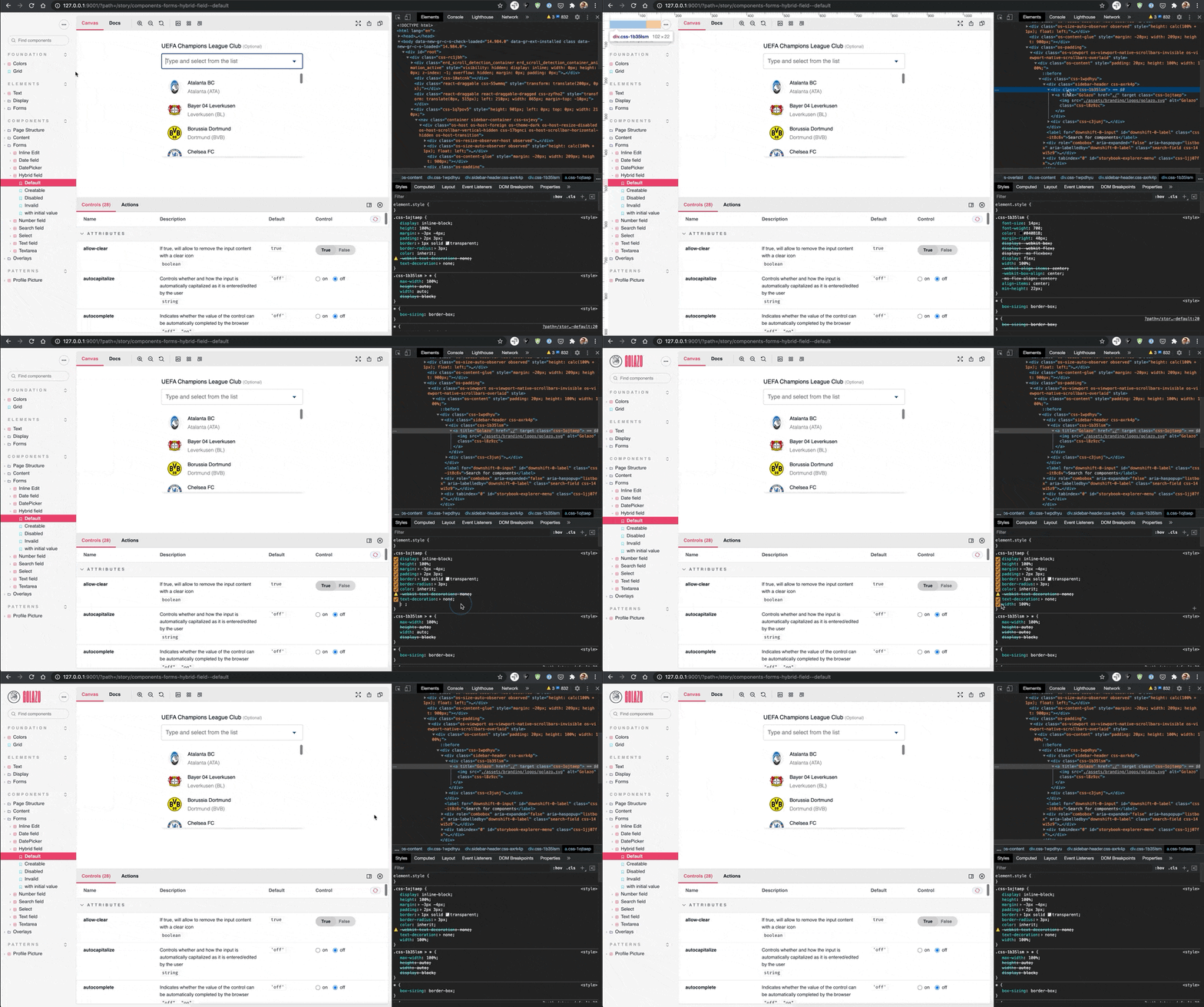
The custom brand image is not displayed in the Sidebar component. Basically, the width: 100% CSS rule has been removed from the LogoLink styling:
https://github.com/storybookjs/storybook/commit/b109fef85275c9c18115caaa96ce0de30de67d61#diff-7f825227d10a8f07815e42eb81a5c369be2ddc4982a53b4676a369e6e4460aa0L21
To Reproduce
Steps to reproduce the behavior:
- Set a custom theme and add a custom
brandImageproperty. - Start storybook.
- Go to the browser and check the top sidebar.
Expected behavior
The brand logo image to be displayed in the sidebar component.
Screenshots
 dgonzalezr
All 5 comments
Are there any workarounds for this? I've tried adding <style type="text/css">.sidebar-header a > img { min-width: 122px; }</style> to manager-head.html but the style tag isn't being included when Storybook is built.
Also tried importing a stylesheet in manager.js but can't get anything to work here.
 jasongilmour
on 3 Dec 2020
jasongilmour
on 3 Dec 2020
Don't set width: 100% on the anchor, it will make it wider than the actual image. This is why this property got removed in the first place.
I was able to reproduce this only when using an svg image which has no width or height property. I'll look into a fix to address this without forcing 100% width.
Meanwhile, the workaround is to make sure your SVG image has a width and height property.
 ghengeveld
on 3 Dec 2020
ghengeveld
on 3 Dec 2020
I also submitted #13355 in an attempt to fix this issue.
 kylegach
on 3 Dec 2020
kylegach
on 3 Dec 2020
Shiver me timbers!! I just released https://github.com/storybookjs/storybook/releases/tag/v6.1.10 containing PR #13355 that references this issue. Upgrade today to the @latest NPM tag to try it out!
npx sb upgrade
Closing this issue. Please re-open if you think there's still more to do.
 shilman
on 4 Dec 2020
shilman
on 4 Dec 2020
Yay!! I just released https://github.com/storybookjs/storybook/releases/tag/v6.2.0-alpha.3 containing PR #13355 that references this issue. Upgrade today to the @next NPM tag to try it out!
npx sb upgrade --prerelease
Related issues
shilman
·
3Comments
 oriSomething
·
3Comments
oriSomething
·
3Comments
 MrOrz
·
3Comments
MrOrz
·
3Comments
 tirli
·
3Comments
tirli
·
3Comments
 rpersaud
·
3Comments
rpersaud
·
3Comments