Storybook: Published Storybook Never Loads (perpetual spinner)
Describe the bug
When I try and publish my Storybook it builds fine but the deployed site never gets past the loading screen shown below.
It works fine when I run it locally with npm run storybook.
It also works when I build it and run npx http-server .[build-folder].
I, however, get the same error when I serve it serve -s [build-folder].
I'm testing it on a blank CRA project with all the boilerplate stories.
Is anybody else experiencing this problem?
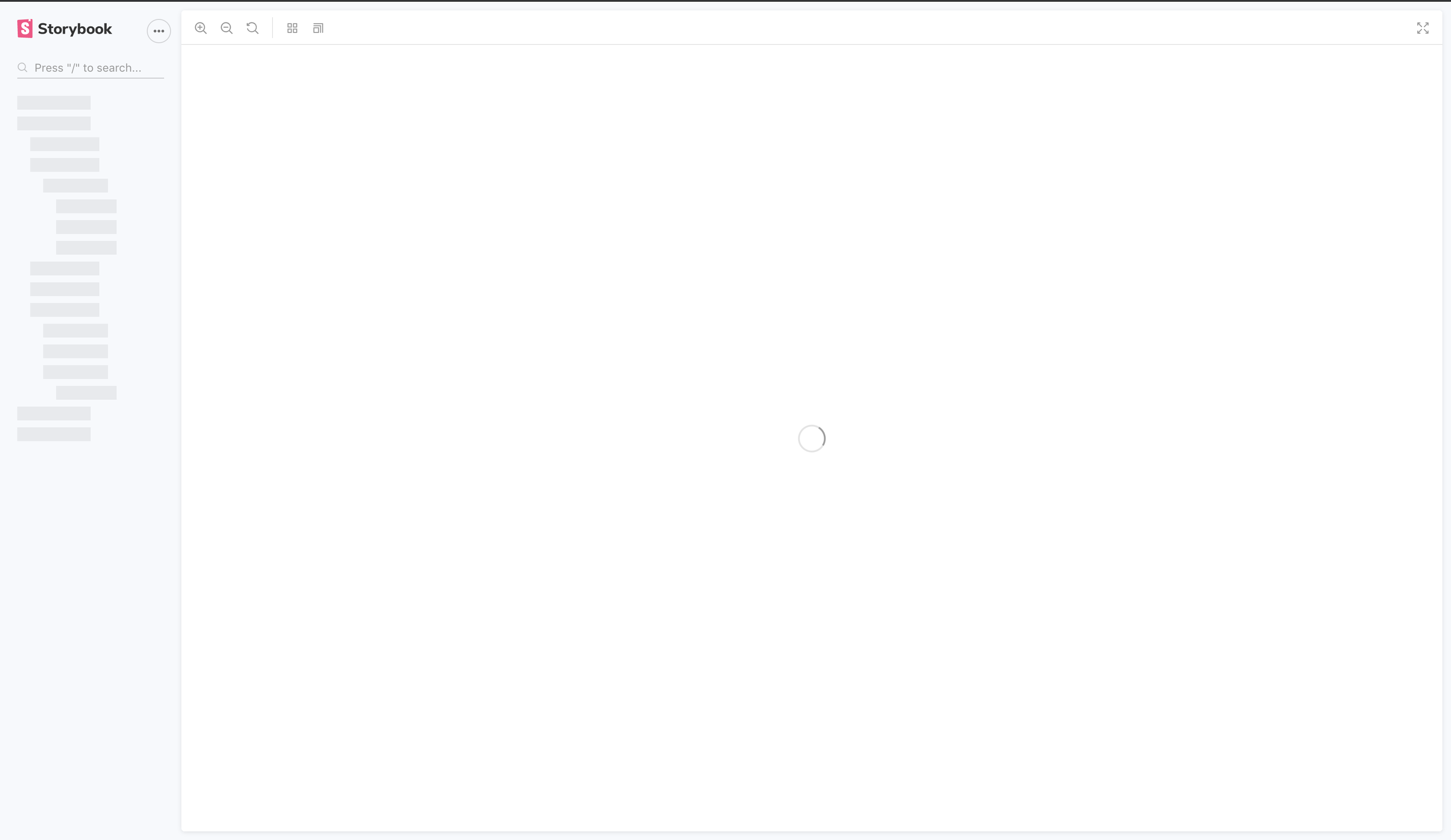
System:
Environment Info:

  System:
    OS: macOS Mojave 10.14.6
    CPU: (12) x64 Intel(R) Core(TM) i7-8750H CPU @ 2.20GHz
  Binaries:
    Node: 12.16.1 - ~/.nvm/versions/node/v12.16.1/bin/node
    npm: 6.14.5 - ~/.nvm/versions/node/v12.16.1/bin/npm
  Browsers:
    Chrome: 85.0.4183.102
    Edge: 84.0.522.63
    Firefox: 78.0.1
    Safari: 14.0
  npmPackages:
    @storybook/addon-actions: ^6.0.21 => 6.0.21
    @storybook/addon-essentials: ^6.0.21 => 6.0.21
    @storybook/addon-links: ^6.0.21 => 6.0.21
    @storybook/node-logger: ^6.0.21 => 6.0.21
    @storybook/preset-create-react-app: ^3.1.4 => 3.1.4
    @storybook/react: ^6.0.21 => 6.0.21
 Jordan-Eckowitz
All 18 comments
not seeing this on OS X. @tooppaaa can you test on windows?
 shilman
on 25 Sep 2020
shilman
on 25 Sep 2020
I can reproduce on my machine.
"GET /iframe.html?id=*&viewMode=story" Error (404): "Not found"
 tooppaaa
on 28 Sep 2020
tooppaaa
on 28 Sep 2020
Sorry I misread the original issue. serve doesn't work with Storybook. It tries to turn the /iframe.html request into /iframe.
I believe that all the documentation recommends http-server. @jonniebigodes perhaps we need to document that serve is broken?
shilman
on 28 Sep 2020
Sorry I misread the original issue.
servedoesn't work with Storybook. It tries to turn the/iframe.htmlrequest into/iframe.I believe that all the documentation recommends
http-server. @jonniebigodes perhaps we need to document thatserveis broken?
Hi @shilman, thanks for the help. The main point of the post was to show that when I deploy a storybook site it doesn’t work. I get the same result as when I serve it.
So I’m not sure if there’s some sort of bug with the bundling process?
Jordan-Eckowitz
on 28 Sep 2020
@Jordan-Eckowitz Doesn't it work with http-server?
shilman
on 28 Sep 2020
@Jordan-Eckowitz Doesn't it work with
http-server?
@shilman It does work with http server. But when I deploy the build as a static site I get the same error as when I serve the site.
Jordan-Eckowitz
on 28 Sep 2020
Ok, I explained why serve is broken. Maybe your server also needs to be configured to serve the requested path and not rewrite it? If this is common I'd consider reworking storybook to support /iframe as well, but it's worked this way for years and is used by a zillion teams, so I don't think this is standard.
shilman
on 28 Sep 2020
Ok, I explained why
serveis broken. Maybe your server also needs to be configured to serve the requested path and not rewrite it? If this is common I'd consider reworking storybook to support/iframeas well, but it's worked this way for years and is used by a zillion teams, so I don't think this is standard.
Okay, I can look into making it work as is. I’m using a very generic deployment method. It’s AWS S3 static hosting via AWS Amplify. So I’d imagine others will run into the same issue though.
Jordan-Eckowitz
on 28 Sep 2020
Hmm maybe someone else can weigh in on this? @ndelangen @tmeasday thoughts? I don't think anything has changed on our side.
shilman
on 28 Sep 2020
@Jordan-Eckowitz what is the error you are getting in the browser console above (I assume there is one)? Can you provide a link to your uploaded SB?
 tmeasday
on 29 Sep 2020
tmeasday
on 29 Sep 2020
I put storybook on an almost brand new project and I don't get any console or network error https://chess-timer-storybook.netlify.app/
here is the branch where I put the storybook6 upgrade https://github.com/lawnchamp/chesstimer/tree/storybook-upgrade. On storybook 5 i didn't have issues
Notice how the url changes but it doesn't move off the story. If you refresh the page after the url has changed it will move to the next story
 lawnchamp
on 29 Sep 2020
lawnchamp
on 29 Sep 2020
@lawnchamp I think your issue is a different one, that I recall seeing before. Perhaps if you search for it there is a workaround or a fix?
tmeasday
on 29 Sep 2020
@tmeasday oh sorry you are right, my issue is related to this https://github.com/storybookjs/storybook/issues/12394. I mixed these two
lawnchamp
on 29 Sep 2020
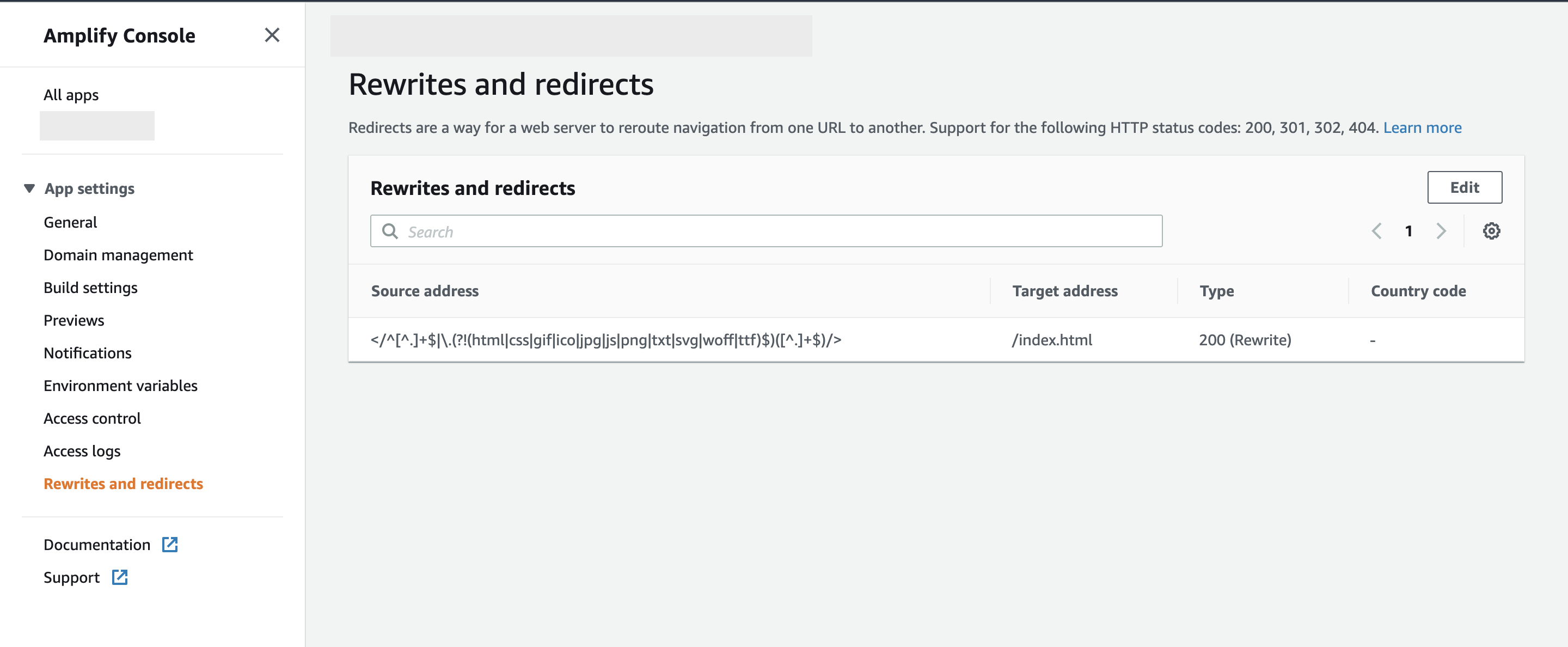
@shilman I resolved the problem. It was similar to the serve issue you pointed out in that it was related to the iframe. I created a generic rule on my backend to catch all iframe.html (as well as other) requests and redirect to index.html.
Posted below for future reference to anyone experiencing deployment issues with AWS Amplify / S3 static deployment.
SOURCE ADDRESS: </^[^.]+$|\.(?!(html|css|gif|ico|jpg|js|png|txt|svg|woff|ttf)$)([^.]+$)/>
Jordan-Eckowitz
on 29 Sep 2020
Glad to hear you got it sorted @Jordan-Eckowitz 🚀
shilman
on 30 Sep 2020
Hi, you can just remove "-s" option from your serve request.
Use : serve [build-folder]
 lefebvrecharlie
on 30 Sep 2020
lefebvrecharlie
on 30 Sep 2020
It is also possible to create a serve.json config file in your public folder and configure rewrites or redirects like this https://github.com/vercel/serve-handler#redirects-array.
 callain
on 30 Sep 2020
callain
on 30 Sep 2020
whoa @lefebvrecharlie 🤯
thanks for letting me know!!!
shilman
on 1 Oct 2020
Related issues
 tlrobinson
·
3Comments
tlrobinson
·
3Comments
 alexanbj
·
3Comments
alexanbj
·
3Comments
 ZigGreen
·
3Comments
ZigGreen
·
3Comments
 Jonovono
·
3Comments
Jonovono
·
3Comments
 MrOrz
·
3Comments
MrOrz
·
3Comments
Most helpful comment
@shilman I resolved the problem. It was similar to the
serveissue you pointed out in that it was related to theiframe. I created a generic rule on my backend to catch alliframe.html(as well as other) requests and redirect toindex.html.Posted below for future reference to anyone experiencing deployment issues with AWS Amplify / S3 static deployment.
SOURCE ADDRESS: </^[^.]+$|\.(?!(html|css|gif|ico|jpg|js|png|txt|svg|woff|ttf)$)([^.]+$)/>