Storybook: Can't change background of canvas
Describe the bug
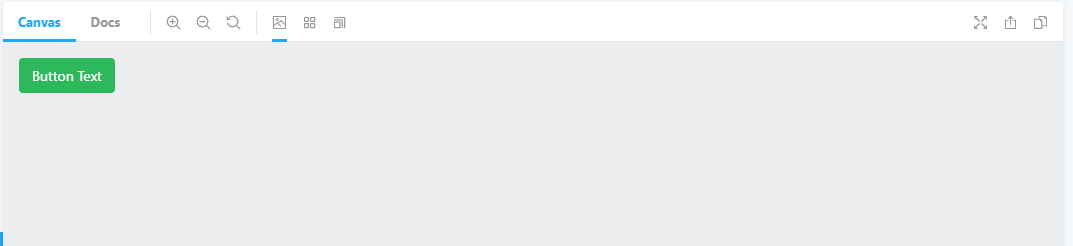
I can't change the background of the canvas. Also looking at the tutorials the canvas should have white background but for some reason mine is grey.
To Reproduce
Clone repo at: https://github.com/jauggy/storybook-background-issues
npm i
npm run storybook
Notice the Canvas background is gray. Also when clicking the background addons you can't change it.
Expected behavior
White background on canvas and ability to change the canvas background via the background addon.
Screenshots
If applicable, add screenshots to help explain your problem.
Code snippets
If applicable, add code samples to help explain your problem.
System:
Environment Info:

  System:
    OS: Windows 10 10.0.19041
    CPU: (4) x64 Intel(R) Core(TM) i5-2500 CPU @ 3.30GHz
  Binaries:
    Node: 12.18.0 - C:\Program Files\nodejs\node.EXE
    Yarn: 1.22.4 - C:\Program Files (x86)\Yarn\bin\yarn.CMD
    npm: 6.14.5 - C:\Program Files\nodejs\npm.CMD
  Browsers:
    Chrome: 84.0.4147.135
    Edge: Spartan (44.19041.423.0), Chromium (85.0.564.41)
  npmPackages:
    @storybook/addon-essentials: ^6.0.20 => 6.0.20
    @storybook/react: ^6.0.20 => 6.0.20
Additional context
Add any other context about the problem here.
 jauggy
All 13 comments
I had the same issue which was caused by setting background-color on body element.
 ajkl2533
on 31 Aug 2020
ajkl2533
on 31 Aug 2020
Hi everyone! Seems like there hasn't been much going on in this issue lately. If there are still questions, comments, or bugs, please feel free to continue the discussion. Unfortunately, we don't have time to get to every issue. We are always open to contributions so please send us a pull request if you would like to help. Inactive issues will be closed after 30 days. Thanks!
![stale[bot] picture](https://avatars3.githubusercontent.com/in/1724?v=4&s=40) stale[bot]
on 4 Oct 2020
stale[bot]
on 4 Oct 2020
I have the same problem. It seems the plugin does not work.
My temporary solution is:
// preview.js

import React from 'react';
import {themes} from '@storybook/theming';

const theme = process.env.STORYBOOK_THEME || themes.light;

const Theme = {
    LIGHT: 'Светлая тема',
    DARK: 'Темная тема',
};

const globalTypes = {
    theme: {
        name: 'Theme',
        description: 'Изменение темы',
        defaultValue: Theme.LIGHT,
        toolbar: {
            icon: 'circlehollow',
            items: [
                Theme.LIGHT,
                Theme.DARK
            ]
        }
    }
};

const parameters = {
    docs: {
        theme
    },

    backgrounds: {
        default: Theme.LIGHT,
        values: [
            {
                name: Theme.LIGHT,
                value: '#fff'
            },
            {
                name: Theme.DARK,
                value: '#2f2f2f'
            }
        ]
    }
};

const getThemeColor = (theme) => {
    const {value} = parameters.backgrounds.values.find(({name}) => name === theme);

    return value;
};

const withThemeProvider = (Story,context) => {
    const {theme} = context.globals;
    const backgroundColor = getThemeColor(theme);

    document.body.style.backgroundColor = backgroundColor;

    return (
        <div style={{backgroundColor}}>
            <Story {...context} />
        </div>
    );
};

const decorators = [withThemeProvider];

export {
    globalTypes,
    decorators,
    parameters
};
 monolithed
on 14 Oct 2020
monolithed
on 14 Oct 2020
@yannbf can you give a hand?
 shilman
on 15 Oct 2020
shilman
on 15 Oct 2020
Hey @jauggy thanks a lot for putting up a reproduction! It helps a lot.
The reason the addon does not work is that the lib you're using, CoreUI, sets a default background color at the body level.
This is the line of code that gives the side effect:
@import "~@coreui/coreui/scss/coreui"
In storybook 6.0, the background is set at the iframe level, which is less specific than the body. In Storybook 6.1 this problem is fixed. This is your storybook running with ^6.1.0-alpha.23:
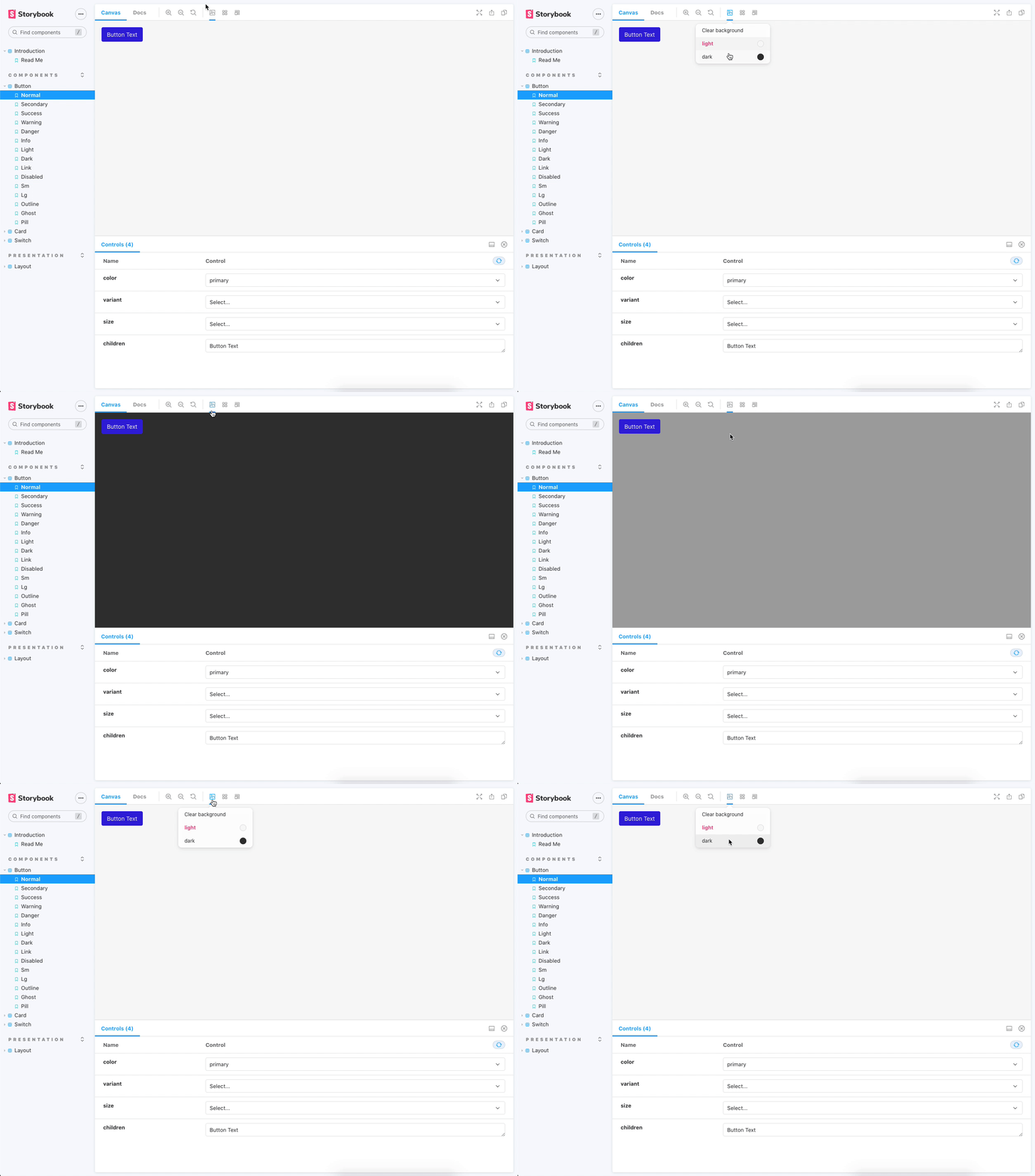
Also, Storybook 6 supports typescript out of the box! So you can remove these lines from your main.js:
webpackFinal: async (config) => {
    config.module.rules.push({
      test: /\.scss$/,
      use: ["style-loader", "css-loader", "sass-loader"],
      include: path.resolve(__dirname, "../"),
    });

-    config.module.rules.push({
-      test: /\.(ts|tsx)$/,
-      loader: require.resolve("babel-loader"),
-      options: {
-        presets: [["react-app", { flow: false, typescript: true }]],
-      },
-    });
-    config.resolve.extensions.push(".ts", ".tsx");

    return config;
},
You can also use main.ts and preview.(ts|tsx)!
 yannbf
on 15 Oct 2020
yannbf
on 15 Oct 2020
@yannbf thanks a lot. It works!
monolithed
on 15 Oct 2020
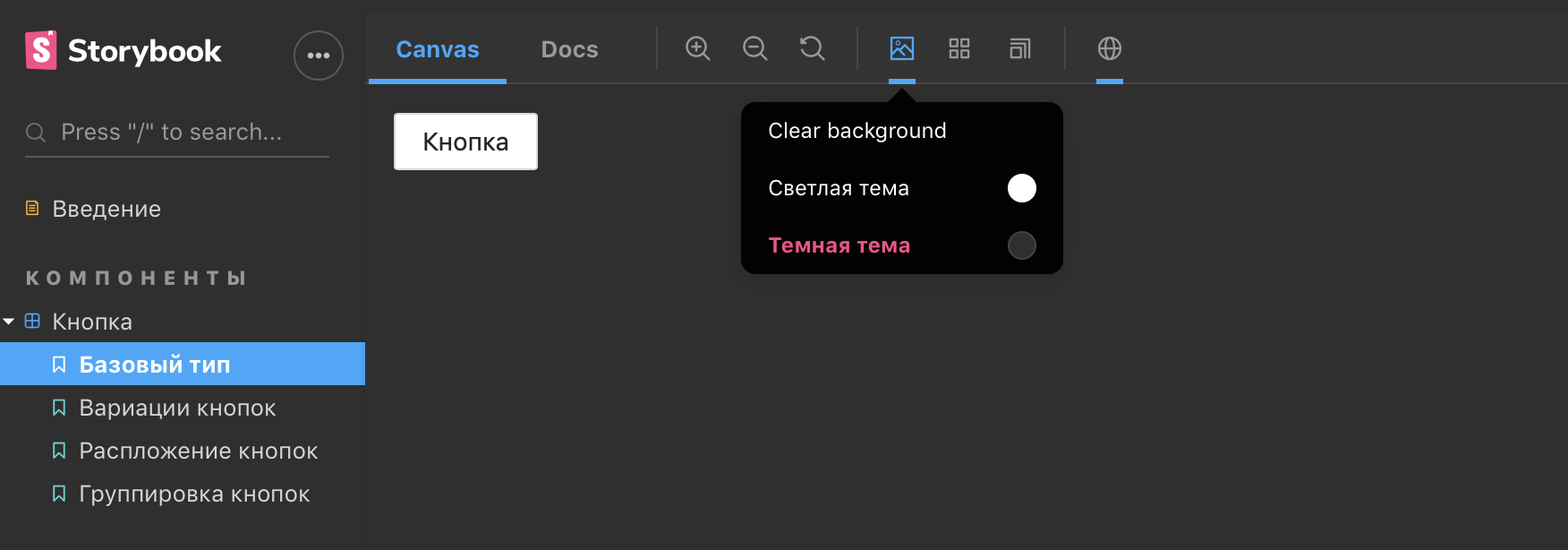

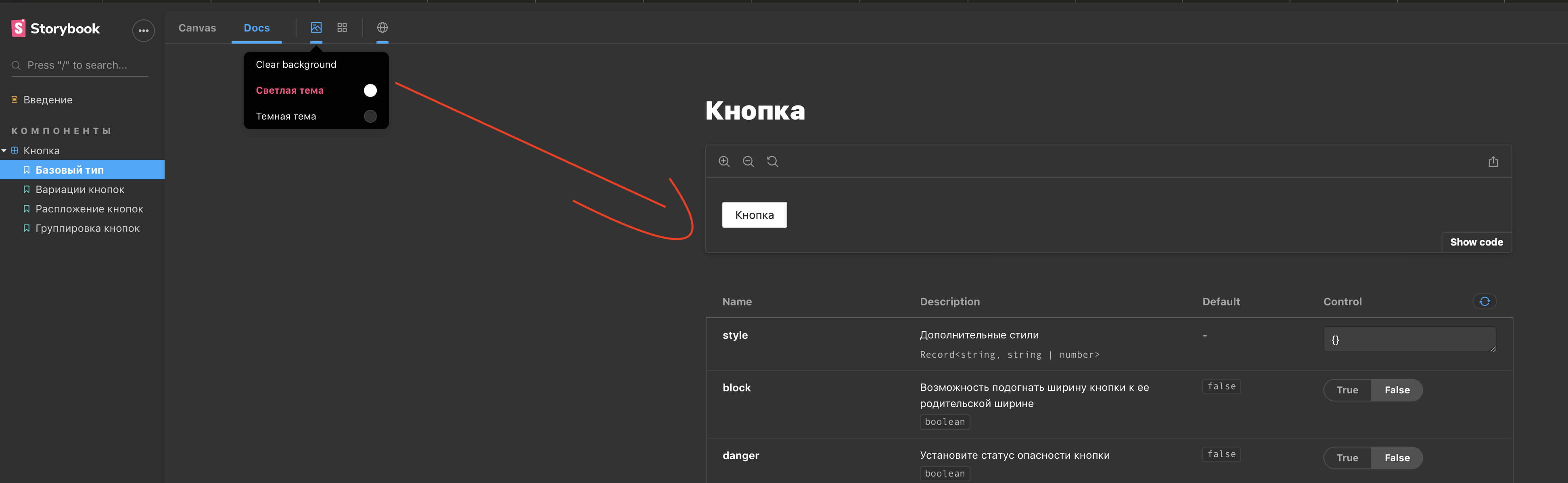
upd @yannbf , I ran it — there seems to be a problem with docs.
monolithed
on 15 Oct 2020
@monolithed good that you had your problem solved! From your screenshots I can't really get much info. If you have a reproduction repo it would be easier to help!
yannbf
on 18 Oct 2020
@yannbf The problem is that I cannot change a background color in the Doc tab (
monolithed
on 18 Oct 2020
@monolithed thanks! That was clear from your screenshots, but without a reproduction repo I can't infer anything more than that.
yannbf
on 18 Oct 2020
I had the same issue in 6.0.5 (docs Canvas elements not using the same background-color that they do in the sandbox mode) but this issue appears to be solved by updating to Storybook 6.1.1.
 petomi
on 20 Nov 2020
petomi
on 20 Nov 2020
The problem is fixed for me by installing 6.1.1
monolithed
on 20 Nov 2020
Thanks for the update @monolithed. Closing!
shilman
on 21 Nov 2020
Related issues
 firaskrichi
·
61Comments
firaskrichi
·
61Comments
 hckhanh
·
69Comments
hckhanh
·
69Comments
 Gongreg
·
58Comments
Gongreg
·
58Comments
 43081j
·
61Comments
43081j
·
61Comments
 tycho01
·
76Comments
tycho01
·
76Comments