Storybook: Default for function prop overrides action argType
Describe the bug
When creating a story for a component that sets empty functions as defaults for (some) event handling props, the default functions get passed in through args, even though the argType for the prop is set to { action: 'actionName'}.
To Reproduce
Steps to reproduce the behavior:
- Create a component that accepts a function as a prop.
- Give the prop a function as default value (e.g.
() => {}) - Create a story, which sets the argType for the prop to
{action: 'actionName'} - Trigger the function in storybook.
Expected behavior
A log of the action 'actionName' in the Actions tab.
Code snippets
TestStory.js:
import React from 'react';

const TestStory = ({ onClick = () => { console.log('test') } }) => <button onClick={onClick}>Click me!</button>;

export default TestStory;
TestStory.stories.js:
import React from 'react';
import TestStory from './TestStory';

export default {
  title: 'core/Test case',
  component: TestStory,
  args: {},
  argTypes: {
    onClick: { action: 'onClick', control: null }
  }
};

export const Default = args => {
  console.log(args.onClick);
  return <TestStory {...args} />;
};
System:
Environment Info:
System:
OS: macOS 10.15.6
CPU: (16) x64 Intel(R) Core(TM) i9-9980HK CPU @ 2.40GHz
Binaries:
Node: 12.13.1 - ~/.nvm/versions/node/v12.13.1/bin/node
Yarn: 1.22.4 - /usr/local/bin/yarn
npm: 6.14.7 - ~/.nvm/versions/node/v12.13.1/bin/npm
Browsers:
Chrome: 84.0.4147.135
Safari: 13.1.2
Additional context
If the component is in the same file as the story, the problem doesn't occur. If storybook is unable to fetch info about the components properties the issue also doesn't occur: when storybook is unable to prefill the ArgTable in the Controls tab.
 kazdegroot
All 11 comments
Do you have a reproduction?
 shilman
on 19 Aug 2020
shilman
on 19 Aug 2020
The two code snippets together are the smallest scenario I could find that (in our environment) shows the issue.
kazdegroot
on 19 Aug 2020
I have the same behavior.
A basic button (Button.js) :
import React from 'react';
import PropTypes from 'prop-types';

const Button = ({ label, onClick }) => {
  return (
    <button onClick={onClick} type="button">
      {label}
    </button>
  );
};

Button.propTypes = {
  label: PropTypes.string.isRequired,
  onClick: PropTypes.func,
};

Button.defaultProps = {
  onClick: () => {},
};

export default Button;
And the story (Button.stories.js) :
export default {
  component: Button,
  title: 'Button',
  argTypes: { onClick: { action: 'clicked' } },
};

const Template = (args) => <Button {...args} />;

export const Basic = Template.bind({});
Basic.args = {
  label: 'Button label',
};
Like that, the "clicked" action is not displayed in the Actions tab.
If I delete the onClick key from the defaultProps object in Button.js the action works.
I also noticed that if I delete the component key from the default export in Button.stories.js (delete the line "component: Button") the action also works but in this case the Controls addon does not work anymore.
 yannickcornaille
on 21 Aug 2020
yannickcornaille
on 21 Aug 2020
I'm experiencing this issue as well.
I created a repo that reproduces this issue.
Steps taken to create it are:
npx create-react-app foo && cd foonpx sb initnpm run storybookand confirm that button actions are getting logged.- In
Button.js, change defaultProp of onClick to empty function. - actions are no longer logged.
 kmckee
on 27 Aug 2020
kmckee
on 27 Aug 2020
Same problem here, my example is exactly as the one provided by @yannickcornaille
 luizeboli
on 29 Aug 2020
luizeboli
on 29 Aug 2020
Hi everyone! Seems like there hasn't been much going on in this issue lately. If there are still questions, comments, or bugs, please feel free to continue the discussion. Unfortunately, we don't have time to get to every issue. We are always open to contributions so please send us a pull request if you would like to help. Inactive issues will be closed after 30 days. Thanks!
![stale[bot] picture](https://avatars3.githubusercontent.com/in/1724?v=4&s=40) stale[bot]
on 20 Sep 2020
stale[bot]
on 20 Sep 2020
Any updates on this issue? Have the same problem.
 Sinled
on 23 Sep 2020
Sinled
on 23 Sep 2020
This worked for me. I'm using Storybook version 6.0.5
export default {
  component: Button,
  title: 'Button',
 // Add the defaultValue property
  argTypes: { onClick: { defaultValue: null, action: 'clicked' } },
};

const Template = (args) => <Button {...args} />;

export const Basic = Template.bind({});
Reference:
I had the same problem, but I've found a work around based on this test file.
 thebinaryfelix
on 14 Oct 2020
thebinaryfelix
on 14 Oct 2020
Same bug here, it's quite anoying :-(.
 lordfpx
on 17 Oct 2020
lordfpx
on 17 Oct 2020
@thebinaryfelix answer fix the issue per story, but then if you want to use the general solution in .storybook/preview.js it has the same problem.
export const parameters = {
  actions: { argTypesRegex: "^on[A-Z].*" },
}
 glrodasz
on 23 Oct 2020
glrodasz
on 23 Oct 2020
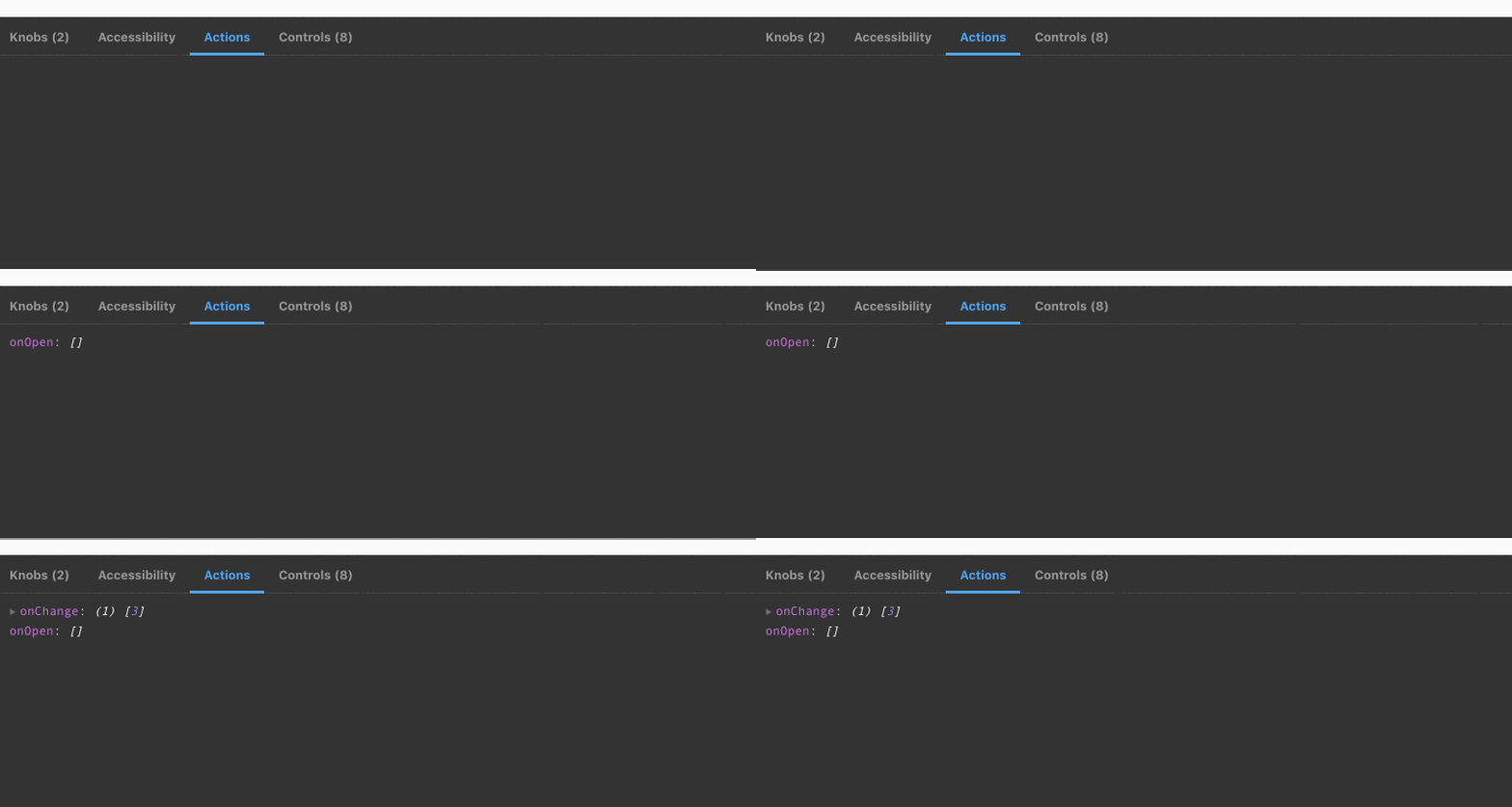
I used it and it worked
```
argTypes: { onOpen: { defaultValue: null, }, onChange: { defaultValue: null, }, }
parameters: {
actions: { argTypesRegex: '^on.*' },
},
````
 deividmarques
on 27 Oct 2020
deividmarques
on 27 Oct 2020
Related issues
 purplecones
·
3Comments
purplecones
·
3Comments
 dnlsandiego
·
3Comments
dnlsandiego
·
3Comments
 zvictor
·
3Comments
shilman
·
3Comments
zvictor
·
3Comments
shilman
·
3Comments
 tirli
·
3Comments
tirli
·
3Comments
Most helpful comment
I used it and it worked

```
argTypes: { onOpen: { defaultValue: null, }, onChange: { defaultValue: null, }, }
parameters: {
actions: { argTypesRegex: '^on.*' },
},
````