Storybook: Inline styling of any html tag inside <Preview> throws error
Describe the bug
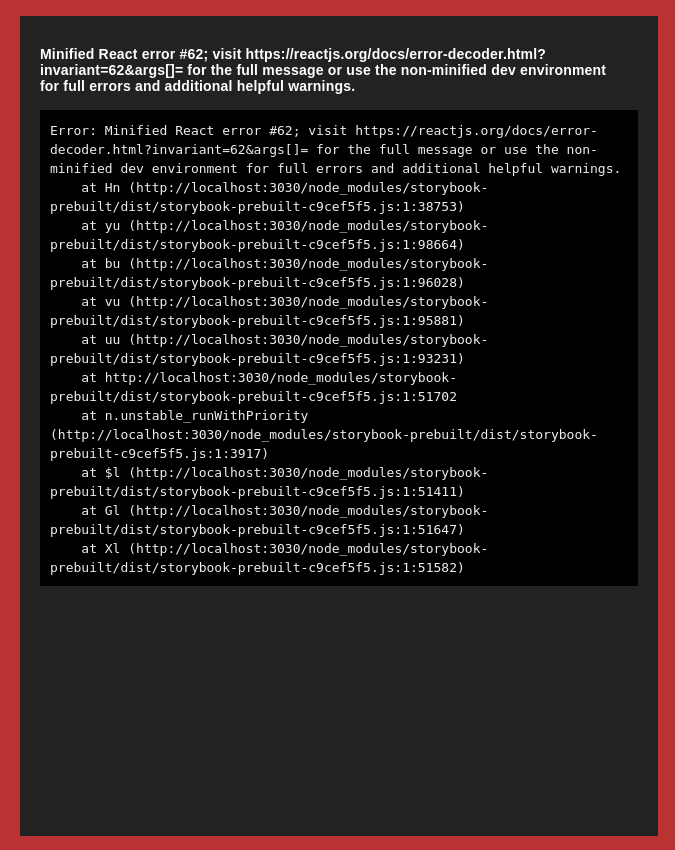
Html written inside a Preview element (inside an MDX file) throws an error when trying to set inline-styling with style="".
To Reproduce
I am using lit-element storybook template by open-wc, not sure if you need further information?
Expected behavior
I expected that adding properties to html-tags would not break the storybook.
Code snippets
my file mystory.stories.mdx:
import { Story, Preview, Meta, Props, html } from '@open-wc/demoing-storybook';
import '../src/MyComponent.js';

<Meta
  title="atoms|MyComponent"
  parameters={{
    options: { selectedPanel: "storybookjs/knobs/panel" }
  }}
/>

# MyComponent
<Preview>
  <div style="background-color: black;">
    <my-component></my-component>
  </div>
</Preview>
Screenshots
System:
Environment Info:
  System:
    OS: Linux 5.3 Ubuntu 18.04.4 LTS (Bionic Beaver)
    CPU: (8) x64 Intel(R) Core(TM) i7-8565U CPU @ 1.80GHz
  Binaries:
    Node: 12.16.1 - ~/.nvm/versions/node/v12.16.1/bin/node
    Yarn: 1.21.1 - /usr/bin/yarn
    npm: 6.14.5 - ~/.nvm/versions/node/v12.16.1/bin/npm
  Browsers:
    Chrome: 83.0.4103.116
    Firefox: 78.0.1
 dcts
dcts
All 2 comments
Try style={{ backgroundColor: 'black' }} which is valid React?
 shilman
on 15 Jul 2020
shilman
on 15 Jul 2020
❤1
Try
style={{ backgroundColor: 'black' }}which is valid React?
Thanks a lot, this worked! I didnt work at all with react so wasn't aware of the syntax! Thanks!
dcts
on 15 Jul 2020
👍1
Was this page helpful?
0 / 5 - 0 ratings
Related issues
 xogeny
·
3Comments
xogeny
·
3Comments
 arunoda
·
3Comments
arunoda
·
3Comments
 ZigGreen
·
3Comments
ZigGreen
·
3Comments
 sakulstra
·
3Comments
sakulstra
·
3Comments
 tlrobinson
·
3Comments
tlrobinson
·
3Comments