Storybook: Object is not a function
Describe the bug
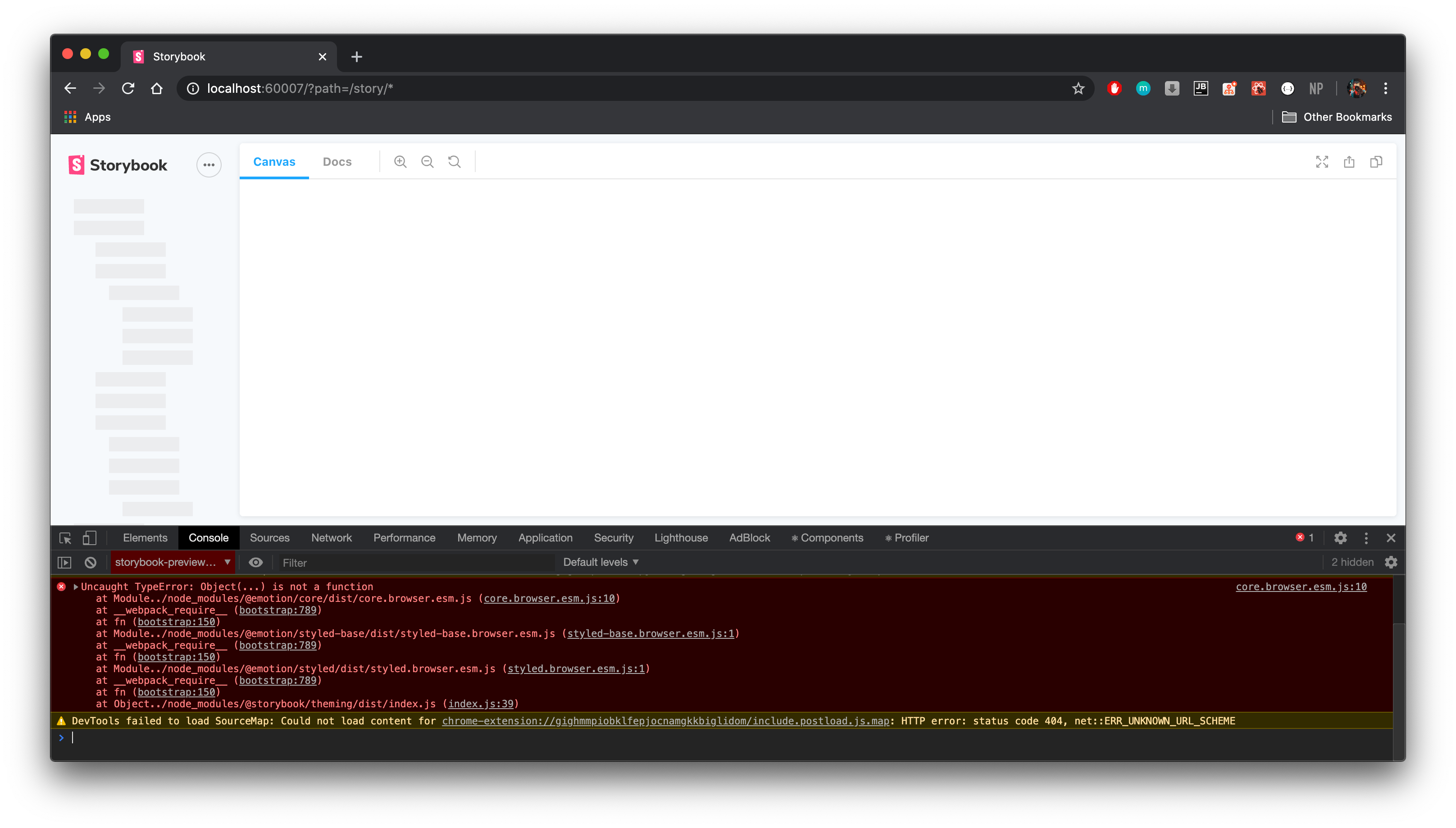
Opening up Storybook which has addon-docs enabled as an addon will result in an infinitely loading page and the following error in the console:
core.browser.esm.js:10 Uncaught TypeError: Object(...) is not a function
    at Module../node_modules/@emotion/core/dist/core.browser.esm.js (core.browser.esm.js:10)
    at __webpack_require__ (bootstrap:789)
    at fn (bootstrap:150)
    at Module../node_modules/@emotion/styled-base/dist/styled-base.browser.esm.js (styled-base.browser.esm.js:1)
    at __webpack_require__ (bootstrap:789)
    at fn (bootstrap:150)
    at Module../node_modules/@emotion/styled/dist/styled.browser.esm.js (styled.browser.esm.js:1)
    at __webpack_require__ (bootstrap:789)
    at fn (bootstrap:150)
    at Object../node_modules/@storybook/theming/dist/index.js (index.js:39)
Expected behavior
Not to throw an error
Screenshots
Screenshot with infinite loading and console error.
System:
Environment Info:
System:
OS: macOS 10.15.3
CPU: (12) x64 Intel(R) Core(TM) i9-8950HK CPU @ 2.90GHz
Binaries:
Node: 10.16.3 - /usr/local/bin/node
npm: 6.13.0 - /usr/local/bin/npm
Browsers:
Chrome: 84.0.4147.45
Safari: 13.0.5
npmPackages:
@storybook/addon-docs: ^5.3.19 => 5.3.19
@storybook/addon-storysource: ^5.3.19 => 5.3.19
@storybook/preact: ^5.3.19 => 5.3.19
@storybook/preset-scss: ^1.0.2 => 1.0.2
Additional context
main.js file
module.exports = {
    stories: ['../**/*.stories.[tj]sx'],
    addons: [
        '@storybook/addon-docs',
        '@storybook/addon-storysource',
        '@storybook/preset-scss'
    ]
};
It works just fine without addon-docs.
It doens't matter the order that I put the addons in, the error will still occur.
 vanpana
All 5 comments
Do you have a public repro repo I can look at? Is it still a problem in 6.0-beta?
 shilman
on 12 Jun 2020
shilman
on 12 Jun 2020
Unfortunately, the repo is not public and I cannot make it this way. 😞
6.0-beta is not an option, but I tried upgrading just to see if it works and I get a lot of errors like Module not found: Error: Can't resolve 'core-js/modules/web.dom-collections.iterator'
Uncaught TypeError: (0 , _react.forwardRef) is not a function
    at Object../node_modules/@storybook/components/dist/Button/Button.js (vendors~main.4fa750c2886b74c0c831.bundle.js:8410)
    at __webpack_require__ (runtime~main.4fa750c2886b74c0c831.bundle.js:849)
    at fn (runtime~main.4fa750c2886b74c0c831.bundle.js:151)
    at Object../node_modules/@storybook/components/dist/index.js (vendors~main.4fa750c2886b74c0c831.bundle.js:15020)
    at __webpack_require__ (runtime~main.4fa750c2886b74c0c831.bundle.js:849)
    at fn (runtime~main.4fa750c2886b74c0c831.bundle.js:151)
    at Object../node_modules/@storybook/addon-docs/dist/blocks/index.js (vendors~main.4fa750c2886b74c0c831.bundle.js:1953)
    at __webpack_require__ (runtime~main.4fa750c2886b74c0c831.bundle.js:849)
    at fn (runtime~main.4fa750c2886b74c0c831.bundle.js:151)
    at Object../node_modules/@storybook/addon-docs/dist/frameworks/common/config.js (vendors~main.4fa750c2886b74c0c831.bundle.js:2593)
Edit: I edited the webpack to have custom aliases like this:
alias: {
            react: "preact/compat",
            "react-dom": "preact/compat"
        }
The stories successfully load, but the Docs section throws an error:
index.js:60 TypeError: Cannot add property __, object is not extensible
    at preact.module.js:1
    at b (preact.module.js:1)
    at b (preact.module.js:1)
    at _ (preact.module.js:1)
    at T (preact.module.js:1)
    at preact.module.js:1
    at b (preact.module.js:1)
    at b (preact.module.js:1)
    at _ (preact.module.js:1)
    at T (preact.module.js:1)
I've seen in other issues that this would mean that the addon is not supported, but I don't think this is the case, since it is clearly stated in the table that Docs work with Preact.
New env info:
npmPackages:
@storybook/addon-docs: next => 6.0.0-beta.26
@storybook/addon-storysource: next => 6.0.0-beta.26
@storybook/preact: next => 6.0.0-beta.26
@storybook/preset-scss: latest => 1.0.2
vanpana
on 12 Jun 2020
@vanpana might be an issue with preact/compat? i've added a working example of addon-docs to our sample project here: https://github.com/storybookjs/storybook/pull/11145
shilman
on 12 Jun 2020
Just to check that preact/compat is working, I changed the Button component on your branch to
import { h } from 'preact';
import Preact from 'preact/compat';

/**
 * The button component will render a clickable button
 */
export default class Button extends Preact.Component {
  render() {
    const TagName = this.props.href ? 'a' : 'button';

    return (
      <TagName class="button" href={this.props.href} {...this.props}>
      {this.props.children}
    </TagName>
    )
  }
}
And it is indeed working.
That probably means, somehow, my code is faulty.
If I find any clue, I'll update this issue in case others have this problem.
vanpana
on 12 Jun 2020
Quick update:
After getting the project sample working with preact/compat, I wondered what's different in my code.
It turns out that when moving to a fresh folder, I can get the Storybook addon to work. So the problem is not the addon or preact, but maybe some other dependency in the project that interferes.
Thanks a lot for the help!
vanpana
on 15 Jun 2020
Related issues
 xogeny
·
3Comments
xogeny
·
3Comments
 levithomason
·
3Comments
levithomason
·
3Comments
 purplecones
·
3Comments
purplecones
·
3Comments
 MrOrz
·
3Comments
shilman
·
3Comments
MrOrz
·
3Comments
shilman
·
3Comments