Storybook: Addon docs issues with latest Beta
Describe the bug
Since upgrading to the newest storybook beta and changing our configuration to comply with the latest storybook way of doing things, some weird things have happened in the docs that I'm still looking for solutions for.
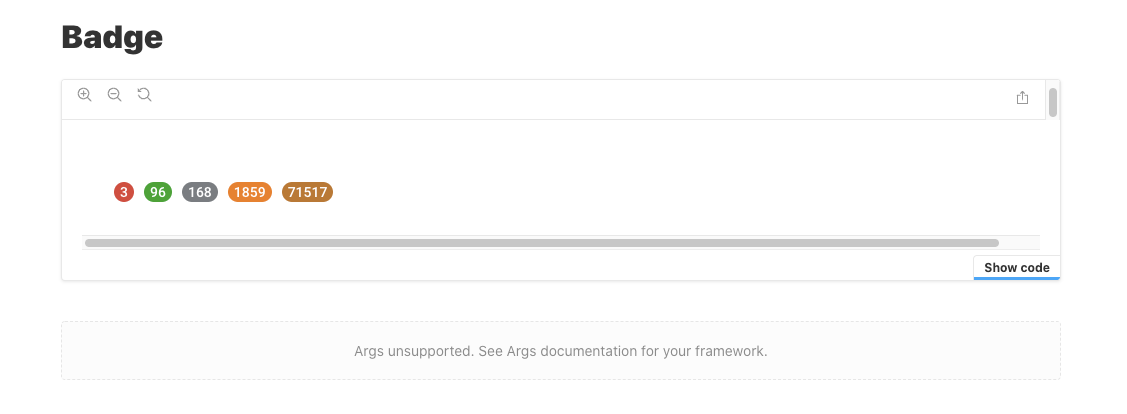
Scroll bars everywhere - as you can see in the picture I provided, using the default storybook docs components and layout, we get scroll bars in the top navigation part of the doc + inside the doc itself, no matter the story or component we're presenting.
"Args unsupported. See Args documentation for your framework" - no info on this online that I could find, but typescript props aren't being presented in the storybook, and all of our docs which contain props present this message.
Other than that, I have to say the new configuration is much simpler and easier to configure and understand and the direction I see storybook going, And would love to look into contributing here and there.
Here is my configuration:
preview.js
import React from 'react';
import { bootstrap } from "@styleguide";
import { addDecorator ,addParameters} from '@storybook/react';
import { DocsPage, DocsContainer } from '@storybook/addon-docs/blocks';
import { StoryContainer } from "../stories/storyComponents/StoryContainer";

addDecorator(Story =>
  <StoryContainer>
    <Story />
  </StoryContainer>
);

addParameters({
  docs: {
    container: DocsContainer,
    page: DocsPage,
  },
});

bootstrap();

//configure(require.context('../stories', true, /\.story\.(jsx|js)?$/), module);
main.ts
const path = require('path');

interface TypescriptOptions {
  check?: boolean;
  docgen?: 'none' | 'react-docgen' | 'react-docgen-typescript';
}

export const typescript: TypescriptOptions = {
  check: true,
  docgen: 'react-docgen-typescript'
};

module.exports = {
  typescript,
  stories: ['../stories/**/*.story.@(js|jsx)'],
  addons: [
    '@storybook/addon-docs/register',
    {
      name: '@storybook/addon-storysource',
      options: {
        rule: {
          include: [path.resolve(__dirname, '../stories')],
        },
        loaderOptions: {
          prettierConfig: { printWidth: 80, singleQuote: false },
        },
      },
    },
    '@storybook/addon-knobs/register',
    '@storybook/addon-options/register',
    '@storybook/addon-actions/register',
    '@storybook/preset-typescript'
]
};
webpack.config
const path = require("path");
const styleguideContext = path.dirname(require.resolve('@styleguide'));
const { jsRule, tsRule, cssRule  } = require('@build/webpack');
const { browserProdConfig } = require('@babel-config');

const ignoredProps = ['as', 'css', 'theme', 'ref'];

module.exports = ({ config }) => {
  config.context = (path.join(__dirname, '../'));

  config.module.rules =[
    tsRule({configFile: path.join(__dirname, '../tsconfig.json'),
    include: [path.join(__dirname, '../stories')]}),
    //storybookDocGenRule(),
    jsRule(browserProdConfig),
    {
      test: /\.story\.(jsx|js)?$/,
      loader: require.resolve('@storybook/source-loader'),
      options: { parser: 'typescript' },
      enforce: 'pre',
    },
    cssRule,
    config.module.rules[1]];

  config.resolve.extensions.push(".ts", ".tsx");

  config.resolve.alias = {
    '@styleguide': path.resolve(styleguideContext)
  };
  return config;
};
 EdenTurgeman
All 17 comments
Regarding layouts, I'm not sure what's going on there. I think @ndelangen made some layout changes in 6.0 that had unintended consequences.
Regarding your config:
- Remove '@storybook/preset-typescript'
- I'd recommend using the built-in Docs preset, so change:
    '@storybook/addon-docs/register',
    {
      name: '@storybook/addon-storysource',
      options: {
        rule: {
          include: [path.resolve(__dirname, '../stories')],
        },
        loaderOptions: {
          prettierConfig: { printWidth: 80, singleQuote: false },
        },
      },
    },
To:
    {
      name: '@storybook/addon-docs',
      options: {
        sourceLoaderOptions: {
          rule: {
            include: [path.resolve(__dirname, '../stories')],
          },
          loaderOptions: {
            prettierConfig: { printWidth: 80, singleQuote: false },
          },
        },
      },
    },
 shilman
on 7 Jun 2020
shilman
on 7 Jun 2020
Do you have a repro for me so I can understand why these scrollbars appear?
 ndelangen
on 8 Jun 2020
ndelangen
on 8 Jun 2020
@shilman First of all, thank you for the quick answer, secondly after a lot of battling with our yarn/babel/webpack configuration I've managed to somewhat resolve my issues (which were related to our Monorepo configuration and hoisting issues with the storybook and react packages)
- @ndelangen The scrollbar issue was weirdly fixed after updating to beta.37
- @shilman after upgrading to beta.37 the props issue wasn't unfortunately (but changed) not resolved and I wasn't able to debug my way around it, ever since upgrading, I'm getting this on every story with props:

That warning is the only thing I'm getting but I'm not seeing a connection to the propsTable.
So I realized I must have a basic misunderstanding with what makes the propsTable work in the new beta.
Which made me wonder if the two ways to make the propsTable the only options currently are:
- add the storybookDocGenRule as described here (which works but slows down build time from 30sec to 4min+)
- Add the
@storybook/preset-typescriptas described there (which currently gives 0 results)
Or... I am not understanding the new beta and storybook is supporting the typescript prop table natively now as part of the 0-config typescript part (which I'm somehow missing).
Thank you so much for the continuous support, we appreciate it a lot.
EdenTurgeman
on 26 Jun 2020
@EdenTurgeman do you have a public repro I can look at?
shilman
on 27 Jun 2020
I can reproduce one of the scrollbar issues here: https://next--storybookjs.netlify.app/html-kitchen-sink/?path=/docs/addons-a11y--default

 Hypnosphi
on 9 Jul 2020
Hypnosphi
on 9 Jul 2020
Likely related to this https://github.com/storybookjs/storybook/issues/11283
 domyen
on 12 Jul 2020
domyen
on 12 Jul 2020
For "Args unsupported. See Args documentation for your framework" bug.
preview.tsx
import { parameters } from "@storybook/addon-docs/dist/frameworks/react/config";
import { DocsPage, DocsContainer } from "@storybook/addon-docs/blocks";

addParameters({
  docs: {
    ...parameters.docs,
    container: DocsContainer,
    page: DocsPage,
  },
});
Adding props of parameters.docs to docs made this problem fixed.
I guess some latest code to combine user parameter with default parameter has been broken..?
 dehypnosis
on 13 Jul 2020
dehypnosis
on 13 Jul 2020
@shilman This issue was fixed for me after upgrading to 6.0.3 RC.
Not closing this because this seems to be an issue for other people as well and we should probably keep track of this 😄
EdenTurgeman
on 13 Jul 2020
@tmeasday any thoughts on @dehypnosis 's comment above? https://github.com/storybookjs/storybook/issues/11071#issuecomment-657493513
shilman
on 13 Jul 2020
@shilman no obvious reason why that would be the case but anything is possible. More likely the docs addon stopped exporting those parameters correctly I would guess?
 tmeasday
on 14 Jul 2020
tmeasday
on 14 Jul 2020
I've got the scrollbar issue with 6.0.3 RC too, @dehypnosis' fix didn't change anything for me. It might be something else?
 nerdyman
on 14 Jul 2020
nerdyman
on 14 Jul 2020
@nerdyman yah.. sorry mine fixes only 2nd issue.
dehypnosis
on 14 Jul 2020
@dehypnosis I don't understand your fix. do you have a public repro i can look at?
shilman
on 15 Jul 2020
@shamin sorry but i don't have public one.
Simply, i just had been digging into the error message "Args unsupported. See Args documentation for your framework".
So firstly, I found the source of error.
https://github.com/storybookjs/storybook/blob/next/lib/components/src/blocks/ArgsTable/ArgsTable.tsx#L155
And here as you can see, the code itself throw ARGS_UNSUPPORTED error if params.docs doesn't have extractArgTypes prop.
https://github.com/storybookjs/storybook/blob/next/addons/docs/src/blocks/Props.tsx#L85-L100
So i tried to find out where can i get the proper extractArgTypes prop.
And i found organized configuration for this addon.
https://github.com/storybookjs/storybook/blob/next/addons/docs/src/frameworks/react/config.ts#L6-L14
And just merged them into my .storybook/preview.ts like this
import { parameters } from "@storybook/addon-docs/dist/frameworks/react/config";
import { DocsPage, DocsContainer } from "@storybook/addon-docs/blocks";

addParameters({
  docs: {
    ...parameters.docs,
    container: DocsContainer,
    page: DocsPage,
  },
});
Yap. I don't know what flow made this broken, But for me now it works.
dehypnosis
on 16 Jul 2020
@dehypnosis thanks for the explanation. i understand the fix, but I don't understand why it's necessary in the first place. if you're using the docs preset (i.e. '@storybook/addon-docs' listed in your main.js addons) then that code should already be applied automatically. are you using a fully manual configuration instead of the preset?
shilman
on 16 Jul 2020
@shilman
Yeah, you're right. I had spent much time with preset, but failed to build storybook.
I needed a lot of customization to integrate my codebase.
Mine uses typescript and react-native/react-native-web with customize-cra. and some webpack variations for 3rd libraries. And native(ios/android), web project are both in mono repo.
you can check my whole configuration.
const path = require("path");
const cra = require("../../web.react-app-rewired"); // customize-cra config

module.exports = {
  stories: ["../**/*.stories.tsx"],
  addons: [
    require.resolve("@storybook/preset-create-react-app"),

    // ref: https://github.com/storybookjs/storybook/tree/master/addons/knobs
    require.resolve("@storybook/addon-knobs/register"),

    // ref: https://github.com/storybookjs/storybook/tree/master/addons/actions
    require.resolve("@storybook/addon-actions/register"),

    // ref: https://github.com/storybookjs/storybook/tree/master/addons/storysource
    require.resolve("@storybook/addon-storysource/register"),

    // ref: https://github.com/storybookjs/storybook/tree/master/addons/viewport
    require.resolve("@storybook/addon-viewport/register"),

    // ref: https://github.com/storybookjs/storybook/tree/master/addons/links
    require.resolve("@storybook/addon-links/register"),

    // ref: https://github.com/storybookjs/storybook/tree/master/addons/docs
    require.resolve("@storybook/addon-docs/register"),

    path.resolve(__dirname, "./preview.addon.register"),
  ],
  webpackFinal: (config) => {
    // share web.react-app-rewired configuration for building storybook webapp
    config = cra.webpack(config);

    // enable typescript docgen
    config.module.rules.push({
      test: /\.tsx?$/,
      include: path.resolve(__dirname, "../"),
      use: [
        {
          loader: require.resolve("react-docgen-typescript-loader"),
          options: {
            // Provide the path to your tsconfig.json so that your stories can
            // display types from outside each individual story.
            tsconfigPath: path.resolve(__dirname, "../../tsconfig.json"),
          },
        },
      ],
    });

    // enable addon-storysource
    config.module.rules.push({
      test: /\.stories\.tsx?$/,
      include: [path.resolve(__dirname, "../")],
      loaders: [
        {
          loader: require.resolve("@storybook/source-loader"),
          options: {
            parser: "typescript",
          },
        },
      ],
      enforce: "pre",
    });

    // disable default css loader rule
    // ref: https://github.com/storybookjs/storybook/issues/6319
    config.module.rules = config.module.rules.map((f) => {
      if (f.test && f.test.toString() === "/\\.css$/") {
        f.exclude = path.resolve(__dirname, "../");
      }
      return f;
    });

    // disable default eslint
    // ref: https://stackoverflow.com/a/58202367/6483304
    config.module.rules
      .filter(
        (rule) =>
          rule.use &&
          rule.use.some(
            (use) => use.options && void 0 !== use.options.useEslintrc,
          ),
      )
      .forEach((erule) => {
        config.module.rules = config.module.rules.filter((r) => r !== erule);
      });

    // disable default svg loader
    // ref: https://medium.com/@derek_19900/config-storybook-4-to-use-svgr-webpack-plugin-22cb1152f004
    config.module.rules.find((rule) => rule.test && rule.test.test(".svg")).exclude = [path.resolve(__dirname, "../")];

    return config;
  },
};
Ta-da!! I just released https://github.com/storybookjs/storybook/releases/tag/v6.0.0-rc.9 containing PR #11579 that references this issue. Upgrade today to try it out!
You can find this prerelease on the @next NPM tag.
Closing this issue. Please re-open if you think there's still more to do.
shilman
on 17 Jul 2020
Related issues
EdenTurgeman
·
81Comments
 ilyaulyanov
·
100Comments
ilyaulyanov
·
100Comments
![dependencies[bot] picture](https://avatars1.githubusercontent.com/in/2310?v=4&s=40) dependencies[bot]
·
142Comments
dependencies[bot]
·
142Comments
 ChucKN0risK
·
74Comments
ChucKN0risK
·
74Comments
 moimikey
·
67Comments
moimikey
·
67Comments
Most helpful comment
Ta-da!! I just released https://github.com/storybookjs/storybook/releases/tag/v6.0.0-rc.9 containing PR #11579 that references this issue. Upgrade today to try it out!
You can find this prerelease on the
@nextNPM tag.Closing this issue. Please re-open if you think there's still more to do.